Last updated: October 2026
Lighting is the single biggest visual upgrade a vlogger can buy. An affordable panel in front of your face does more for your footage than a pricey camera upgrade behind it: clean, even light erases the grain, the harsh shadows, and the sickly color casts that make videos look amateur. Viewers will forgive an average camera. They will not forgive a face lit like a hostage video.
Here are the 7 best lights for vlogging in 2026: desk key lights, budget studio panels, a studio-grade COB, and pocketable portables. There is also a buying guide below that explains the three jobs a light does and how to read a spec sheet without a physics degree. Film talking-head videos at a desk, stream from a corner of your bedroom, or vlog on the move, and you should find the right light here.
Quick picks: the best lights for vlogging in 2026
- Best key light overall: Elgato Key Light: 2,800 lumens of soft, app-controlled output with a proper desk mount in the box.
- Best portable: Elgato Key Light Mini: 800 lumens with a built-in battery; professional light that goes anywhere.
- Best budget kit: Neewer NL660 2-Pack: two 40W panels with stands, barn doors, and diffusers, a complete key + fill setup.
- Best studio key: Aputure Amaran 200d S: 200W daylight COB with a Bowens mount for true softbox lighting.
- Best on-camera RGB: Lume Cube RGB Panel Pro 2.0: pocketable, full-color, app-controlled; ideal fill and accent light.
- Best compact desktop: Elgato Key Light Neo: USB-powered key light that mounts on your monitor in seconds.
- Best mid-range panel: Godox LEDP260C: thin 30W bi-color panel with remote control and battery option.
On this page
As an Amazon Associate I earn from qualifying purchases.
The 7 video lights compared
Desk key lights, a two-panel budget kit, a studio COB, and pocketable portables: the Elgato Key Light is the benchmark for desk setups, the Neewer 2-pack is the value king, and the Amaran 200d S is the one to buy when you are ready for softbox lighting.
| Light | Type | Key spec | Best for |
|---|---|---|---|
| Elgato Key Light | Desk key light | 2,800 lumens, 2900 to 7000K, Wi-Fi | Overall desk setups |
| Elgato Key Light Mini | Portable panel | 800 lumens, battery, 2900 to 7000K | Vlogging anywhere |
| Neewer NL660 2-Pack | Studio panel kit | 2× 40W, 3200 to 5600K, CRI 96+ | Budget key + fill kit |
| Aputure Amaran 200d S | COB studio light | 200W daylight, Bowens mount | Serious home studios |
| Lume Cube RGB Panel Pro 2.0 | On-camera RGB panel | 595 lumens, full RGB, 204 LEDs | Portable fill & accents |
| Elgato Key Light Neo | Compact key light | Up to 1,000 lumens, USB-C | Simple monitor mounting |
| Godox LEDP260C | Bi-color panel | 30W, 3300 to 5600K, remote | Flexible mid-range panel |
The 7 best lights for vlogging in 2026
Ranked for vloggers and desk creators: color accuracy first, then usable brightness at real filming distances, mounting practicality, noise (fans kill audio), and current availability.
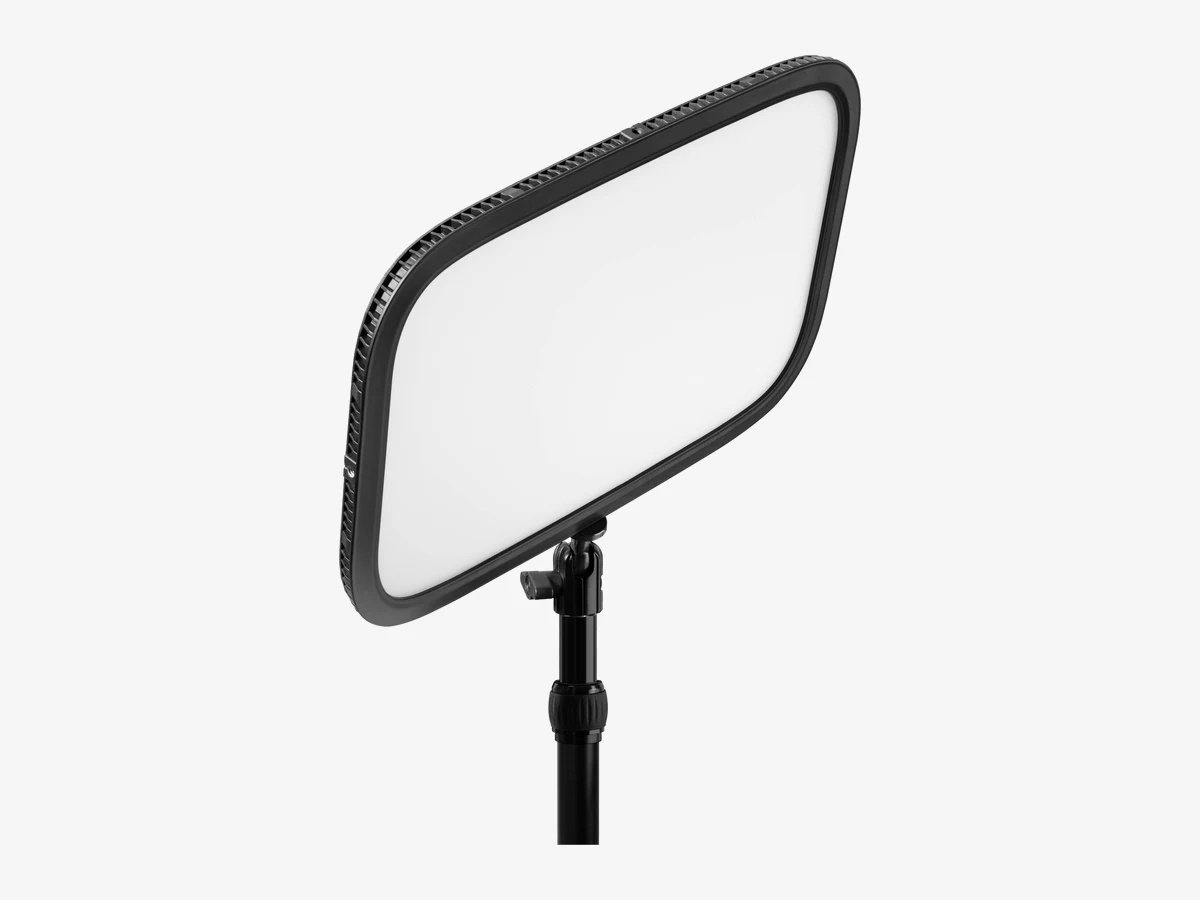
Image: Elgato
1. Elgato Key Light
The benchmark desk key light: 2,800 lumens of soft, edge-lit output with 2900 to 7000K adjustability, app control, and a proper telescopic desk mount in the box.
This is the light every other desk key light is measured against, and for good reason. The large edge-lit panel throws an exceptionally even, glare-free wash that flatters faces without the harsh hotspot cheaper panels produce, and 2,800 lumens is enough muscle to beat back a bright window behind you. Elgato ships it with a telescopic pole mount (55 to 125 cm) and padded desk clamp, so it goes from box to eye-level lighting in minutes, no light stand required.
The Wi-Fi app control is the workflow win: dim or warm the light from your phone or a Stream Deck without leaving your chair, and it integrates with the wider Elgato ecosystem if you ever build a streaming setup (see our best cameras for streaming guide for the rest of that puzzle). The edge-lit design is easy on the eyes, which matters when you stare toward it for hours.
Technical features
- Brightness: 2,800 lumens, fully dimmable
- Color temperature: 2900 to 7000K, adjustable
- CRI: >92%; 160 edge-lit OSRAM LEDs
- Control: Wi-Fi app (iOS/Android/PC/Mac), Stream Deck
- Mount: telescopic pole 55 to 125 cm, clamp to 60 mm (included)
- Power: up to 45W, mains PSU in the box
- Panel size: 350 x 250 x 30 mm; weight 1.3 kg
- Diffusion: opal glass face, multi-layer and glare-free
- Connection: Wi-Fi 802.11 b/g/n, WPA/WPA2 encryption
Pros
- Brightest desk-sized option here
- Exceptionally even, eye-comfortable diffusion
- App + Stream Deck control without leaving your chair
- Proper desk mount included, no stand needed
Cons
- Full app control needs a Wi-Fi network
- Mains-powered only, no battery option
- Premium price for a single panel
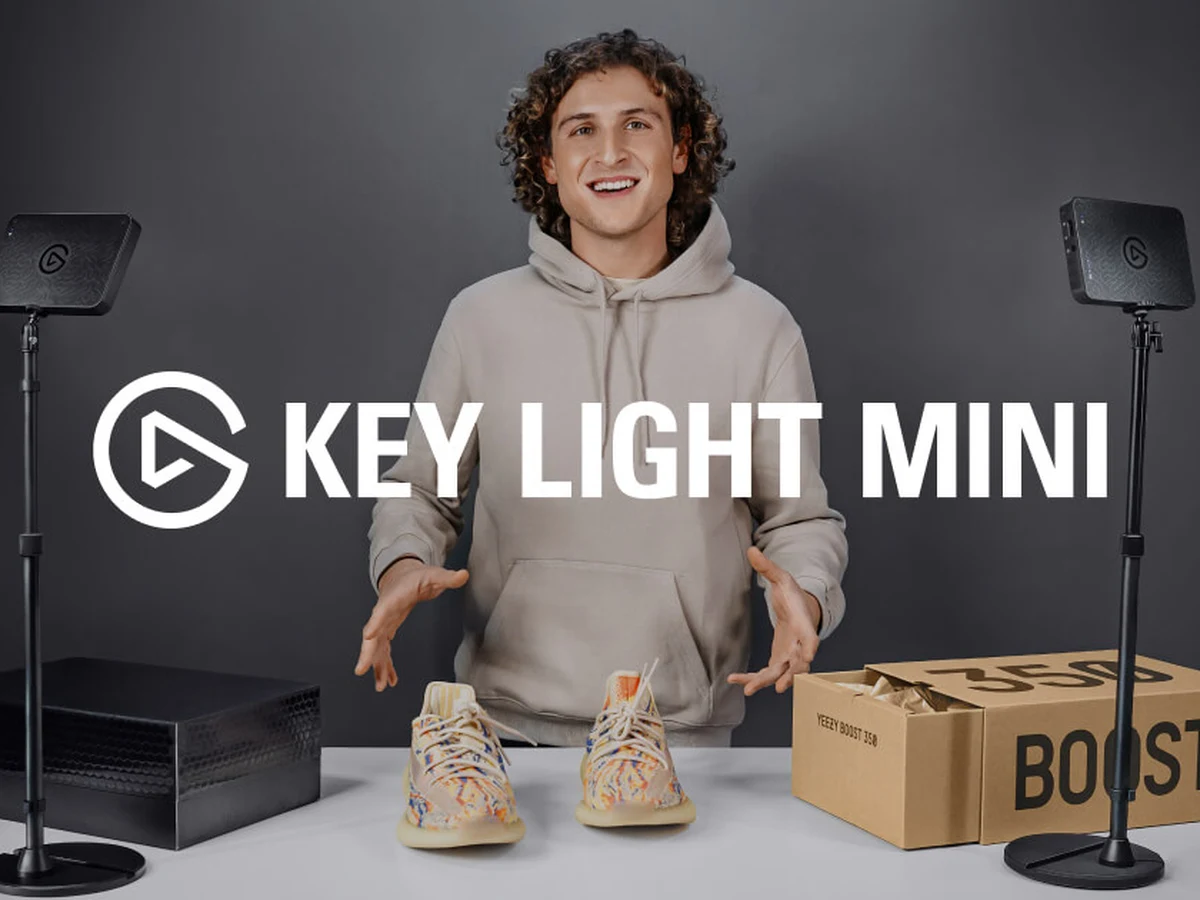
Image: Elgato
2. Elgato Key Light Mini
A genuinely portable key light: 800 lumens, a built-in battery, and at least the color quality of the big Key Light, for desks, locations, and travel vlogging.
The Key Light Mini is Elgato’s answer to the obvious complaint about the flagship: you cannot take it anywhere. This six-inch panel keeps the 2900 to 7000K range and high-CRI output, then adds a 4,000 mAh battery good for about two hours at full brightness or four at half, plus a USB-C Studio Mode that bypasses the battery for unlimited runtime when plugged in. The magnetic back and standard 1/4-inch thread mean it mounts to tripods, clamps, or any metal surface, so it doubles as a fill light, a background accent, or a travel key light.
Onboard controls adjust brightness and color temperature without Wi-Fi, which makes it usable the moment you unbox it, and if you ever build a full streaming desk, it slots into the same app ecosystem as its bigger sibling. For creators who film in more than one place, this is the one light that covers all of them.
Technical features
- Brightness: 800 lumens, fully dimmable
- Color temperature: 2900 to 7000K, adjustable; CRI >94%
- Battery: 4,000 mAh (~2h at full, ~4h at 50%)
- Charging: USB-C, 3A fast charge; Studio Mode bypasses battery
- Control: onboard buttons + Wi-Fi app
- Mounting: magnetic back, 1/4-inch thread; 300 g
- Size: 147 x 100 x 17 mm
- LEDs: 160 premium OSRAM, flicker-free
- Charge time: about 65 minutes with a 15W charger; max power draw 15 W
Pros
- Battery-powered, works with no outlet in sight
- Strong output for a pocketable panel
- Onboard controls work without Wi-Fi
- Magnet + tripod thread mount it anywhere
Cons
- No tripod or mount included in the box
- 800 lumens cannot overpower bright daylight
- About two hours of runtime at full brightness
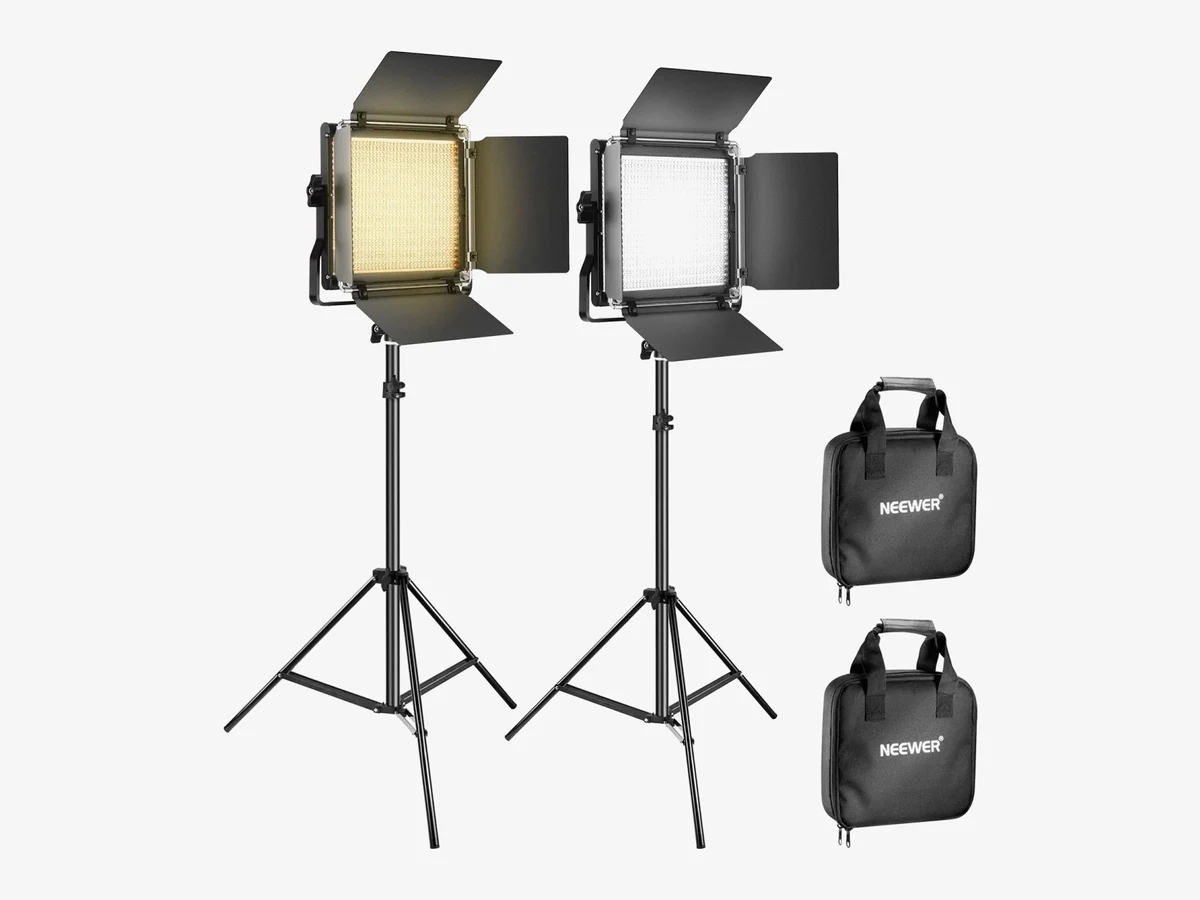
Image: Neewer
3. Neewer NL660 2-Pack Bi-Color LED Video Light Kit
The value king: two 40W bi-color panels with stands, barn doors, and diffusers in one box: a complete key + fill lighting setup for less than one premium panel.
The NL660 has been the default recommendation for budget video lighting for years, and the current version keeps earning it. Each panel packs 660 LEDs (330 warm, 330 cool) for 40W of bi-color output at 3200 to 5600K with CRI 96+, and the published 3,300 lux at 1 meter is genuinely punchy for a panel this size. The aluminum housings are passively cooled, so there is no fan and no hum bleeding into your microphone, and the kit ships with everything: two stands, barn doors, diffusers, carry bags, and AC adapters.
Two lights changes what you can do: run one as the key and the second as a fill (or a background light), and your videos instantly look layered instead of flat. The controls are refreshingly simple: a knob for brightness, a knob for color temperature, a small LCD. Owners consistently report years of reliable service. Add NP-F batteries later and the kit goes cordless outdoors.
Technical features
- 2× panels: 660 LEDs (330+330), 40W each
- Color temperature: 3200 to 5600K; CRI 96+
- Output: 3,300 lux at 1 m; 0 to 100% dimming
- Cooling: passive aluminum, no fan noise
- In the box: 2× stands (26 to 75 in), barn doors, diffusers, bags, AC adapters
- Power: AC included; NP-F550/970 batteries optional (not included)
- Mounting: U bracket tilts a full 360 degrees
- Display: rear LCD shows brightness, color temperature and battery level
- Output: flicker-free; DC 12V input
Pros
- Two complete lights: a real key + fill setup
- Silent fanless build, safe for quiet rooms
- Stands, barn doors, and diffusers all included
- Proven workhorse with years of owner reports
Cons
- Included stands are light-duty, so use sandbags on tall setups
- Batteries for cordless use sold separately
- No numeric readout on the dial itself; the rear LCD shows the color temperature
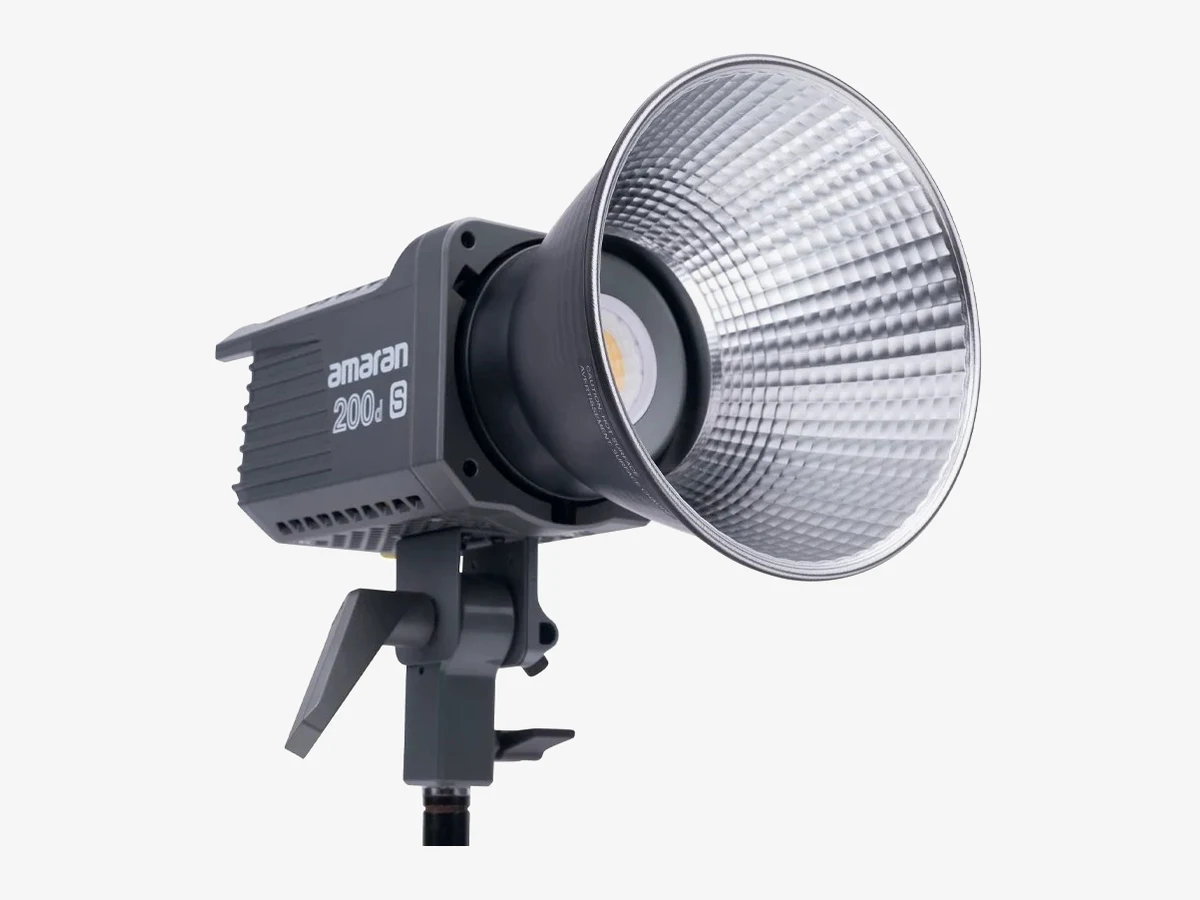
Image: Aputure
4. Aputure Amaran 200d S
The cheapest route to true studio lighting: a 200W daylight COB with a Bowens mount, so you can hang real softboxes and modifiers off it.
Panels are convenient; a point-source COB in a softbox is what professional-looking key light actually is. The Amaran 200d S puts out a staggering 55,800+ lux at 1 meter with the included Hyper Reflector, and its dual-blue LED chipset delivers CRI 96 / TLCI 99 color, the highest TLCI listed here, with skin tones that need no correction. The universal Bowens mount is the whole point: it accepts Aputure’s modifiers and the entire third-party softbox ecosystem, turning a harsh point source into the big, soft, window-like light that flatters every face.
It is a different animal from the desk lights above: it needs a proper light stand, it has a cooling fan (with a genuinely quiet 28 dB silent mode for recording), and it is mains-first. Battery power means the optional 2-bay station, not a single NP-F. But if you are building a dedicated filming space rather than lighting a desk, nothing near this price touches it. Control it from the Sidus Link app over Bluetooth, with 8 built-in lighting effects for creative scenes.
Technical features
- Power: 200W daylight COB, 5600K fixed
- Output: 20,000 lumens; 55,800+ lux at 1 m with reflector
- Color: CRI 96, TLCI 99, SSI 87
- Mount: universal Bowens S + umbrella holder
- Control: onboard + Sidus Link Bluetooth app; 8 FX
- Cooling: fan with 28 dB silent mode; 48V DC (AC PSU included)
- Beam angle: 110 degrees bare; 25.9 degrees with the hyper reflector
- Weight: lamp head 1.56 kg; 3.71 kg total with case
- Wireless range: Bluetooth up to 100 m; onboard LCD screen
- In the box: light head, Bowens Mount Hyper Reflector, Bowens Mount Protection Cover, AC power supply, AC power cable
Pros
- Enormous, clean output with best-in-class color
- Bowens mount opens up the whole softbox world
- App control with lighting effects
- Silent fan mode safe for recording
Cons
- Daylight-only (the 200x S is the bi-color version)
- Fan is audible in standard mode
- Mains-first; no simple single-battery option
- Needs a stand and modifier to reach its potential
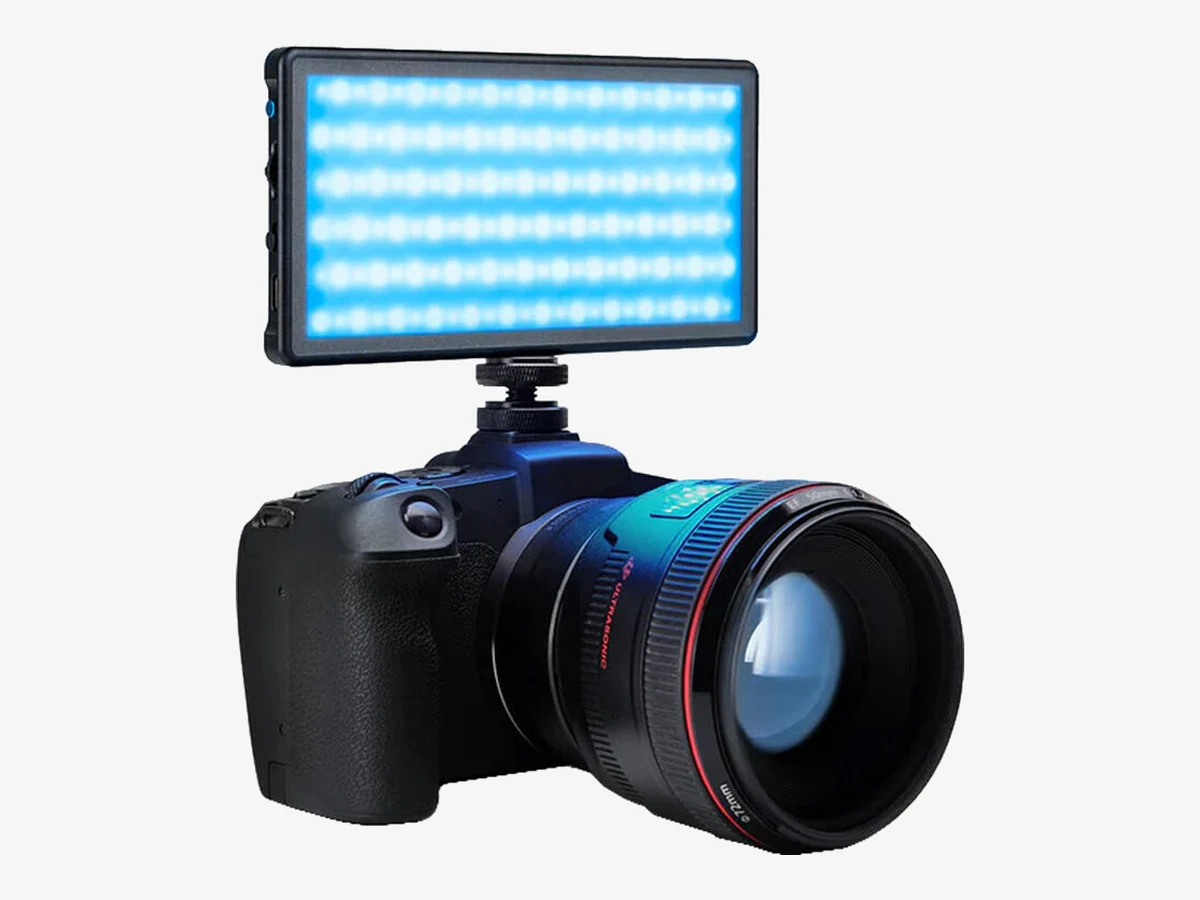
Image: Lume Cube
5. Lume Cube RGB Panel Pro 2.0
A pocketable RGB panel for on-camera fill and background accents: 595 lumens, full 16-million-color control, and an app that is actually good.
The Panel Pro 2.0 is the light you keep in your camera bag. At phone size (6 × 3.1 inches, 209 g) it slips anywhere, yet puts out 595 lumens with CRI 96+, enough to fill a face on a dim shoot or lift a dark corner. The headline is full RGB: over 16 million colors with green/magenta tint control, seven built-in effects (fire, lightning, police lights, TV flicker), and the Lume Control app’s color picker and eyedropper for matching ambient light precisely.
It runs about two hours at full brightness or four at half from its built-in battery, and doubles as a power bank for your phone in a pinch, a thoughtful touch for mobile creators (pair it with our best mobile vlogging kit picks for a complete phone rig). Three 1/4-inch threads and an included shoe mount mean it goes on-camera, on a tripod, or hidden in a scene for accent lighting.
Technical features
- Brightness: 595 lumens (835 lux at 0.5 m)
- Color: 2700 to 7500K + full RGB (16M+ colors); CRI 96+
- LEDs: 204 high-quality LEDs, 10W max
- Battery: 4,000 mAh (~2h at 100%, ~4h at 50%); power-bank function
- Control: onboard + Lume Control Bluetooth app; 7 FX
- Mounting: 3× 1/4″-20 threads; shoe mount and case included
Pros
- Tiny, tough, and genuinely bright for its size
- Full RGB for creative accents and background light
- Doubles as a phone power bank
- Solid aluminum one-piece build
Cons
- About two hours of runtime at full brightness
- Onboard controls are fiddly. The app is better
- Not a key light for lighting a whole room
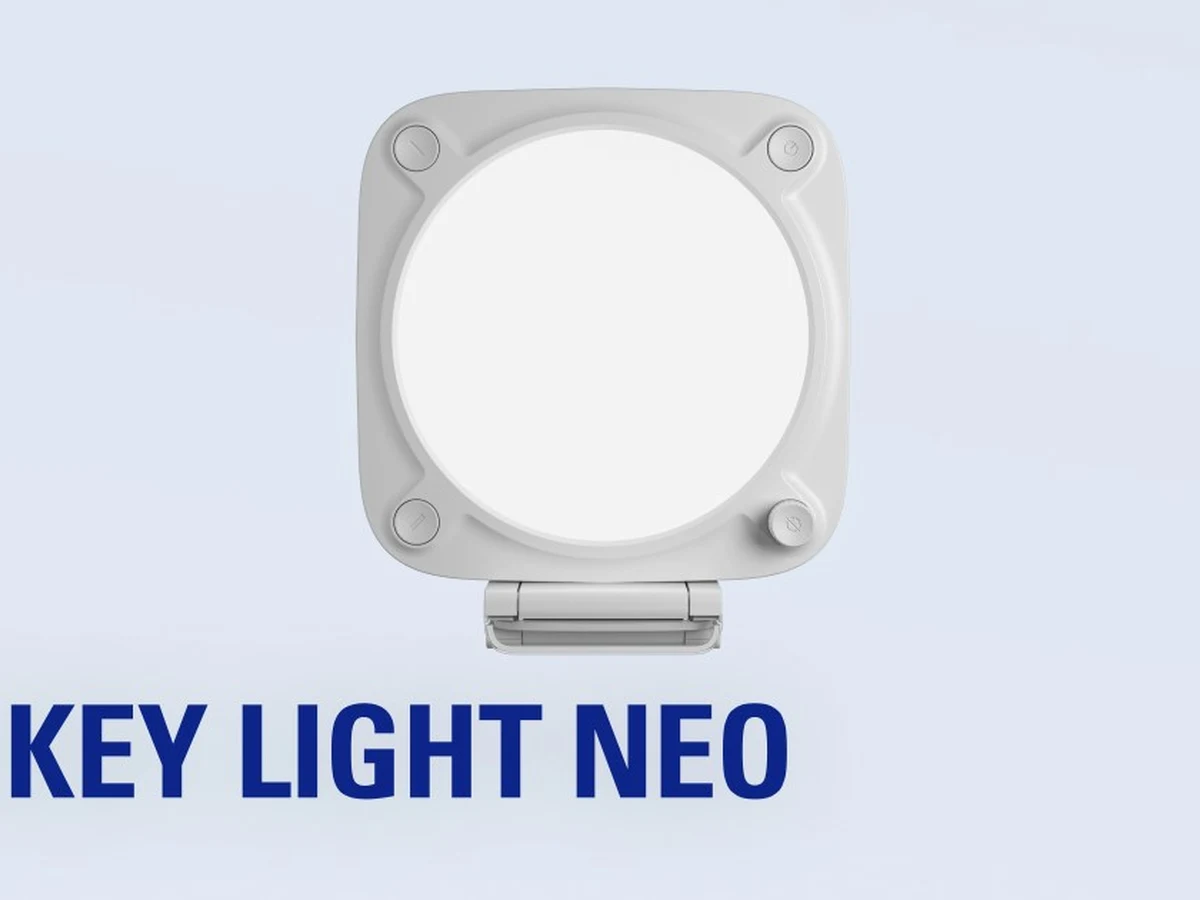
Image: Elgato
6. Elgato Key Light Neo
The simplest lighting upgrade for a webcam desk: a compact USB-powered key light that clamps onto your monitor in seconds.
The Key Light Neo answers a different question than its bigger siblings: not “what is the best light?” but “what is the light I will actually set up?” It mounts directly on top of your monitor with the included mount, draws power over USB-C (no power brick hunting), and puts out up to 1,000 lumens of diffused 2900 to 7000K light. Onboard buttons and a dial handle brightness, temperature, and presets right on the unit, while Wi-Fi connects it to the Control Center app and Stream Deck like the rest of the Elgato family.
It is the natural pick for video calls, casual streaming, and vloggers whose “studio” is a laptop on a desk. The smaller panel means a less soft spread than the flagship Key Light, and the full 1,000 lumens needs a 3A USB power supply (it steps down over weaker USB ports), but for most desk distances it is more than enough, and the setup friction is essentially zero.
Technical features
- Brightness: up to 1,000 lumens on a 3A supply; 700 lumens on USB-C, 400 lumens on USB-A
- Color temperature: 2900 to 7000K, adjustable
- Power: USB-C, runs off your desk setup
- Mount: monitor mount included
- Dimensions: 38 × 150 × 150 mm
- Control: onboard buttons + dial, Wi-Fi app, Stream Deck
- Design: edge-lit, diffused out of the box
- Weight: 246 g
- Color accuracy: CRI above 94%
- In the box: 100 cm USB-C cable, 150 cm USB-A extension cable and USB adapter
Pros
- Dead-simple monitor mounting, minutes to set up
- USB power, no extra brick on your desk
- Onboard controls plus app and Stream Deck
- Affordable entry to the Elgato ecosystem
Cons
- Smaller panel = less soft spread than the big Key Light
- Full brightness needs a 3A USB power supply
- Tethered to USB, no battery for location work
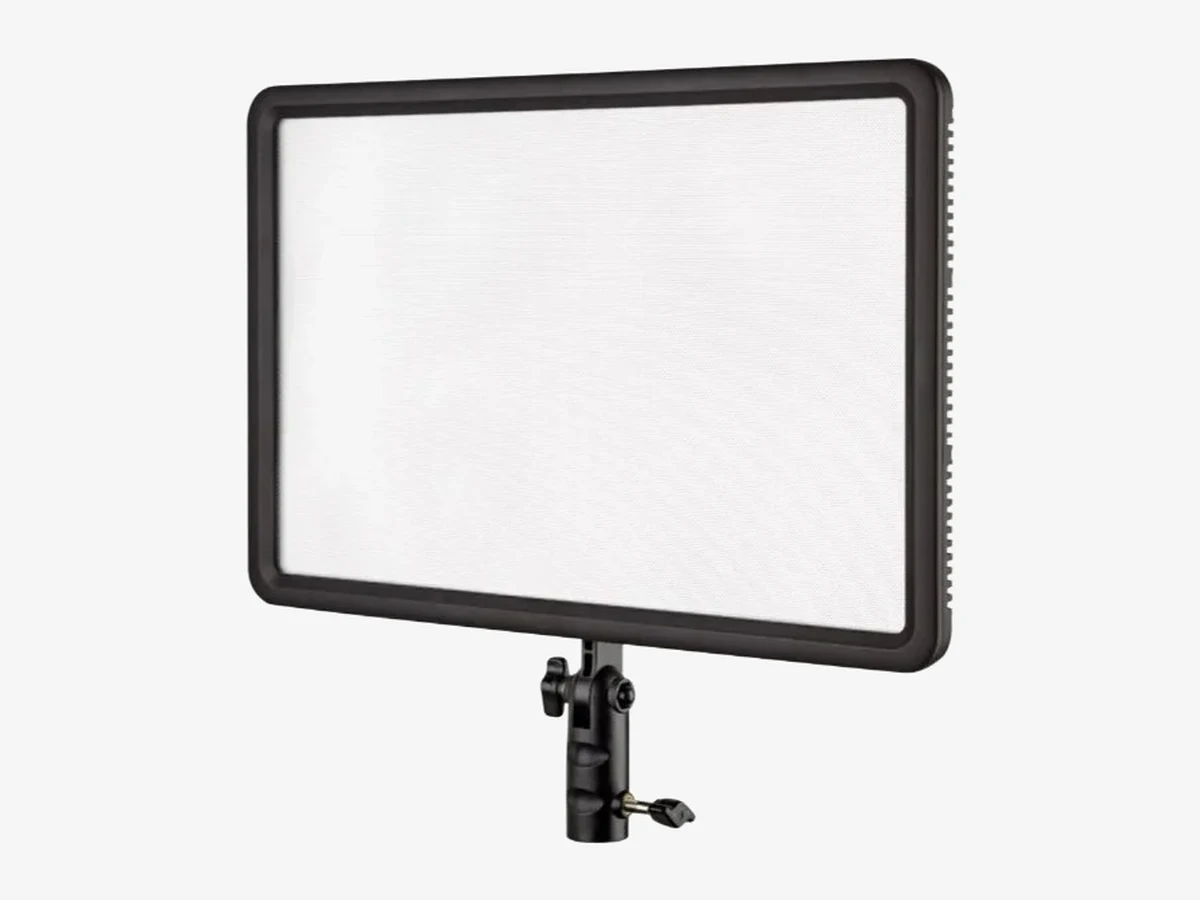
Image: Godox
7. Godox LEDP260C
A thin, soft 30W bi-color panel with a remote control and battery option, a flexible middle ground between budget panels and studio COBs.
The LEDP260C is Godox’s long-running answer to creators who want more than a bare LED panel but do not need a COB rig. Its 360 × 240 mm face carries a built-in diffuser for naturally soft output, the bi-color 3300 to 5600K range covers tungsten to daylight with CRI 95 / TLCI 94, and brightness dims from 10 to 100% for fine control. An RC-A5 wireless remote (433 MHz, 16 channels) adjusts it from across the room, and the dual NP-F battery plate takes it cordless for location shoots.
At 30W and under a kilogram with passive cooling, it is silent, light enough for a travel stand, and thin enough to slide into a gear bag. The trade-offs are honest: the plastic build feels utilitarian and the acrylic diffuser scratches if you are careless, the remote needs AAA batteries, and the NP-F batteries are sold separately. But as a single flexible panel that works at a desk, on a stand, or on location, it earns its place.
Technical features
- Power: 30W; 256 LEDs (128 warm + 128 cool)
- Color temperature: 3300 to 5600K; CRI 95 / TLCI 94
- Output: 2,200 lux at 0.5 m; 10 to 100% dimming
- Cooling: passive, completely silent
- Power source: AC adapter included; 2× NP-F battery plate
- Control: onboard LCD + RC-A5 433 MHz remote
- Size: 360 × 240 × 27 mm; 917 g; detachable handle
Pros
- Large, naturally soft face for the price
- Remote control included for across-the-room adjustments
- AC or battery power, desk or location
- Completely silent, no fan
Cons
- Plastic build feels utilitarian; acrylic diffuser scratches if you are careless
- Remote needs AAA batteries
- NP-F batteries sold separately
Key, fill, and RGB accent: what each light actually does
Most vlogging setups need exactly two lights: a key at 45 degrees and a fill (or a window). The third light in three-point lighting is the back light, placed behind you; an RGB accent on the background is a separate background touch, not the third point.
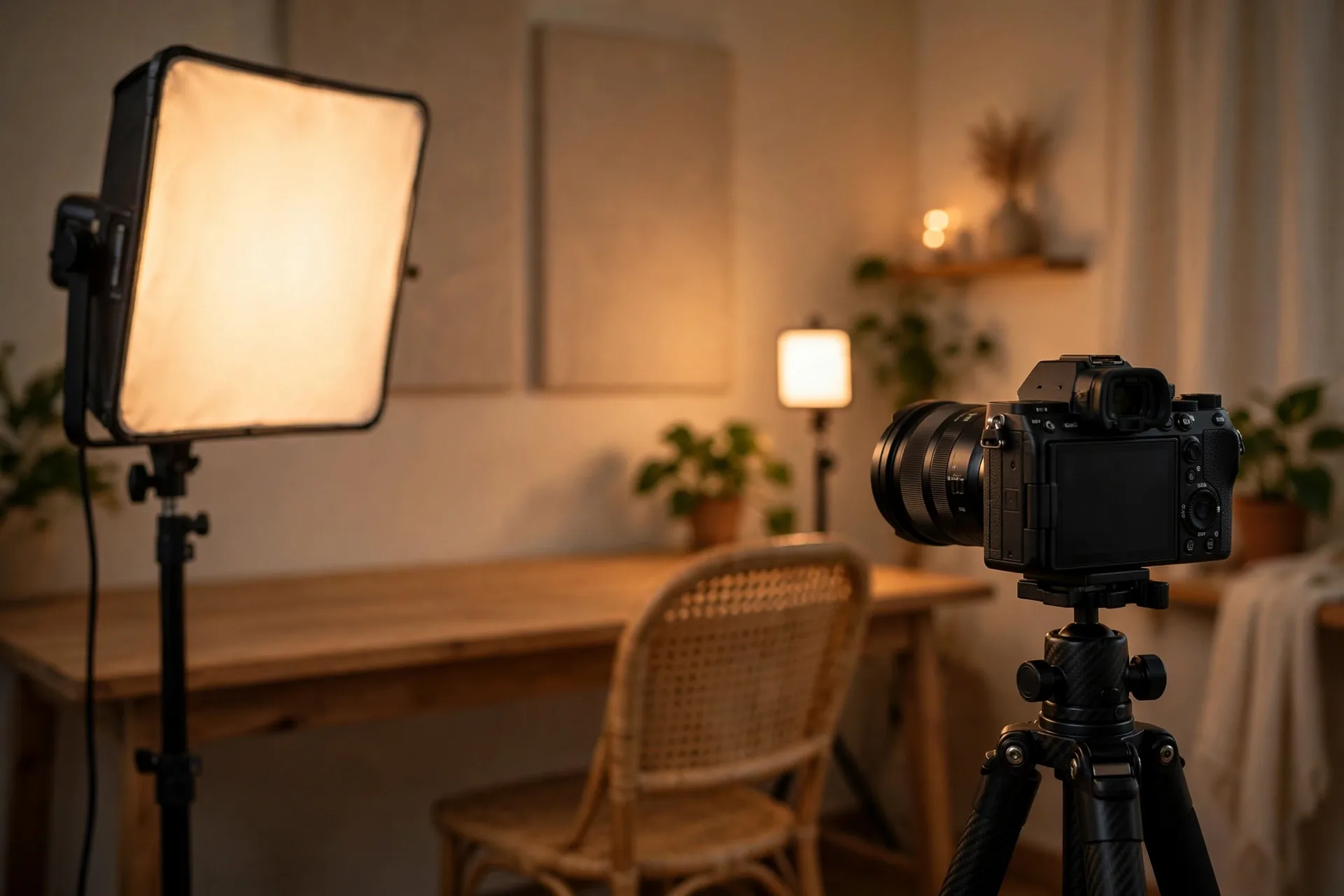
The key light is the main event: the brightest light, placed at or just above eye level, offset 30 to 45 degrees to one side of your face. This is the Elgato Key Light’s job, or the Amaran 200d S in a softbox. Position it and dim it until your face is clearly brighter than the background. That contrast is what separates you from the wall behind you.
The fill light is the key’s assistant: a softer, dimmer source on the opposite side that lifts the shadows the key creates. It should be noticeably dimmer than the key (half power is a good starting point), or shadows go flat and the image looks lifeless. This is where the second panel of the Neewer 2-pack or a Key Light Mini earns its keep. No second light? A white poster board or bedsheet bouncing the key back at your face does 80% of the job for free.
The RGB accent never touches your face. It paints the background. A Lume Cube panel set to a deep blue or warm amber behind you turns a plain bedroom wall into a set. Keep it subtle: the accent should be visible but never brighter than your key light.
Put a key, a fill, and one more light together and you have three-point lighting, the standard arrangement behind most professional talking-head footage. The third point is the back light (also called a rim light or hair light), placed behind you and aimed at the back of your head and shoulders. It draws a thin, bright edge along your outline that lifts you off the background, which is the difference between looking pasted onto the wall and sitting inside a real space. It does a different job from the RGB accent: the accent colors the background itself, while the back light lights you. One small panel can cover both roles if you set it behind you and angle it so part of the beam grazes your shoulders while the rest spills onto the wall. And if you only buy two lights, key plus back light is a legitimate pairing: bounce the key off a board for fill, and spend the second light on separation.
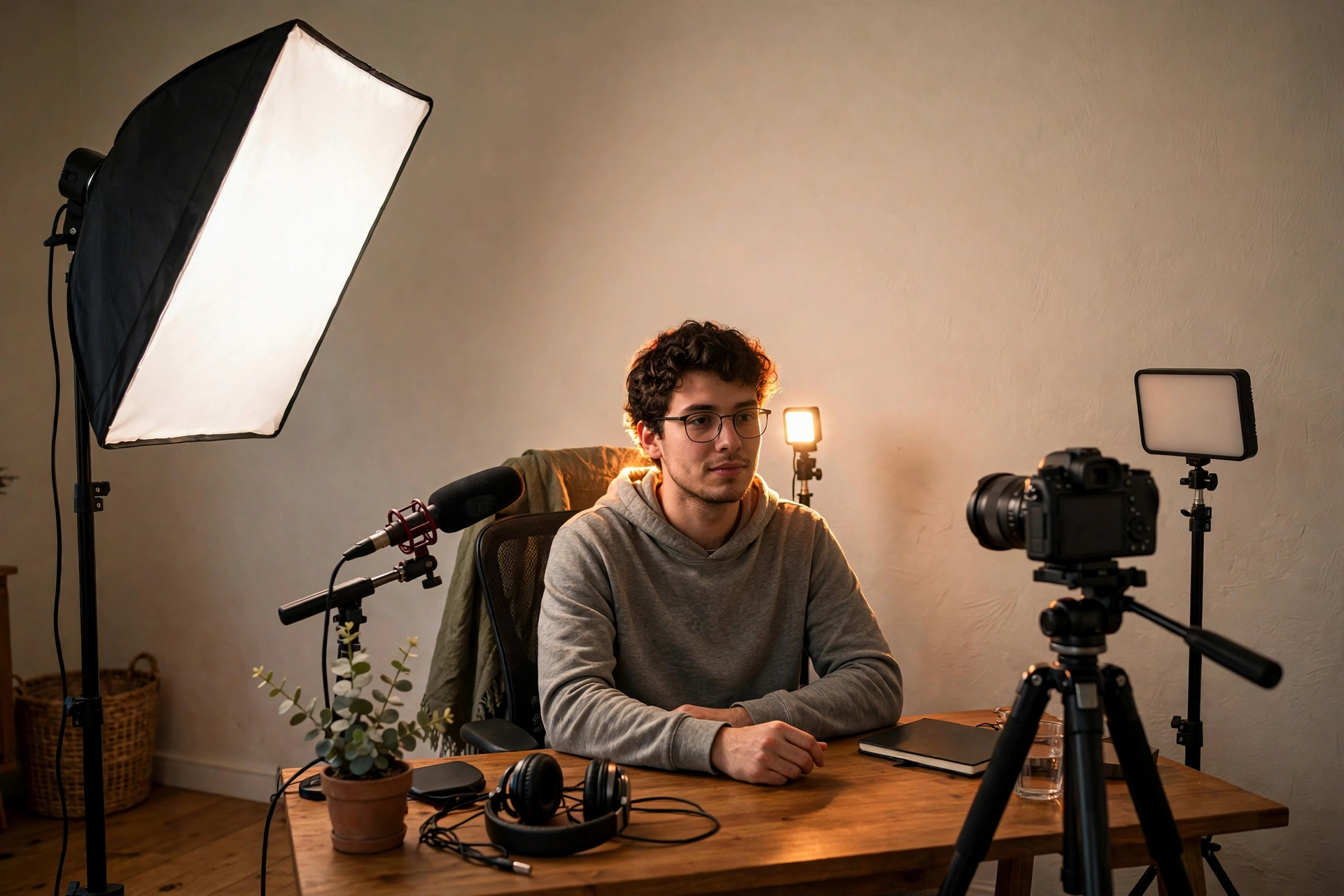
Distance matters as much as brightness. Light falls off fast as it moves away from you: double the distance and your face receives roughly a quarter of the light. That is why a modest panel an arm’s length away outperforms a powerful light across the room, and why sliding your key six inches closer often fixes an exposure problem better than turning it up. A closer light is also a softer light, because the source is effectively larger compared with your face. As a starting point, put a desk key light 2 to 3 feet from your face, just above eye level; set the fill slightly further back or dim it down, and keep the back light far enough behind you to stay out of frame.
Three practical rules that matter more than which light you buy: get the key above eye level (below eye level is horror-movie lighting), diffuse everything (bare LEDs create harsh hotspots: softboxes, diffusers, or even a shower curtain between light and face), and match your color temperature to the room, which brings us to the spec sheet.
CRI, Kelvin, and lumens: reading a light’s spec sheet
CRI 92+ for believable skin tones, color temperature matched to your room, then raw brightness, in that order of importance. Everything else on the spec sheet is secondary.
CRI (Color Rendering Index) measures how faithfully a light reproduces colors, out of 100. Below 90, skin tones go grey-green and sickly no matter how you white-balance; at 95+ they look natural. Every light on this page scores 92 or higher, which is the real filter. Most ultra-cheap panels sit in the low 80s and it shows on faces. TLCI is the video-specific cousin of CRI; anything 94+ is fine.
Color temperature (Kelvin) is the warmth of the light: 2700 to 3200K is warm tungsten, 5600K is daylight. The rule is simple: match the room. Filming in the evening under warm bulbs with a 5600K panel gives you a blue face in an orange room. That is why bi-color lights dominate this guide: the Elgato lights span 2900 to 7000K, the Neewer 3200 to 5600K and the Godox 3300 to 5600K, so one light covers both scenarios. The Amaran is the exception: fixed at 5600K daylight, not bi-color.
Brightness is where spec sheets get slippery. Lumens measure total light output; lux measures light at a distance, and distance is everything. A 2,800-lumen Elgato Key Light two feet from your face is blinding; the same light six feet away is gentle. For desk vlogging at 2 to 3 feet, 800 to 1,000 lumens is plenty. Manufacturers quote lux at different distances (0.5 m vs 1 m), so compare like with like: compare lux figures measured at the same distance.
Form factor decides how a light behaves before any spec does. Flat LED panels are the desk default: thin, cool-running, and easy to mount, with softness set by the size of the panel. COB lights concentrate everything into one small point, which sounds harsh until you add a softbox or diffusion dome; that modifier ecosystem is exactly why they dominate small studios. Ring lights wrap light around the lens for flat, shadowless close-ups, at the cost of the circular catchlight they leave in your eyes. Tube lights are the newest shape in most kits: slim wands that hide behind furniture, stand in frame as glowing practicals, or wash a background with color where a square panel will not fit. No shape wins in the abstract. Match the shape to the job first, then compare specs within that shape.
Two final specs worth checking: flicker (the Key Light Mini and Neewer cards state flicker-free output, which matters when your camera’s shutter speed meets cheap PWM dimming) and fan noise: a loud fan ruins quiet talking-head audio, which is why the passively cooled panels and the Amaran’s silent mode matter. If you are still building your first setup, our vlogging equipment for beginners guide covers how lighting fits with mics and tripods.
Three complete lighting systems, built from the lights above
Buying lights one at a time without a plan is how you end up with three panels and still no good key light. These three systems cover three starting points: no new gear, one light, and a full desk studio. System 1 needs no bought light at all. System 2 needs one panel, plus a white board and a household lamp you already own. System 3 is built from the seven lights above. Pick the system that matches what you already own. The rest of this section adapts the systems to small rooms, rescues a ring light you already own, and gives you the buying order and the temperature-matching rule.
System 1: window light, done properly
Start here if you own no light yet. A large window is a free softbox, and a window system done properly beats a cheap panel used badly.
Face the window, never put it behind you, and sit close enough that the window fills your face: two to three feet from the glass is a good starting distance. Direct sun through bare glass is harsh, so soften it with a sheer curtain, a white shower curtain, or a sheet of baking paper taped to the frame. That diffusion turns a hard patch of sun into an even wash. On the shadow side of your face, stand a white poster board, a white bedsheet over a chair, or a piece of foam board. That bounce is your fill light, and it costs nothing.
Window light has one weakness: it moves. Film at the same time of day for every video in a series, mark your chair position on the floor with tape, and check the sky before you press record. Overcast days are your friend: cloud cover is nature’s diffuser, and the light stays steady for hours. When the sun drops, the light goes with it, so a window system always needs a backup plan for evenings. That backup is System 2.
System 2: one light, a reflector, and a household lamp
Buy one panel and, with a white board and a household lamp you already own, you have a complete three-part setup. The panel is your key, a white board is your fill, and a household lamp becomes your background accent.
Set the panel as the key: at or just above eye level, 30 to 45 degrees to one side, two to three feet from your face. Any panel above works here. A Key Light Neo on your monitor, a Godox panel on a desk stand, or a Key Light Mini on a small tripod all do the same job at desk distance. On the opposite side, stand the white board as the fill, close enough to lift the shadows without flattening them. Behind you, out of frame, put a household lamp with a warm bulb. It does not light your face at all. It warms the background and draws a little separation between you and the wall, the same job the RGB accent does in the section above, minus the color.
Match the color temperature before you record. Set the panel to the same warmth as the lamp: warm in the evening under household bulbs, daylight when you mix with window light during the day. A daylight panel beside a warm lamp is the mixed-temperature mistake the spec sheet section warns about, and it shows on skin before it shows anywhere else.
System 3: the full desk studio
This is the system the seven lights were picked for: a key, a fill, and an accent, each doing one job.
Run the Neewer 2-pack as key and fill: one panel at 45 degrees as the key, the second on the opposite side, dimmer, as the fill. Or run a Key Light as the key and a Key Light Mini as the fill. Either way the rule from the roles section holds: the fill stays noticeably dimmer than the key, half power is a good starting point. Then add the accent: a Lume Cube panel behind you, set to a deep blue or warm amber, painting the wall while never touching your face. That is a complete key, fill and accent setup. It is not full three-point lighting: for that, the third light must be a back light on you, not an accent on the wall.
The Amaran 200d S replaces the panel key when you move to a dedicated filming space. Hang it in a softbox on a proper stand, run it in silent mode while recording, and it becomes the big soft window-like key the panel lights imitate. At a normal desk it is overkill, and the FAQ below says so plainly. Buy it when the room grows, not before.
Small rooms: when three-point does not fit
A small room changes the system, not the goal. Two light stands plus a desk plus a chair do not fit in a bedroom corner, and a back light two feet behind your head lands in frame.
Trade stands for mounts. A monitor mount, a desk clamp, or a small tripod on the desk holds a panel where a stand cannot go. The Key Light Neo exists for exactly this: it clamps to the monitor and disappears into the desk. If even that is tight, drop the back light and keep key plus bounce. A key and a white board give you a clean, separated face in a room too small for three lights, and the accent can wait until you have the space. Our home studio guide covers small-room sets in more depth, including renter-friendly setups that leave no marks.
Already own a ring light? Make it work
Ring lights are not the recommendation in this guide, but if one is already on your desk, do not throw it away. Use it differently.
Stop using it as the key. A ring around the lens gives flat, shadowless light and the circular catchlight in your eyes, which is why panels win for talking-head work. Instead, raise the ring above eye level and angle it to one side, so it stops being a ring around the lens and starts behaving like a small panel. Diffuse it with a sheet of baking paper or a shower curtain in front of it, and the hard circle softens into a wash. Used this way, a ring light makes a decent fill beside a window key, or a background accent when you need a little extra light on the wall. The moment it becomes your only light again, the flat look comes back with it.
Buying in order: key, bounce, second light, accent, COB
Buy in this order and nothing you buy early becomes useless later.
First, one good key light. Everything else in this section builds on it. Second, a white board, which is free. Third, a second light for fill. If you started with nothing, the Neewer 2-pack covers the first and third steps in one box. Fourth, one small accent light for the background. Last, the COB and softbox, when you have a dedicated space and the desk lights start limiting you. Every step reuses what came before it: the first panel becomes the fill when the COB arrives, and the accent never leaves the background.
Matching color temperature across the whole system
One mixed light ruins a system faster than one dim light. Set every light in the system to the same color temperature before you record, and check it on your face, not on the dials.
Bi-color panels make this easy: dial each one to the same Kelvin number. In the evening under household bulbs, set everything warm, around 3200K where your lights allow it. If one light cannot reach that warmth, bring the others to the closest warm setting they share. In daylight beside a window, set everything to daylight, around 5600K. If one light cannot reach the temperature you need, change the others to meet it rather than leaving one light out of step. And lock your camera’s white balance once the lights match: auto white balance will drift as you move, and a locked balance keeps every clip in a series looking like it belongs together.
Frequently asked questions
The questions vloggers actually ask before buying a light.
How bright does a vlogging light need to be?
Less than you think. At a typical desk distance of 2 to 3 feet, 800 to 1,000 lumens is plenty for a well-exposed face. That is why the Key Light Mini and Key Light Neo work so well up close. The 2,800 lumens of the full-size Elgato Key Light matters when you are fighting a bright window or lighting a larger area, not for a normal desk. Compare lux-at-1-meter figures when shopping, since lumens alone ignore distance.
What color temperature is best for vlogging?
Match your room: 5600K daylight when filming near windows during the day, 3200 to 4000K warm in the evening under household bulbs. Mixing temperatures (a daylight panel in a warm-lit room) makes skin look wrong in ways white balance cannot fully fix. A bi-color light adjustable from 2900K to 7000K covers both situations, which is why most of these lights are bi-color. The Amaran 200d S is the exception: fixed at 5600K daylight, not bi-color.
What is CRI and does it matter for vlogging?
CRI (Color Rendering Index) scores how faithfully a light reproduces colors, out of 100. It matters enormously for faces: lights under CRI 90 make skin look grey and sickly, while 95+ looks natural. All seven lights in this guide score 92 or higher. If a panel does not publish a CRI figure, treat that as a red flag.
Are ring lights or panel lights better for vlogging?
Panel and key lights, in almost every case. They produce softer, more even light without the telltale ring reflection in your eyes, and in your glasses, where a ring light creates an unmissable bright circle. Ring lights work for beauty close-ups, but for talking-head vlogging a panel at 45 degrees looks more professional and is far more forgiving.
Can I just use window light for vlogging?
Yes. A large window is a gorgeous free softbox. Face it (never put it behind you), film during consistent daylight, and you may not need a light at all. The problem is consistency: clouds, time of day, and seasons change everything. A panel light exists for the hours without usable window light and for videos that need to match across multiple filming sessions.
Do I need RGB lights for vlogging?
No, but one small RGB panel on your background makes a set look deliberate. The white key light does the actual work of lighting your face; the RGB accent (a Lume Cube panel set to deep blue or warm amber behind you) adds depth and production value for very little money. Skip RGB entirely if your budget only stretches to one light: buy the best white key light instead.
Are tube lights good for vlogging?
As supporting lights, yes. A tube light is a slim, usually battery-powered wand that tucks behind a shelf, stands in the corner of the frame as a glowing practical, or washes a background with color, and most offer full RGB. Tubes are rarely broad or bright enough to serve as your only key light at a desk, but as a second or third light they do jobs a square panel cannot.
How do I stop my key light reflecting in my glasses?
Raise the light above eye level and angle it 30 to 45 degrees to the side. Reflections follow the angle of incidence, so off-axis placement moves the glare out of the lens. Larger, more diffused sources (a softbox rather than a bare panel) also help, since the reflection spreads into a soft wash instead of a hard rectangle. As a last resort, move the light slightly further away and raise its brightness to compensate.
Do I need one light or two for vlogging?
Start with one good key light. It is 80% of the result. Add a second light (or a white bounce board) as a fill when the shadow side of your face bothers you. The Neewer NL660 2-pack exists precisely for this: one box gives you a proper key and fill. Three or more lights is studio territory, not a vlogging requirement.
What is three-point lighting, and do vloggers need it?
It is the classic arrangement of a key light, a fill light, and a back light, and no, you do not need all three to start. One key light, helped by a window or a bounce board, covers most vlogs. Add the back light when your background is dark or sits close behind you, because the rim of light along your head and shoulders is what separates you from it. Treat the full three-point setup as the upgrade path, not the entry ticket.
How far should a vlogging light be from my face?
Closer than most people place it. Light loses strength quickly with distance (double the distance and you get roughly a quarter of the brightness), so a key light 2 to 3 feet from your face can run at a moderate setting and still look soft. Push it across the room and you need far more power for a harsher result. If your footage looks dim, move the light closer before you shop for a brighter one.
Is a 200W COB like the Amaran 200d S overkill for a desk setup?
Usually, yes. At three feet you will run it at 10 to 20% power. The Amaran earns its place in a dedicated filming space with a softbox, in larger rooms, or when you want one light that grows with you. For a standard desk, the Elgato Key Light or a Neewer panel is the more practical, quieter, and cheaper choice.
Can I use these lights for outdoor or on-location vlogging?
Some of them. The Elgato Key Light Mini and Lume Cube Panel Pro 2.0 have built-in batteries and are made for it; the Neewer NL660 and Godox LEDP260C run on NP-F batteries (sold separately). The big Elgato Key Light and Key Light Neo are mains/USB-only, and the Amaran 200d S needs its 2-bay battery station. All three are fine for a planned shoot with power at hand, not for a backpack.
This guide is research-based curation: we compared manufacturer specifications, published reviews, and current prices. Read how we choose.
Keep exploring
Lighting is one piece of the kit. Here is the rest.