
Last updated: October 2026
Camera damage rarely happens in one dramatic moment. It happens slowly: dust welded to a sensor over a humid summer, fungus threading through a lens stored in a dark bag, a battery dying young because it lived at full charge in a hot room. The good news is that nearly all of it is preventable with a small routine and a few honest rules. This guide is the hub for looking after a vlogging kit: how to check for sensor dust, the safe order to clean in, the humidity range gear actually wants, how to store batteries, and how to treat your camera when you travel.
The short version
- Test for sensor dust monthly. Shoot a plain bright surface at f/16 to f/22 and look for grey blobs.
- Clean in a safe order. Run the built-in cleaning, then a blower, then a sensor brush, then a swab only if dust survives. Stop and use a service when debris is stuck, streaky, or fungal.
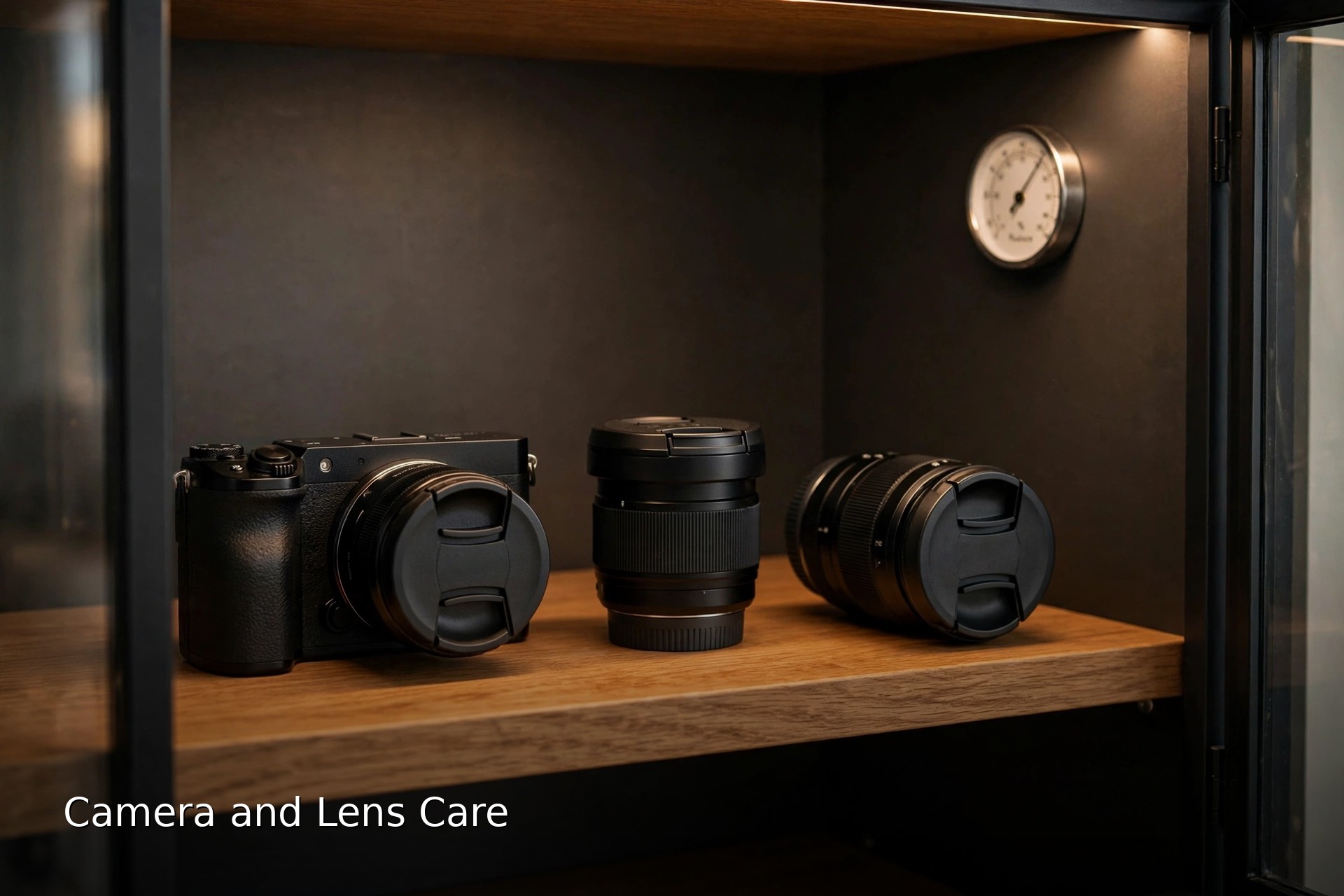
- Store at 35 to 50 percent humidity, caps on, batteries out, in a living space, not long-term bag storage, an attic, or a car.
- Store batteries around half charge and top them up every few months.
- Never canned air on a sensor, never household cleaners on glass, never rice as a rescue.
On this page
- Care is a routine, not a rescue
- Spot sensor dust before it spots your footage
- The safe cleaning order, and when to stop
- Cleaning lenses without hurting the coatings
- Body, dials, ports and contacts
- Humidity: the range your gear actually wants
- Dry cabinet, silica box, or shelf: honest options
- Battery care and storage charge
- Care while travelling: sand, salt and cold rooms
- The routine: two minutes, ten minutes, per trip, twice a year
- Never do these to your camera
- Camera care questions, answered
- Keep exploring
Care is a routine, not a rescue
Looking after a camera is mostly prevention: keeping dust out, humidity in range, and batteries healthy, so cleaning stays rare and gentle. Ten minutes a month, plus the quick after-shoot and per-trip checks, beats one aggressive rescue session, and it protects both your footage and the resale value of the kit.
Vlogging is hard on gear in quiet ways. A vlogging camera gets its lens changed in windy car parks, films in kitchens full of steam, rides in bags daily, and shoots at wide apertures where dust hides until the one shoot where you stop down and every spot shows. Care is what keeps that invisible wear from becoming visible damage.
This guide works as the hub of the care cluster. The sections below cover the checks and habits in the order you will actually use them, and they connect to the rest of your kit life: what you pack, how you fly with gear, and how you handle bad weather all build on the same foundations. Start with the dust test, because it tells you whether you have a problem at all.
Spot sensor dust before it spots your footage
Photograph a plain, bright surface at f/16 to f/22, and repeat the shot wide open for comparison, then zoom in and pan around the frame. Sensor dust shows as soft grey blobs that stay in the same place, worst in skies and plain walls. Dust that only appears at wide apertures is usually on a lens element, not the sensor.
Dust is the most common care issue for mirrorless vloggers because the sensor sits exposed whenever the lens comes off. The test takes two minutes. Set a low ISO, defocus the surface completely, and overexpose slightly so the frame is bright and even. Spots that appear are on the sensor or its cover glass. Move the camera and reshoot: sensor spots stay fixed to the frame, while marks on the test surface move.
Diagnose before you clean. A smudge that shows at f/2 is more likely a fingerprint or grease on the rear lens element, which matters more than front element dust because it sits close to the sensor. Front element dust is usually invisible in footage until it catches direct light as flare. Knowing which surface is dirty tells you which cleaning step you actually need, and stops you swabbing a sensor that was never the problem.
The safe cleaning order, and when to stop
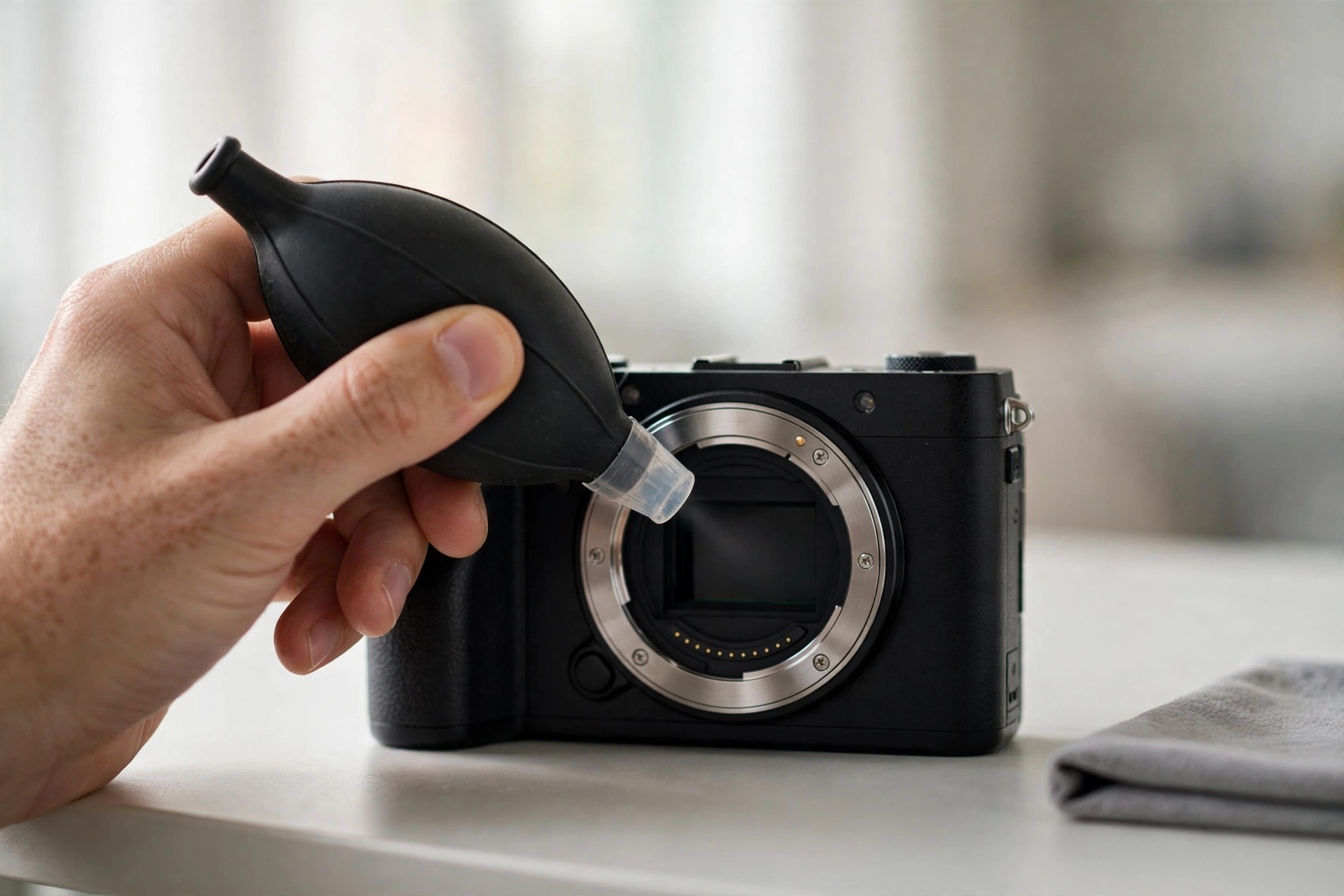
Work from least to most invasive: run the camera’s built-in cleaning, then a rocket blower with the mount facing down, then a soft sensor brush, and only then a sensor swab with fluid if spots survive. Stop and book a service if debris will not move, streaks appear, or you see anything that looks like fungus or oil.
Order matters because every contact method carries a small risk, so you escalate only as far as the dust forces you. Power the camera off before a lens change and point the mount down so loosened dust falls out rather than settling. The blower step solves most dust: hold the camera mount down, keep the blower tip outside the mount, and use short puffs. Never touch the sensor with the nozzle.
Swabbing is the last DIY step, not the first. Use a swab sized to your sensor, no more fluid than the swab kit specifies, one smooth pass in each direction, and a fresh swab rather than reusing one. Then retest. Know the stop signs: particles that survive a wet swab may be bonded to the surface and forcing them scratches it; streaks that get worse with cleaning suggest contamination; web-like threads mean fungus, which lives inside lenses and is a technician’s job. A professional clean costs far less than a scratched sensor, and there is no prize for bravery here.
Cleaning lenses without hurting the coatings
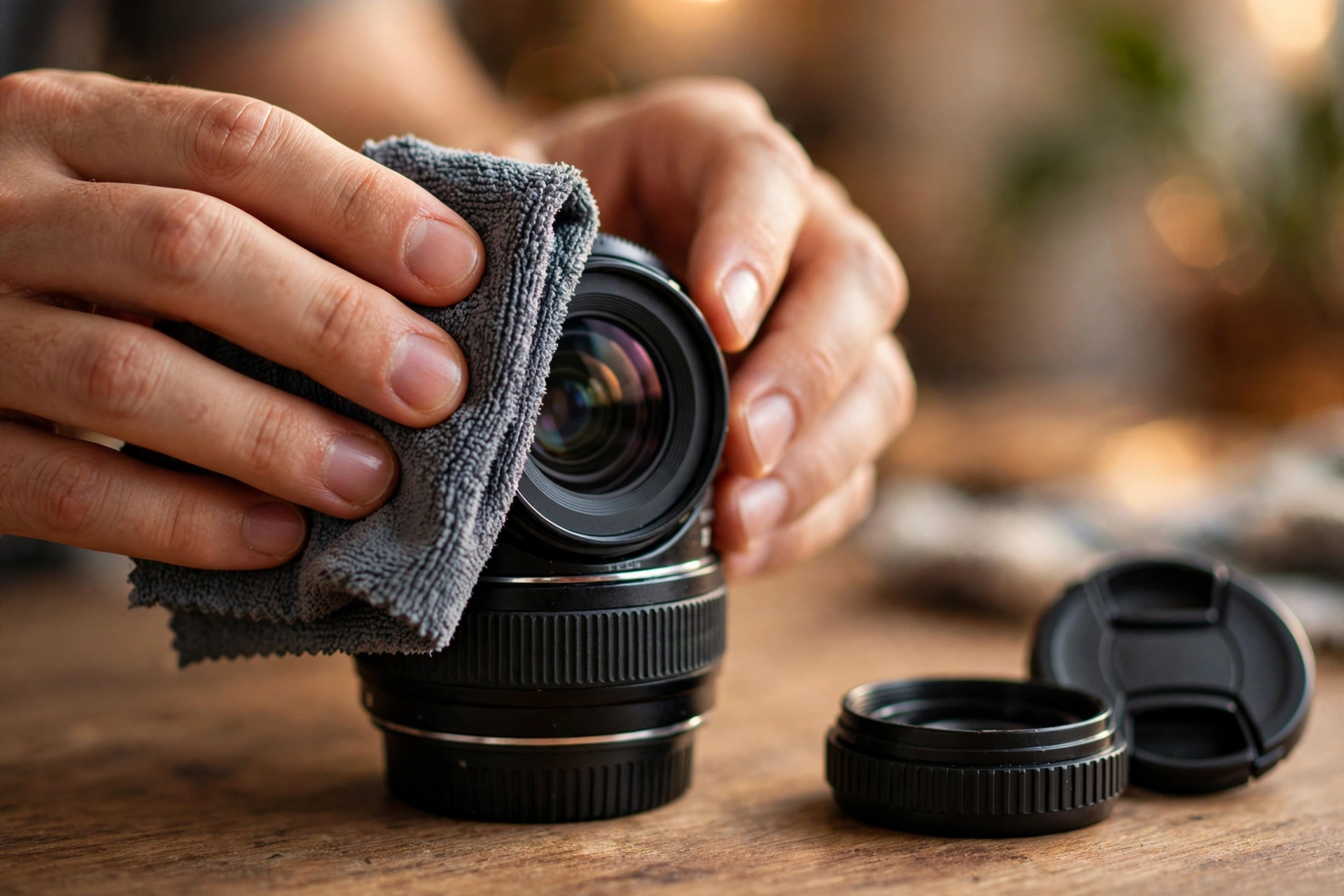
Blow dust off first, then wipe with a clean microfiber cloth in a gentle spiral from the centre out, fogging the glass lightly with your breath or using a drop of lens fluid on the cloth rather than the lens. Dry wiping grit across a coating is how lenses get scratched, so the blower step is not optional.
Modern lens coatings are tough but not invincible, and the enemy is grit dragged under pressure. Always remove loose particles with a blower or soft brush before any cloth touches glass. For fingerprints and sea spray, a barely damp microfiber or a lens pen does the job; if you use fluid, put it on the cloth, never flood the element, because excess fluid can creep past seals.
Do not neglect the rear element and the mount. Rear glass sits close to the sensor, so a smear there softens every frame, and grit on the mount can work its way inside the body. Keep caps on whenever a lens is off the camera, wash your microfiber cloths regularly so they stop redistributing old dirt, and retire cloths that have picked up sand. If you are still choosing lenses, our vlogging lens guide compares the options; the rest of this section assumes the lenses you own are worth keeping clean.
Body, dials, ports and contacts
Wipe the body with a dry or barely damp microfiber, clear grit from dials and seams with a soft brush, and keep port covers closed. Clean electrical contacts only when the camera reports lens errors, using a dry lint-free cloth; persistent errors are a service issue, not a scrubbing invitation.
The body collects more grime than owners notice: sunscreen and sweat on grips, dust in the hot shoe, grit around dials that eventually crunches into the mechanism. A soft brush and a cloth handle nearly all of it. Pay attention to the microphone port and windscreen if you film with the built-in mics or a fuzzy cover; trapped moisture and dust there dull audio before it shows anywhere else, so let accessories dry fully before packing them away.
Work gently around seals and the lens mount. Weather sealing is a system of gaskets, and picking at them with sharp tools does more harm than the dirt would. If the camera has been somewhere filthy, clean it before opening the mount or card door, so the outside dirt stays outside.
Humidity: the range your gear actually wants
Store cameras and lenses at 35 to 50 percent relative humidity. Above 60 percent, lens fungus grows quickly on the dust and moisture inside a lens. Below 30 percent for months at a time, lubricants and rubber seals dry out. Between 30 and 35 percent, and between 50 and 60 percent, gear is outside the ideal range but not yet in the danger zone: bring it back toward 35 to 50 percent when you can, rather than treating it as an emergency. A cheap hygrometer tells you which side of the range your storage sits on.
Fungus is the one storage threat that cannot be cleaned away at home. Spores are everywhere already; they germinate when they get moisture, warmth, darkness, and something to feed on, all four of which a sealed bag in a warm room provides. Once threads spread across an internal element, they can etch the coating permanently, and cleaning means a technician dismantling the lens.
The defence is boring and total: hold humidity in range, let light reach stored gear where you can, though a sealed dry cabinet or silica box still protects gear kept in the dark, and never pack gear away damp. Clean glass also helps, because fungus feeds on the dust and skin oils left on surfaces. If you live somewhere humid, treat humidity control as part of the kit rather than a luxury; our vlogging equipment guide covers the rest of the setup that keeps a shoot running.
Dry cabinet, silica box, or shelf: honest options
An electronic dry cabinet is the set and forget option: dial in around 40 to 50 percent and it holds it. An airtight box with indicating silica gel and a hygrometer does the same job for far less money, as long as you recharge or replace the gel when its colour changes. A camera bag is transport, not storage.
Silica gel works by adsorbing moisture from a sealed space, and its weakness is you: saturated gel does nothing, and it saturates silently unless you buy the indicating type that changes colour. Build the cheap setup properly and it is genuinely effective: airtight container, a generous amount of gel, a hygrometer you actually look at monthly, caps on everything, gear standing upright rather than stacked. If the hygrometer falls below 30 percent, take out some gel until it rises back into range: the colour change alone will not warn you, because it signals saturation, not over-drying.
A dry cabinet removes the discipline problem, which is why owners of several lenses tend to end up with one. Judge it by whether you will maintain the alternative honestly, not by fear. What does not work is the default: gear living in a closed camera bag in a wardrobe. Bags trap the day’s moisture, block light, and press foam against damp straps. For a week between shoots that is fine; for a season, it is how fungus starts. An open shelf in a living space works for gear used weekly if humidity stays in range and dust is wiped off, but it is not long-term storage: dust settles, and light and heat vary, so for a season use a cabinet or a box instead.
Battery care and storage charge
Store lithium-ion camera batteries at roughly half charge, around 40 to 60 percent, removed from the camera, somewhere cool and dry. Full charge plus heat ages them fastest, and fully empty risks them drifting too low to recover. Top stored batteries up every few months because they self-discharge slowly.
Batteries left inside a stored body cause two problems: they drain toward empty over months, and an ageing cell gives you no warning if it swells or leaks against the contacts. A separate tray or case keeps cells visible, dated if you rotate several, and easy to check. A swollen battery is retired on sight, never charged and never used, however expensive it was.
Day-to-day habits matter as much as storage rules. Heat is the multiplier on every bad habit, so a battery charged full and left in a hot car ages faster than the same cell treated kindly for a year. Keep spares out of direct sun on shoots, rotate them so the same cell is not always the workhorse, and expect capacity to fade gradually over years of honest use.
Care while travelling: sand, salt and cold rooms
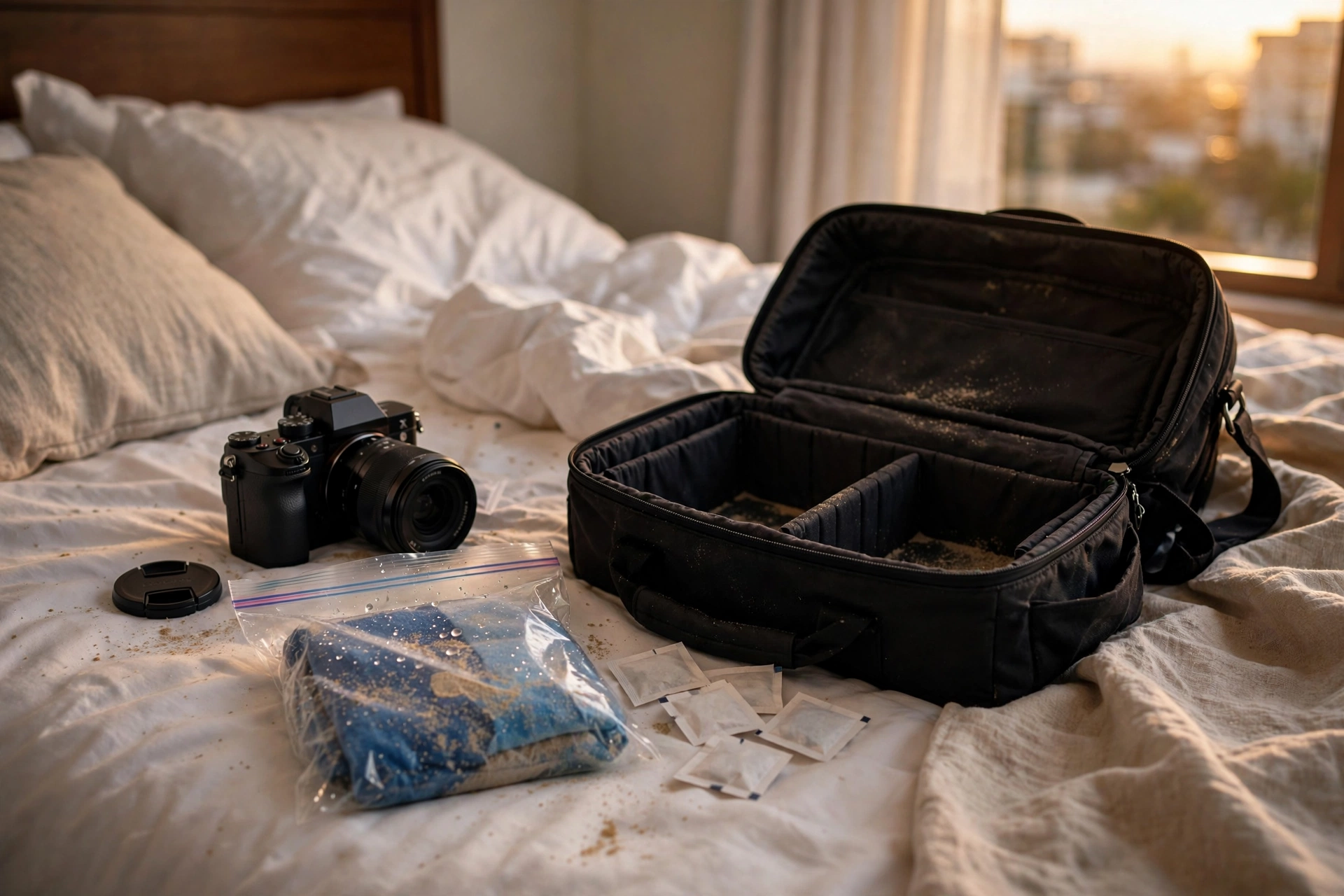
On the road the rules compress: blow sand off rather than wiping it, wipe salt spray away with a barely damp cloth the same day, and let cold gear warm up sealed inside its bag when you come indoors so condensation forms on the bag, not the sensor.
Sand is the beach day trap. One grain under a cloth becomes a scratch across the front element, so at the beach the order is blower, brush, then cloth, and a sealed plastic bag around the camera between shots keeps windblown grit off entirely. Salt spray is quieter but corrosive: wipe body and glass with a cloth dampened with clean water that evening, dry thoroughly, and check the mount and dials again before packing, so salt never sits for a week. Our guide to flying with camera gear covers getting the kit through airports safely; this section starts where the flight ends.
Temperature shocks work both ways. Coming in from the cold, a chilled camera in warm humid air fogs inside and out; leaving it sealed in the bag until it reaches room temperature keeps the moisture on the bag’s outside. Going from an air conditioned room into tropical heat fogs the front element for the first minutes outdoors, so give the lens time to clear before judging it dirty. Filming in bad weather builds on these habits with covers and drying routines, and preventing damage this way is kinder to gear than any rescue after the fact.
The routine: two minutes, ten minutes, per trip, twice a year
After every shoot, spend two minutes: blower over the glass and mount, caps on, gear aired before the bag closes. Monthly, spend ten: run the dust test, check storage humidity, look down each lens with a torch for haze or threads. Per trip, do the full clean (the dust test, a lens and body wipe, and a humidity check, cleaning the sensor only if spots show) before you pack and again when you get home.
- After every shoot (2 minutes). Blow dust off the front element and mount area, wipe salt or rain traces, cap everything, and let damp straps and windscreens dry before the bag zips shut.
- Monthly (10 minutes). Shoot the sensor dust test, glance at the hygrometer in your storage, hold each lens up to a light and look for haze or web-like threads, and top up stored batteries that have drifted low.
- Per trip (before and after). Full clean at home where you have space and light, check swabs and cloths are packed, then repeat the clean on return before gear goes into storage, so travel grit never sits for months.
- Twice a year. Wash or replace microfiber cloths, recharge or swap silica gel, check camera-bag foam and dry-box seals for cracks.
The routine is deliberately small. Care systems fail when they demand an hour of fussing, and they succeed when they attach to moments that already exist: unpacking, packing, and the monthly sit down with a coffee and a torch. If you are still building your kit, our guide to starting a travel vlog covers the filming side with the same practical approach.
Never do these to your camera
Never use canned air on a sensor, never clean glass with household sprays or household tissues, never rely on rice to dry wet gear, never open a lens yourself, never blow dust off with your mouth, and never store a battery in the body for longer than a few weeks. Each of these shortcuts causes the damage it claims to prevent, or the wear it invites.
- Canned air on a sensor. The propellant can spit liquid onto the sensor, and the blast is far stronger and colder than a hand blower. It belongs nowhere near an open mount.
- Household glass cleaner, household tissues, or your shirt. Sprays can carry solvents unfriendly to coatings, and paper and clothing fibres hold grit that scratches. Microfiber and lens fluid exist for a reason.
- The rice myth. Rice is a feeble desiccant that works too slowly to rescue wet electronics, and its dust gets into ports. Airflow, time, and proper silica gel do the real work.
- Blowing dust off with your mouth. A hard breath carries moisture and spit, unlike the light fog used on the glass before wiping. A rocket blower costs little and does the job dry.
- Storing the battery in the body for longer than a few weeks. It drains flat and risks leaking against contacts you cannot see.
- Opening a lens to clean inside. Internal elements, alignment, and sealing are workshop work. Fungus inside a lens is a technician’s job, full stop.
Camera care questions, answered
Quick answers on cleaning frequency, sensor and lens diagnosis, humidity, batteries, storage, and the myths that refuse to die.
How often should I clean my camera sensor?
Only when the dust test shows spots that appear in your footage. Run the test monthly and after dusty trips, and follow the safe order: built-in cleaning, blower, sensor brush, and swab only when spots survive it. Cleaning on a fixed schedule whether the sensor needs it or not just adds risk.
What humidity is best for storing cameras and lenses?
Aim for 35 to 50 percent relative humidity. Above 60 percent, lens fungus grows quickly; long periods below 30 percent can dry out lubricants and rubber seals. A small hygrometer in your storage box or cabinet confirms the real number.
Can I use canned air to clean my sensor?
No. Canned air can spit propellant liquid onto the sensor and blasts far harder than the sensor area is designed for. A hand-squeezed rocket blower gives you controlled, dry, chemical-free air, and it is the tool most cleaning guides recommend instead.
Does rice work to dry out a wet camera?
Not usefully. Rice absorbs moisture far too slowly to protect electronics, and rice dust migrates into ports and dials. Airflow in a dry room, removing the battery, and time do the real work; silica gel helps far more than rice ever will.
Should I remove the battery when storing my camera?
Yes, for storage longer than a few weeks. Store the battery separately at roughly half charge, cool and dry, and check it every few months. A battery left in the body self-discharges toward empty and can leak or swell unseen.
How do I know if dust is on my sensor or my lens?
Shoot a plain bright surface at f/16 to f/22. Soft blobs fixed to the same frame position are sensor dust. A smear visible even at wide apertures is more likely grease on the rear lens element. Swap lenses and retest: if the mark stays, it is the sensor.
Can lens fungus be cleaned off?
Sometimes, by a technician who dismantles the lens, and only if it is caught before the threads etch the coatings. Etching is permanent. That is why the whole game is prevention: humidity in range, caps on, and never storing gear damp in a dark bag.
Is a dry cabinet worth it for one camera?
Only if you will not maintain the cheaper setup. An airtight box with indicating silica gel and a hygrometer protects a small kit just as well, provided you check it monthly. The cabinet buys convenience and capacity, not a different level of safety.
How should I store my camera between trips?
Clean it, cap the body and lenses, remove the battery and store it at half charge, then place everything in your dry box or cabinet in a normal living space. Avoid the camera bag for long storage, and avoid attics, basements, garages, and cars entirely.
Can I clean my lens with a tissue or my shirt?
Please do not. Paper tissues and clothing hold grit and fibres that can scratch coatings, especially if you wipe before blowing loose dust away. Blow first, then use a clean microfiber cloth or lens tissue made for optics.
Keep exploring
Care keeps the kit alive; these guides help you choose it and use it well on the road.