
Last updated: November 2026
The Canon EOS R50 with the 18-45mm kit lens is the best vlogging camera under $1,000 in 2026: a real APS-C sensor, uncropped 4K, the best autofocus in this price band, and a flip screen, all in a body that costs less than the Sony ZV-E10 II, the camera most guides still recommend. If you film vertical video first, buy the Canon EOS R50 V instead. If money is tight, the Nikon Z30 kit gives you the same image quality as the Z50 II for less. And if you walk while you talk, the DJI Osmo Pocket 3 is the smoothest camera here.
A thousand dollars is the step-up budget. It is the point where a buyer moves past the under-$500 tier and wants real 4K, autofocus that holds a face, and a flip screen, without paying pro prices. The guides that rank “best cameras under $1,000” mostly answer a photographer’s question. They rank stills quality, they list cameras that never leave a tripod, and they treat vlogging as a side note. This guide answers the vlogger’s question instead. Every pick below is judged on self-framing, walking footage, audio and vertical output, and every pick states whether the price covers the body only or the body and a lens.
One honest headline first. The camera most guides still call the best vlogging camera under $1,000, the Sony ZV-E10 II, no longer fits this budget. Its body-only price at the big US camera stores has moved past $1,000, pushed over the line by the 2026 tariff changes. A smaller US seller still lists it under $1,000, so it is worth checking before you buy, and a holiday sale could bring it back at the big stores too. The section on what $1,000 does not buy says exactly where it stands. Until then, the eight cameras below are the ones that fit, checked against live US retailer listings in early November 2026. If your budget is tighter, our guide to the best vlogging camera under $500 covers the cheaper tier.
As an Amazon Associate I earn from qualifying purchases. When you buy through links on this page, we may earn a commission at no extra cost to you.
⚡ Quick Picks
- 🏆 Canon EOS R50 with 18-45mm kit lens: best overall
- 💰 Nikon Z30 with 16-50mm kit lens: best budget pick
- 📱 Canon EOS R50 V with 14-30mm kit lens: best for vertical video
- 🚶 DJI Osmo Pocket 3: best pocket camera for walking vlogs
- 🎒 Fujifilm X-M5 with 15-45mm kit lens: best compact creator camera
The other three picks, the Z50 II, the Luna Ultra and the V1, are in the comparison table and the cards below.
On this page
- The 8 cameras compared
- Our picks in detail
- Body or kit: know which version the price covers
- 4K60 and the crop: what each camera really records
- Self-framing: autofocus, flip screens and vertical video
- Walking footage: stabilisation, IBIS and digital crop
- Audio: mic in, headphone out and built-in mics
- Overheating and record limits
- What $1,000 does NOT buy
- FAQs
- The bottom line
- Keep exploring
The 8 cameras compared
Short answer: the R50 kit wins overall, the Z30 kit wins on price, the R50 V wins on vertical video, and the two pocket gimbals win on walking footage. The table puts the differences that matter to a vlogger side by side, including the version each price covers and the 4K60 crop most comparison tables leave out.
| Camera | Version in this guide | 4K video | 4K60 crop | Flip screen | Mic in / headphone out | Stabilisation | Weight |
|---|---|---|---|---|---|---|---|
| Canon EOS R50 | Kit, 18-45mm lens | 4K30 uncropped | No 4K60 | Vari-angle touchscreen | Mic in, no headphone out | Digital IS, no IBIS | 375g |
| Canon EOS R50 V | Kit, 14-30mm lens | 4K30 full-width, 4K60 | 1.56x | Vari-angle touchscreen | Mic in and headphone out | Digital IS, no IBIS | 370g |
| Fujifilm X-M5 | Kit, 15-45mm lens | 6.2K30 open gate, 4K60 | Small crop, about 1.18x reported | Fully articulating LCD | Mic in and headphone out | Digital IS, no IBIS | 355g |
| Nikon Z50 II | Body only | 4K30 uncropped, 4K60 | 1.5x | Vari-angle touchscreen | Mic in and headphone out | Electronic VR, no IBIS | 550g |
| Nikon Z30 | Kit, 16-50mm lens | 4K30 uncropped | No 4K60 | Vari-angle touchscreen | Mic in, no headphone out | Electronic VR, no IBIS | 405g |
| DJI Osmo Pocket 3 | Base camera | 4K120 | No crop | Rotating touchscreen | Mic via adapter or wireless | 3-axis gimbal | 179g |
| Insta360 Luna Ultra | Standard bundle | 8K30, 4K120 | No crop | Detachable OLED screen | Bluetooth mic only, no jack | 3-axis gimbal | 233g |
| Canon PowerShot V1 | Fixed lens | 4K30 full-width, 4K60 | 1.4x | Vari-angle touchscreen | Mic in and headphone out | OIS plus digital IS, no IBIS | 429g |
Our picks in detail
Short answer: buy the R50 kit if you want one camera that does everything well, the Z30 kit if money is tight, the R50 V if vertical video is your main format, the Pocket 3 if you walk while you talk, the X-M5 if you want the smallest mirrorless camera here, the Z50 II if you already own Z-mount lenses, the Luna Ultra if you want a zoom in your pocket, and the V1 if you want nothing else to buy.
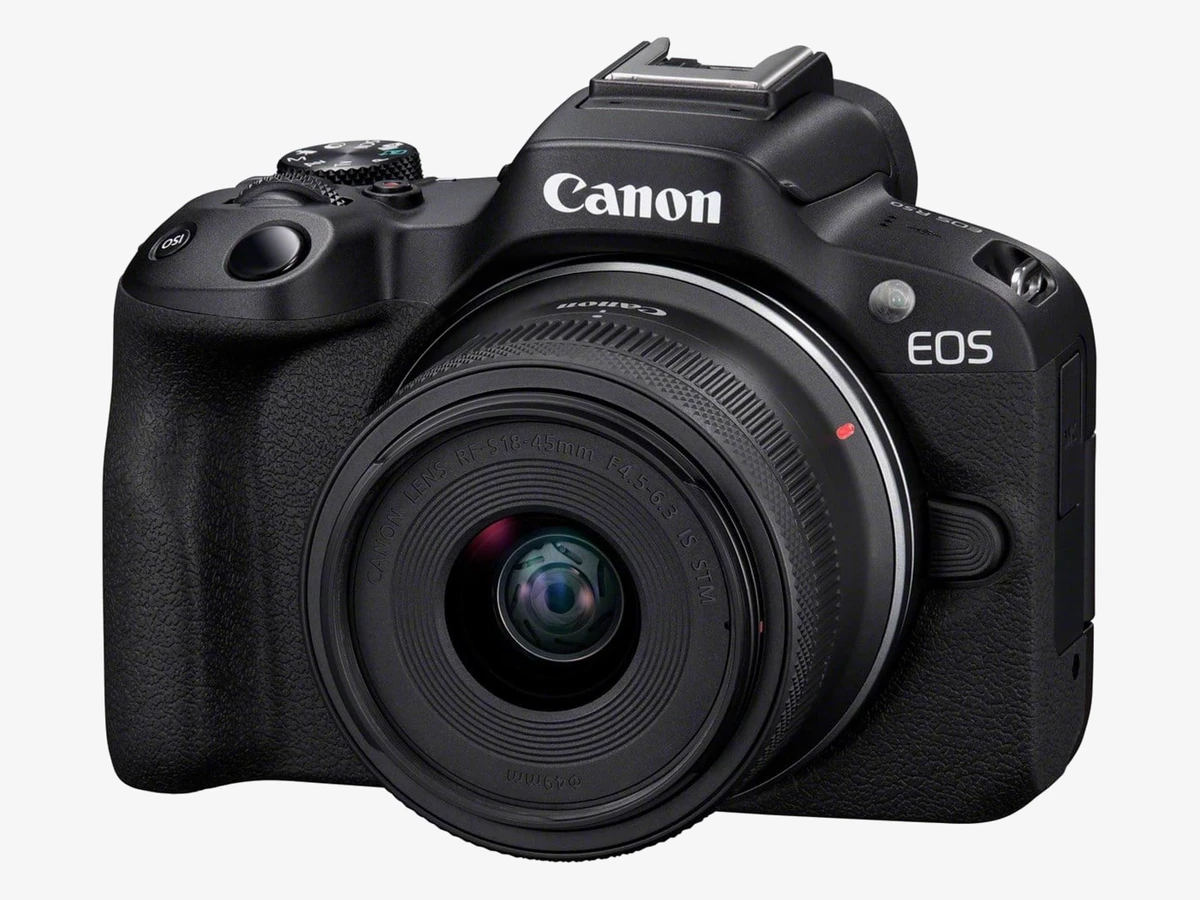
Photo: Canon
Key specs
🏆 Best overall
1. Canon EOS R50 with 18-45mm kit lens
The R50 kit is the easiest camera in this guide to recommend: a real APS-C sensor, uncropped 4K30, the best autofocus in this price band, and a flip screen that turns to face you, all in a body that weighs 375g with battery and card.
The autofocus is the reason this camera sits at number one. Canon’s Dual Pixel CMOS AF II tracks faces and eyes across the frame, and it holds on while you walk, turn, or hand the camera to someone else. The 4K30 footage is oversampled from 6K, which means it is sharper than the 4K on most cameras at this price, and it uses the full width of the sensor, so the kit lens stays as wide as its markings promise. The vari-angle screen flips out to the side and turns to face you, so you can frame yourself without guessing, and the mic jack takes a shotgun mic or a lavalier receiver straight in.
The limits. There is no headphone jack, so you cannot monitor your audio while you record; you check it after the take. And there is no stabilisation in the body, so walking footage relies on the camera’s digital stabilisation, which crops the frame a little, or on a small tripod. The kit lens is slow at the long end, so dim rooms will push the ISO up. None of that changes the verdict: for a first serious vlogging camera under $1,000, this is the one to buy.
Technical features
- 24.2MP APS-C CMOS sensor and DIGIC X image processor
- 4K30 uncropped, oversampled from 6K; Full HD 120p slow motion
- Dual Pixel CMOS AF II with up to 651 AF zones; people, animal and vehicle detection
- 3.0-inch 1.62M-dot vari-angle touchscreen
- 2.36M-dot OLED electronic viewfinder
- Mic jack; no headphone jack; Canon Log 3 for grading
- Movie Digital IS; no in-body stabilisation
- Built-in flash; Advanced A+ Assist for beginners
- 375g with battery and card; LP-E17 battery
What we like
- Uncropped 4K30, sharper than most rivals at this price
- Best face and eye tracking in this guide
- Light enough to carry all day on a small tripod
- Flip screen turns fully to face you
- Kit lens covers wide to short telephoto in one lens
Watch out for
- No headphone jack for live audio monitoring
- No in-body stabilisation; digital stabilisation crops the frame
- Kit lens is slow in dim rooms
- No 4K60
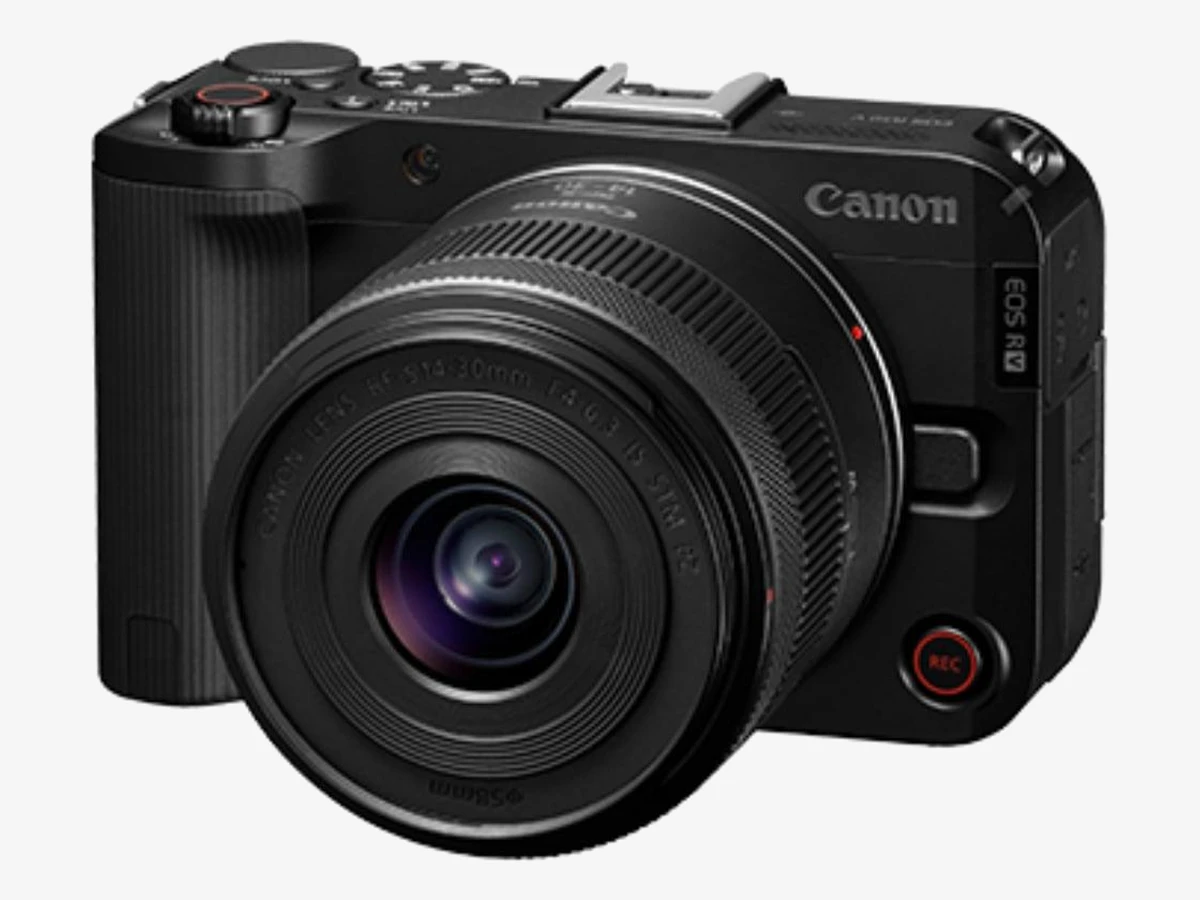
Photo: Canon
Key specs
📱 Best for vertical video
2. Canon EOS R50 V with 14-30mm kit lens
The R50 V is the camera in this guide built for vertical video first: a tripod thread on the side of the grip, a tally lamp you can see from the front, a record button on the front of the body, and a zoom rocker, with a headphone jack the R50 lacks.
It shares the R50’s sensor and autofocus, so the image quality and face tracking are the same, and the 4K30 footage is full-width and oversampled just like its sibling. The difference is the body, which was redesigned around creators. Turn it on its side and the menus rotate with it. The tally lamp and the red border on the screen tell you at a glance that you are recording. The front record button means you can start a take without reaching around the camera, and the zoom rocker drives the kit lens smoothly, which is the kind of control that matters when you film yourself alone.
Two honest limits. The 4K60 mode crops the sensor by 1.56x, which narrows the angle a lot at arm’s length, so most vloggers will shoot 4K30 and use 4K60 only for slow motion on a tripod. And there is no viewfinder, no flash, and no stabilisation in the body, so this is a screen-only camera. If you also stream, the R50 V doubles as a webcam over USB, and our guide to the best cameras for streaming covers the cameras built for streaming.
Technical features
- 24.2MP APS-C CMOS sensor and DIGIC X image processor
- 4K30 full-width oversampled; 4K60 with 1.56x crop; Full HD 120p
- Dual Pixel CMOS AF II; Register People Priority autofocus
- 3.0-inch vari-angle touchscreen; menus rotate in vertical orientation
- Mic jack and headphone jack; 3-microphone array
- Side and bottom tripod threads; front record button; tally lamp; zoom rocker for power zoom lenses
- Canon Log 3; 10-bit 4:2:2 video; UHS-II card slot
- 370g with battery and card; no viewfinder, no flash, no in-body stabilisation, no mechanical shutter
What we like
- Vertical video built into the body, not bolted on
- Mic and headphone jacks; the R50 has only a mic jack
- 4K60 available for slow motion
- Front record button and tally lamp for solo filming
- Same autofocus and image quality as the R50
Watch out for
- 4K60 crops 1.56x, too tight for arm’s-length self-framing
- No viewfinder and no flash
- No in-body stabilisation
- Kit lens is slow at the long end
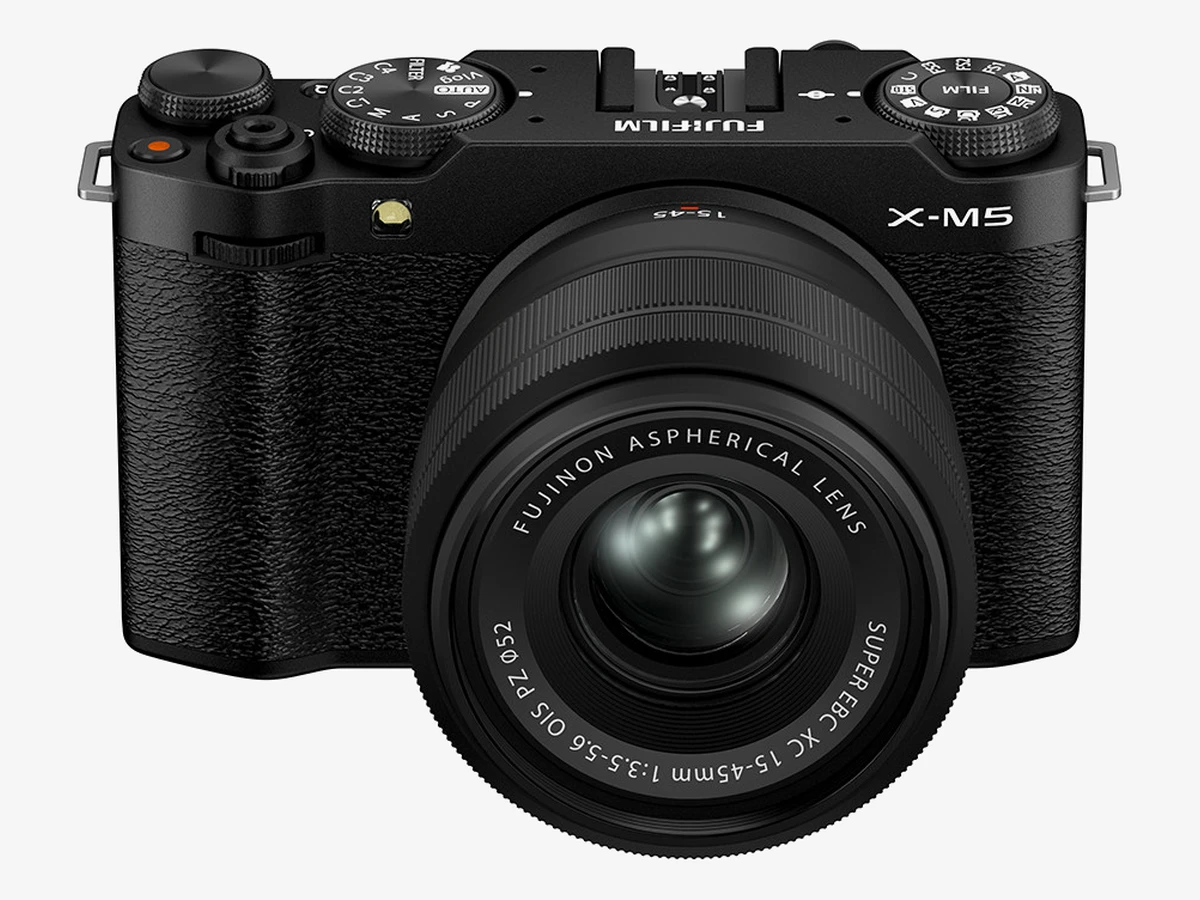
Photo: Fujifilm
Key specs
🎒 Best compact creator camera
3. Fujifilm X-M5 with 15-45mm kit lens
The X-M5 is the smallest mirrorless camera here and the only one that combines a film-look dial, 6.2K open gate and directional built-in microphones, but it has no stabilisation in the body and its 4K60 carries a small crop, so it suits a careful shooter more than a run-and-gun one.
Open gate is the feature that sets it apart. The camera records the full 3:2 sensor, so one take gives you both a horizontal video and a vertical crop for Shorts, with no resolution thrown away in the framing. The film simulation dial gives you finished-looking colour straight out of the camera, which suits creators who would rather publish than grade. The three built-in microphones have directional modes, so the camera can favour your voice from the front and cut room noise from behind, and the mic and headphone jacks sit on the rear of the body, clear of the screen.
The limits. There is no stabilisation in the body, so walking footage relies on digital stabilisation, which crops the frame further, or on a tripod. And the small body runs hot: the recording limit in 4K is 50 minutes, and the camera overheated after about 40 minutes of 4K60 in independent testing, so long takes in warm rooms need the clip-on cooling fan Fujifilm sells separately. The single card slot is UHS-I, which is slower than the UHS-II slot on the R50 V.
Technical features
- 26.1MP X-Trans CMOS 4 sensor and X-Processor 5
- 6.2K30 open gate (3:2); 4K60; 10-bit 4:2:2; F-Log2
- 20 film simulation modes on a dedicated dial; 9:16 Short Movie mode
- Subject detection autofocus for people, animals and vehicles; Product Priority mode
- 3-inch fully articulating LCD touchscreen
- 3 built-in microphones with directional modes; mic and headphone jacks on the rear
- Digital image stabilisation only; no in-body stabilisation; no viewfinder
- 355g; NP-W126S battery, about 50 minutes of 4K per charge; single UHS-I slot
What we like
- Smallest and lightest mirrorless camera in this guide
- Open gate gives horizontal and vertical video from one take
- Film looks with no grading needed
- Three directional built-in microphones
- Mic and headphone jacks, placed clear of the screen
Watch out for
- No in-body stabilisation; digital stabilisation crops the frame
- 4K60 crops and the body runs hot on long takes
- Single slow card slot
- No viewfinder
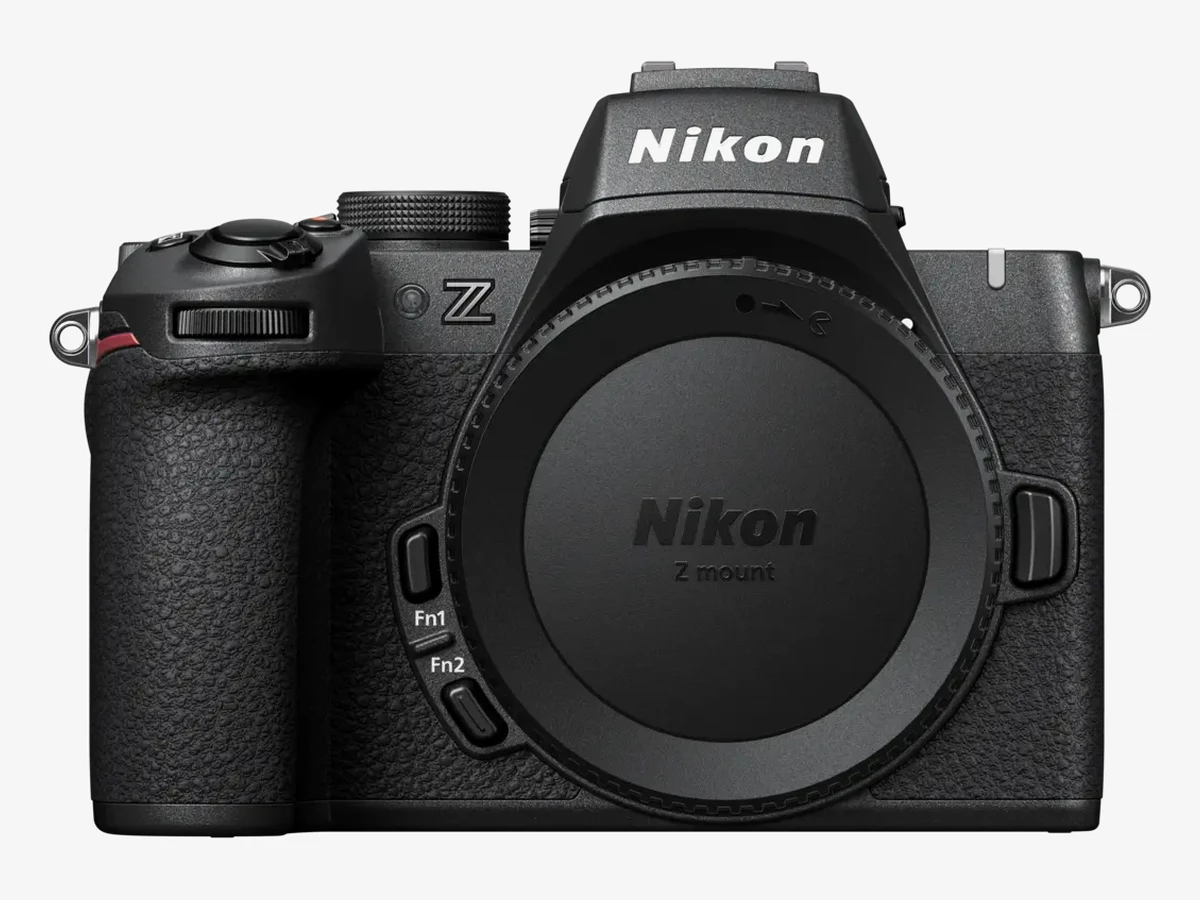
Photo: Nikon
Key specs
🔄 Best hybrid
4. Nikon Z50 II, body only
The Z50 II is the most complete camera in this guide for someone who also takes stills: the same autofocus brain as Nikon’s pro bodies, a bright viewfinder, and long recording limits, but it only fits this guide as a body, so you need a Z-mount lens already or a lens budget on top.
The autofocus is the headline. It recognises nine subject types, inherited from Nikon’s flagship bodies, and the Product Review mode pulls focus to whatever you hold up to the lens, then back to your face, which is exactly the move a review or unboxing video needs. The 4K30 footage is uncropped, the 4K60 mode crops by 1.5x, and N-Log and HLG in 10-bit plus a waveform monitor give you proper grading tools. Recording runs up to 125 minutes, and the body is weather sealed with USB-C charging, so it keeps working on a wet travel day.
Two honest limits. This pick is body only: the kit with the 16-50mm lens costs more than $1,000 in total, so if you own no Z-mount lens yet, this is a body-first buy, with the lens as your next purchase, or the Z30 kit below if you need a lens in the box today. And at 550g with battery and card, it is the heaviest mirrorless camera here, with no stabilisation in the body.
Technical features
- 20.9MP DX-format CMOS sensor and EXPEED 7 processor
- 4K30 uncropped; 4K60 with 1.5x crop; Full HD 120p; recording limit up to 125 minutes
- Subject detection for 9 subject types; Product Review mode; Pre-Release Capture up to 30 fps
- N-Log and HLG 10-bit video; waveform monitor; Hi-Res Zoom
- 3.2-inch free-angle touchscreen; bright OLED electronic viewfinder
- Mic jack and headphone jack; USB-C charging and power delivery
- Weather sealing; dedicated Picture Control button; Imaging Recipes via Nikon Imaging Cloud
- 495g body only, 550g with battery and card; EN-EL25a battery
What we like
- Pro-level autofocus at this price
- Bright viewfinder included
- Long recording limits, up to 125 minutes
- N-Log and waveform for grading
- Weather sealed with USB-C charging
Watch out for
- Only fits as a body; the kit costs more than $1,000 in total
- 4K60 crops 1.5x
- Heaviest mirrorless camera in this guide
- No in-body stabilisation
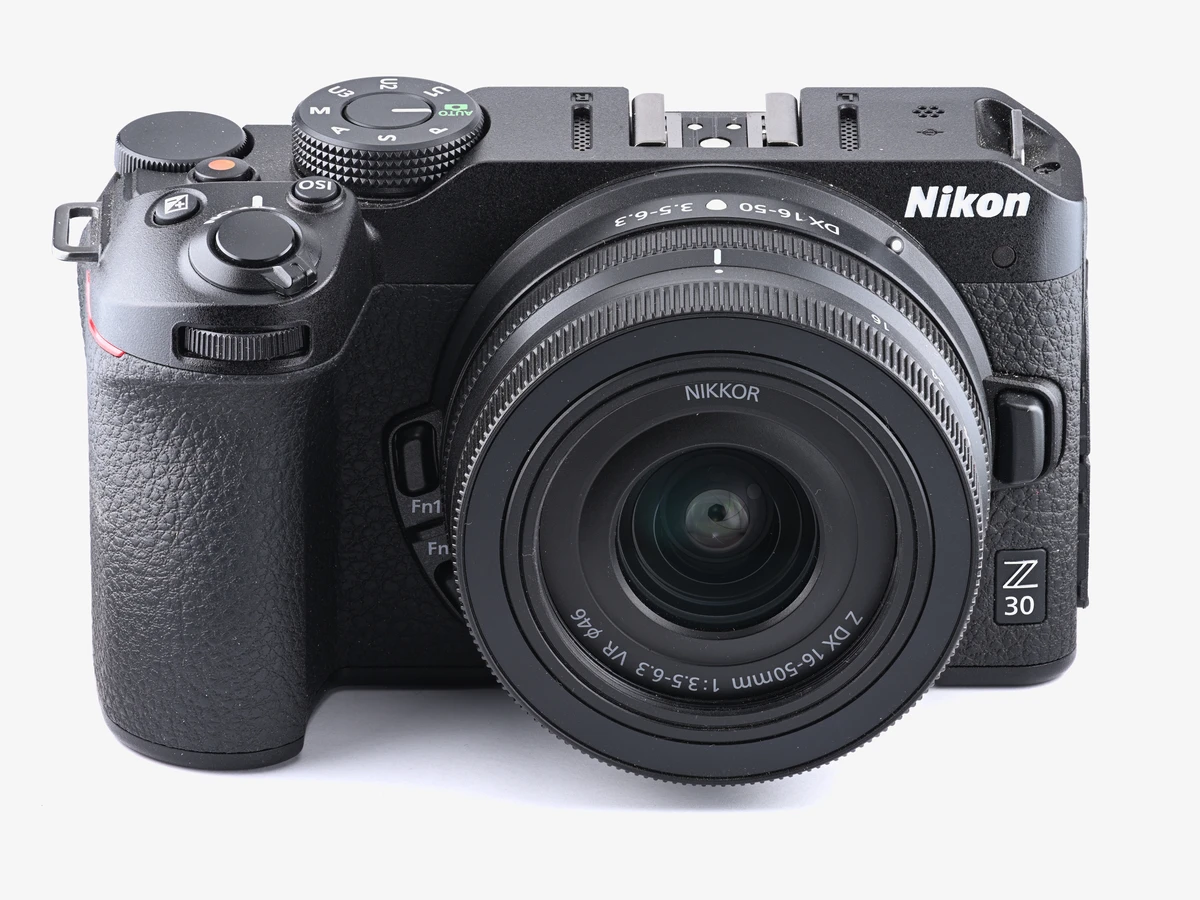
Photo: Phiarc / Wikimedia Commons
Key specs
💰 Best budget pick
5. Nikon Z30 with 16-50mm kit lens
The Z30 is the cheapest way into this guide and the simplest mirrorless camera in it: the same sensor and the same uncropped 4K as the Z50 II in a smaller body with no viewfinder, a flip screen, a tally lamp and a big record button, with the kit lens in the box.
There is nothing to learn before your first video. The record button sits on top of the body where your finger finds it, the tally lamp tells you that you are recording, and the flip screen turns to face you. The eye-detection autofocus holds your face while you talk, and the 4K30 footage uses the full width of the sensor, so the 16-50mm kit lens stays wide at arm’s length. The camera records long takes without fuss, and it runs on USB power, so a power bank keeps it going on a long shoot day.
Two honest limits. There is no headphone jack, so like the R50 you check your audio after the take, not during it. And there is no 4K60 and no stabilisation in the body, so slow motion and walking footage are not this camera’s strengths. What you get for the money is the same image quality as the Z50 II, a lens in the box, and the simplest mirrorless camera in this guide.
Technical features
- 20.9MP DX-format CMOS sensor
- 4K30 uncropped; Full HD 120p slow motion; long continuous recording
- Eye-detection autofocus for people and animals
- 3-inch vari-angle touchscreen
- Mic jack; no headphone jack; front tally lamp; prominent record button
- USB power delivery; no viewfinder; no in-body stabilisation
- 405g with battery and card
What we like
- Lowest cost in this guide with a lens included
- Same image quality as the Z50 II
- Simplest controls of any mirrorless camera here
- Light and easy to carry
- Long recording with USB power
Watch out for
- No headphone jack for live audio monitoring
- No viewfinder
- No 4K60 and no in-body stabilisation
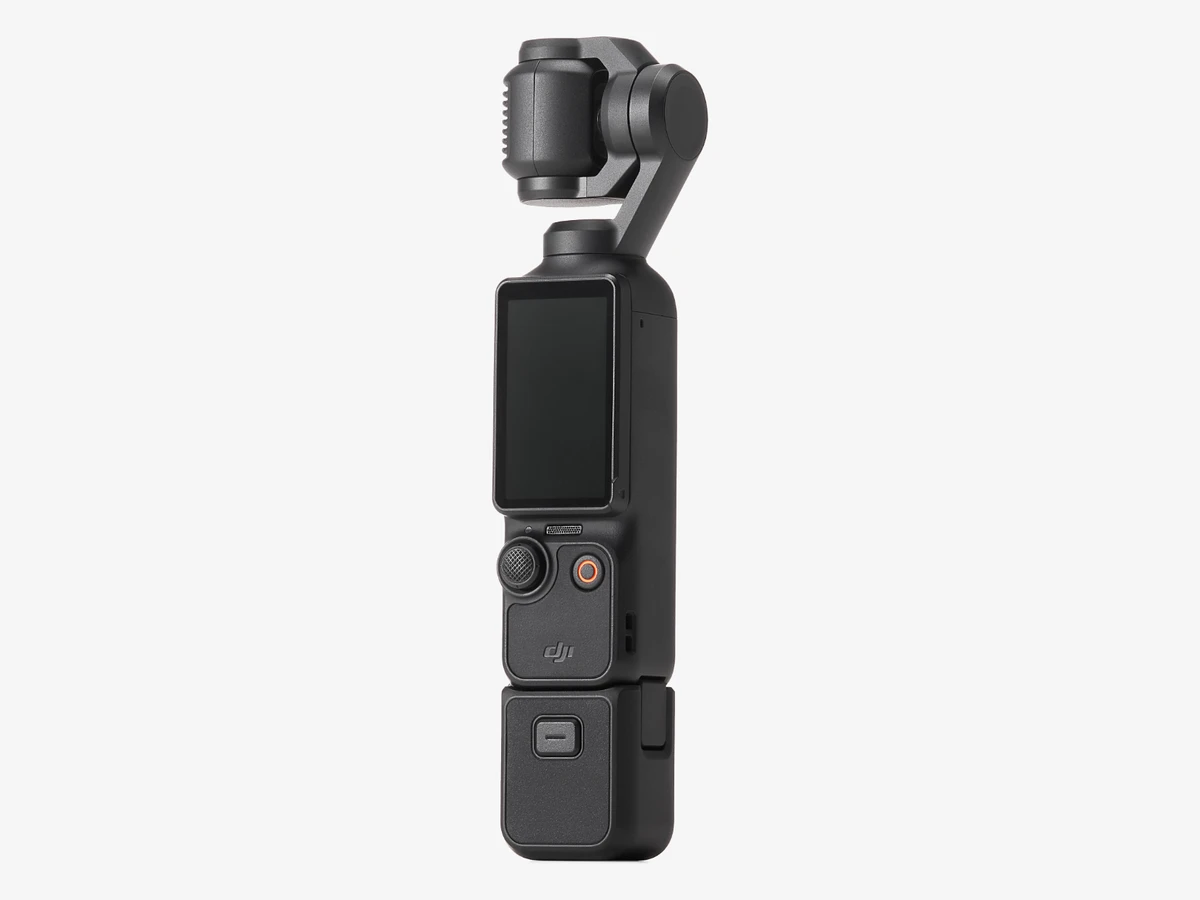
Photo: DJI
Key specs
🚶 Best pocket camera for walking vlogs
6. DJI Osmo Pocket 3, base camera
The Pocket 3 is a camera and a gimbal in one pocketable body: a 1-inch sensor on a 3-axis arm, a screen that rotates for vertical video, and the smoothest walking footage in this guide.
Walking is where it earns its place. The mechanical gimbal holds the horizon steady while your feet do not, and the result looks like footage from a rig ten times the size. Its 1-inch sensor is tied with the Luna Ultra as the largest on any pocket camera, and it records 4K at up to 120 frames per second, so slow motion is built in, with 10-bit D-Log M for grading. Turn the screen and the camera shoots vertical video natively, with no crop and no menu change, which is why it is the default camera for Shorts and Reels creators who film on the move.
The limits. The lens is fixed at 20mm with no zoom, so you move your feet instead of turning a ring, and the 1-inch sensor trails the APS-C cameras in this guide in dim rooms. A microphone needs an adapter, sold separately, or a DJI Mic 2 wireless mic. Buy the base camera: the Creator Combo adds a wireless mic and a battery handle, and it costs more.
Technical features
- 1-inch CMOS sensor
- 4K120 video; 10-bit D-Log M and HLG
- 3-axis mechanical gimbal stabilisation plus RockSteady 3.0
- 2-inch rotating touchscreen; native vertical shooting
- Full-pixel fast focusing; ActiveTrack 6.0 subject tracking
- Mic via USB-C adapter (sold separately) or DJI Mic 2 wireless
- Fixed 20mm equivalent f/2.0 lens; no zoom
- 179g; battery about 116 minutes standard, about 80 minutes at 4K
What we like
- Smoothest walking footage in this guide
- Truly pocketable at 179g
- Native vertical video with a rotating screen
- 4K120 slow motion built in
- Quickest camera here to start recording with
Watch out for
- Fixed lens with no zoom
- Mic jack needs an adapter, sold separately
- 1-inch sensor trails APS-C in dim rooms
- Tiny screen for framing detail
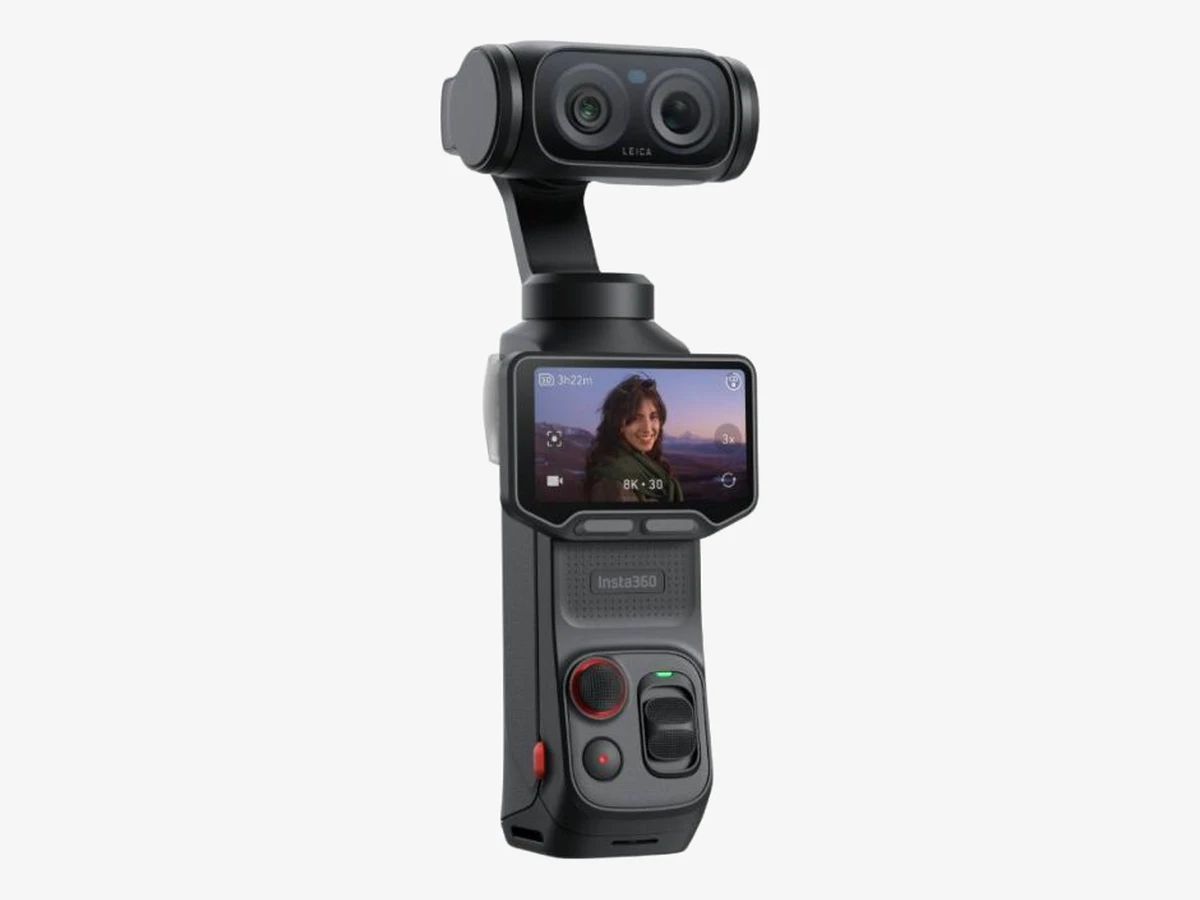
Photo: Insta360
Key specs
🔍 Best pocket gimbal with zoom
7. Insta360 Luna Ultra, standard bundle
The Luna Ultra is the newest camera in this guide and the only pocket gimbal with a real zoom: a 1-inch Leica main lens plus a 60mm telephoto, 8K30 and a screen that detaches, but it has no mic jack at all.
The zoom is the reason to buy it over the Pocket 3. The main lens is a 20mm f/1.8 Leica Summicron on a 1-inch sensor, and the second lens is a 60mm f/2.0 telephoto on a 1/1.3-inch sensor, giving 3x optical zoom, 6x lossless zoom and up to 15x in total. That means a face across the street, a detail on a market stall, or a stage from the back row, all from a camera that fits in a pocket. The 2-inch OLED screen detaches and works as a wireless remote from up to 20 metres away, and the camera records 8K30 and 4K120 with 10-bit I-Log and Dolby Vision.
Two honest limits, and both matter. There is no 3.5mm mic input, so a wired lavalier cannot plug in; wireless audio means Insta360’s own Mic Pro or Mic Air over Bluetooth, and no third-party wireless mic pairs directly. And the detachable screen has its own small battery, about an hour on its own, and independent testing found that once the screen battery dies, the whole system stops recording and shuts down, so the screen belongs attached for long takes.
Technical features
- 1-inch main sensor, 20mm f/1.8 Leica Summicron lens; 1/1.3-inch telephoto sensor, 60mm f/2.0 lens
- 8K30 and 4K120 video; 1080p240; 10-bit I-Log; Dolby Vision; H.265
- 3x optical zoom, 6x lossless zoom, up to 15x total
- 3-axis gimbal stabilisation
- Detachable 2-inch OLED touchscreen, wireless remote to 20 metres
- 4 microphones with wind guard; no 3.5mm mic input; Bluetooth pairing with Insta360 Mic Pro and Mic Air only
- 47GB internal storage plus microSD to 2TB; USB-C 3.0; Wi-Fi 6
- 233g; 1550mAh main battery, up to 4 hours at 1080p with screen and Wi-Fi off; 80% charge in 23 minutes
What we like
- Only zoom in a pocket gimbal
- 8K and 4K120 in a 233g body
- Detachable screen works as a remote
- Best low-light pocket option here, with a 1-inch sensor and f/1.8 lens
Watch out for
- No 3.5mm mic jack; Bluetooth mics only
- Screen battery is short and the system stops when it dies
- Newest product here, with few long-term reports
- No headphone jack
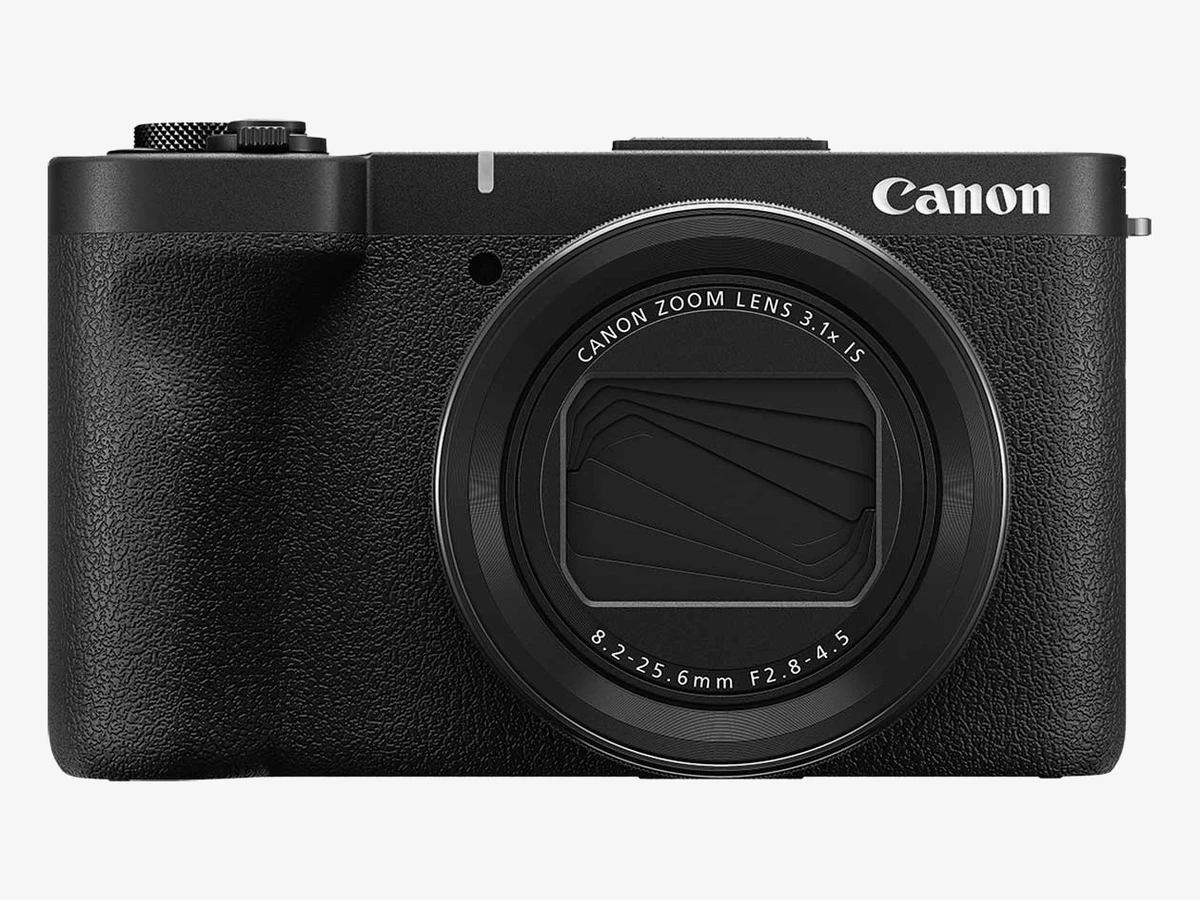
Photo: Canon
Key specs
📷 Best fixed-lens compact
8. Canon PowerShot V1
The V1 is the simplest camera in this guide: a fixed zoom lens, a big sensor for a compact, a cooling fan that keeps 4K60 running, and mic and headphone jacks, with no lens to buy and no lens to change.
Nothing else to buy is the whole point. The lens is built in, 16-50mm equivalent at f/2.8-4.5, so it covers the wide angle you need at arm’s length and a short telephoto for details, and the bright f/2.8 wide end helps in dim rooms where the kit lenses on the mirrorless picks struggle. The sensor is a 1.4-inch-type chip, close to Micro Four Thirds in area, which is a big step up from a phone and from the 1-inch compacts below this price. The cooling fan is the feature no other compact here has: Canon’s own figure is over two hours of continuous 4K60 at 30 degrees with the auto power-off setting on High, so long takes do not end in a heat warning.
The limits. The 4K60 mode crops by 1.4x, so the wide end tightens when you switch to 60 frames, and the fixed lens means no wider or longer option later; what you buy is what you shoot with. The screen is hard to read in bright sun, and there is no viewfinder to fall back on. If you want one camera, one lens, and no decisions after the purchase, this is the pick.
Technical features
- 1.4-inch-type 22.3MP sensor; DIGIC X processor
- 16-50mm equivalent lens, f/2.8-4.5 (8.2-25.6mm); built-in ND filter
- 4K30 full-width oversampled from 5.7K; 4K60 with 1.4x crop; Canon Log 3
- Built-in cooling fan; over 2 hours continuous 4K60 at 30C with auto power-off on High (Canon figure)
- Optical plus Movie Digital image stabilisation; no in-body stabilisation
- 3-inch vari-angle touchscreen; mic jack and headphone jack
- No viewfinder; screen hard to read in bright sun
- 429g with battery and card; LP-E17 battery, about 400 shots or 1 hour 10 minutes of video
What we like
- Nothing else to buy; the lens is built in
- Cooling fan beats every other compact here on long takes
- Bright f/2.8 at the wide end
- ND filter built in
- Mic and headphone jacks
Watch out for
- 4K60 crops 1.4x
- Fixed lens, no wider or longer option later
- Screen struggles in bright sun
- No viewfinder
Body or kit: know which version the price covers
Short answer: buy the kit unless you already own a lens for that mount. The kit lens is the cheapest wide lens you will ever own, and seven of the eight picks in this guide fit the budget with a lens in the box. The one exception is the Z50 II, which only fits as a body.
Every price in this guide states which version it covers, because a body-only price and a kit price are two different purchases. A kit bundles the body with the maker’s cheapest zoom, and that lens is the one you will use for most of your first year: wide enough for arm’s-length self-framing, long enough for details, and small enough to carry. Buying the body alone only saves money if you already own a lens for that mount, or you plan to buy a better lens straight away. If you own nothing yet, the kit is the cheaper route to a working camera.
The kit lenses share one weakness: they are slow. The Canon 18-45mm opens at f/4.5, the Fujifilm 15-45mm at f/3.5, and the Nikon 16-50mm at f/3.5, and all of them darken as you zoom in. In a bright room that does not matter. In a dim room it does, because a slow lens forces the camera to raise the ISO, and the footage gets noisy. The fix is a fast prime lens later, not a different camera now, and our guide to the best lens for vlogging covers which wide lens to buy first for each mount.
4K60 and the crop: what each camera really records
Short answer: six of the eight picks shoot 4K60, and four of them crop the sensor to do it. A crop narrows the angle of view, so the lens you framed with at 4K30 looks tighter at 4K60. The table shows the real figure for every pick.
| Camera | 4K60 | Crop at 4K60 | What it means for framing |
|---|---|---|---|
| Canon EOS R50 | No | Not applicable | 4K30 only; no slow motion in 4K |
| Canon EOS R50 V | Yes | 1.56x | Too tight for arm’s-length self-framing; use a tripod or a wider lens |
| Fujifilm X-M5 | Yes | Small crop, about 1.18x in independent tests | Barely noticeable; Fujifilm does not publish a crop figure |
| Nikon Z50 II | Yes | 1.5x | Too tight for arm’s-length self-framing; use a tripod or a wider lens |
| Nikon Z30 | No | Not applicable | 4K30 only; slow motion tops out at Full HD 120p |
| DJI Osmo Pocket 3 | Yes, up to 4K120 | No crop | Full sensor at every frame rate |
| Insta360 Luna Ultra | Yes, up to 4K120 | No crop | Full sensor at every frame rate |
| Canon PowerShot V1 | Yes | 1.4x | Tight for arm’s-length self-framing; the wide end loses its width |
For most vloggers, 4K30 is the working format, and the crop only matters when you switch to 60 frames for slow motion or fast action. If you film yourself at arm’s length, a 1.5x crop turns a 16mm wide angle into roughly a 24mm one, and your face fills the frame with no room around it. The fix is a wider lens, a longer arm, or a tripod set further back. The two pocket gimbals have no crop at all, which is one more reason they are the smoothest choice for moving footage. And a note on the X-M5 figure: the roughly 1.18x crop comes from independent tests, because Fujifilm does not publish a crop figure for this camera.
Self-framing: autofocus, flip screens and vertical video
Short answer: every camera here has a screen that lets you frame yourself, every one tracks faces, and the differences are in vertical video. The R50 V is built for it, the Pocket 3 and the Luna Ultra shoot it natively, and the X-M5’s open gate gives you both formats from one take.
Autofocus is the first test a vlogging camera has to pass, because you are the subject and the camera operator at the same time. Canon’s Dual Pixel CMOS AF II on the R50 and R50 V is the strongest in this guide: it finds faces and eyes fast and holds them while you move. Nikon’s system on the Z50 II recognises nine subject types and adds a Product Review mode that pulls focus to an object in your hand and back to your face, while the Z30’s eye detection covers people and animals. Fujifilm’s subject detection on the X-M5 covers people, animals and vehicles, with a Product Priority mode for the same job. The pocket gimbals track differently: the Pocket 3 follows a subject with ActiveTrack, and the Luna Ultra tracks with its own subject detection, both keeping you centred while you walk.
Vertical video is where the picks separate. The R50 V has a tripod thread on the side of the grip, so the camera mounts vertically without a cage, and its menus rotate when you turn it. The Pocket 3 rotates its screen and shoots vertical natively, with no crop. The Luna Ultra records 4K in 9:16 natively. The X-M5 shoots 6.2K open gate, so one take crops to both horizontal and vertical, and its 9:16 Short Movie mode records vertical directly. The R50, Z30, Z50 II and V1 all shoot vertical by turning the camera on a tripod, which works, but none of them is built for it the way the R50 V is. A phone is still the cheapest vertical camera of all, and our guide to the best phones for vlogging covers that route if you are not ready to buy a camera.
Walking footage: stabilisation, IBIS and digital crop
Short answer: none of the eight cameras has stabilisation in the body. The two pocket gimbals stabilise mechanically and are the smoothest by a wide margin. The mirrorless cameras and the V1 rely on digital stabilisation, which crops the frame, or on lens stabilisation, which is weaker.
This is the most honest finding in this guide. IBIS, stabilisation built into the camera body, does not exist at this price. Every mirrorless camera here, and the V1, either crops the image digitally to steady it or leans on the lens. Digital stabilisation works, but it narrows the angle of view, which is the same crop problem as 4K60, and it cannot fix big steps or a bumpy path. Optical stabilisation in the kit lenses helps a little more, but it is no substitute for a gimbal.
That is why the Pocket 3 and the Luna Ultra win this section outright. A 3-axis mechanical gimbal holds the camera level while your body moves, and the footage looks like it came from a rig, not from a hand. If you walk while you talk, buy one of those two. If you film seated or on a tripod, stabilisation barely matters, and the mirrorless picks are the better buy. A small tripod or a gorilla-style flexible tripod is the cheapest stabiliser of all, and it costs less than any camera upgrade.
Audio: mic in, headphone out and built-in mics
Short answer: four of the eight picks take a microphone and let you monitor it with headphones. The R50 and the Z30 take a mic but have no headphone jack. The Pocket 3 needs an adapter, and the Luna Ultra takes Bluetooth mics only, with no jack at all.
Bad audio ruins a vlog faster than soft footage, so the audio jacks matter as much as the sensor. The R50 V, X-M5, Z50 II and V1 have both a mic input and a headphone output, which means you can plug in a shotgun mic or a wireless receiver and hear exactly what the camera hears while you record. The R50 and the Z30 have a mic input but no headphone jack, so you check the audio after the take. The Pocket 3 has no mic jack on the body; a microphone plugs in through a USB-C adapter, sold separately, or pairs wirelessly as a DJI Mic 2. The Luna Ultra has no mic jack at all; wireless audio means Insta360’s own Mic Pro or Mic Air over Bluetooth, and no third-party wireless mic pairs directly.
The built-in microphones are better than they used to be. The X-M5 has three microphones with directional modes, so it can favour your voice and cut room noise. The Luna Ultra has four microphones with a wind guard. The R50 V has a three-microphone array. But a built-in mic still sits on the camera, far from your mouth, and it hears the room as loudly as it hears you. A wireless mic is the first upgrade worth buying for any camera here, and our guide to the best wireless microphones for vlogging covers which one fits each pick.
Overheating and record limits
Short answer: the V1’s cooling fan, the Z50 II’s 125-minute limit and the R50 V’s two-hour limit make them the safest picks for long takes. The X-M5 is the one to watch: its 4K recording limit is 50 minutes, and it ran hot in 4K60 testing. The pocket gimbals are limited by battery, not heat.
A vlog is rarely one short clip. Interviews, live streams and long talking-head takes run for an hour or more, and a camera that stops at 30 minutes or overheats mid-take is a real problem. The R50 has no 30-minute recording cap, which Canon removed from this line, and the Z30 is built for long continuous recording with USB power, with a maximum recording time of up to 125 minutes. The Z50 II records for up to 125 minutes in one take, and the R50 V records for up to two hours. The V1 goes further still on the hardest test of all: its built-in cooling fan keeps 4K60 running for over two hours at 30 degrees, on Canon’s own figure, which no other camera in this guide can claim for 4K60.
The X-M5 is the exception. Its 4K recording limit is 50 minutes, and in independent testing it overheated after about 40 minutes of 4K60, so long takes in a warm room need the clip-on cooling fan Fujifilm sells separately, or shorter takes with breaks. The Pocket 3 and the Luna Ultra do not overheat the way a mirrorless body does; their limit is the battery. The Pocket 3 runs about 80 minutes at 4K, and the Luna Ultra runs up to 4 hours at 1080p with the screen and Wi-Fi off, though independent testing puts real-world use at 4K60 around two hours and at 8K30 closer to an hour, and the Luna’s detachable screen battery is the shorter limit when the screen is off the body.
What $1,000 does NOT buy
Short answer: it does not buy the Sony ZV-E10 II any more, it does not buy full-frame, it does not buy stabilisation in the body, and it does not buy a fast lens, pro audio, or a second body. Knowing the edge of the budget is as useful as knowing what sits inside it.
The Sony ZV-E10 II is the first thing to cross off. It launched as a sub-$1,000 camera, and most guides still list it as one, but its body-only price at the big US camera stores has moved past $1,000, pushed over the line by the 2026 tariff changes. A smaller US seller still lists it under $1,000, and a holiday sale could bring it back at the big stores too, so it is worth checking before you buy. On today’s prices at the big stores, though, it is not a sub-$1,000 camera. The Sony a6400 tells the same story from the other direction: a 2019 camera whose body-only price has also moved past $1,000, with a flip-up screen that fights the microphone and 4K that tops out at 30 frames. Neither belongs in this guide at today’s prices.
Full-frame is out of reach too. The cheapest full-frame vlogging cameras, the Sony ZV-E1 and the Canon EOS R8, cost more than $1,000 as bodies alone, before a lens. What you get for the step up is cleaner low light and softer backgrounds, but the APS-C and 1-inch sensors in this guide are the right size for the money, and the lens you can afford matters more than the sensor you cannot.
The rest of the list is about extras. No camera here has stabilisation in the body, so walking footage needs a gimbal or a tripod. No kit lens is fast, so dim rooms need a fast prime or a light; a small light changes a dim room more than a new body does, and our guide to the best lights for vlogging covers the ones worth buying. No camera here records pro audio: there is no XLR input and no 32-bit float recording anywhere in this guide. And $1,000 does not buy a second body for multicam, so if you film interviews with two angles, the second angle is your phone, not a second camera.
FAQs
What is the best vlogging camera under $1,000 in 2026?
The Canon EOS R50 with the 18-45mm kit lens. It has the best autofocus in this price band, uncropped 4K30, a flip screen, and a mic jack, in a 375g body. If you film vertical video first, buy the Canon EOS R50 V instead. If money is tight, the Nikon Z30 kit gives you the same image quality as the Z50 II for less.
Is the Sony ZV-E10 II still under $1,000?
No, not as a new body-only purchase at the big US camera stores. Its street price there has moved past $1,000, pushed over the line by the 2026 tariff changes, though a smaller US seller still lists it under $1,000. A holiday sale could bring it back at the big stores too, so it is worth checking before you buy, but on today’s prices at the big stores it is not a sub-$1,000 camera, which is why it is not one of the eight picks in this guide.
Should I buy the body only or the kit?
Buy the kit unless you already own a lens for that mount. The kit lens is the cheapest wide lens you will ever own, and it covers the wide angle you need at arm’s length. Body only makes sense if you own a lens already, or you plan to buy a better lens straight away. The one exception in this guide is the Nikon Z50 II, which only fits the budget as a body.
Which camera under $1,000 shoots the best vertical video?
The Canon EOS R50 V, because it was built for vertical video, with a side tripod thread and menus that rotate. The DJI Osmo Pocket 3 and the Insta360 Luna Ultra shoot vertical natively, with no crop. The Fujifilm X-M5’s 6.2K open gate gives you both horizontal and vertical video from one take.
Can I vlog in 4K60 on a camera under $1,000?
Yes, on six of the eight picks, but four of them crop the sensor to do it. The Canon EOS R50 V crops by 1.56x, the Nikon Z50 II by 1.5x, the Canon PowerShot V1 by 1.4x, and the Fujifilm X-M5 has a small crop, about 1.18x in independent tests. The DJI Osmo Pocket 3 and the Insta360 Luna Ultra shoot 4K60 and 4K120 with no crop at all.
Do any of these cameras have stabilisation in the body?
No. None of the eight picks has IBIS, stabilisation built into the camera body. The two pocket gimbals stabilise mechanically with a 3-axis arm, which is smoother than any in-body system. The mirrorless cameras and the V1 rely on digital stabilisation, which crops the frame, or on lens stabilisation.
Which camera is best for walking vlogs?
The DJI Osmo Pocket 3. Its 3-axis gimbal holds the horizon steady while you walk, and it fits in a jacket pocket. The Insta360 Luna Ultra is the runner-up, with the same gimbal smoothness plus a real zoom. The mirrorless cameras in this guide are not walking cameras; they need a tripod or a gimbal to match that smoothness.
Do I need a microphone, or are the built-in mics enough?
The built-in mics are good enough to start with, and the Fujifilm X-M5 has three directional microphones, which favour your voice and cut room noise. But a built-in mic sits on the camera, far from your mouth, and it hears the room as loudly as it hears you. A wireless mic is the first upgrade worth buying, and our guide to the best wireless microphones for vlogging covers which one fits each camera here.
Which camera is best for YouTube beginners on this budget?
The Canon EOS R50 kit, for the same reasons it leads this guide: the autofocus does the hard work, the flip screen shows you the framing, and the kit lens covers everything a beginner shoots. Our guide to the best camera for YouTube beginners covers the first-camera decision in more depth, including when a phone is enough to start with.
Is the DJI Osmo Pocket 3 good enough as a main vlogging camera?
Yes, if you film on the move. It is the smoothest camera here, it shoots vertical video natively, and it fits in a pocket. It is not the right main camera if you want shallow depth of field, if you film mostly in dim rooms, or if you need a zoom, because its lens is fixed at 20mm and its sensor is smaller than the APS-C cameras in this guide.
What is the difference between the Insta360 Luna Ultra and the Pocket 3?
The zoom. The Luna Ultra adds a 60mm telephoto lens to the 20mm main lens, giving 3x optical zoom and 6x lossless zoom, plus 8K30 and a detachable screen that works as a remote. The Pocket 3 is simpler, cheaper, and proven over two years, with a wider accessory range. The Luna Ultra has no mic jack at all, which the Pocket 3 solves with an adapter. Buy the Luna Ultra for the zoom; buy the Pocket 3 for simplicity.
Will these cameras still be good in 2027?
Yes, for the job they are bought for. A camera does not get worse because a new model appears; it gets worse when your format outgrows it. The mirrorless picks in this guide take interchangeable lenses, so they grow with you: a fast prime or a wider zoom extends them for years. The pocket gimbals and the V1 are fixed-lens cameras, so their ceiling is lower, but their job, smooth walking footage and simple shooting, does not change with the calendar.
Do I need a new SD card for 4K video?
Yes, if your current card is slow. 4K video, and especially 4K60 and 10-bit recording, needs a card rated V30 or faster, and the single UHS-I slots on the X-M5, the R50 and the Z30 are the slowest card slots here. Our guide to SD cards for vlogging explains V30, V60 and V90 ratings and which speed each camera needs.
The bottom line
Short answer: buy the Canon EOS R50 kit if you want one camera that does everything well, the Nikon Z30 kit if money is tight, the Canon EOS R50 V if vertical video is your main format, and the DJI Osmo Pocket 3 if you walk while you talk.
A thousand dollars buys a real vlogging camera in 2026, with one honest catch: the camera most guides still recommend at this price no longer fits it. The Sony ZV-E10 II has moved past $1,000 at the big US camera stores, though a smaller US seller still lists it under $1,000, and the eight cameras in this guide are the ones that fit today, checked against live listings. The R50 kit is the safest all-round choice. The Z30 kit is the same image quality as the Z50 II for less money. The R50 V is the vertical-first choice. The Pocket 3 is the walking choice. The X-M5 is the smallest mirrorless camera, the Z50 II is the hybrid for photographers, the Luna Ultra is the pocket zoom, and the V1 is the camera with nothing else to buy. Match the camera to how you film, not to the spec sheet, and check the version, body or kit, before you pay.
This guide is research-based curation: we compared manufacturer specifications, published reviews, and current prices. Read how we choose.