
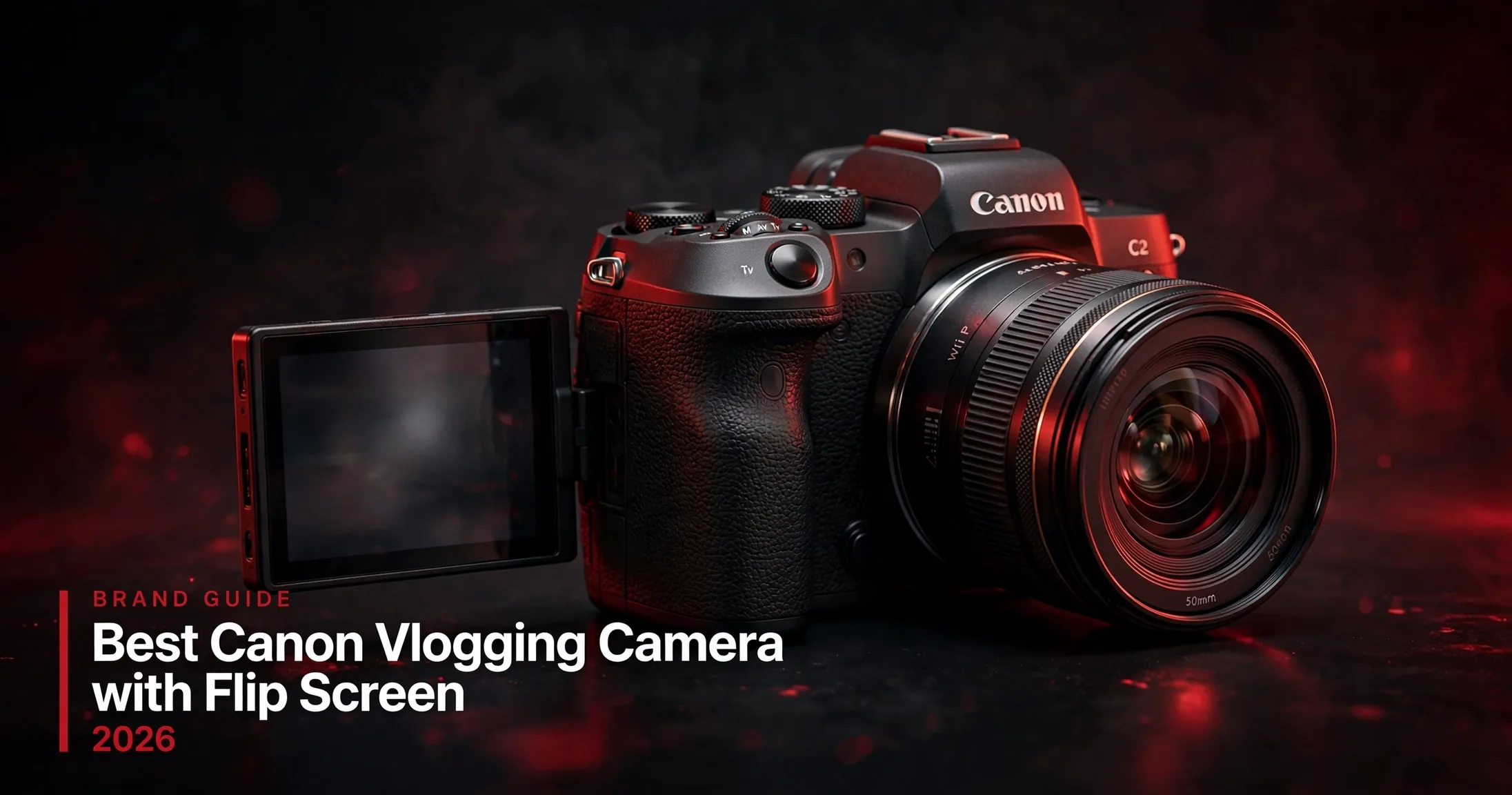
Last updated: October 2026
Looking for the best Canon vlogging camera with a flip screen? Every camera on this page has one: a fully articulating or flip-out screen you can turn to face yourself, which is the single most useful feature a vlogging camera can have. Below are the six Canon cameras worth buying right now, ranked for video creators, with honest trade-offs on autofocus, 4K crop, recording limits, audio inputs, and stabilization.
As an Amazon Associate I earn from qualifying purchases.
Quick Picks: The Six Canons Worth Your Money
- Best overall: Canon EOS R50 V: built for creators, 4K60, front record button, mic and headphone jacks
- Best pocketable compact: Canon PowerShot V1: big 1.4-inch sensor, fixed ultra-wide lens, unlimited 4K with a cooling fan
- Best value: Canon EOS R50: the cheapest RF-mount route to sharp, oversampled 4K with superb autofocus
- Best hybrid for photo and video: Canon EOS R10: dual dials, 4K60, and stronger stills chops than the R50
- Best full-frame step up: Canon EOS R8: uncropped 6K-oversampled 4K60 with that full-frame look
- Best stabilization: Canon EOS R7: in-body stabilization up to 7 stops, dual card slots, weather sealing
On this page
- Quick Picks
- Comparison Table
- 1. Canon EOS R50 V: Best Overall
- 2. Canon PowerShot V1: Best Pocketable Compact
- 3. Canon EOS R50: Best Value
- 4. Canon EOS R10: Best Hybrid
- 5. Canon EOS R8: Best Full-Frame Step Up
- 6. Canon EOS R7: Best Stabilization
- Canon Vlogging Buying Guide
- How We Picked These Cameras
- Frequently Asked Questions
- Keep Exploring
Canon Flip-Screen Cameras Compared
| Camera | Sensor | Video | Screen | Mic input | Best for |
|---|---|---|---|---|---|
| EOS R50 V (review) | 24.2MP APS-C | 4K60 (1.56x crop), 4K30 oversampled | Fully articulating touchscreen | Yes + headphone jack | Dedicated vloggers |
| PowerShot V1 (review) | 22.3MP 1.4-inch | 4K60 (1.4x crop), 4K30 oversampled | Fully articulating touchscreen | Yes + headphone jack | Compact carry-everywhere vlogging |
| EOS R50 (review) | 24.2MP APS-C | 4K30 oversampled (uncropped) | Fully articulating touchscreen | Yes, no headphone jack | Budget beginners |
| EOS R10 (review) | 24.2MP APS-C | 4K60 (crop), 4K30 oversampled | Fully articulating touchscreen | Yes, no headphone jack | Photo + video hybrid shooters |
| EOS R8 (review) | 24.2MP full-frame | 4K60 uncropped (6K oversampled) | Fully articulating touchscreen | Yes + headphone jack | Full-frame look on a mid-tier budget |
| EOS R7 (review) | 32.5MP APS-C | 4K60 (crop), 4K30 (7K oversampled) | Vari-angle touchscreen | Yes + headphone jack | Handheld stabilization and pro features |
1. Canon EOS R50 V: Best Canon Vlogging Camera Overall
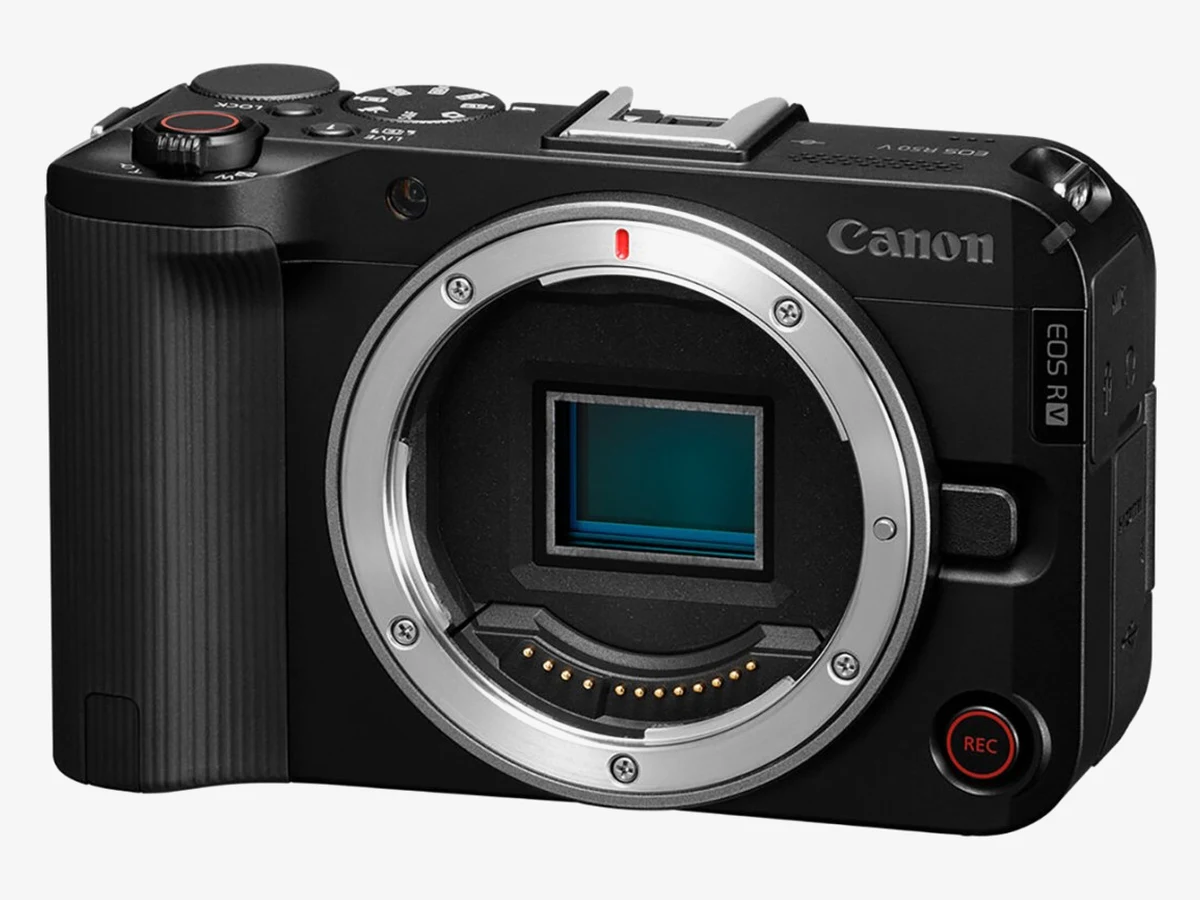
Image: Canon
Canon EOS R50 V
Tech specs
- 24.2MP APS-C CMOS sensor, DIGIC X processor
- 4K30 full-width 6K-oversampled; 4K60p with 1.56x crop; 10-bit C-Log 3
- 3-inch fully articulating touchscreen, no viewfinder
- Mic input + headphone jack; multi-function accessory shoe
- Dual Pixel CMOS AF II with product-demo AF mode
- Front record button, tally lamp, vertical tripod socket; 370g
Pros
- Purpose-built for vlogging, every design choice favors video
- Cheapest way into Canon 4K60 with 10-bit C-Log 3
- Excellent face and subject tracking from Dual Pixel AF II
- Front record button and tally lamp make solo shooting easier
Cons
- No electronic viewfinder, a dealbreaker for some photographers
- No in-body stabilization; relies on lens or digital IS
- 4K60 carries a 1.56x crop, so wide shots need a very wide lens
- Small LP-E17 battery; pack a spare for long shoot days
Pair it with the RF-S 14-30mm power-zoom kit lens and you have a wide, stabilized, self-framing setup out of the box. If you’re comparing against the wider market, our general flip-screen camera guide covers how the R50 V stacks up against Sony and the rest.
2. Canon PowerShot V1: Best Pocketable Canon for Vloggers
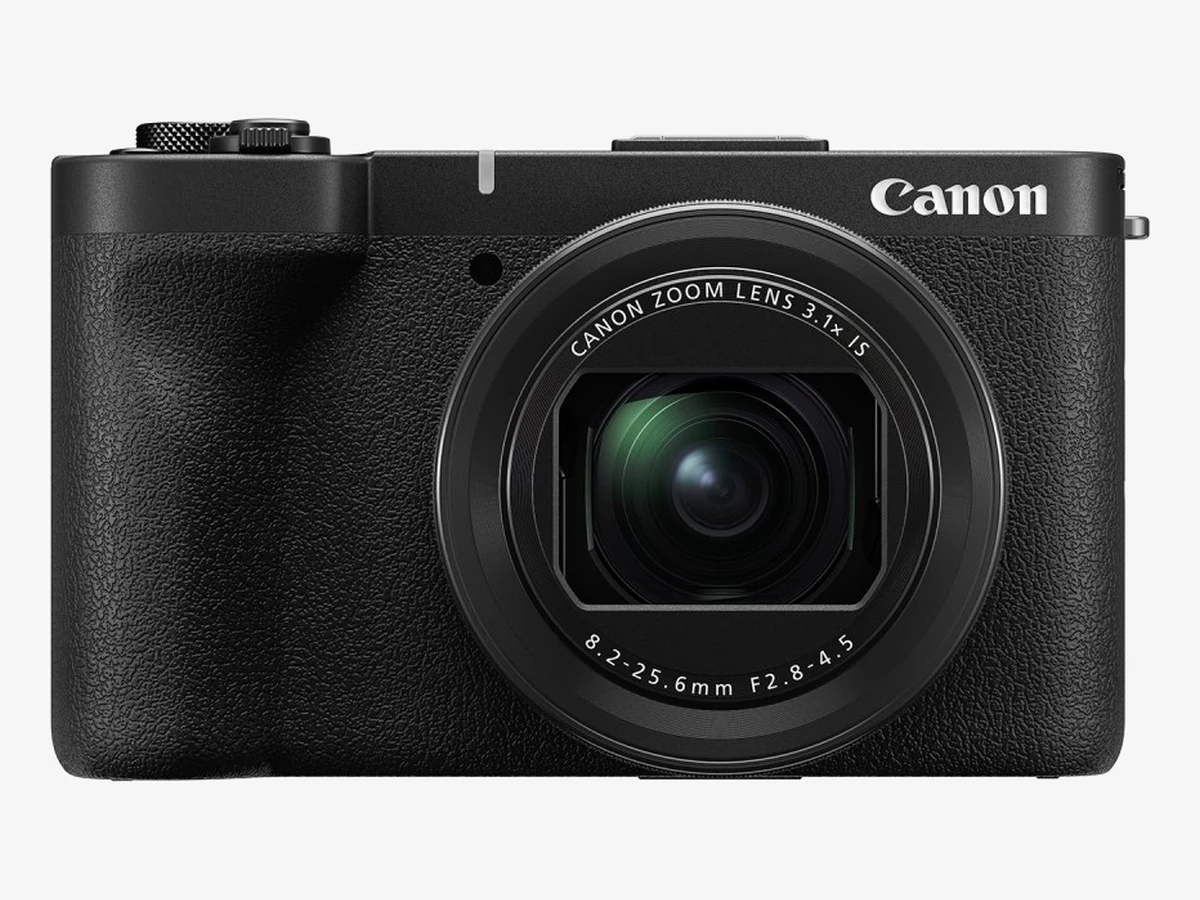
Image: Canon
Canon PowerShot V1
Tech specs
- 22.3MP 1.4-inch CMOS sensor, far larger than a phone’s
- Fixed 16-50mm equiv. f/2.8-4.5 lens with control ring
- 4K60 (1.4x crop), 4K30 5.7K-oversampled, 10-bit C-Log 3, 3-stop ND filter
- 3-inch fully articulating touchscreen; active cooling fan, no recording limit
- Mic input + headphone jack; multi-function shoe
- 5-stop optical image stabilization; 379g
Pros
- Biggest sensor ever put in a Canon compact, real background blur
- Ultra-wide lens is ready for arm’s-length vlogging immediately
- Unlimited 4K recording thanks to the built-in cooling fan
- Built-in ND filter is rare and genuinely useful outdoors
Cons
- Costs more than the interchangeable-lens R50 V but can’t swap lenses
- f/4.5 at the long end is slow for indoor or evening shooting
- 379g and chunky, not as pocketable as it sounds
- Short 16-50mm range; zoom-happy shooters will want a mirrorless body instead
The V1 effectively replaces the old G7 X line for video-first buyers (note: the G7 X Mark III has been discontinued by Canon, so don’t pay inflated prices for leftover stock when the V1 exists). Travel light? Pair it with a drone for vlogging and you’ve got ground and aerial footage from a kit that fits in a daypack.
3. Canon EOS R50: Best Value Canon for Beginner Vloggers
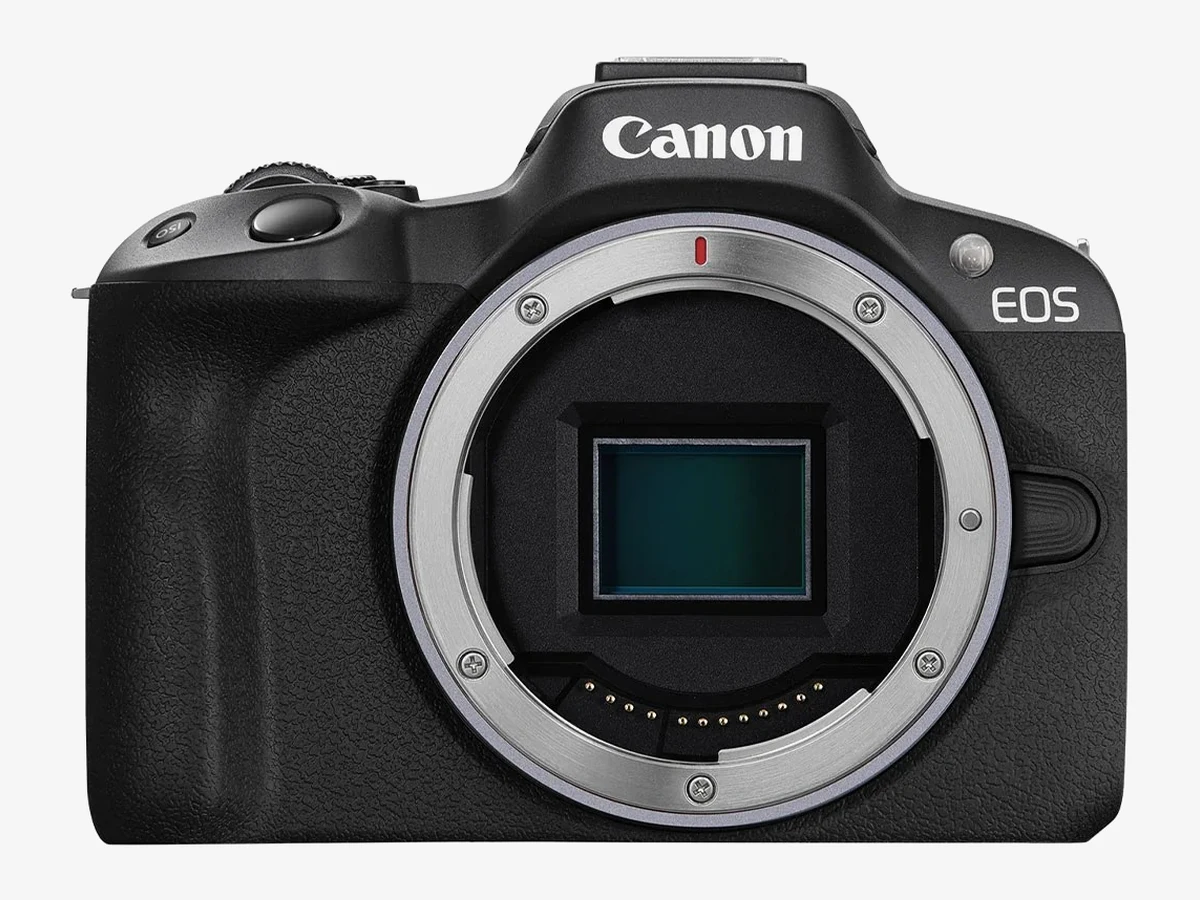
Image: Canon
Canon EOS R50
Tech specs
- 24.2MP APS-C CMOS sensor, DIGIC X, Dual Pixel CMOS AF II
- 4K30 6K-oversampled (uncropped); Full HD 120p slow motion
- 3-inch 1.62M-dot fully articulating touchscreen + 2.36M-dot EVF
- 3.5mm mic input, but no headphone jack
- No IBIS (lens or electronic stabilization only); 375g
- Wi-Fi/Bluetooth, webcam support, vertical video mode
Pros
- Most affordable Canon with a flip screen and real 4K
- Autofocus is outstanding, with sticky eye and subject tracking
- Oversampled 4K is noticeably sharper than most rivals at this price
- Viewfinder included, unlike the R50 V
Cons
- No headphone jack, so you can’t monitor audio levels while recording
- Kit 18-45mm lens is slow (f/4.5-6.3) and not wide enough for arm’s-length vlogging
- No IBIS; some rolling shutter in fast 4K pans
- 1080p/120 mode drops audio recording and autofocus
On a strict budget, the R50 plus an inexpensive wide lens is a classic starter combo. And if money is the deciding factor, our best vlogging cameras under $300 guide covers the action-camera alternatives worth knowing about.
4. Canon EOS R10: Best Hybrid for Photo + Video Creators
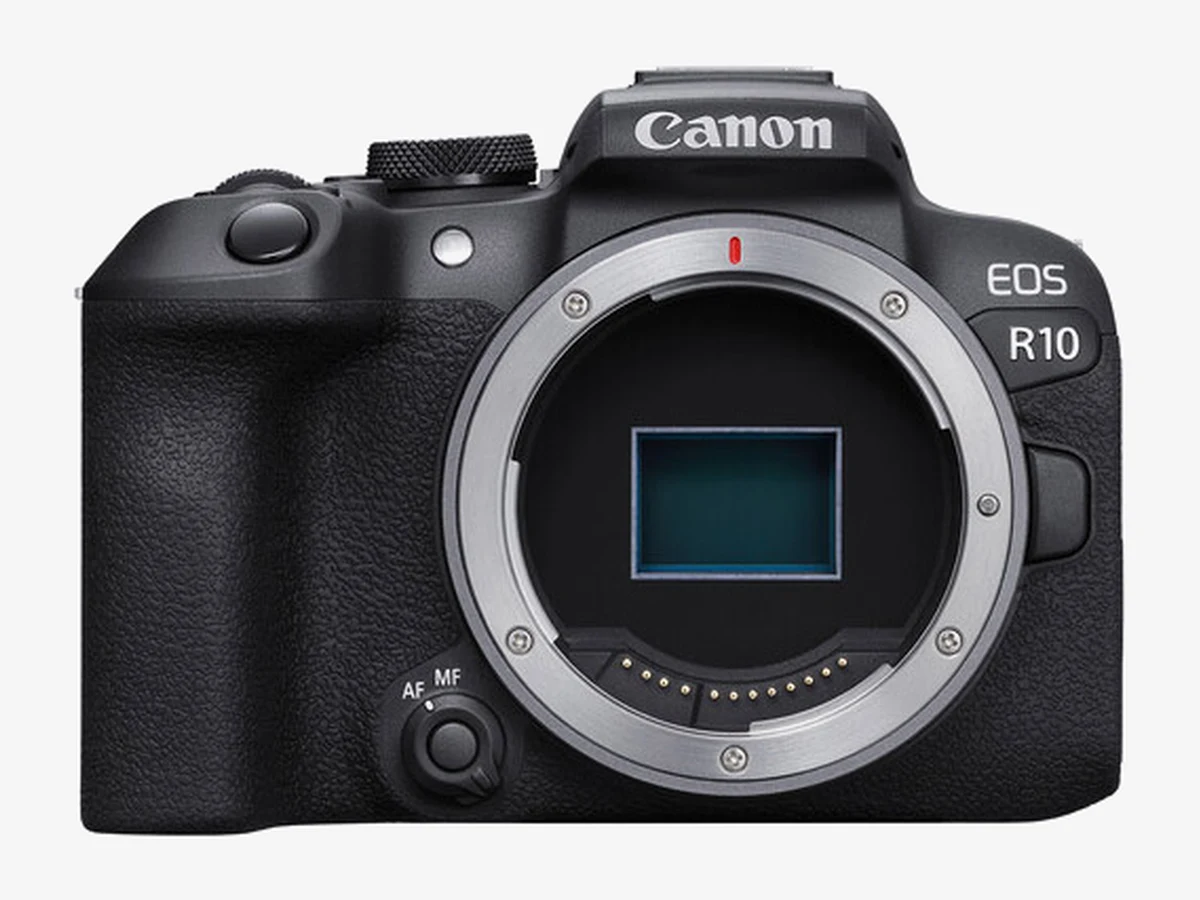
Image: Canon
Canon EOS R10
Tech specs
- 24.2MP APS-C CMOS sensor, DIGIC X, Dual Pixel CMOS AF II
- 4K30 6K-oversampled; 4K60 with crop; Full HD 120p
- 3-inch 1.04M-dot fully articulating touchscreen + 2.36M-dot EVF
- 3.5mm mic input, no headphone jack
- Dual control dials; 15fps mechanical / 23fps electronic bursts
- Movie digital IS only, no IBIS; 429g
- Built-in pop-up flash for stills
- Single UHS-II SD card slot
- LP-E17 battery, the weakest life of this group, so carry spares
Pros
- Dual dials and better controls than any cheaper Canon here
- Strong stills camera (23fps bursts) that also vlogs well
- 4K60 on board for smooth B-roll
- Mic input for external audio
Cons
- No headphone jack, the same audio-monitoring gap as the R50
- Heavier and bulkier than the R50 with similar video quality
- No IBIS; 1.04M-dot screen is less crisp than the R50’s panel
- Weakest battery life of the group. Carry spares
Creators building a full kit from scratch should also look at our beginner vlogging equipment guide, which covers the tripods, lights, and mics that matter more than the body once you pass this price point.
5. Canon EOS R8: Best Full-Frame Canon for Vloggers
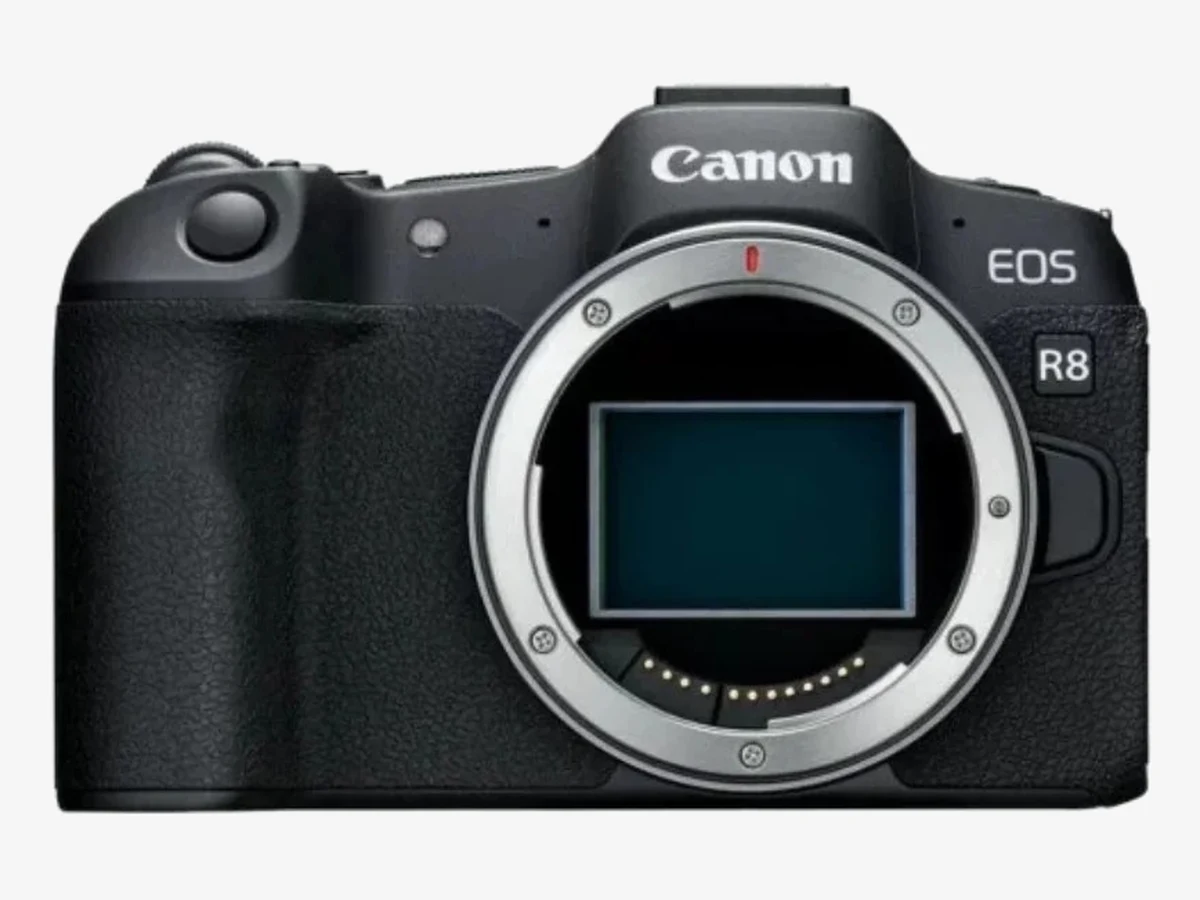
Image: Canon
Canon EOS R8
Tech specs
- 24.2MP full-frame CMOS sensor (same class as the R6 Mark II)
- Uncropped 4K60 oversampled from 6K; 10-bit C-Log 3 / HDR PQ
- 3-inch 1.62M-dot fully articulating touchscreen + EVF
- Mic input + headphone jack; multi-function shoe
- 5-axis digital IS for video only, no in-body stabilization
- 30-min clip limit at 4K60 / 1080p120 (up to 2h at 4K30); 461g
- Full HD up to 180fps slow motion
- 40fps electronic shutter bursts for stills
- Single UHS-II SD card slot
Pros
- Full-frame depth of field and low-light performance
- Uncropped 4K60, with wider framing than the crop-heavy rivals
- Both mic and headphone jacks for proper audio monitoring
- Lightest full-frame Canon with a flip screen
Cons
- No IBIS. Handheld work needs an IS lens or gimbal
- Single SD card slot; modest LP-E17 battery life
- 4K60 and 1080p120 limited to 30-minute clips
- Full-frame RF lenses cost more and weigh more than RF-S options
The R8 is also the natural upgrade path if you outgrow an APS-C body but want to keep your RF lenses. For the full picture of what Canon offers at every price, see our main best vlogging cameras roundup.
6. Canon EOS R7: Best Stabilization of Any Canon Here
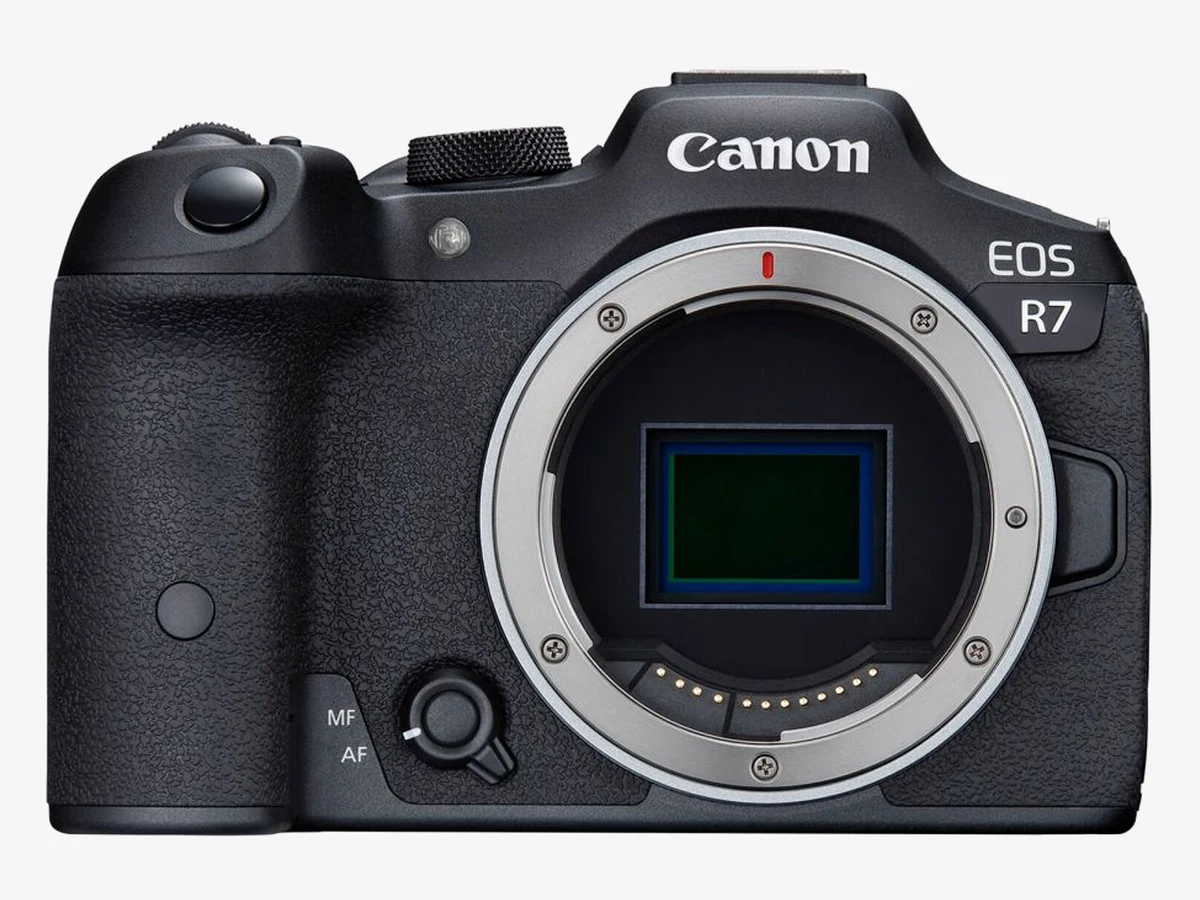
Image: Canon
Canon EOS R7
Tech specs
- 32.5MP APS-C CMOS sensor, DIGIC X, Dual Pixel CMOS AF II
- 4K60 with crop; 4K30 7K-oversampled; C-Log 3, HDR PQ
- 3-inch 1.62M-dot vari-angle touchscreen + 2.36M-dot EVF
- 5-axis IBIS up to 7 stops (8 with select lenses)
- Mic input + headphone jack; dual UHS-II slots; weather sealed
- 612g, the heaviest camera on this list
Pros
- Best handheld footage of any Canon here. The IBIS makes a real difference
- 32.5MP stills and pro features: dual slots, weather sealing
- Both mic and headphone jacks
- Unlimited recording times in most modes
Cons
- Heaviest and priciest camera on this page
- 4K60 carries a crop, narrowing your framing
- Overkill for simple talking-head or desk-setup vlogging
- APS-C sensor can’t match the R8’s low-light look
The R7 pairs beautifully with aerial footage. If travel vlogging is your thing, see our best drones for vlogging for the other half of that kit. Starting from a phone instead? Our best phones for vlogging guide covers when an upgrade actually makes sense.
Canon Vlogging Buying Guide: What Actually Matters
RF-S and RF Lenses: Which Ones Make Sense for Vlogging
Canon’s lens mount situation is simple now: every camera here uses the RF mount, and the APS-C bodies (R50 V, R50, R10, R7) also take the smaller, cheaper RF-S lenses. The full-frame R8 takes RF lenses only. But here’s the useful part: RF-S lenses from an APS-C body will physically mount on the R8 too (the camera crops in), so an upgrade path keeps your glass usable.
For vlogging specifically, three lenses cover almost everyone: the RF-S 14-30mm f/4-6.3 IS STM PZ (the R50 V kit lens: wide, stabilized, power zoom for smooth video zooms), the RF-S 10-18mm f/4.5-6.3 IS STM (ultra-wide for tight rooms and walk-and-talk), and the RF 16mm f/2.8 STM (cheap, bright, tiny, and great on the R8). Start wide and stabilized; reach for telephoto later.
Canon’s V Series: What the V Badge Actually Means
Canon now splits its creator cameras into two families. The V models (the PowerShot V1 and EOS R50 V on this page, with a full-frame V body sitting above them in the range) trade stills-first ergonomics for video-first hardware, touches like the R50 V’s vertical-video tripod socket and the V1’s cooling fan. The hybrid R bodies here (R50, R10, R7, R8) keep their viewfinders and photo controls, and vlog very capably on top of that.
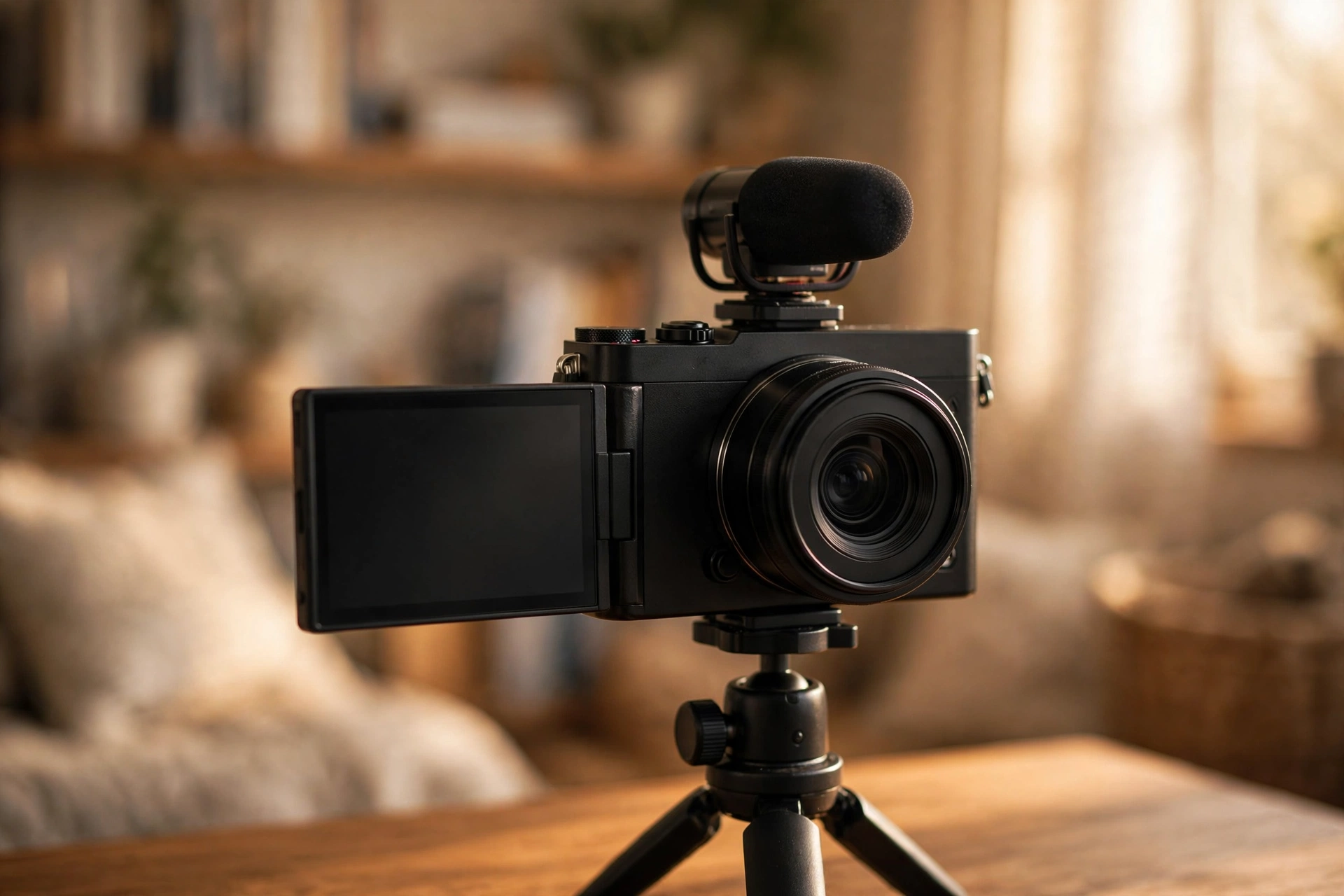
Neither family wins in the abstract. If nine out of ten things you shoot are videos, a V model removes a little friction from every single shoot. If you split your time between photos and video, a hybrid body is the smarter buy. That is exactly why both kinds appear in the rankings above.
Canon Color Science: The Skin-Tone Advantage
“Color science” sounds like marketing, but for a vlogger it has a concrete meaning: how much work your footage needs before it looks good. Canon’s standard picture profiles render faces warmly and naturally with minimal tweaking, which matters when you’re publishing three videos a week and don’t want to grade every clip.
If you do want to grade, the R50 V, PowerShot V1, R7, and R8 all shoot 10-bit Canon Log 3, which holds up to serious color work. The R50 and R10 are 8-bit only. That is fine for direct-to-YouTube footage, but limiting if you plan heavy grading. Match the profile to your workflow, not your ambition.
Audio Inputs and the Multi-Function Shoe, Explained
Viewers forgive mediocre video; they don’t forgive bad audio. An inexpensive lavalier or a shotgun mic into the 3.5mm input transforms any of these cameras. The step most beginners skip is monitoring: without a headphone jack (R50, R10), you can’t hear a dying mic battery or wind noise until you’re editing. That’s the single biggest practical difference between the R50 and the R50 V for serious creators.
The multi-function shoe on the R50 V, PowerShot V1, R7, and R8 is Canon’s newer hot shoe with digital contacts. It powers accessories like Canon’s digital microphones with no cables and no batteries. It’s a small quality-of-life upgrade that keeps a vlogging rig clean: mic on top, nothing dangling.
4K Crop and Recording Limits in Plain English
Here’s the practical translation for each camera: the R50 V and R10 crop about 1.5x in 4K60 (your 14mm lens behaves like ~22mm) but shoot 4K30 with no crop. The PowerShot V1 crops 1.4x in 4K60 with no recording limit at all, thanks to its cooling fan. The R8 shoots 4K60 with no crop, but caps those clips at 30 minutes. The R7 crops in 4K60 with no meaningful time limit.
For talking-head and tripod vlogging, you’ll mostly shoot 4K30 anyway: no crops, no limits, no problem on any of these. The crop only bites handheld wide-angle work in 4K60, and the time limits only bite long interviews or event coverage. If long-form recording is your whole format, the V1’s unlimited 4K is the standout feature.
Powering through long sessions: battery is the other half of the long-take story. Canon’s USB power adapters (the PD-E1 and PD-E2) can supply power to these cameras while they are switched on, not only charge them while off, and a high-output USB-C power bank does the same job on location. For a fixed desk or streaming setup, that removes battery swaps from the equation entirely.
How We Picked These Six Canon Cameras
This is a research-based roundup, not a hands-on test: we compared manufacturer specifications, current availability, and professional reviews for every Canon camera with a flip or fully articulating screen, then ranked them for vlogging use specifically.
Selection criteria: the camera had to be currently sold new (not discontinued), have a screen that flips or articulates to face the vlogger, record 4K video, and offer a microphone input. That filter removed several older Canon bodies, including the once-popular PowerShot G7 X Mark III, which Canon has discontinued, and left the six cameras above.
Ranking weighed vlogging-specific factors over spec-sheet bragging rights: self-framing screen quality, autofocus reliability for moving subjects, 4K crop behavior, recording limits, audio monitoring, stabilization for handheld work, and the total cost of a usable kit (body plus a wide-enough lens).
Canon Flip-Screen Camera Questions
Which Canon camera is best for vlogging?
The Canon EOS R50 V is the best Canon vlogging camera for most people. It’s the only one designed specifically for creators, with a front record button, tally lamp, vertical-video tripod socket, and both mic and headphone jacks. If you want something pocketable instead, the PowerShot V1 is the best compact pick.
Is the Canon EOS R50 V worth it over the regular EOS R50?
For video-first creators, yes. The R50 V adds 4K60, 10-bit C-Log 3, a headphone jack, a front record button, and a tally lamp, all of them missing from the standard R50. The R50 keeps the viewfinder and costs less, so photographers who occasionally vlog may still prefer it.
Is the PowerShot G7 X Mark III still worth buying?
No. Canon has discontinued the G7 X Mark III, and remaining new stock often sells at inflated prices. The PowerShot V1 is its true successor for vloggers: a much larger 1.4-inch sensor, 4K60, a fully articulating screen, mic and headphone jacks, and unlimited recording with a cooling fan.
Do I need a full-frame camera for vlogging?
No. APS-C cameras like the R50 V produce excellent vlogs, and their smaller sensors make wide-angle lenses cheaper. Full-frame (the EOS R8 here) earns its keep for shallow depth-of-field, low-light shooting, and creators who also shoot a lot of stills, but it’s a luxury, not a requirement.
What lens should I buy first for a Canon vlogging camera?
Something wide and stabilized. The RF-S 14-30mm power-zoom kit lens (sold with the R50 V) is the easiest answer. On a budget, the RF-S 10-18mm is the best value wide zoom; on the full-frame R8, the compact RF 16mm f/2.8 is the classic starter vlogging lens.
Can I livestream with these Canon cameras?
Yes. All six work as webcams over USB (UVC), so you can plug into a computer and stream to YouTube, Twitch, or Zoom with no capture card. The flip screen doubles as your confidence monitor while streaming.
Do Canon cameras overheat when recording video?
The PowerShot V1 has an active cooling fan and no recording limit, so it’s the safest pick for long takes. The R50 V, R10, R7, and R50 handle typical vlogging clips (a few minutes each) without issue; only very long continuous 4K takes in heat are where limits or thermal warnings can appear. The R8 caps 4K60 clips at 30 minutes by design.
Which Canon vlogging camera is best for TikTok and Reels?
The EOS R50 V: it has a second tripod socket on the side for mounting the camera vertically, plus vertical-video shooting modes. The PowerShot V1 also handles vertical content well with its flip screen and compact size.
Is in-body stabilization necessary for handheld vlogging?
Not strictly. Lens stabilization or Canon’s digital movie IS covers most walking shots, but IBIS makes a visible difference. The EOS R7 is the only camera here with in-body stabilization (up to 7 stops), and it’s the clear pick if most of your footage is handheld. Otherwise, a stabilized lens or a small tripod grip gets you most of the way there.
Can I use my old EF lenses on these cameras?
Yes, with Canon’s EF-to-RF mount adapter. All six cameras use the RF mount, and EF/EF-S DSLR lenses work fully (autofocus, stabilization, and all) through the adapter. It’s a smart way to reuse glass you already own, though native RF lenses are smaller and focus more quietly for video.
What does the V mean in Canon EOS R50 V and PowerShot V1?
It marks Canon’s video-first line. V cameras are built around filming yourself: no viewfinder, a front record button, a tally lamp so you know when you are rolling, and controls laid out for video. The hybrid R bodies on this page (R50, R10, R7, R8) keep a viewfinder and stills-first controls, and vlog very well alongside photography.
Can I power one of these cameras over USB for long recordings or streams?
Yes. With a compatible USB-C power delivery source (Canon’s own adapters are the PD-E1 and PD-E2) or a high-output power bank, these cameras can run while switched on rather than only charging while off. For a desk or streaming setup that ends battery swaps for good, and the PowerShot V1 pairs USB power with unlimited recording, which makes it the long-session pick of the six.