Last updated: October 2026
Most creators talk about the videos themselves. The hooks. The editing. Far fewer talk about YouTube SEO, even though it does half the work of growing a channel. None of the filming matters if YouTube can’t work out what your video covers, who might want it, and which search it answers. SEO is how you tell it. You do that in the places its systems actually read: the title, the description, captions, chapters, and the other metadata most people fill in as an afterthought. What follows covers search and discovery only. Growth tactics and thumbnail design live in their own guides.
Key takeaways
- YouTube needs you to explain your video. Its systems can’t watch your footage and fully get it. They lean on your title, description, captions, and chapters to work out what the video covers and who it’s for.
- Keyword research comes before filming. Type a topic idea into YouTube’s search bar and read the autocomplete suggestions. It costs nothing, takes seconds, and shows you the exact words real people use.
- Titles rank; descriptions clarify. Put your main keyword near the front of the title. Then use the first two or three lines of the description, the part viewers actually see, to expand on it in plain words.
- Tags are nearly irrelevant now. They only help with common misspellings of your keyword. Spend the time on chapters and captions instead. Those do real discovery work.
- Chapters, playlists, hashtags, and captions add up. No single one is a magic trick. Together they give YouTube cleaner signals about your content, and clean signals are what get recommended.
On this page
- How YouTube actually finds your videos
- Finding keywords people really search for
- Writing titles that rank and get clicked
- Descriptions: where YouTube reads your video
- The honest truth about video tags
- Chapters and timestamps: your secret second listing
- Playlists: teaching YouTube how your videos connect
- Hashtags: small boxes, big rules
- YouTube Shorts SEO: How to Get Shorts Found
- Closed captions: the words inside your video
- A 10-minute SEO routine for every upload
- YouTube SEO questions, answered
- Keep exploring
How YouTube actually finds your videos
YouTube works as a recommendation system, not a search engine in the Google sense. It doesn’t just match keywords. It predicts which videos each viewer is most likely to watch, and your metadata tells it what the video is about so it can predict well.
Drop the old picture of the algorithm as a judge ranking videos one to ten. For every viewer, YouTube asks a simpler question: of everything on the platform, what will this person watch right now? It pulls from search results, the home page, suggested videos beside whatever someone is already watching, Shorts, and channel pages. Your metadata and the video’s early performance decide where it fits in all that. For the deeper mechanics behind that question, our explainer on how YouTube decides what to recommend walks through search, browse, and suggested step by step.
Metadata is your side of that conversation. YouTube can’t sit down and watch your video the way a person does. It reads the signals you give it and matches them against what viewers search for and tend to watch. These are the signals that matter, roughly in order:
| Signal | What it tells YouTube |
|---|---|
| Title | The main topic and the promise. This is the strongest relevance signal you control |
| Description (especially the first lines) | Supporting detail, secondary topics, and context the title can’t fit |
| Spoken words (captions / transcript) | What the video actually covers, minute by minute |
| Chapters and timestamps | The video’s structure and the specific sub-topics inside it |
| Hashtags | Quick topic labels that link your video to hashtag pages |
| Tags | Almost nothing in 2026. Useful only for common misspellings of your keyword |
Then comes performance, where SEO meets everything else. Once YouTube starts showing your video, it watches what viewers do. Do they click? How long do they stay? That behaviour decides whether the showing continues. Put it this way: SEO earns the audition, the video earns the role. Retention and packaging, meaning how to keep viewers watching and clicking, are covered in our guide to getting more views on YouTube, and thumbnail craft has its own guide on making YouTube thumbnails that get clicks. Here the focus stays on discovery, on getting found in the first place.
One thing SEO cannot do: make an uncompetitive keyword winnable. If established channels with huge back catalogues own a search term, the best metadata in the world won’t vault a new channel past them. So keyword research comes first. It’s also where most creators should spend their SEO time.
Finding keywords people really search for
Keyword research for YouTube means finding the exact phrases viewers type into the search bar. You get them from YouTube’s own autocomplete, from search data in YouTube Studio, and from a look at what competitors already rank for. Then you pick the phrases a small channel can realistically win.
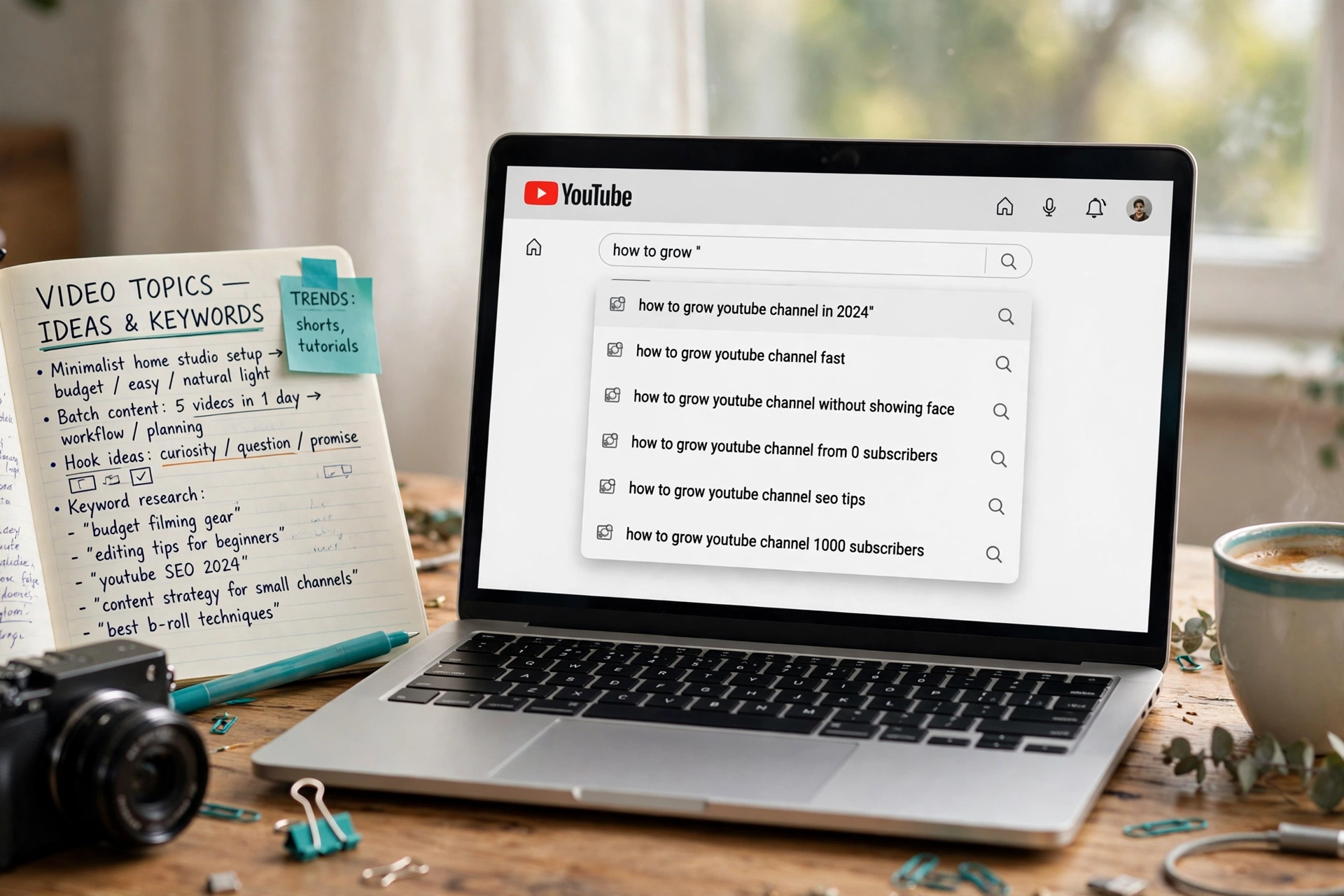
Forget guessing. The YouTube search bar is the fastest research tool you have. Start typing your topic and read the autocomplete suggestions. Those are real searches, ranked by how often people make them. Type “vlogging camera” and you’ll see “vlogging camera for beginners,” “vlogging camera under 500,” “vlogging camera with flip screen,” and more. Each one is a video idea with proven demand. The longer, more specific phrases are the gold. Fewer searches, yes, but far less competition, and viewers who know exactly what they want.
Look in YouTube Studio next. Under Analytics, then Reach, you’ll find the searches that already led viewers to your videos. More useful still are the searches that showed your videos but didn’t earn the click. That gap marks a keyword you’re close to ranking for. Studio’s Research tab also shows what your viewers, and YouTube’s wider audience, are searching for. It flags topics with high interest and low existing video supply. For a small channel, that low supply flag is about as close to a green light as it gets.
Third, study the competition honestly. Search your target phrase and look at who ranks. Channels your size, or giants with millions of subscribers? If the top results are all established channels with hours of content on the topic, pick the longer, narrower version of the phrase. “Vlogging camera settings” is a war you’ll lose. “Vlogging camera settings for low light” is a fight you can win, and the viewer typing it is more likely to watch your whole video anyway.
A few extra habits that sharpen research:
- Check Google too. YouTube videos appear in Google’s video carousels and search results, and Google Trends shows whether a topic is rising or fading. A keyword trending upward is worth twice one trending down.
- Read the comments on competing videos. Questions viewers ask under top videos are keyword phrases waiting to happen. They’re often topics the existing videos didn’t cover, too.
- Mind your own lane. Publish ten videos on one topic cluster and YouTube starts associating your channel with that subject. That’s topical authority. Scattered topics scatter your signals.
Once you have a target phrase, commit to it before you film. Knowing the exact keyword changes how you title the video, what you say on camera (your captions will contain it naturally), and how you structure the content. Research done after editing is paperwork. Done before filming, it’s a plan.
Writing titles that rank and get clicked
A good YouTube title puts the main keyword near the front, adds a human reason to click, and stays under about 60 characters so it doesn’t get cut off in search results. Keyword first, curiosity second, never keyword-stuffed.
The title is the most important piece of metadata you control, and it has two bosses. YouTube’s systems read it for relevance. The human scrolling past decides in a second whether to click. The good news? Those two bosses usually agree. A clear, specific title with the keyword up front serves both.
Front-loading matters because titles get truncated. In search results, on mobile, in suggested feeds, everything past roughly 60 characters disappears. “Best Vlogging Camera Under $500 in 2026 (What I’d Buy)” works because the keyword stays fully visible even if the parenthetical gets cut. Compare “What I’d Buy If I Needed a Vlogging Camera Under $500 in 2026.” The keyword might survive there, but the scroller’s eye never finds it.
After the keyword, add the human reason to click. A number works. So does a year, a specific angle, or the promise of a decision made. “Best Mirrorless Cameras for Vlogging in 2026” beats “Mirrorless Cameras Video #12” for reasons that have nothing to do with algorithms. Keep it honest, though. A title that overpromises buys one click and loses the viewer in twenty seconds, and YouTube notices what happens after the click.
What not to do:
- Don’t stuff keywords. “Vlogging Camera, Best Vlogging Camera, Camera for Vlogging 2026” reads like spam to humans and gains nothing with the systems. One clear keyword phrase, written like a person.
- Don’t write for search and forget the feed. A title like “Sony ZV-E1 Settings: Picture Profiles, Autofocus” ranks fine but bores anyone browsing. “Sony ZV-E1 Settings That Actually Look Cinematic” does both jobs.
- Don’t change titles constantly. Small tweaks to an underperforming title are fine, but rewriting it weekly resets the signals YouTube has collected. Give a title two to three weeks of data before judging it.
One pairing rule is worth remembering. Title and thumbnail are one unit, so never put the same words in both. Let the thumbnail carry the emotion and the title carry the specifics. The thumbnail side of that pairing is covered in our thumbnail guide.

Descriptions: where YouTube reads your video
Write the first two or three lines of your description like a short summary, with your keyword in there naturally. That’s the part viewers see, and the part YouTube weighs most. The rest is supporting detail: chapters, links, and context.
YouTube gives you 5,000 characters for a description, and almost nobody reads past the first two lines. That might sound like a reason to write less. It isn’t. The description box is where you expand on everything the title couldn’t fit. Think of it as the paragraph, with your title as its headline.
The opening does three jobs at once. It sits above the “more” fold, so it has to interest the viewer. It should carry your main keyword plus one or two natural variations, because YouTube weighs the opening most heavily. And it should sum up what the video delivers, so a reader who never expands it still knows what they’re getting. Two or three sentences, written for a human, keyword included without forcing it. Something like: “Looking for the best vlogging camera under $500 in 2026? I compared the six strongest options for beginners, covering autofocus, low-light performance, and which one I’d actually buy.”
Below the fold, the structure that works best:
- Chapters with timestamps (more on these in the chapters section below). They appear in the description and double as navigation.
- A slightly longer summary. One paragraph covering the secondary topics and related terms (“mirrorless vlogging setup,” “camera for YouTube beginners”) that viewers might search for.
- Links to your related videos and playlists, your channel, and anything you mention on camera. These mostly serve viewers, not rankings. Still, keeping viewers inside your content is never bad.
- A line about the channel. One sentence on what you publish and how often. It helps new viewers, and it keeps your keyword themes consistent across uploads.
What doesn’t work is pasting a wall of keywords, or a tag cloud, into the description. YouTube treats keyword stuffing there the same way it does everywhere else. It doesn’t help, and it can hurt. Write sentences a person would read and the keywords take care of themselves.
A description template you can copy
The quickest route to a good description is to stop starting from a blank box. Build every one in the same order, top to bottom:
- The hook. Two or three lines that say what the video is and why it is worth watching, with your keyword in the first line or two, exactly as the opening above describes.
- What the video delivers. A few short lines naming the specific things you cover, so a viewer scanning the description can see in seconds that the video answers their question.
- The chapters. Your timestamp list. The chapters section below covers how to write them well.
- Links and resources. The products, videos, playlists and pages you mention on camera, each with a few words saying what it is and why it is there. A bare link on its own tells a viewer nothing.
- One call to action. Pick a single ask per video: subscribe, watch the follow-up, or download the checklist. One clear ask gets acted on. Three competing asks get ignored.
- Social and contact lines, last. Social links, a business email and any standard lines you add to every video belong at the bottom, where a viewer who wants them will look, not at the top where they push your hook out of sight.
Two habits waste this space faster than anything else. The first is opening with the links. A description that starts as a wall of URLs shows a snippet of pure clutter wherever it appears in search, and the hook never gets read. The second is pasting your title in as the first line. The title sits directly above the description already, so repeating it spends your most valuable characters saying the same thing twice. Treat roughly the first 200 characters as a unit of their own: that is the chunk shown in search results and under the player before anything is expanded, so it has to make sense, and make a promise, entirely on its own.

Hook lines that earn the click
A hook earns the click when a stranger can tell in one breath what they will get. Everything else in the description can wait.
Never open with a greeting, your channel name, or a welcome back. Those words sit in the most valuable lines of the whole description and tell a stranger nothing. Start with the promise instead. Put the outcome before the process: “The exact settings I use for clean indoor audio” beats “In this video I talk about audio settings,” because the first one names what the viewer walks away with.
Then read only your first two lines back. If a stranger cannot say what the video gives them, rewrite the lines until they can. And keep to one promise per hook. A hook that tries to cover three topics covers none of them well.
A full vlog description, worked end to end
Here is the template above filled in for one vlog, so you can see the whole thing at once. Swap in your own words and links.
Hook. I filmed the old town in the rain with only the camera I already own, and the footage surprised me. Here is how I kept it usable.
What the video delivers. The walking route I used, how I kept the lens dry without any special gear, the audio fix that saved the market scene, the shot I lost and what it taught me, and the edit order I used to cut a full day into twelve minutes.
Summary. Rain changes how a walk films: light drops, sound gets messy, and every stop takes longer. This video covers the route, the rain gear that actually mattered, and the edit that turned a wet day into a twelve minute video.
Chapters. 00:00 Rain filming plan for the old town walk. 02:10 Filming a market scene in the rain. 05:40 How to keep a camera lens dry in rain. 08:15 The shot I lost in the old town. 10:30 Editing a full day into twelve minutes.
Links. My camera settings video, the one I mention when I talk about the rain settings: [full video link]. Old town walks playlist, the full series this walk belongs to: [full playlist link].
One call to action. If you watch one more, make it the old town walks playlist, linked above.
Contact, last. I post one walk every Sunday. Instagram: [your profile link]. Business mail: [your business email].
How long, what repeats, and when to refresh
Aim for roughly 200 to 300 words in total for a standard long-form vlog description. That is long enough to cover the secondary terms and short enough that you will actually write it every time. The 5,000 character ceiling is not a target. A description twice as long is not twice as useful, and most of it never gets read.
Write the opening fresh for every video, and let the bottom repeat. The hook and the delivers paragraph belong to that video alone. The social lines, the contact line, and the standard channel line can stay the same across uploads. Never paste a whole description from one video to another: duplicate openings blur the keyword signal, and a returning viewer can tell it is recycled.
Then revisit the description after publishing. A week or two later, open Studio and look at the search terms that brought viewers. If a term you did not aim at keeps appearing, work it naturally into the summary paragraph. If one section of the video is doing the pulling, name it in the opening. Small edits like that keep an old description earning instead of going stale.
Links: fewer, full, and disclosed
Keep the working links in a description to three to five. Everything beyond that is clutter a viewer will not tap. The social and contact lines at the bottom are boilerplate and sit outside that count.
Paste full links, not shortened ones. A full link shows the destination, survives copy and paste into a browser, and looks honest next to a claim.
If a link earns you a commission, say so right there, just above or beside the link, in plain words: “Some of the links below earn me a small commission at no extra cost to you.” A disclosure buried at the very bottom, after everything else, reads as hidden even when it is technically present. So when you build a description from the template above, the disclosure sits with the links step, not as an afterthought at the bottom.
Where the call to action goes
Put your one call to action after the value, never in the hook. The hook sells the video. The ask comes once the viewer knows what it is.
An ask in the first two lines spends snippet space on you instead of on the video. By the time a viewer reaches the chapters and links, they know whether the video helped, and that is when an ask lands. Match the ask to the video: a series video points to the next part, a standalone video asks for the subscription. And keep the same single ask in the end screen, so the viewer hears the same thing twice, not two different things.
The honest truth about video tags
Tags barely matter for YouTube SEO anymore. YouTube itself says they play a minimal role in discovery. Add a few accurate ones, include common misspellings of your keyword, and move on.
Years ago, tags were a real ranking factor. That time is long gone. YouTube’s own help pages now describe tags as playing a minimal role in discovery, useful mainly when a viewer’s search contains a common misspelling of your keyword. The platform understands your video from your title, description, captions, and what viewers do with it. Tags are a footnote.
So what goes in the tag box? A small handful of accurate tags. Your exact keyword phrase, a couple of natural variations, and misspellings people genuinely make. That’s it. Five to eight relevant tags is plenty. Don’t paste in competitors’ channel names, trending topics your video has nothing to do with, or a paragraph of keywords. Misleading tags break YouTube’s policies and can get the video penalised rather than promoted.
Practical takeaway: the hour some creators still spend researching tags is better spent on chapters, captions, and descriptions. Those do measurable discovery work. Treat tags as a two-minute finishing step, not a strategy.
Chapters and timestamps: your secret second listing
Adding timestamps to your description (starting with 00:00) turns your video into chapters. YouTube displays those chapters in search results as “key moments,” which in effect gives one video several chances to match a search.
Chapters are one of the highest-return SEO tasks on YouTube, and most creators skip them. List timestamps in your description, starting the first one at 00:00, with at least three chapters, each at least ten seconds long, and YouTube breaks your video into sections viewers can jump between. Those sections can then appear directly in Google and YouTube search results as “key moments.” Each gets its own label and a link that jumps straight to that part of your video.
Think about what that means. A 12-minute video on vlogging camera settings, with chapters like “Best autofocus settings, 03:20” and “Low-light setup, 07:45,” can rank for searches about autofocus settings and low-light setup on its own, separate from the video’s main keyword. One video becomes several searchable entries. Write chapter labels like mini-titles, using the terms a person would search for, in plain language.
Chapters help the viewer, too, which helps you. Someone who jumps to the chapter they need watches that section instead of leaving, and a viewer who can navigate your content is more likely to finish it. Well-labelled chapters also make your video eligible for key-moment listings in Google search. That’s free extra visibility beyond YouTube itself.
How to add them? Just list the timestamps in your description, in order, like “00:00 Intro,” “02:15 Autofocus settings,” “05:40 Low-light setup.” YouTube detects the format on its own. You can also add them in YouTube Studio, under the video’s details. Either way, write labels for humans first and searchers second. The two are nearly the same thing.
Naming chapters for a viewer who is scanning
Write every chapter title to stand completely on its own. Chapter titles are plain text that YouTube and Google can read, and one chapter can surface by itself in search results, where nobody sees the rest of your list. So each title has to explain its segment to a stranger. “Fixing the autofocus hunt” works anywhere. “Part 2” means nothing out of context, and neither does an in-joke from earlier in the video. Name what actually happens in the segment, in the words a viewer would use for it, and keep the style consistent across the list so the whole thing scans quickly.
Chapters are not always the right call, though. On a short video, under about three minutes, the minimum three chapters leave each section under a minute long, which fragments the video instead of organising it. A video built around a single point has the same problem: there is nothing to navigate between. And on a story-driven vlog, chapters invite viewers to skip the build-up and jump straight to the payoff, which can cost you the very watch time chapters were meant to win. For videos like those, use a few broad chapters, or skip them entirely and let the video play as one piece.

When your chapters do not show up
If you added timestamps and no chapters appear, the cause is usually one of four things. Check them in this order.
- Advanced Features access. Chapters need Advanced Features access on your channel. If you have never verified the account, YouTube may not show chapters at all.
- An active strike. A Community Guidelines strike can switch off features, chapters included, until it expires.
- A final chapter under ten seconds. Every chapter must run at least ten seconds. If the last chapter runs shorter than that, the whole set can fail, so recut the timestamps until the final chapter clears ten seconds.
- Manual chapters override automatic ones. Once you type timestamps, YouTube uses yours and ignores its automatic chapters. If your list has an error, a missing 00:00 start, a chapter out of order, or fewer than three chapters, fix the list rather than waiting for automatic chapters to rescue it.
Fix the list, save it, and check again after a short while. Chapters do not always appear the instant you save.
Playlists: teaching YouTube how your videos connect
Group related videos into clearly titled playlists with keyword-rich names. Playlists get their own search listings, they keep viewers watching your content in sequence, and they tell YouTube your channel owns that topic cluster.
Playlists are the most underused SEO tool on YouTube. A playlist is a page. It has a title, a description, and its own chance to appear in search results. A playlist titled “Vlogging Camera Guides for Beginners,” with a proper description, can rank for searches your individual videos don’t. And when a viewer lands on it, they’re handed a sequence of your videos instead of a single one.
The discovery logic runs deeper than the listing, though. When YouTube sees viewers watching several of your videos in a row, which is exactly what a good playlist encourages, it learns that your content keeps people on the platform. Longer sessions are one of the strongest signals the recommendation systems respond to. Playlists are the simplest way a small channel creates them. A viewer who came for one video and stayed for three is worth far more than three separate one-video viewers.
Build them with intent:
- Title playlists like videos. “Vlogging for Beginners: Full Starter Series” beats “My Videos 3.” Include the topic keyword naturally.
- Write a real description for each playlist. Two or three sentences on what the series covers and who it’s for.
- Order them deliberately. A beginner series should start at the beginning. The first video in the playlist is the one most likely to be shown, so make it your strongest entry point.
- Link playlists in descriptions and end screens. Every video in a series should point viewers to the playlist, not just to the next video. The playlist is what keeps the session going if they skip around.
If you’re just starting out, our guide to starting a YouTube channel covers how to plan your first content series, which is really playlist planning by another name.
Hashtags: small boxes, big rules
Use up to three relevant hashtags per video. Those are the ones YouTube shows above your title. Add more than sixty and all of them get ignored, so fewer, accurate hashtags always beat a long list.
Hashtags on YouTube work differently than they do on social media. Add them to your title or description and YouTube displays the first three above your video title as clickable links. Clicking one takes the viewer to a hashtag page collecting videos that used the same tag. It’s a small extra discovery surface, and most creators ignore it.
The rules are strict and worth knowing. YouTube recognises a maximum of sixty hashtags per video. Add more than that and it ignores every single one. The first three you list are the ones displayed, so order matters. Put your most relevant topic tags first. Every hashtag also has to relate to the video’s actual content. Irrelevant or misleading hashtags, along with hateful or sexual content in tags, break YouTube’s policies and can get the video removed from search.
In practice, hashtags are a minor signal. Think of them as tidy labels, not a ranking strategy. A sensible pattern is one broad tag (#vlogging), one topic tag (#vloggingcamera), and one niche or series tag (#vloggingtips). Three accurate tags, placed at the end of your description so they don’t clutter the visible opening lines. Done in thirty seconds, then working quietly in the background.
YouTube Shorts SEO: How to Get Shorts Found
Shorts are found in two places: search results and the Shorts feed. Write the title and description for search, and say the keyword out loud in the first few seconds so the feed understands what the Short is about.
Long-form SEO and Shorts SEO share the same idea: help YouTube understand the topic, then help the viewer decide to watch. The details differ because a Short is vertical, fast, and often found by swiping rather than by searching. Treat the title, the description, the spoken words, and the on-screen text as one set of signals that all point to the same topic.
How Shorts discovery works
A Short can reach viewers through search and through the feed. Search brings viewers who typed a question or a topic. The feed brings viewers who did not search at all, and YouTube picks Shorts for them based on what they watched before and how they reacted to similar Shorts. A Short that only works for one of these two routes misses the other route to viewers entirely.
That is why the first seconds matter so much. A viewer in the feed decides in a moment whether to keep watching or swipe away. A clear opening that names the topic helps both the viewer and YouTube: the viewer knows at once whether the Short is for them, and YouTube gets a strong early signal about what the Short covers.
Shorts titles: short, front-loaded, and specific
A Shorts title can be up to 100 characters long, but only the first 50 characters are visible in most places viewers see it. Aim for 55 to 60 characters in total. Put the keyword in the first 30 to 50 characters, so it still shows when the title is cut short, and let the rest work for search.
Write the title for a person first and for search second. Name the result, the question, or the thing the viewer will learn, and keep the wording plain. A title that promises one thing and a Short that shows another loses the viewer in seconds, and that early swipe away hurts the Short far more than a clever title helps it.
Shorts descriptions: two or three sentences, hashtags last
A Shorts description can be up to 5,000 characters long, but only the first 100 characters are visible without tapping to expand it. Write two or three sentences that say what the Short covers and who it is for, then put the hashtags at the end.
Do not stuff the description with keyword repeats. One clear sentence about the topic, one sentence about what the viewer gets, and the hashtags at the end is enough. Viewers rarely read a long description on a Short, and YouTube reads the spoken words and the on-screen text as well, so the description does not have to carry the whole topic by itself.
Shorts hashtags: three to five, in the description
Use three to five hashtags per Short. Include #Shorts plus two to four niche hashtags that match the topic, for example a camera type, a filming style, or a place. Put the hashtags in the description, not in the title, where they take up space meant for the keyword and the promise of the video.
YouTube allows up to 60 hashtags on a video, but that is a hard cap, not a target. A long string of hashtags looks messy to viewers and dilutes the topic signal. Three to five well chosen hashtags tell YouTube clearly what the Short is about without turning the description into a tag list. Three tags sit inside that range, so the three-tag pattern used elsewhere in this article still works for a Short.
Shorts title and description templates
Templates save time and keep titles consistent. Two simple patterns cover most vlogging Shorts:
- Result first: name what the viewer will be able to do, for example “Steady Handheld Vlog Footage Without a Gimbal in Any Light”.
- Question first: repeat the exact question a beginner would type, for example “Why Is My Vlog Audio So Quiet? Fix It Before You Upload”
For the description, use the same shape every time: sentence one names the topic, sentence two names what the viewer learns, then the hashtags. Keeping that shape means no Short goes out with a blank description or a title that buries the keyword.
Keep a title bank: a running list of title ideas in a notes app or a document, added to whenever a question comes up in comments, a search suggestion looks promising, or a Short idea appears while filming. When it is time to post, pick from the bank instead of writing a title under pressure. A bank also shows which topics you have already covered, so the same idea does not get posted twice with slightly different wording.
Say the keyword: spoken words and on-screen text
Put the keyword in the first 3 seconds of the Short, spoken out loud and shown as on-screen text. YouTube can read spoken words and on-screen text, and viewers in the feed often watch with sound off, so the on-screen text carries the topic for them.
Do this naturally, not as a forced announcement. Open with the topic in plain words, for example by naming the question the Short answers, and show the same words on screen while you say them. After those first seconds, the Short can move on to the demonstration, the tip, or the comparison without repeating the keyword again and again.
Shorts keyword research
Shorts keyword research starts with autocomplete. Type a topic into the YouTube search box, read the suggestions, and add a Shorts qualifier such as “shorts” to see which versions of the topic viewers look for in short form. A suggestion that appears with that qualifier is a sign that viewers already search for it as a Short.
Next, study the top 10 Shorts titles for that topic. Note which words repeat across them, which questions they answer, and which angles they miss. A title pattern that repeats across several successful Shorts is a clue about what viewers expect, and a gap in those titles is an opening for a Short that answers something none of them cover.
Finally, check YouTube Studio after a Short has been live for a while. The “How viewers found your Shorts” report shows whether viewers came from search, from the feed, or from somewhere else. If search brings almost no viewers, the title and description may need a clearer keyword. If the feed brings viewers but they leave fast, the opening seconds may need a sharper promise. Use that report to fix the next Short, not to rewrite a Short that is already performing.
Closed captions: the words inside your video
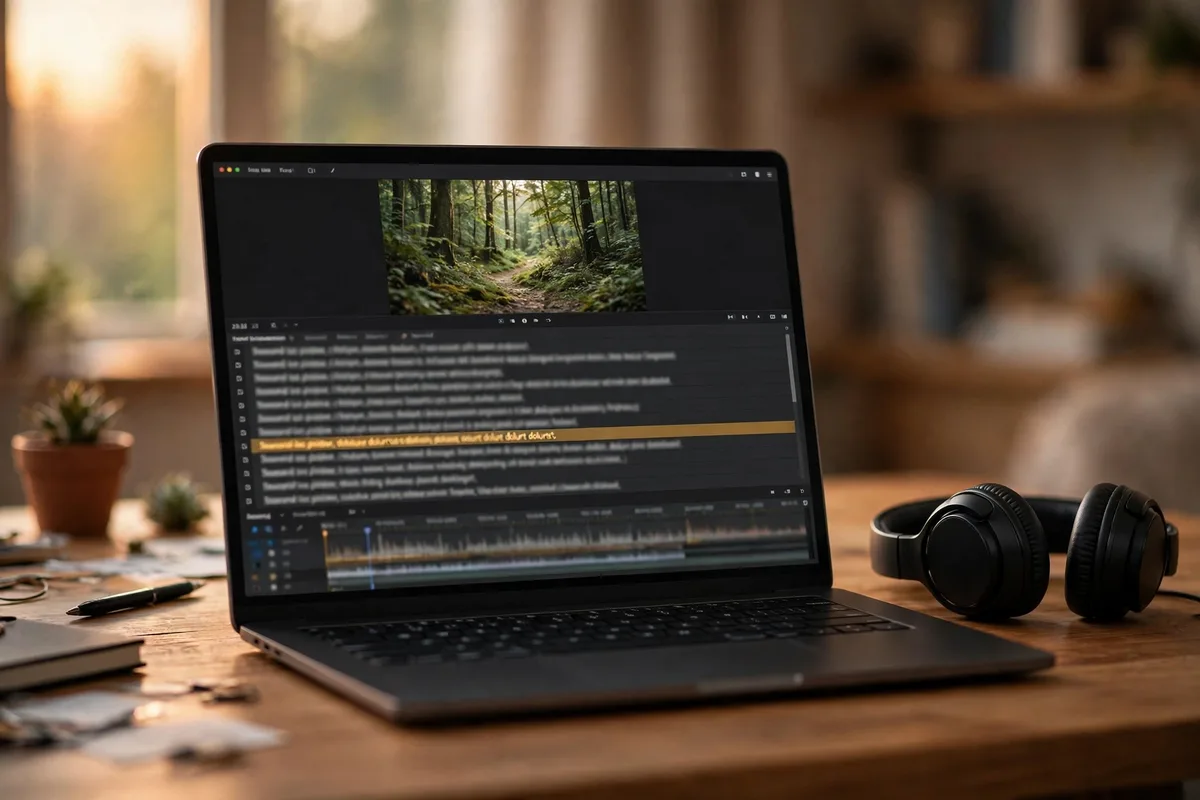
YouTube reads your captions and transcript to understand what your video actually covers. Accurate captions, whether you upload them or carefully correct the automatic ones, give its systems clean, indexable text for every minute of your footage.
Here’s the part most creators miss. Everything above, meaning titles, descriptions, and tags, is metadata about the video. Captions are metadata from the video. When you say your keyword and its related terms out loud during the video, and those words exist in an accurate caption file, YouTube can match your content against searches with far more confidence than metadata alone allows. A video that talks about “vlogging camera autofocus settings” for four minutes is easier to rank for that phrase than one that only writes it in the description.
YouTube generates automatic captions for most videos, but they’re a rough draft. Misheard words. Missing punctuation. Wrong terms, especially brand names and technical vocabulary, which is exactly the vocabulary a camera channel depends on. Upload your own caption file, or spend ten minutes correcting the automatic ones in YouTube Studio’s subtitle editor, and that rough draft becomes clean text. The corrected version is what feeds YouTube’s understanding of your content.
Two practical notes. First, here’s another reason keyword research belongs before filming. If you plan to say the key phrases naturally on camera, the captions take care of themselves. Second, captions are an accessibility feature and a viewer feature, since plenty of people watch with the sound off. The SEO benefit is real, but it’s a side effect of doing right by the viewer. On this platform, that’s usually how the durable wins work.
A 10-minute SEO routine for every upload
SEO doesn’t need to be a project. It needs to be a habit. Run the same short checklist on every upload and your whole channel builds up clean, consistent signals that add up over time.
Here’s the routine, in order, taking about ten minutes once you’re used to it:

- Confirm your keyword. One main phrase per video, researched before filming, specific enough to win. If you skipped the research, do the search-bar autocomplete check now. Better late than never.
- Write the title. Keyword near the front, human reason to click, under ~60 characters. Check it against the thumbnail: no repeated words.
- Write the description opening. Two or three sentences, keyword included naturally, summarizing what the viewer gets. Then the longer summary, links, and channel line below the fold.
- Add chapters. Timestamps from 00:00, labeled like mini-titles with searchable terms.
- Add three hashtags. Broad, topic, niche, at the end of the description.
- Add a few tags. The exact phrase, variations, common misspellings. Two minutes, then done.
- Check or upload captions. Correct the auto-generated ones, especially brand names and technical terms.
- Place it in a playlist. Add the video to the right series playlist, or start one if the video deserves a series.
- Set the language and category. Small settings, but they help YouTube file the video correctly. “Howto & Style” or the closest fit, not the default.
- Add an end screen and a card. The video should not be a dead end. An end screen in the last twenty seconds, and one card where you mention the related video out loud, hand viewers their next watch instead of leaving it to chance. Sessions that keep going are exactly what the recommendation system rewards.
- Review the search listing. Look at your video the way a searcher will: title, thumbnail, and the visible description lines together. If the promise is clear in three seconds, publish.
None of these steps is dramatic on its own. That’s the point. YouTube SEO is a hundred small acts of clarity, each one telling the platform a little more precisely what your video is and who should see it. Channels that do all of them, every time, are the ones that seem to get lucky in search.
YouTube SEO questions, answered
Quick answers to the questions vloggers ask most about getting their videos found through search and discovery.
What is YouTube SEO, in plain terms?
It’s the practice of helping YouTube understand what your video is about, so it can show it to the right viewers. In practice that means choosing a keyword people actually search for, putting it in your title and description, adding chapters, captions, and hashtags, and organising videos into playlists. Nobody is tricking an algorithm here. You’re labelling your content clearly so the recommendation systems can do their job.
Do video tags still matter in 2026?
Barely. YouTube itself says tags play a minimal role in discovery these days. They’re mainly useful when someone’s search includes a common misspelling of your keyword. Add five to eight accurate tags, then spend your real effort on titles, descriptions, chapters, and captions. Those do the actual discovery work.
Where exactly should my keyword go on a video page?
In the title (near the front), in the first two or three lines of the description, in your chapter labels where they fit, spoken naturally in the video itself so it lands in the captions, and as one of your hashtags. That covers every place YouTube’s systems read. You don’t need to repeat it a dozen times anywhere. Once per location, written naturally, is the pattern that works.
How many hashtags should I use per video?
Three. YouTube displays the first three hashtags above your title, and it ignores all hashtags on a video that uses more than sixty, so a short list of accurate tags always beats a long one. A good pattern is one broad tag, one topic tag, and one niche tag, placed at the end of your description.
Do video chapters actually help search rankings?
Yes. Chapters are one of the highest-value SEO tasks on YouTube. Timestamps in your description (starting at 00:00) create navigable chapters, and YouTube can show those chapters directly in search results as “key moments,” each linking to that part of your video. That effectively gives one video multiple chances to match different searches.
Do closed captions help YouTube find my video?
Yes. YouTube uses captions and transcripts to understand what your video actually covers, minute by minute. It’s the only signal that comes from the footage itself rather than the metadata around it. Automatic captions are a rough draft, with frequent errors on brand names and technical terms, so uploading your own file or correcting the automatic captions in YouTube Studio gives the systems cleaner text to work with.
Should my descriptions be long or short?
Structured, which usually means medium-length. The first two or three lines matter most. They’re visible without clicking “more” and they carry the most weight, so make them a tight summary that includes your keyword. Below that, add chapters, a longer paragraph of context, links, and a channel line. Neither extreme helps. A one-liner wastes the space, and a keyword-stuffed wall of text can hurt.
Can my YouTube videos rank on Google too?
Yes, and it’s a meaningful traffic source. Google shows video carousels and video results for many searches, especially how-tos, reviews, and comparisons, which is exactly what vloggers make. Chapters make you eligible for “key moments” listings in Google results, and the same clear titles and descriptions that help on YouTube help on Google. Optimising for YouTube search automatically optimises for Google’s video results too.
Why isn’t my video ranking even with the right keyword?
Usually it’s one of three things. The keyword is too competitive for your channel’s size, in which case target a longer, more specific version of the phrase. Your packaging is losing the click, so check impressions against click-through rate in YouTube Studio. Or the video is simply too new and hasn’t collected enough signals yet. Rankings are earned over weeks, not hours. Give a well-optimised video time before you rewrite everything.
Can I improve the SEO of a video I have already uploaded?
Yes, and for most channels it is some of the highest-value video SEO work there is. An older video already has watch history behind it, so a clearer title, a rewritten description opening, proper chapters, and corrected captions help YouTube re-read what it is about and match it to searches it was missing. Work through the same items as the upload routine above, starting with the videos that already get impressions but few clicks. Then give it a few weeks. YouTube needs time to test the video with viewers again before changes show up in your traffic. The one thing metadata cannot fix is the video itself, so save the full treatment for videos that are decent and just badly labelled.
Should I name my video file with my keyword before uploading?
YouTube has never confirmed that the uploaded filename affects rankings, so treat it as a harmless habit rather than a tactic. Renaming “final_v3.mp4” to something descriptive costs nothing and keeps your own files organised. Just don’t expect it to move the needle. The title, description, captions, and chapters are where the real work happens.
Keep exploring
Discovery gets viewers to your videos. The guides below cover what happens next, meaning the channel setup, the gear, the clicks, and the watch time that turn a found video into a growing channel.