Last updated: October 2026
Slow motion is the easiest upgrade in vlogging and the easiest to abuse. Used with intent, it turns a coffee pour, a wave, or a street scene into a moment viewers feel. Used on everything, it makes a vlog drag like a perfume advert. The craft is not the frame rate. It is knowing when slowness serves the story, setting the shutter for it, choosing between in camera S&Q and conforming in the edit, and having a plan for the sound that slow motion takes away. This guide covers the whole chain, in vlogging terms.
The short version
- Slow motion is a ratio. Film at 60fps and play at 24fps and motion runs at 40 percent speed. Film at 120fps and play at 24fps and it runs at 20 percent.
- Reserve it for B-roll, action, and detail. Talking heads, story beats, and anything carried by sound stay at normal speed.
- Shutter follows the capture rate. Double the frame rate as a starting point: 1/120 for 60fps, 1/240 or the nearest setting for 120fps, and budget far more light.
- S&Q is the shortcut, conforming is the craft. S&Q writes a ready slowed clip with no audio. Conforming normal high frame rate footage in the edit keeps every option open, including the sound.
- Slow motion has no usable audio. Plan the music, ambient bed, or voiceover that will carry the shot before you press record.
On this page
- Slow motion is a ratio: capture rate versus playback rate
- When slow motion serves a vlog, and when it cheapens it
- Shutter speed for slow motion
- S&Q in camera versus conforming in the edit
- The audio problem: what to lay under slow motion
- Flicker: why lights strobe at high frame rates
- Common slow motion mistakes
- The bottom line
- Slow motion questions, answered
Slow motion is a ratio: capture rate versus playback rate
Slow motion happens when you capture more frames per second than you play back. Shoot 60fps and conform it to a 24fps timeline and every second of real action becomes two and a half seconds of screen time, running at 40 percent speed. Shoot 120fps to 24fps and action runs at 20 percent, five times slower. On a 30fps timeline the same clips run at 50 and 25 percent. The percentage is the whole science; everything else is taste and light.
That ratio should decide your frame rate before the shutter or anything else. Gentle slow motion, the kind that makes walking shots and B-roll feel smooth and expensive, lives around 40 to 50 percent: 60fps conformed to 24 or 30. Dramatic slow motion, splashes, sports, hair flips, skateboard tricks, lives at 25 percent and below: 120fps and up. Shooting 240fps for a bakery visit is not higher quality. It is a bigger slowdown than the moment wants, at a steep cost in light and often resolution, since many cameras crop or drop quality at their highest rates.
Timeline choice matters too. Most vlogs are edited at 24, 25, or 30fps, and the same 60fps clip plays at 40 percent on a 24fps timeline but 50 percent on a 30fps one. Pick your timeline rate first, then divide. Our frame rates guide goes deeper on choosing a base rate for a channel, and our vlogging camera settings explained guide covers where these rates sit alongside shutter and ISO in the camera menu.

When slow motion serves a vlog, and when it cheapens it
Slow motion serves a vlog when motion itself is the subject: B-roll of places and food, action you want viewers to savor, product details, reveals, and transitions. It cheapens a vlog when it pads scenes that carry story or sound: talking, walking tours, reactions, and jokes all die at 20 percent speed, because their value is timing and words, not movement.
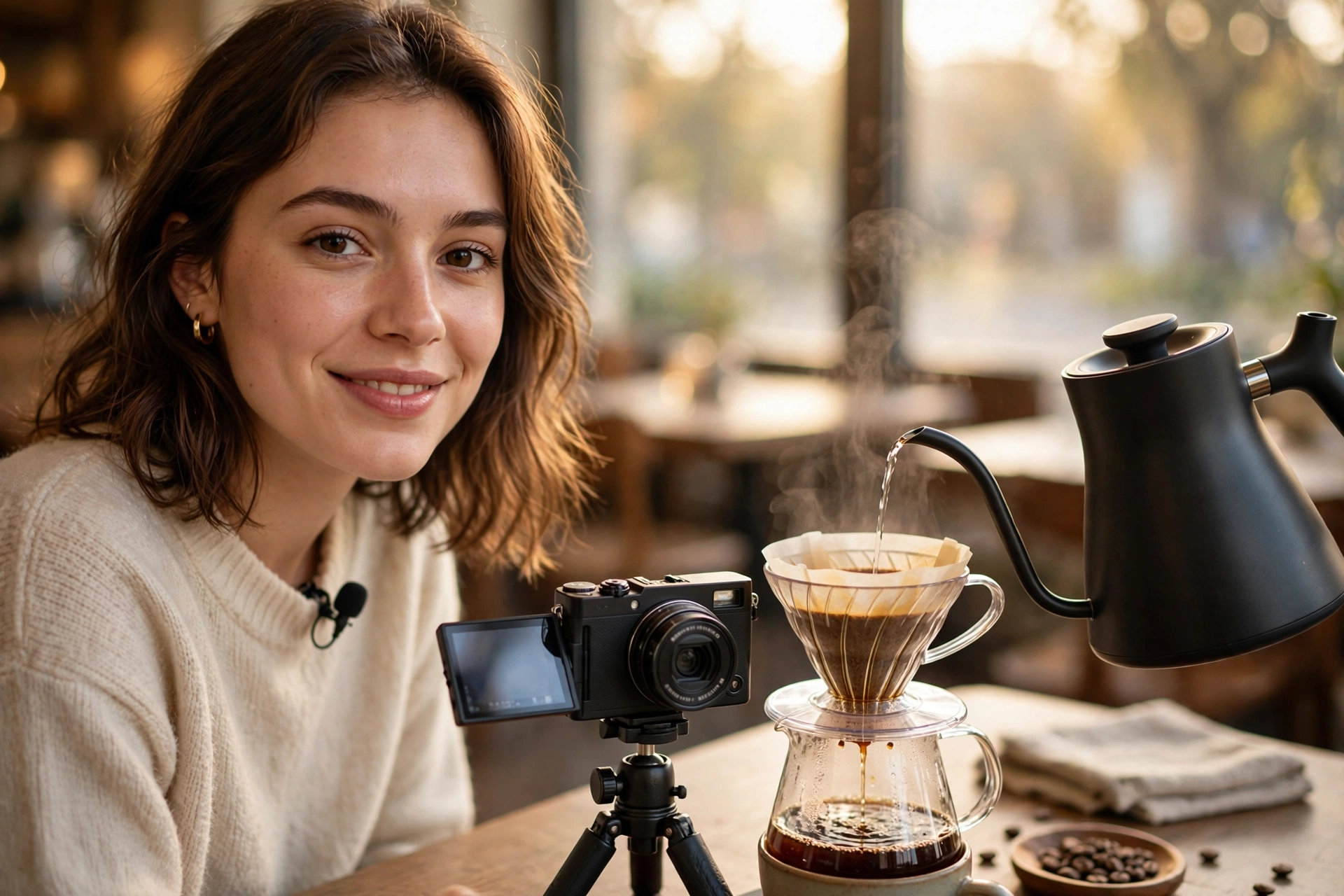
Think of slow motion as emphasis. A pour of coffee at 40 percent between two talking segments resets the viewer’s attention and makes an ordinary cafe feel considered. A wave breaking over rocks at 20 percent gives a travel vlog a breath that photos cannot. Hands assembling a product, flour dusting off dough, a dog shaking off water: motion with texture rewards slowness because there is detail to discover inside the movement. Travel vloggers lean on this constantly, which is why the craft sits naturally next to the planning in our guide to starting a travel vlog.
The cheapening failure is just as recognizable. Whole vlogs shot at 60 or 120 “for the option” drift along in a dream haze where nothing lands: greetings take forever, walking shots float, and the creator’s personality, which lives in pace and timing, evaporates. Viewers feel it as a video that is somehow both pretty and boring. A useful discipline: slow motion should be the minority of your runtime, in clips of two to six seconds, cut on movement, and almost never under dialogue. If a clip works at normal speed, it stays at normal speed.
Shutter speed for slow motion
Set shutter by the capture rate, using the 180 degree rule as your starting point: roughly double the frame rate. For 60fps that is 1/120 of a second. For 120fps it is 1/240, or the nearest available step such as 1/250. This keeps motion blur per frame natural once the clip is slowed. Faster shutters make each frame crisper and more staccato; slower ones smear movement, which is why forgotten shutter settings are behind most ugly slow motion.
The hidden cost is light. Going from a normal vlogging shutter of 1/50 to 1/240 admits about two and a third stops less light, and the camera must repay that with a wider aperture, higher ISO, or more light in the scene. Outdoors in daylight there is plenty. Indoors at night there usually is not, and the footage comes home noisy or underexposed. This is the practical ceiling on slow motion for most vloggers: not the camera’s frame rate menu, but the light in the room.
Plan for it like a lighting decision. Slow motion B-roll earns a window, a brighter room, or a small LED panel in a way talking footage does not. If the light cannot change, lower your ambition: 60fps at 1/120 needs a stop less light than 120fps at 1/240 and still looks graceful, while an underlit 120fps clip at a screaming ISO looks like neither. Crispness fans can push the shutter faster than double for a sharp, hyper detailed feel on sports and splashes, but know that it reads as intense and video like when overused.
S&Q in camera versus conforming in the edit
There are two ways to make the slowdown. S&Q modes (Slow and Quick, and equivalents on other brands) record at a high rate and write a file that already plays slowly, ready to drop in. Conforming means recording normal high frame rate footage in the regular movie mode, then telling your editor to interpret it at the timeline rate. S&Q is faster and foolproof; conforming keeps the original frames, the audio, and every decision reversible.
S&Q earns its place for simple, certain B-roll. You know the shot, you know it will be slow, and the camera hands you a finished clip with no interpretation step and no timeline confusion. It also enforces a helpful separation: your main mode stays set for talking footage, and S&Q holds your slow settings, so you never accidentally record an interview at 120fps. The prices are real, though. S&Q clips typically carry no audio at all, they cannot be played at normal speed later because the frames are already retimed into the file, and on many cameras the mode quietly restricts resolution, bit depth, or autofocus features.
Conforming costs one small step in the edit and buys flexibility everywhere else. The clip stays a normal file: play it at full speed with its real audio, slow it to any percentage, speed ramp into and out of the slow section, or change your mind entirely in a re-edit next year. For any footage with a person speaking nearby, an event you might reuse, or a moment you cannot reshoot, record it in the regular high frame rate mode and conform. The mechanics take seconds in every major editor, and our guide to editing vlogs faster shows how to batch it so a card full of clips conforms in one pass.
A working rule used by many creators: S&Q for planned, silent B-roll on a busy shoot day; conforming for everything else. Whichever you choose, decide before the shoot day, because the mode decides what your files can become.
The audio problem: what to lay under slow motion
Slow motion and sound do not coexist. S&Q records no audio, and audio recorded at high frame rates plays back pitched down and stretched when conformed, so voices and real world sounds are unusable either way. Every slow clip needs a sound plan: music, a separately recorded ambient bed, natural sounds added back at real speed, or your voiceover carrying the moment.
Music is the default for a reason, and a slow sequence is where a track earns its place in a vlog. Cut slow clips on the beat or against it deliberately, and let one song carry a whole B-roll passage rather than stitching fragments. The second option, underused and very effective, is an ambient bed: record thirty seconds of the place’s real sound at normal speed, the cafe murmur, the street, the sea, and lay it under the slowed pictures at low volume. The viewer’s ears stay in the location while their eyes enjoy the slowdown, and the combination feels like memory rather than montage.
Voiceover is the third carrier, and it suits slow motion beautifully because your normal speed narration restores the story pace that the pictures gave up. Product creators use a fourth trick: bookends. Play the action’s real sound at normal speed for the first and last instant, a splash’s first crack, a skateboard’s landing, with the slowed middle floated over music or ambience. However you solve it, solve it on the shoot day. Ambient beds and wild sound take thirty seconds to record in the moment and are nearly impossible to fake later.
Flicker: why lights strobe at high frame rates
Many lights do not shine steadily. Mains powered lamps pulse with the electricity supply, 100 times a second in 50 Hz regions and 120 times in 60 Hz regions, and cheap LEDs pulse at their own rates when dimmed. At normal shutter speeds your frames average the pulses out. At slow motion shutter speeds like 1/240, each frame catches a different slice of the pulse, and the footage strobes or rolls with dark bands.
The defenses are practical. First, choose shutter speeds that divide the local pulse rate evenly where you can: around 1/120 in 60 Hz regions and around 1/100 in 50 Hz regions are the classic anchors at high frame rates, with small adjustments from there. Second, test with the actual lights: ten seconds of test footage in the room, played back on the camera, reveals flicker that your eyes cannot see in real life. Third, know your lights. Daylight never flickers. Quality video LEDs are built flicker free at these rates. Dimmed household bulbs, office fluorescents, and venue lighting are the usual suspects, and a light that flickers at 120fps may behave perfectly at 60fps with a friendlier shutter.
If a location strobes and cannot be relit, drop the frame rate ambition before you drop the shot: 60fps with a pulse friendly shutter often saves the scene, and a slow, clean 40 percent clip beats a dramatic 20 percent clip with bands rolling through it. Flicker discovered in the edit can sometimes be reduced with deflicker tools, but it is a salvage job, never a plan.
Common slow motion mistakes
The recurring mistakes are shooting everything at the highest rate, forgetting the light bill, slowing clips that carry story or speech, leaving slow clips running long, and slowing ordinary frame rate footage in software. Each one is a decision made by default rather than on purpose, and each has a one line fix.
- Maxing the frame rate by default. 240fps footage of a slow moment is dark, often lower resolution, and no prettier than 60fps. Match the rate to the ratio the moment wants, usually 60 or 120.
- Forgetting the exposure cost. A 1/240 shutter in a dim room means noise. Add light, open the aperture, or accept 60fps.
- Slowing the story. Dialogue, reactions, and explanations at 20 percent speed lose their timing and their sound. Slow the cutaways, never the spine of the video.
- Letting clips run. A ten second slow clip is a screensaver. Two to six seconds, cut on movement, keeps the emphasis sharp.
- Slowing 24 or 30fps footage in the editor. Software has no extra frames to show you, so it duplicates or invents them, and motion stutters or warps. Slow motion is decided in the camera, not the timeline.
- Shooting S&Q and wanting normal speed later. The file is already retimed and silent. If there is any chance you need the moment at real speed with sound, record it in the regular mode and conform.
- Handheld shake at long lenses. Slow motion smooths small shake, which tempts creators to handhold everything. Big drifts and jitters still show. A gimbal or a braced stance keeps slow footage silky rather than seasick.
The bottom line
Slow motion is a ratio, a shutter setting, and a sound plan. Pick the ratio for the moment, usually 60fps for grace and 120fps for drama, set the shutter near double the capture rate, feed it light, and decide on set whether S&Q’s convenience or conforming’s flexibility fits the shot. Then use it sparingly, under music, ambience, or narration, and your B-roll will feel like the expensive channels’ without slowing your vlog to a crawl.
The creators whose slow motion viewers praise share one habit: restraint. They shoot most of life at normal speed, so the slowed moments land as emphasis instead of wallpaper. Master the small chain in this guide and slow motion becomes what it should be, the spice in the edit, never the meal.
Slow motion questions, answered
Quick answers to the questions vloggers ask most about frame rates, S&Q, and shooting slow motion well.
What frame rate is best for slow motion vlogging?
60fps covers most vlog B-roll: conformed to a 24fps timeline it plays at 40 percent speed, smooth and graceful without demanding much light. Step up to 120fps when the action is fast or the moment is the point of the scene, splashes, sports, and reveals. Higher rates are specialist tools with real costs in light and resolution.
Is 60fps enough for slow motion?
Yes, for the gentle slow motion most vlogs use. On a 24fps timeline it gives 40 percent speed and on a 30fps timeline 50 percent, which reads clearly as slow while keeping motion natural. It only feels insufficient for very fast action, where 120fps separates moments that 60fps still blurs together.
What shutter speed should I use for 120fps?
Start at double the frame rate: 1/240 of a second, or the nearest step your camera offers, commonly 1/250. That follows the 180 degree rule and keeps motion blur natural in the slowed clip. Just remember it lets in far less light than a normal vlogging shutter, so plan exposure for it.
Why is there no sound in my slow motion footage?
Because slow motion modes either skip audio or ruin it. S&Q modes record no audio track at all. High frame rate footage recorded normally does capture sound, but conforming stretches it with the picture, pitching voices down into a drawl. Editors expect this; slow clips are laid over music, ambience, or narration instead.
What is S&Q mode on a camera?
Slow and Quick is a recording mode that bakes the speed change into the file: set a capture rate and a playback rate and the camera writes a clip that already plays in slow or fast motion. It is quick and keeps your main settings untouched, but the files carry no audio and cannot be returned to normal speed later.
Can I slow down 30fps footage in editing software?
Only a little, and it shows. Software cannot invent frames that were never captured, so slowing 30fps footage duplicates frames or interpolates them with AI style tools, producing stutter or warping on real movement. A mild trim to 80 or 90 percent can pass unnoticed; true slow motion must be shot at a higher frame rate.
Why does my slow motion footage flicker indoors?
Your lights are pulsing faster than your eyes can see, at 100 or 120 times a second depending on region, and your fast shutter catches different parts of each pulse in different frames. Test before shooting, favor shutter speeds that divide the local pulse rate, and prefer daylight or flicker free video lights for high frame rate work.
Why is my slow motion footage dark or noisy?
The shutter is the bill. At 1/240 you admit roughly two stops less light than a standard 1/60 video shutter, and the camera repays it with aperture or ISO. Outdoors this is painless. Indoors, add light, open the lens up, or drop to 60fps with a 1/120 shutter and keep the cleaner image.
How much slow motion is too much in a vlog?
When it stops being emphasis. A healthy pattern is slow B-roll in short clips of two to six seconds between normal speed story segments, adding up to a small share of the runtime. If viewers could mute the video and not tell where the story beats are, the balance has tipped too far toward wallpaper.
Does slow motion make shaky footage look smoother?
Yes, noticeably. Slowing playback stretches each shake over more screen time, so small hand movements soften into a drift, which is one reason B-roll shot handheld at 60fps looks so calm. It will not rescue big jolts or rolling pans, so bracing, a gimbal, or stabilization still earns its place on deliberate shots.
Keep exploring
Frame rates sit inside the wider settings picture. These guides round it out.