Last updated: November 2026
The Rode Lavalier II is the best lavalier microphone for vlogging in 2026 if you already own a camera, a recorder, or a wireless transmitter: a broadcast-grade omni capsule, a locking 3.5mm plug that cannot be yanked out of a locking transmitter mid-take, and a flat cable that hides under clothing. If money is tight, the Rode Lavalier GO gives you the same sound family for less. If you film on a phone with no headphone jack, the Sennheiser XS Lav USB-C plugs straight into the USB-C port. The right lav is the one whose plug fits the socket you have.
A lavalier microphone, also called a lapel mic or clip-on microphone, clips to your shirt and sits 15 to 30 cm below your mouth. It hears your voice up close and the room from further away, which is why a 30 dollar lav beats a camera’s built-in mic. The catch is that the word lavalier now means two different things. A wireless kit is a transmitter, a receiver, and a built-in mic in one box. Every mic below is a wired lav: a capsule, a clip, and a cable that ends in a plug.
That boundary matters, because the wrong plug is the most common lavalier mistake in vlogging. A TRS plug into a phone jack gives you silence. A TRRS plug into a camera jack gives you silence. A lav with no locking plug falls out of a transmitter halfway through an interview. A USB-C lav cannot plug into a camera at all. This guide answers one question: which lav mic, for the kit I already own? The compatibility table below maps all eight mics against cameras, recorders, phones, and wireless transmitters.
If you do not own a transmitter yet and you want the whole wireless system, our guide to the best wireless microphones for vlogging ranks the full kits, including the Rode Wireless GO and Wireless Pro and the DJI Mic 2. This guide stays wired on purpose.
As an Amazon Associate I earn from qualifying purchases. When you buy through links on this page, we may earn a commission at no extra cost to you.
⚡ Quick Picks
- 🏆 Rode Lavalier II: best overall wired lav
- 💰 Rode Lavalier GO: best value wired lav
- 💵 BOYA BY-M1: best budget lav
- 📱 Sennheiser XS Lav USB-C: best for USB-C phones and computers
- 🎧 Sony ECM-LV1: best stereo lav
On this page
- The 8 wired lavs compared
- Our picks in detail
- Start with your device, not the mic
- Which lav fits which transmitter
- TRS vs TRRS: the trap that silences a lav
- Plug-in power, batteries and the BY-M1 switch
- Where to clip it: placement that sounds like a studio
- Hiding the mic and killing clothing rustle
- Wind outdoors: foam, furry and the windscreen test
- Cheap lav vs pro lav: what the extra money buys
- When a wireless kit is the right buy instead
- What not to buy
- FAQs
- The bottom line
- Keep exploring
The 8 wired lavs compared
Short answer: the Rode Lavalier II wins overall, the Lavalier GO wins on value, the BOYA BY-M1 wins on price, the Sennheiser XS Lav USB-C is the only pick that plugs into a USB-C phone with no adapter, and the Sony ECM-LV1 is the only pick that records in stereo.
| Microphone | Connector | Cable | Power | Pattern | Wind protection in the box | Best for |
|---|---|---|---|---|---|---|
| Rode Lavalier II | 3.5mm TRS, locking | 1.2 m, flat Kevlar cable | Plug-in power | Omnidirectional | Pop filter and mini furry windshield | Transmitters, cameras, recorders |
| Rode Lavalier GO | 3.5mm TRS | 1.2 m, Kevlar cable | Plug-in power | Omnidirectional | Foam pop shield | Best value all-rounder |
| Sony ECM-LV1 | 3.5mm TRS | 1.0 m | Plug-in power | Omnidirectional, stereo | Foam windscreen | Stereo vlogs and interviews |
| Deity V.Lav | 3.5mm TRRS, auto-sensing | 5.0 m | 2 x LR41 batteries | Omnidirectional | 2 foam windscreens and faux fur windshield | Long cable runs to a tripod camera |
| Shure MVL | 3.5mm TRRS | 1.3 m | Plug-in power | Omnidirectional | Foam windscreen | Phones with a headphone jack |
| Sennheiser XS Lav USB-C | USB-C | 2.0 m | USB bus power | Omnidirectional | Foam windscreen | USB-C phones and computers |
| BOYA BY-M1 | 3.5mm TRRS | 6.0 m | LR44 battery, switchable | Omnidirectional | Foam windscreen | Budget first lav |
| Rode SmartLav+ | 3.5mm TRRS | 1.2 m, Kevlar cable | Plug-in power from phone | Omnidirectional | Pop filter | Phones with a headphone jack |
Two things jump out of that table before any card is read. First, every mic here is omnidirectional, which means it hears sound from all directions at once. That is the right pattern for a lav, because the capsule sits on a moving chest and a directional mic would go quiet every time you turned your head. The pattern is not the thing to shop for. The connector and the cable are. Second, the cable lengths split the list in two. The Rode, Sony, Shure and Sennheiser mics run 1.0 to 2.0 m, which suits a camera an arm’s length away or a transmitter clipped to your belt. The Deity and the BOYA run 5.0 and 6.0 m, which suits a mic plugged into a camera on a tripod while you stand well back from it.
Our picks in detail
Short answer: buy the Rode Lavalier II for a transmitter, a camera, or a recorder; the Lavalier GO for nearly the same mic for less; the Sony ECM-LV1 for stereo; the Deity V.Lav for a 5 m cable; the Shure MVL or Rode SmartLav+ for a phone with a headphone jack; the Sennheiser XS Lav USB-C for a USB-C phone; and the BOYA BY-M1 for a first lav on a small budget.
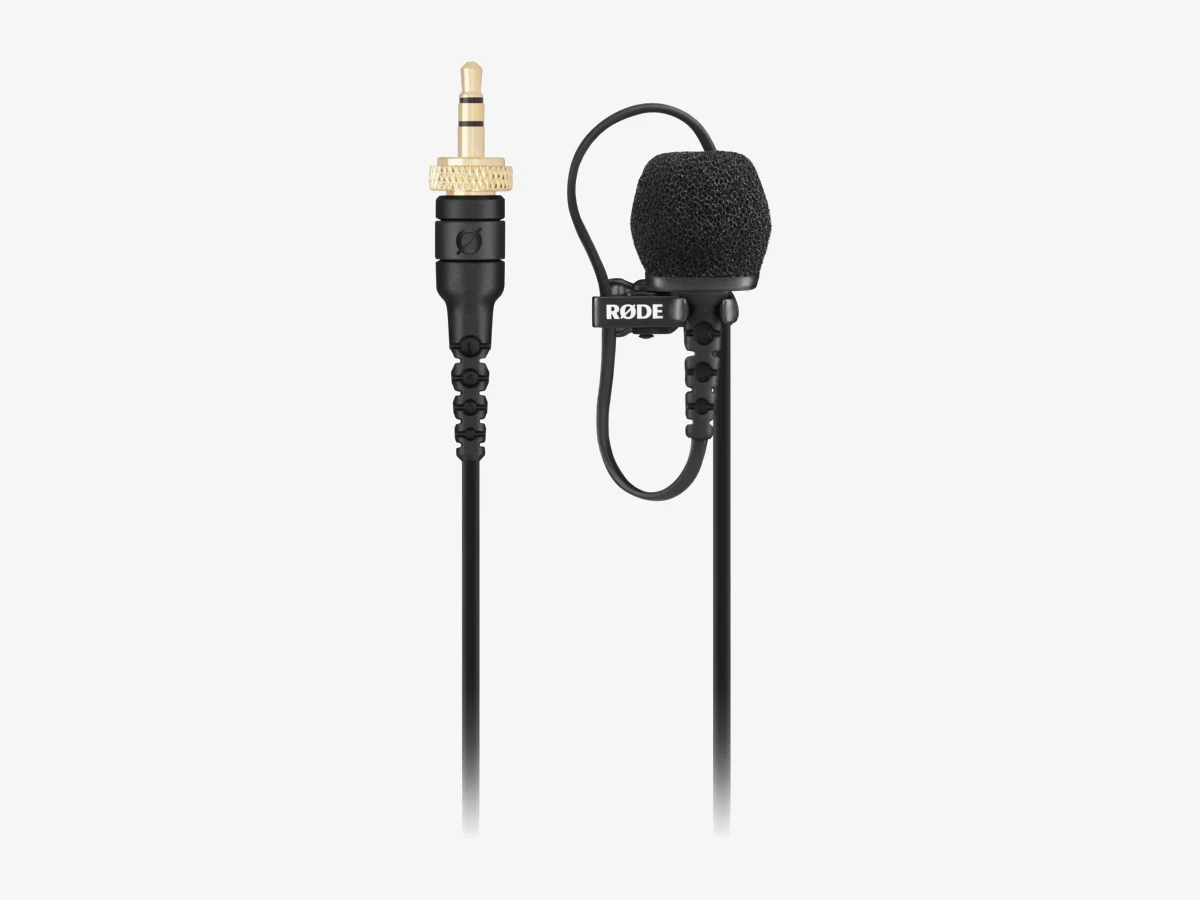
Photo: Rode
Key specs
🏆 Best overall
1. Rode Lavalier II
The Lavalier II is the best wired lavalier microphone for vlogging because it is built for the job vloggers actually give it: plugging into a wireless transmitter and surviving a full day on a moving person. It has a locking plug, a flat cable that hides under clothing, and both a pop filter and a furry windshield in the box.
The locking plug earns the top spot. Rode’s Wireless PRO and Wireless GO (Gen 3) transmitters have locking 3.5mm sockets, and the Lavalier II screws into those so a tug cannot pull the mic out mid-sentence. On the Wireless GO II and on a plain camera or recorder jack the same plug works as an ordinary TRS plug. The 6mm capsule has a flat frequency response from 20 Hz to 20 kHz, so voices come out natural rather than boomy or thin, and the flat Kevlar cable threads under a shirt without rolling into a visible cord.
The box is the most complete in this guide: a pop filter for plosives, a mini furry windshield for wind, a mounting clip, colored ID rings, and a zip case. The one honest limit is the cable length: 1.2 m is right for a transmitter on your belt or a camera close by, and too short for a mic plugged into a camera on a tripod across the room. For that job, buy the Deity V.Lav or the BOYA BY-M1 instead.
Technical features
- Broadcast-grade omnidirectional condenser capsule, 6mm, flat frequency response
- 20 Hz to 20 kHz frequency range; 67 dB signal-to-noise ratio
- 3.5mm TRS locking connector, gold-plated, fits Rode Wireless GO II, Wireless Pro, Wireless GO (Gen 3), and AI-Micro
- 1.2 m flat Kevlar-reinforced shielded cable
- Plug-in power from the camera, recorder, or transmitter, no battery needed
- Maximum SPL 106 dB; sensitivity -38 dBV/Pa at 1 kHz
- Pop filter, mini furry windshield, mounting clip, colored ID rings, zip case in the box
What we like
- Locking plug screws into the Wireless PRO and Wireless GO (Gen 3) so it cannot be pulled out mid-take
- Flat cable hides under clothing better than a round cable
- Pop filter and furry windshield both included, so it works indoors and outdoors
- Flat, natural voice with no hyped bass or treble
Watch out for
- 1.2 m cable is too short for a direct run to a distant tripod camera
- Needs a TRRS adapter for a phone headphone jack
- Costs more than the Lavalier GO for a similar sound
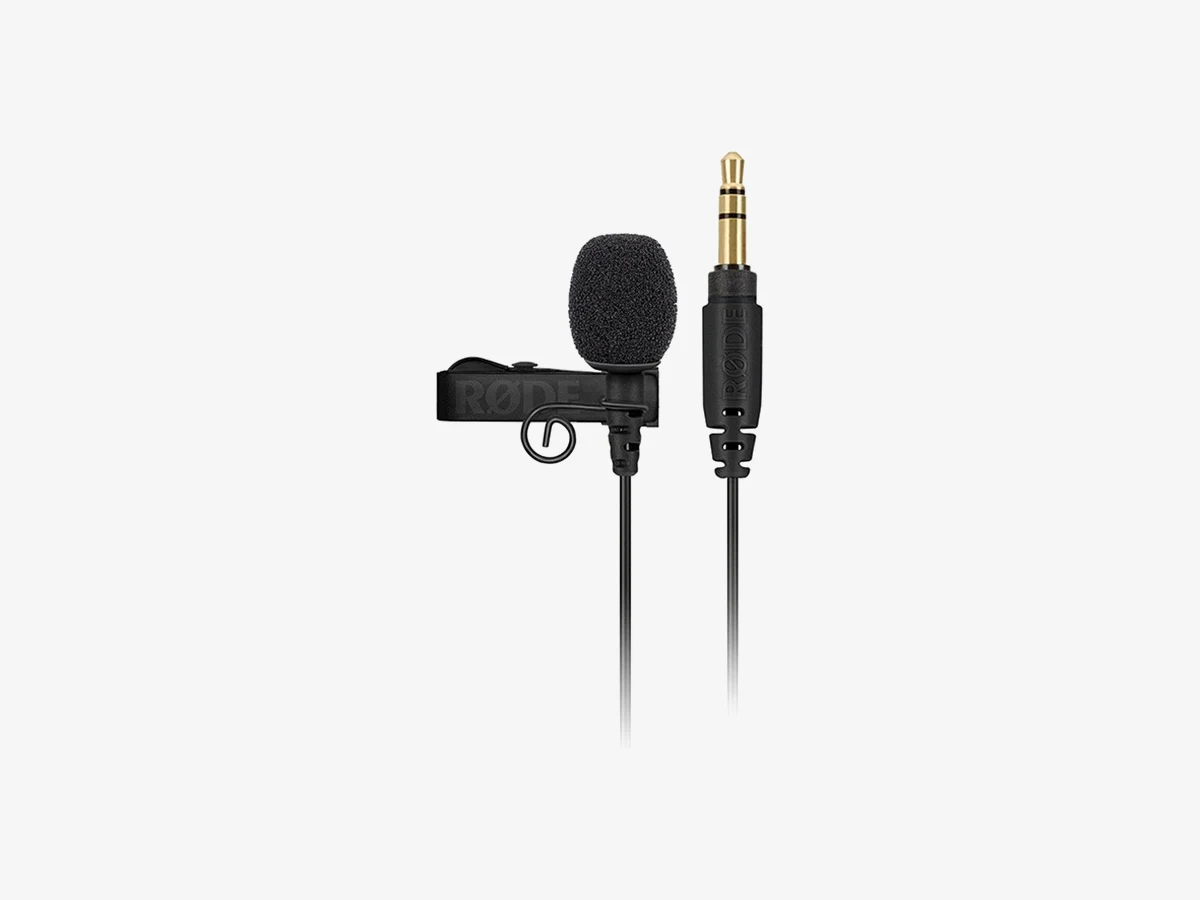
Photo: Rode
Key specs
💰 Best value
2. Rode Lavalier GO
The Lavalier GO is the best value wired lav in this guide: the same 20 Hz to 20 kHz range and the same Kevlar cable as the Lavalier II, in a smaller 4.5mm capsule, for less money. The only sacrifice is the locking plug and the furry windshield.
This is the mic to buy if you own a Rode Wireless GO II or a Wireless Pro and you want a lav for each transmitter without paying for two Lavalier IIs. The 4.5mm capsule is smaller than the Lavalier II’s 6mm capsule, so it hides more easily on a collar, and the mounting clip has cable management built in. The 1.2 m Kevlar cable survives the coiling that kills cheap lavs.
The limits are honest and small. There is no locking ring on the plug, so a hard tug can pull it out of a transmitter, which matters on a moving interview and less on a tripod. There is no furry windshield in the box, only a foam pop shield, so outdoor wind needs one bought separately. If you film mostly outdoors, the Lavalier II is worth the step up. If you film mostly indoors, the GO is the smarter buy.
Technical features
- Broadcast-grade omnidirectional condenser capsule, 4.5mm
- 20 Hz to 20 kHz frequency range; 67 dB signal-to-noise ratio
- 3.5mm TRS connector, gold-plated, fits Rode Wireless GO II, Wireless Pro, cameras, and recorders
- 1.2 m Kevlar-reinforced cable
- Plug-in power from the camera, recorder, or transmitter, no battery needed
- Foam pop shield and durable mounting clip with cable management in the box
What we like
- Same frequency range and Kevlar cable as the Lavalier II for less
- Smaller 4.5mm capsule hides more easily on clothing
- Clip has cable management built in
- Plugs into any Rode transmitter, camera, or recorder
Watch out for
- No locking plug, so a hard tug can pull it out of a transmitter
- No furry windshield in the box for outdoor wind
- Needs a TRRS adapter for a phone headphone jack
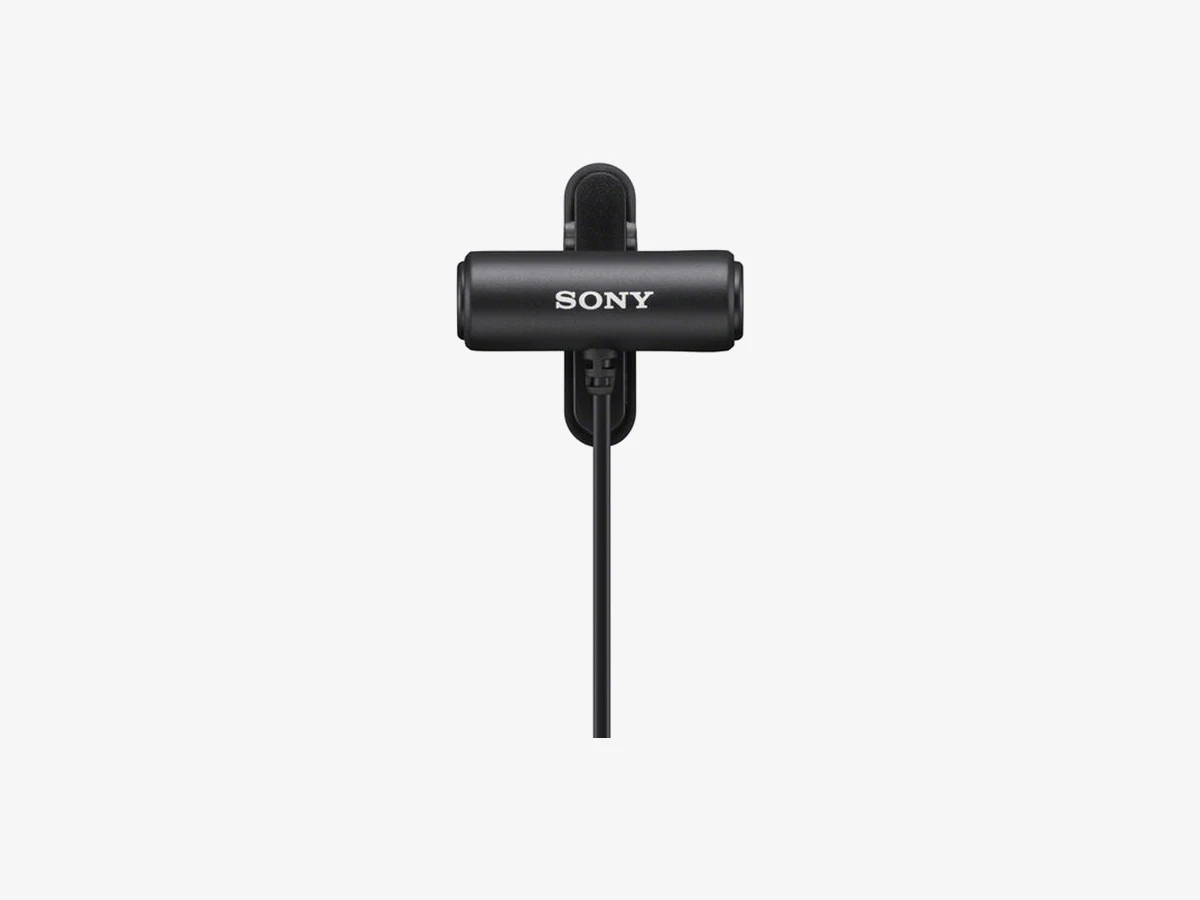
Photo: Sony
Key specs
🎧 Best stereo lav
3. Sony ECM-LV1
The Sony ECM-LV1 is the only stereo lavalier microphone in this guide: two omnidirectional capsules in one tiny body, so your voice records with a sense of space instead of a single flat channel. It suits walk-and-talk vlogs and interviews where the room is part of the story.
The mic is only 32mm long and 11mm across, one of the smallest here, and the 360-degree rotating clip turns the capsule to any angle without unclipping it. It runs on plug-in power, so there is no battery to check and no switch to forget. The 1.0 m cable is the shortest in this guide, which keeps it tidy on a transmitter at your belt and makes it the wrong pick for a direct run to a distant camera.
Stereo is a real choice, not a free upgrade. Two capsules hear the room from two points, so a voice recorded in stereo needs a little more care in the edit if you want it centered. For a single voice in a quiet room, a mono lav like the Rode Lavalier GO is simpler to mix. For a vlog where you walk through a market or a workshop and want the place to sound like a place, the ECM-LV1 is the pick.
Technical features
- Compact stereo lavalier microphone with 2 electret-condenser capsules
- Omnidirectional pickup, 360-degree sound capture from both capsules
- 3.5mm TRS connector, fits cameras, wireless transmitters, and recorders
- 1.0 m cable; 32mm long, 11mm diameter, low-profile body
- Plug-in power from the camera, recorder, or transmitter, no battery needed
- 360-degree rotatable alligator clip for flexible mounting
What we like
- Only stereo lav here, so vlogs keep a sense of place
- Tiny 32mm body hides easily on a collar
- Clip rotates 360 degrees, so it mounts at any angle
- No battery and no switch, just plug in and record
Watch out for
- Shortest cable here at 1.0 m, so no long direct runs
- Stereo voice needs more care in the edit than mono
- Needs a TRRS adapter for a phone headphone jack
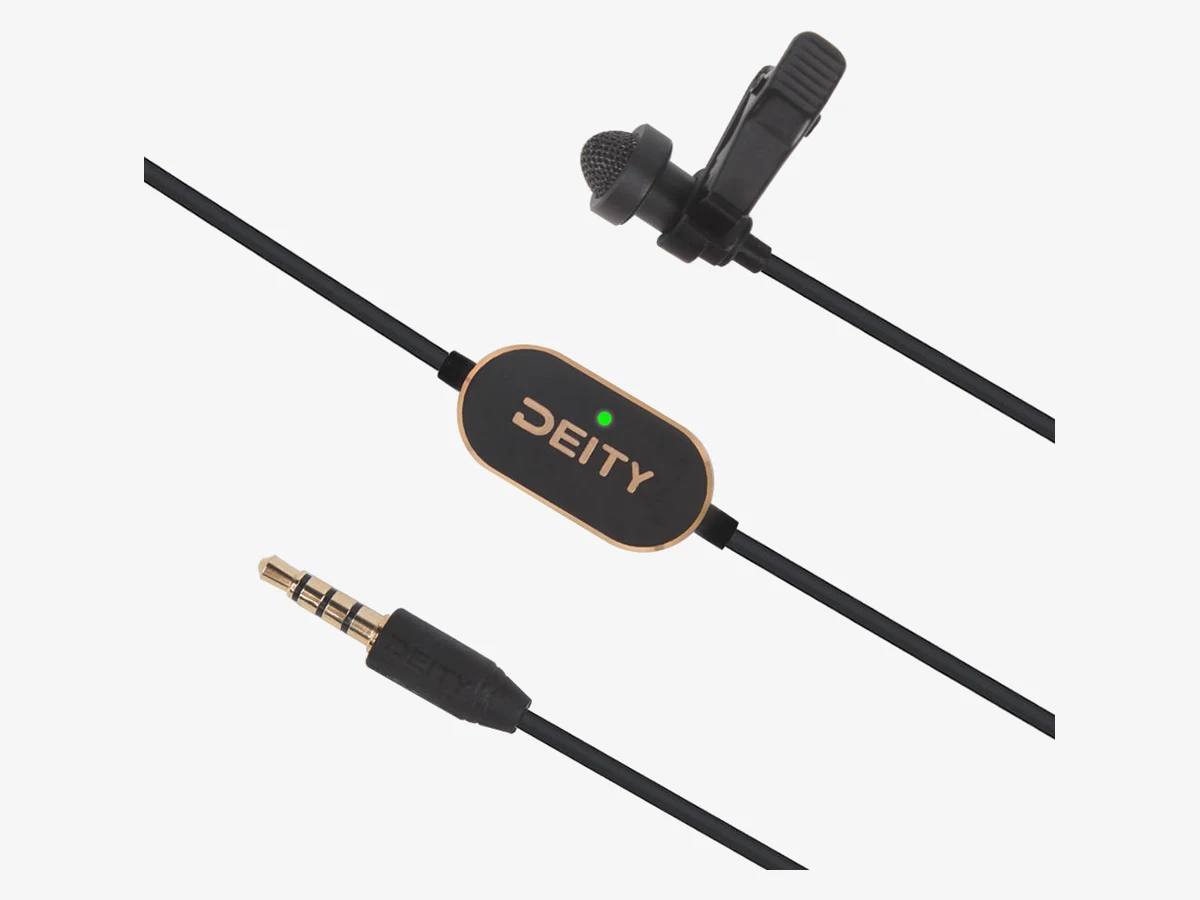
Photo: Deity
Key specs
📏 Best long cable
4. Deity V.Lav
The Deity V.Lav is the pick for a wired lav plugged straight into a camera on a tripod: a 5 m cable that reaches across the room, a microprocessor that adapts its TRRS plug to most 3.5mm mic jacks, and two foam windscreens plus a faux fur windshield.
The cable is the whole point. Five meters is more than four times the cable on the Rode lavs, so you can stand well back from a tripod camera and still have slack in the cable. The auto-sensing plug is the second clever part: a microprocessor in the cable reads the socket and configures the TRRS plug to suit it, so the same mic works in a phone, a camera, and a recorder without swapping adapters. Two LR41 batteries power that microprocessor for over 800 hours.
Two honest limits. First, the auto-sensing TRRS plug is made for phones, cameras, and recorders, not for wireless transmitters: a Rode or DJI transmitter takes a TRS lav, so the V.Lav needs a TRRS-to-TRS adapter there, and some recorders need the same adapter. Second, check current stock before you buy: one large US store lists the V.Lav as discontinued.
Technical features
- Broadcast-grade omnidirectional pre-polarized condenser capsule
- 50 Hz to 20 kHz frequency range; maximum SPL 110 dB
- Smart 3.5mm TRRS connector with auto-sensing microprocessor
- 5.0 m attached cable, about 16 feet
- 2 foam windscreens, 1 faux fur windshield, tie clip, carrying pouch in the box
- Needs a TRRS-to-TRS adapter for some recorders and for wireless transmitters
What we like
- 5 m cable reaches a tripod camera across the room
- Auto-sensing plug works in phones, cameras, and recorders
- Foam and faux fur wind protection both included
- Batteries last over 800 hours
Watch out for
- Needs an adapter for wireless transmitters and some recorders
- One large US store lists it as discontinued, so check stock first
- 5 m of cable is a lot to manage on a belt-worn transmitter
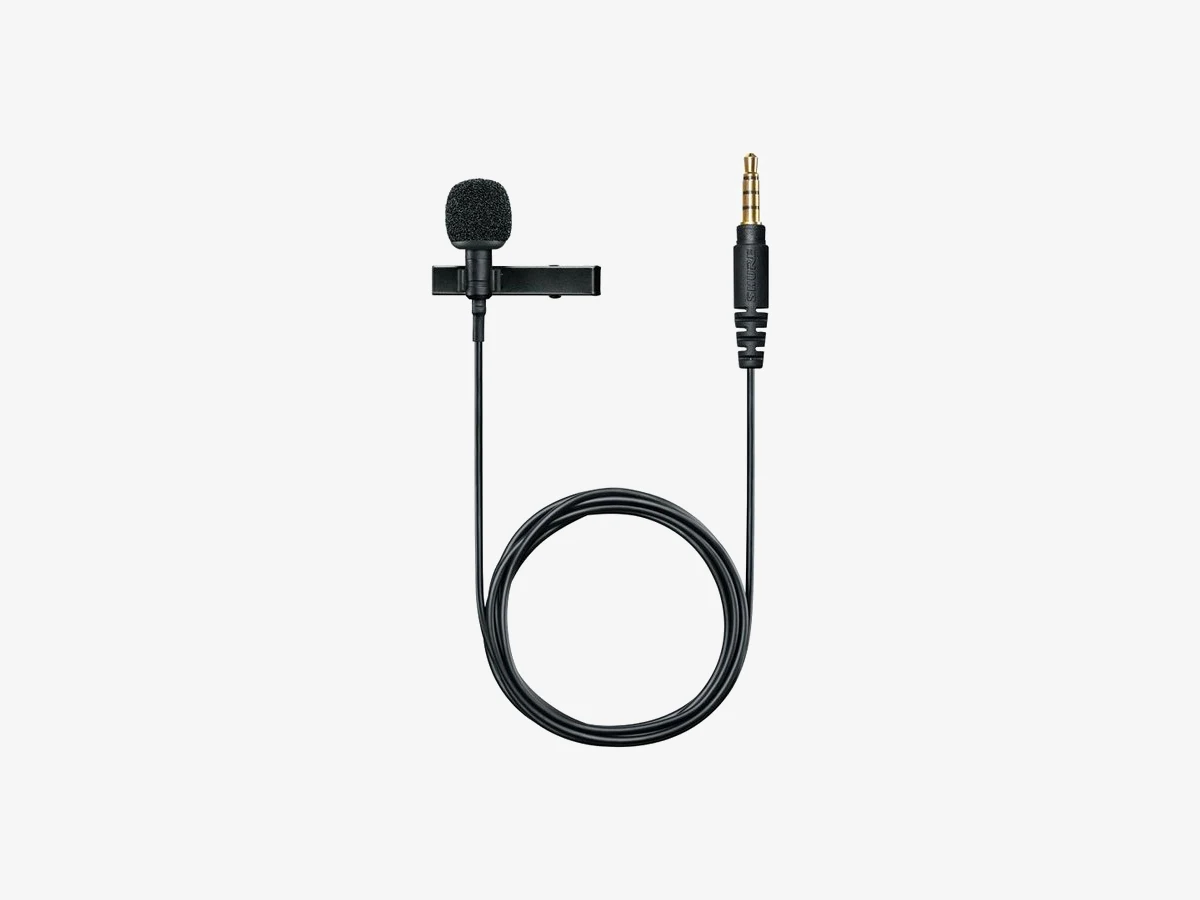
Photo: Shure
Key specs
📱 Best for phones with a headphone jack
5. Shure MVL
The Shure MVL is the phone-first lav in this guide: a tiny omnidirectional condenser mic with a TRRS plug that goes straight into a phone or tablet headphone jack, with Shure’s RF and GSM interference protection keeping phone buzz out of the recording.
Its 3.5mm TRRS plug is the four-contact plug a phone headset jack expects, so it records into any recording app with no adapter, and it works with Shure’s free MOTIV app, which gives you gain control and a level meter. The MEMS capsule is only 5.5mm across and 15.2mm long, one of the most discreet mics here, and the 40 Hz to 20 kHz range covers the full voice. Its maximum SPL of 124 dB means it does not distort when a speaker gets loud.
The honest limit is the phone itself. Most phones sold since 2022 have no headphone jack, so the MVL needs a USB-C or Lightning adapter on a modern phone, and that adapter is a separate purchase. On an older phone with a jack, or a tablet with a jack, it is the simplest lav here: plug in, open the app, record. One large US retailer lists the MVL as no longer available, so check stock before you buy, with the Rode SmartLav+ as the fallback.
Technical features
- Omnidirectional condenser lavalier microphone, MEMS capsule
- 40 Hz to 20 kHz frequency range; 65 dB signal-to-noise ratio
- 3.5mm TRRS connector for phones and tablets with a headphone jack
- 1.3 m cable; capsule 5.5mm across and 15.2mm long
- Plug-in power from the phone, no battery needed
- Maximum SPL 124 dB; dynamic range 95 dB
- RF and GSM interference protection against phone buzz
- Works with the Shure MOTIV app
What we like
- Plugs straight into a phone headphone jack with no adapter
- Phone buzz protection keeps recordings clean
- Tiny capsule hides easily on a shirt
- Handles loud voices without distorting
Watch out for
- Needs a USB-C or Lightning adapter on phones with no headphone jack
- Needs a TRRS adapter for cameras, recorders, and transmitters
- One large US retailer lists it as no longer available, so check stock first
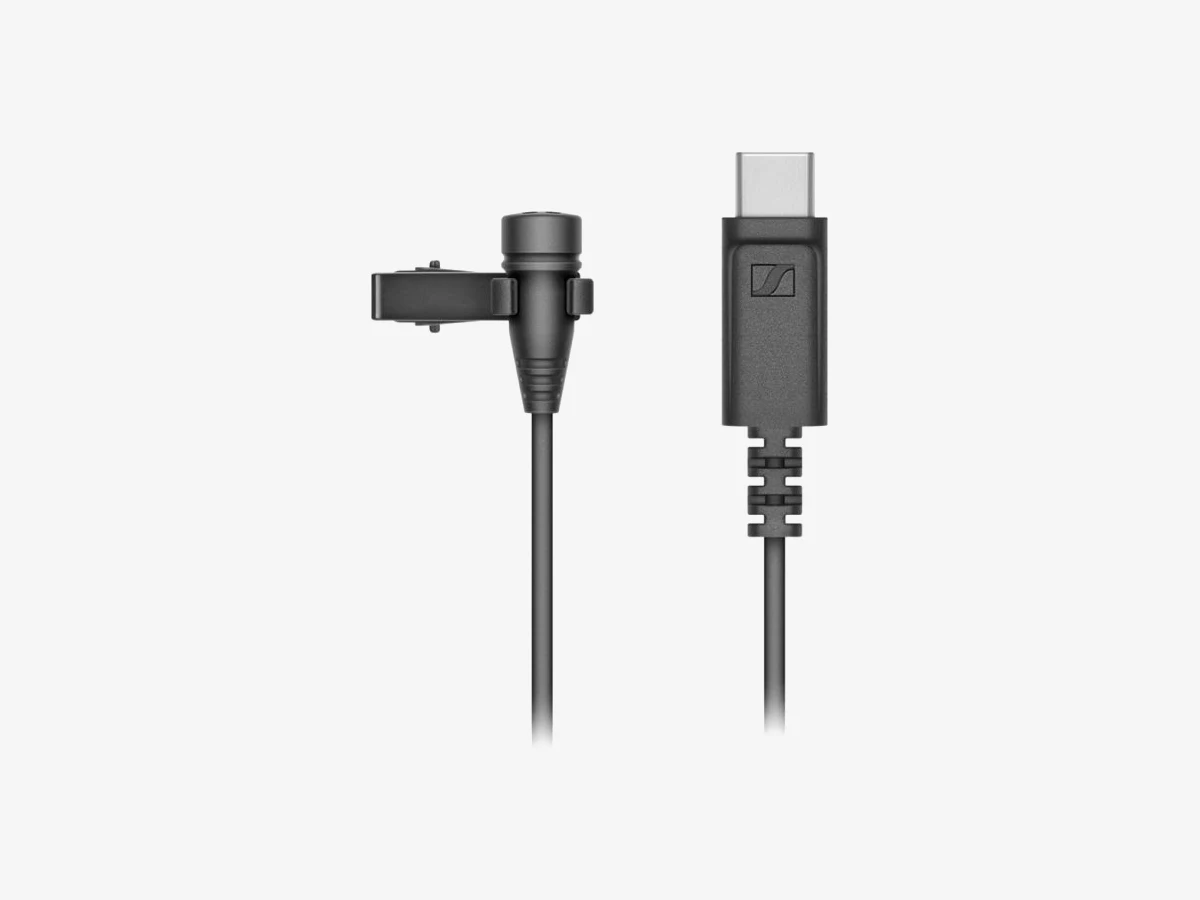
Photo: Sennheiser
Key specs
🔌 Best for USB-C phones
6. Sennheiser XS Lav USB-C
The Sennheiser XS Lav USB-C is the only mic in this guide that plugs straight into a modern phone: a USB-C plug, a 2 m cable, and a built-in converter that records at up to 48 kHz, with no adapter, no battery, and no headphone jack needed.
Most current Android phones and every iPhone from the 15 onward have a USB-C port and no 3.5mm socket, which leaves the TRRS lavs in this guide needing an adapter. The XS Lav skips the adapter entirely: plug the USB-C end into the phone, clip the mic to your shirt, and record in any app. The converter inside the plug handles the analog-to-digital step, so the phone gets a clean digital signal, and the 2 m cable keeps the phone on a tripod an arm’s length away. It works on computers too.
The trade is scope. A USB-C plug fits phones, tablets, and computers, and nothing else: it cannot plug into a camera mic jack, a recorder, or a wireless transmitter, so it is the wrong mic if your main recorder is a camera. The frequency range starts at 70 Hz, a little higher than the Rode lavs, which trims the deepest part of a voice. Buy it if your phone is your camera. If your camera is a camera, buy a TRS lav instead.
Technical features
- Omnidirectional clip-on lavalier microphone with USB-C connector
- 70 Hz to 18 kHz frequency range; maximum SPL 110 dB
- USB Type-C, 2.0 full-speed; sampling rates up to 48 kHz
- 2.0 m cable; capsule 10.5mm across; weighs 17 g
- USB bus power from the phone or computer, no battery needed
- Works with USB-C phones, tablets, and computers; does not fit camera mic jacks or wireless transmitters
What we like
- Plugs straight into a USB-C phone with no adapter
- 2 m cable reaches a phone on a tripod easily
- Built-in converter records at up to 48 kHz
- Doubles as a laptop call and interview mic
Watch out for
- Cannot plug into a camera, a recorder, or a wireless transmitter
- Needs an adapter on Lightning iPhones
- Frequency range starts at 70 Hz, so the deepest voice tones are trimmed
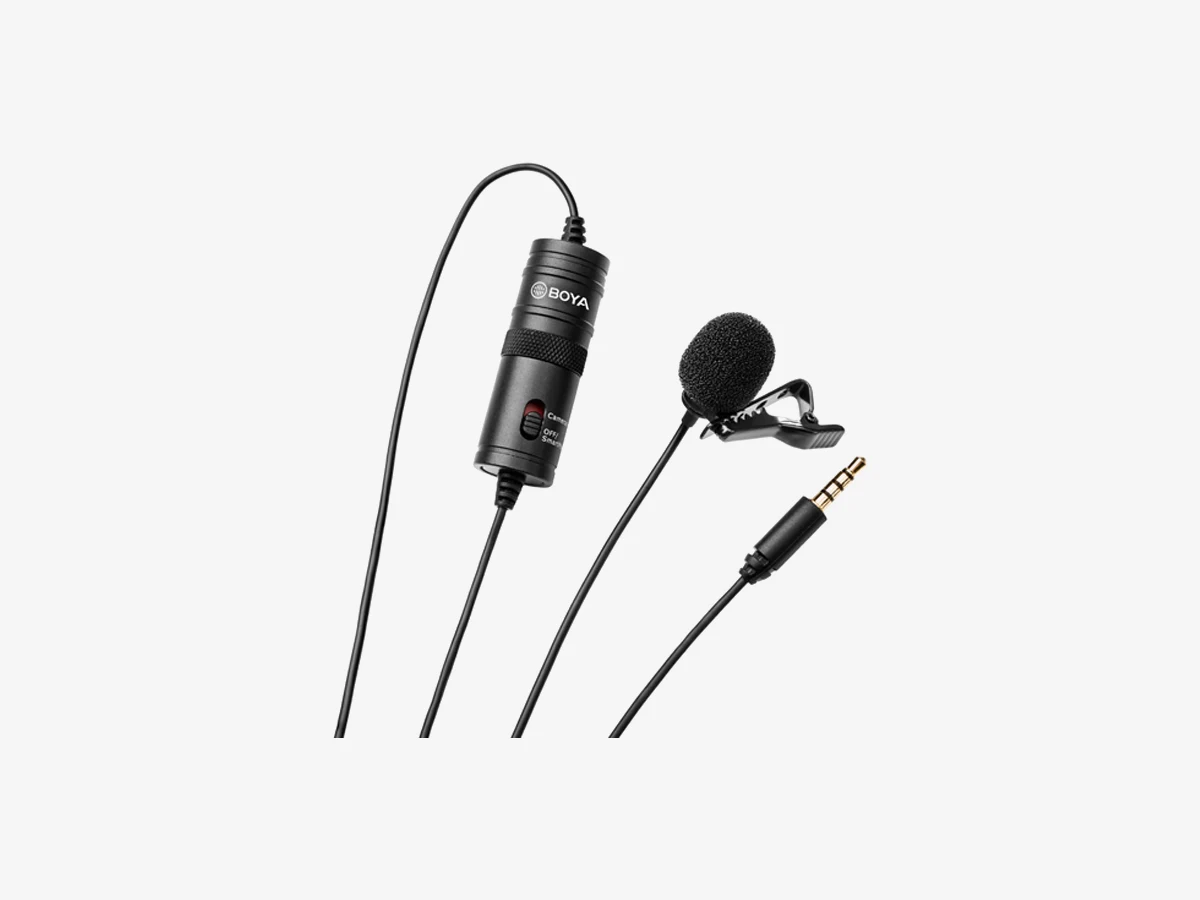
Photo: BOYA
Key specs
💵 Best budget pick
7. BOYA BY-M1
The BOYA BY-M1 is the cheapest lav in this guide by a wide margin, and the only budget lav that is genuinely good: an omnidirectional capsule, a 6 m cable, and a battery switch that lets it work on phones and cameras, in a kit that costs less than a single furry windshield for a pro mic.
Its 6 m cable is the longest in this guide, so it reaches a camera on a tripod across the room with slack to spare, and the battery module on the cable has a switch with two positions: off for a phone, on for a camera. That switch is the whole design, and it is also the trap, which the power section below explains. The kit includes a foam windscreen, a lapel clip, an LR44 battery, and a 6.35mm adapter, so it works out of the box on a phone, a camera, a recorder, and a computer.
The frequency range starts at 65 Hz, so deep voices lose body, and the capsule is bulkier than the Rode capsules, so it is harder to hide on a thin shirt. Its output runs hotter than the pro lavs, and there is no attenuator to turn it down, so it can distort on some cameras if the input gain is set high. Set the camera gain low, test before the take, and it records clean voice for a fraction of the price.
Technical features
- Omnidirectional electret-condenser lavalier microphone
- 65 Hz to 18 kHz frequency range
- 3.5mm TRRS gold-plated plug with a camera and smartphone switch
- 6.0 m shielded cable, about 20 feet
- Single LR44 battery, included; switch off for phones, on for cameras
- Foam windscreen, lapel clip, LR44 battery, and 6.35mm adapter in the box
What we like
- Cheapest mic here by a wide margin, and it sounds far better than a built-in mic
- 6 m cable reaches a tripod camera across the room
- Switch lets it work on phones and cameras
- Complete kit in the box, battery included
Watch out for
- Wrong switch position means silence or distortion, so check it every time
- Hot output can distort on some cameras if the gain is set high
- Bulkier capsule is harder to hide than the Rode capsules
- Frequency range starts at 65 Hz, so deep voices lose body
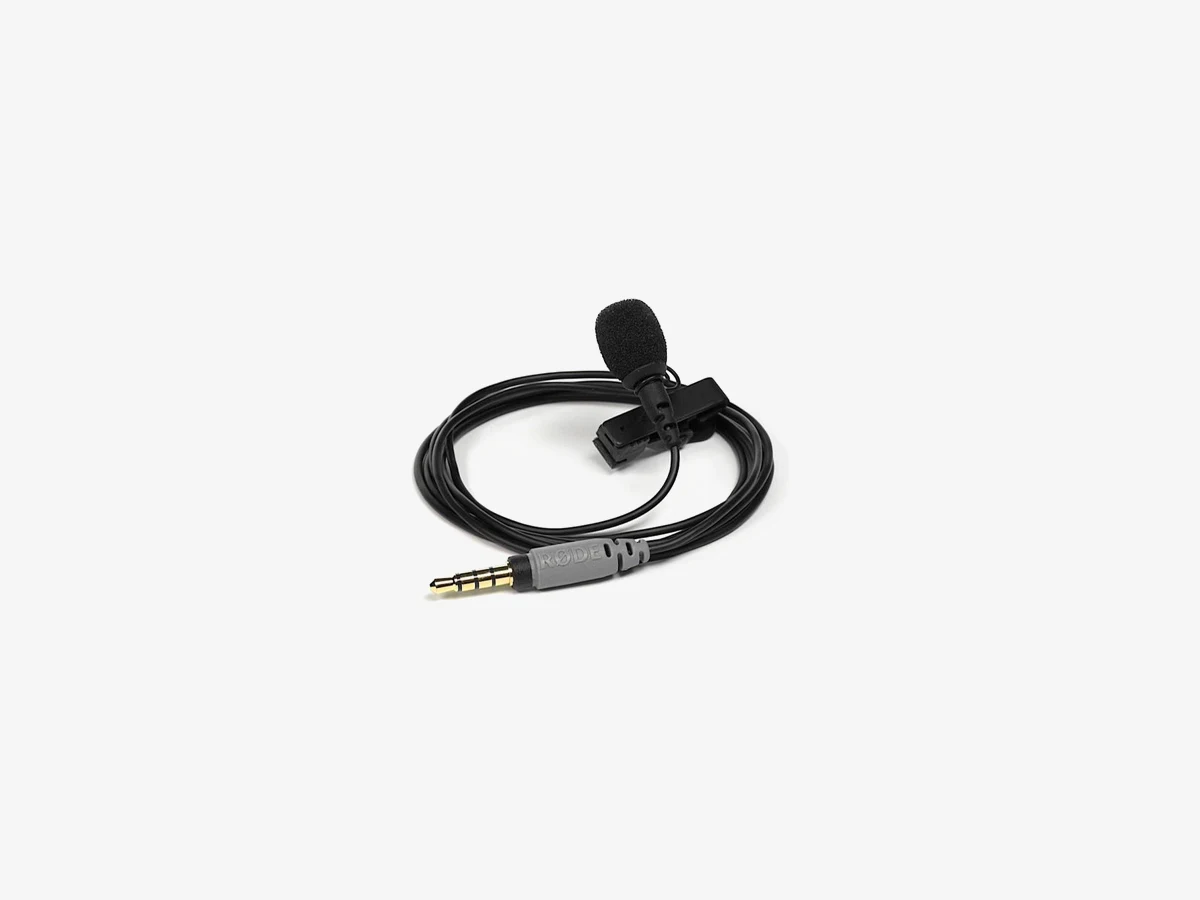
Photo: Rode
Key specs
📱 Best phone lav on a budget
8. Rode SmartLav+
The Rode SmartLav+ is the phone lav for vloggers who want Rode sound without Rode money: a broadcast-grade 4.5mm capsule, a Kevlar cable, and a TRRS plug that goes straight into a phone headphone jack, with the same 20 Hz to 20 kHz range as the Lavalier GO.
The SmartLav+ is the oldest mic in this guide and still the smartest phone lav for the money. Its capsule is the same broadcast-grade design Rode uses across its lav range, so the voice it records is the same clean, natural voice the Lavalier GO records, and the 1.2 m Kevlar cable survives the daily coil that kills cheaper phone lavs. It draws its power from the phone’s TRRS socket, so there is no battery and no switch. At 6 g it is the lightest mic here, so it never drags a collar down during a long take.
The limits are the limits of its plug. A TRRS plug fits a phone headphone jack and almost nothing else, so a camera, a recorder, or a transmitter needs an adapter, and a modern phone with no headphone jack needs a USB-C or Lightning adapter. There is no furry windshield in the box, only a pop filter, so outdoor wind needs one bought separately. If your phone has a headphone jack and your budget is small, this is the mic to buy.
Technical features
- Broadcast-grade omnidirectional condenser capsule, 4.5mm
- 20 Hz to 20 kHz frequency range; 67 dB signal-to-noise ratio
- Gold-plated 3.5mm TRRS plug for smartphones and tablets
- 1.2 m Kevlar-reinforced shielded cable
- Powered from the phone TRRS socket at 2.7 V, no battery needed
- Pop filter and durable mounting clip in the box; works with any recording app
What we like
- Same broadcast-grade capsule and range as the Lavalier GO
- Kevlar cable survives daily coiling and pocket use
- Lightest mic here at 6 g, so it never drags a collar down
- No battery and no switch, just plug in and record
Watch out for
- Needs an adapter for cameras, recorders, and transmitters
- Needs a USB-C or Lightning adapter on phones with no headphone jack
- No furry windshield in the box for outdoor wind
Start with your device, not the mic
Short answer: name the socket first and the mic picks itself. A camera or a recorder takes a TRS lav. A phone with a headphone jack takes a TRRS lav. A phone with USB-C and no jack takes a USB-C lav. A wireless transmitter takes a TRS lav. Buy the mic whose plug matches the socket, and skip the rest of the list.
Most buyers shop backwards. They read reviews, pick the best-sounding lav, and only then check whether it plugs into their gear. That order fails more often than it works, because the best-sounding lav with the wrong plug is a paperweight until an adapter arrives. Shop forwards instead: look at the device that will record the audio, name its input, and buy the lav that fits it.
A camera or a dedicated recorder has a 3.5mm mic input, which is a TRS socket: buy the Rode Lavalier II, the Rode Lavalier GO, or the Sony ECM-LV1. A phone or tablet with a headphone jack has a TRRS socket: buy the Shure MVL or the Rode SmartLav+. A phone with USB-C and no headphone jack has no 3.5mm socket at all: buy the Sennheiser XS Lav USB-C, and plug it into the charging port. A wireless transmitter has a TRS socket: buy the Rode Lavalier II or the Rode Lavalier GO. Two mics sit outside those four cases. The Deity V.Lav and the BOYA BY-M1 both end in a TRRS plug, but both are built to work in camera jacks too, the Deity through its auto-sensing plug and the BOYA through its camera and smartphone switch.
A laptop has a TRRS headset socket, so the Shure MVL and the Rode SmartLav+ plug straight into it, and the Sennheiser XS Lav USB-C plugs into its USB-C port. A desktop computer with separate mic and headphone sockets takes a TRS lav in the mic socket.
Which lav fits which transmitter
Short answer: the Rode Lavalier II, Lavalier GO, and Sony ECM-LV1 plug straight into a Rode Wireless GO II, Wireless Pro, or Wireless GO (Gen 3) and into a DJI Mic 2 transmitter. The Deity V.Lav, Shure MVL, and Rode SmartLav+ need a TRRS-to-TRS adapter there. The BOYA BY-M1 plugs straight in with its switch on camera. The Sennheiser XS Lav USB-C does not fit any transmitter, and no wired lav fits a DJI Mic 3 transmitter, because it has no lav input at all.
The transmitter is where most lav purchases go wrong, because a transmitter looks like a mic and is not one. Plugging a lav into the transmitter is the upgrade that turns a good wireless kit into a great one.
| Microphone | Camera mic input | Recorder | Phone headphone jack | Phone USB-C | Rode Wireless GO / Pro | DJI Mic 2 |
|---|---|---|---|---|---|---|
| Rode Lavalier II | Direct | Direct | Needs TRRS adapter | Needs USB-C adapter | Direct, locking | Direct |
| Rode Lavalier GO | Direct | Direct | Needs TRRS adapter | Needs USB-C adapter | Direct | Direct |
| Sony ECM-LV1 | Direct | Direct | Needs TRRS adapter | Needs USB-C adapter | Direct | Direct |
| Deity V.Lav | Direct, auto-sensing | Adapter for some models | Direct | Needs USB-C adapter | Needs TRRS-to-TRS adapter | Needs TRRS-to-TRS adapter |
| Shure MVL | Needs TRRS adapter | Needs TRRS adapter | Direct | Needs USB-C adapter | Needs TRRS-to-TRS adapter | Needs TRRS-to-TRS adapter |
| Sennheiser XS Lav USB-C | No | No | No | Direct | No | No |
| BOYA BY-M1 | Direct, switch on camera | Direct, switch on camera | Direct, switch off | Needs USB-C adapter | Direct, switch on camera | Direct, switch on camera |
| Rode SmartLav+ | Needs TRRS adapter | Needs TRRS adapter | Direct | Needs USB-C adapter | Needs TRRS-to-TRS adapter | Needs TRRS-to-TRS adapter |
Three rows of that table deserve a closer look. First, the DJI Mic 3 row is missing on purpose. The DJI Mic 3 transmitter has no socket for a plug-in lavalier microphone, so no wired lav in this guide fits it. If you own a Mic 3, the transmitter’s built-in mic is your mic. Second, the Rode Wireless Micro is missing too, for the same reason: it has no lav input. Third, the locking plug matters only on Rode transmitters. The Lavalier II’s locking plug screws into a Rode Wireless Pro or Wireless GO (Gen 3) socket and stays put. On a Wireless GO II or a DJI Mic 2, which have plain TRS sockets with no locking thread, the same plug works as an ordinary plug.
One adapter covers most of the “needs adapter” cells in that table. A TRS-to-TRRS adapter, such as the Rode SC4, turns a TRS lav into a phone lav, and a TRRS-to-TRS adapter turns a phone lav into a camera or transmitter lav. Buy the adapter that matches the direction you need, and keep it in the same pouch as the mic.
TRS vs TRRS: the trap that silences a lav
Short answer: count the black rings on the plug. Two rings means TRS, which fits cameras, recorders, and wireless transmitters. Three rings means TRRS, which fits phone headphone jacks. The wrong plug in the wrong socket records silence, and the fix is a cheap adapter, not a new mic.
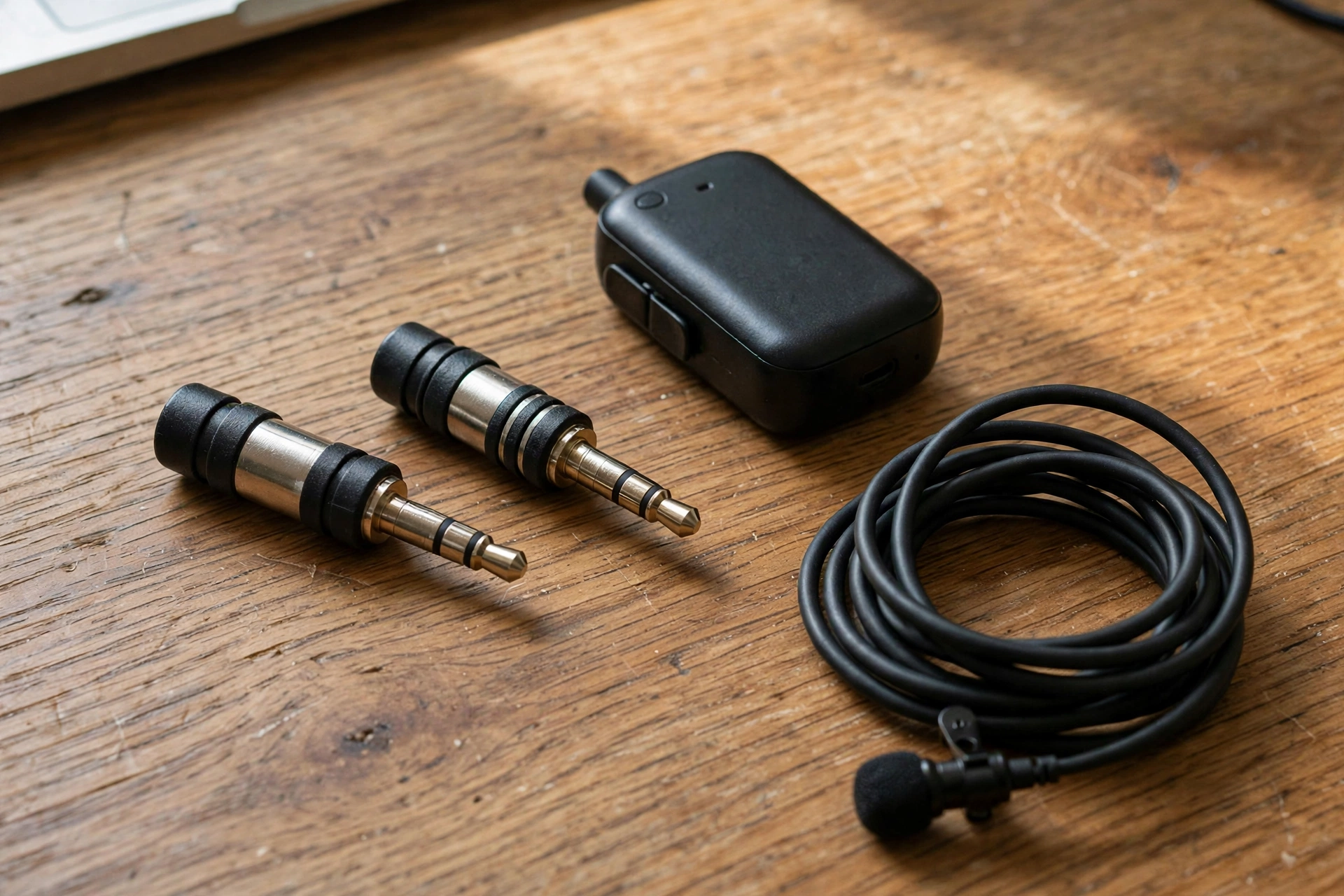
A 3.5mm plug is not one plug. It is a family of plugs that look identical until you count the black insulating rings around the metal tip. A plug with two black rings is a TRS plug: tip, ring, sleeve, three contacts. It carries one audio channel and a ground, which is what a camera mic input, a recorder, and a wireless transmitter expect. A plug with three black rings is a TRRS plug: tip, ring, ring, sleeve, four contacts. It carries one audio channel, a ground, and a headphone return, which is what a phone headset jack expects. The two plugs are the same size, they fit in each other’s sockets, and they do not work in each other’s sockets.
The failure is silent, which is what makes it cruel. Plug a TRS lav into a phone and the phone hears nothing, because the phone’s jack expects the mic signal on the sleeve contact and the TRS plug puts ground there instead. Plug a TRRS lav into a camera and the camera hears nothing, or hears a faint buzz. In both cases the recording looks fine on the screen, the levels sit flat, and the silence is only discovered in the edit, when the take is already gone. The test takes ten seconds: plug the mic in, tap the capsule with a fingernail, and watch the level meter jump. If it does not jump, the plug is wrong, the switch is wrong, or the input is wrong.
Two of the mics in this guide dodge the trap by design. The Deity V.Lav has a microprocessor in its cable that reads the socket and configures its TRRS plug to suit it, so it works in a phone jack and a camera jack without an adapter. The BOYA BY-M1 has a switch on its battery module: off for a phone, on for a camera. If you remember one sentence from this section, make it this one: count the rings before you buy, and test with a fingernail tap before you record.
Plug-in power, batteries and the BY-M1 switch
Short answer: most lavs in this guide run on plug-in power, which is a small voltage the camera, recorder, phone, or transmitter sends down the cable, so they need no battery at all. The Deity V.Lav and the BOYA BY-M1 are the exceptions, and each one has a battery quirk worth knowing before you buy.
Plug-in power is the quiet reason a wired lav is so simple to live with. A condenser capsule needs a small voltage to work, and the device it plugs into supplies that voltage through the same cable that carries the audio. Cameras, recorders, wireless transmitters, and phone headphone jacks all supply it, which is why the Rode lavs, the Sony ECM-LV1, the Shure MVL, and the Rode SmartLav+ have no battery, no switch, and nothing to charge. The Sennheiser XS Lav USB-C is the same idea over a different cable: it draws its power from the phone or computer’s USB port.
The Deity V.Lav runs on two LR41 button batteries, which power the microprocessor that adapts its plug to each socket. The batteries last over 800 hours, so they are a fit-and-forget part, but keep a spare pair in the mic pouch. The BOYA BY-M1 runs on a single LR44 battery, and its switch is the most important control on the mic: switch off for a phone, switch on for a camera. Get it backwards and the mic records silence on a phone or a distorted, over-loud signal on a camera. The rule is simple: phone means off, camera means on, and check the switch before every take.
Where to clip it: placement that sounds like a studio
Short answer: clip the mic to your chest, 15 to 30 cm below your mouth, on the center of your sternum, with the capsule pointing up toward your mouth. That one position gives you clear, full voice with the least room noise, and every other position is a compromise you make on purpose.
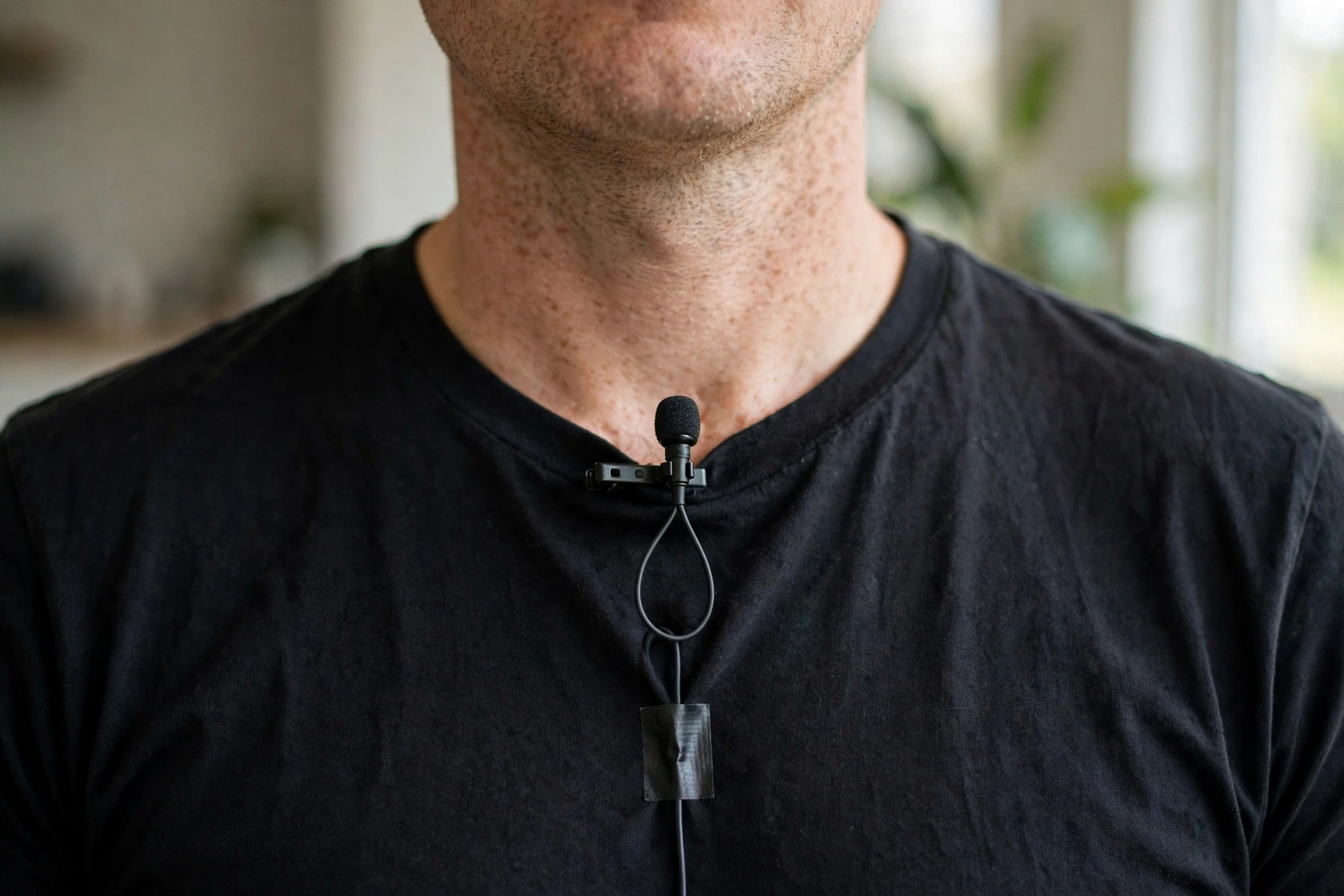
Placement is the cheapest upgrade in vlogging, because it costs nothing and it changes the sound more than any mic upgrade. A lav works by being close to your mouth, and close means 15 to 30 cm, measured from your mouth down your chest to the clip. Closer than 15 cm and the mic hears every breath and every plosive as a thump. Further than 30 cm and the mic starts hearing the room as loudly as it hears you, which is the thin, echoey sound that makes a vlog feel amateur. The center of the sternum is the sweet spot: it is the same distance from your mouth when you turn your head left or right, so your voice stays level.
The capsule points up, toward your mouth, not out toward the room. Every lav in this guide is omnidirectional, so the angle matters less than it would on a directional mic, but pointing the capsule up still favors your voice over the room. Clip it to a firm layer of clothing, a shirt placket, a collar, or a jacket lapel, and not to a loose layer that flaps. If you wear a jacket over a shirt, clip the mic to the shirt and let the jacket hang open. Never clip it to a scarf, a necklace, or a lanyard, because all three move against the capsule with every step.
Two habits separate a clean take from a noisy one. First, leave a small loop of cable below the clip, about the size of a coin, and tape the cable to your shirt below the loop. The loop stops a tug on the cable from reaching the capsule, so the mic does not thump when you move. Second, test the placement before the take, not after it. Record ten seconds, walk the way you will walk, turn the way you will turn, and listen back on headphones. If you hear your shirt, move the mic. If you hear the room, move it closer. If you hear your breath, move it down a few centimetres. For the science behind why the pattern and the distance work this way, our guide to microphone polar patterns and placement explains the omnidirectional pattern and the placement distances for every mic type a vlogger uses.
Hiding the mic and killing clothing rustle
Short answer: hide the mic under one thin layer of clothing, tape the cable flat to your skin or shirt with medical tape, and keep the capsule away from any fabric that can touch it. Rustle is fabric touching the capsule, so the cure is distance between the mic and the fabric, not a better mic.
A lav on the outside of a shirt looks fine on a talking-head video and looks wrong on a vlog that wants the mic invisible. Hiding it is a skill with a simple rule: the capsule needs air around it. Slip the mic under a shirt and it sits against the fabric, and every breath, every step, and every turn rubs the fabric across the capsule, which the recording hears as a low roar. The fix is a small air gap. Tape a tiny loop of moleskin, the soft adhesive padding sold at any pharmacy, to the inside of the shirt, and stick the capsule to it, or tape the capsule to the inside of the shirt with the capsule head poking through the weave. Medical tape, the paper tape from a pharmacy, holds the cable flat without pulling hair or leaving marks.
Three fabrics cause most of the trouble, and each one has a fix. A stiff collar rubs the capsule every time you turn your head, so clip the mic to the placket below the collar instead. A zip runs right where the mic wants to sit, so clip the mic to one side of the zip, not on it, and tape the cable away from the teeth. A necklace or a lanyard swings into the capsule with every step, so take it off for the take, or tape it flat to your chest. A jacket over a shirt is the hardest case, because the jacket moves against the shirt and the shirt moves against the mic, so tape the mic to the shirt and let the jacket hang open. If the rustle survives all of that, the capsule is touching fabric, and the only fix is to move it until it is not.
Wind outdoors: foam, furry and the windscreen test
Short answer: foam handles a light breeze and a still room, and furry handles real wind. If you film outdoors, the furry windshield is not an accessory, it is the mic working at all, and the only mics in this guide that include one are the Rode Lavalier II and the Deity V.Lav.
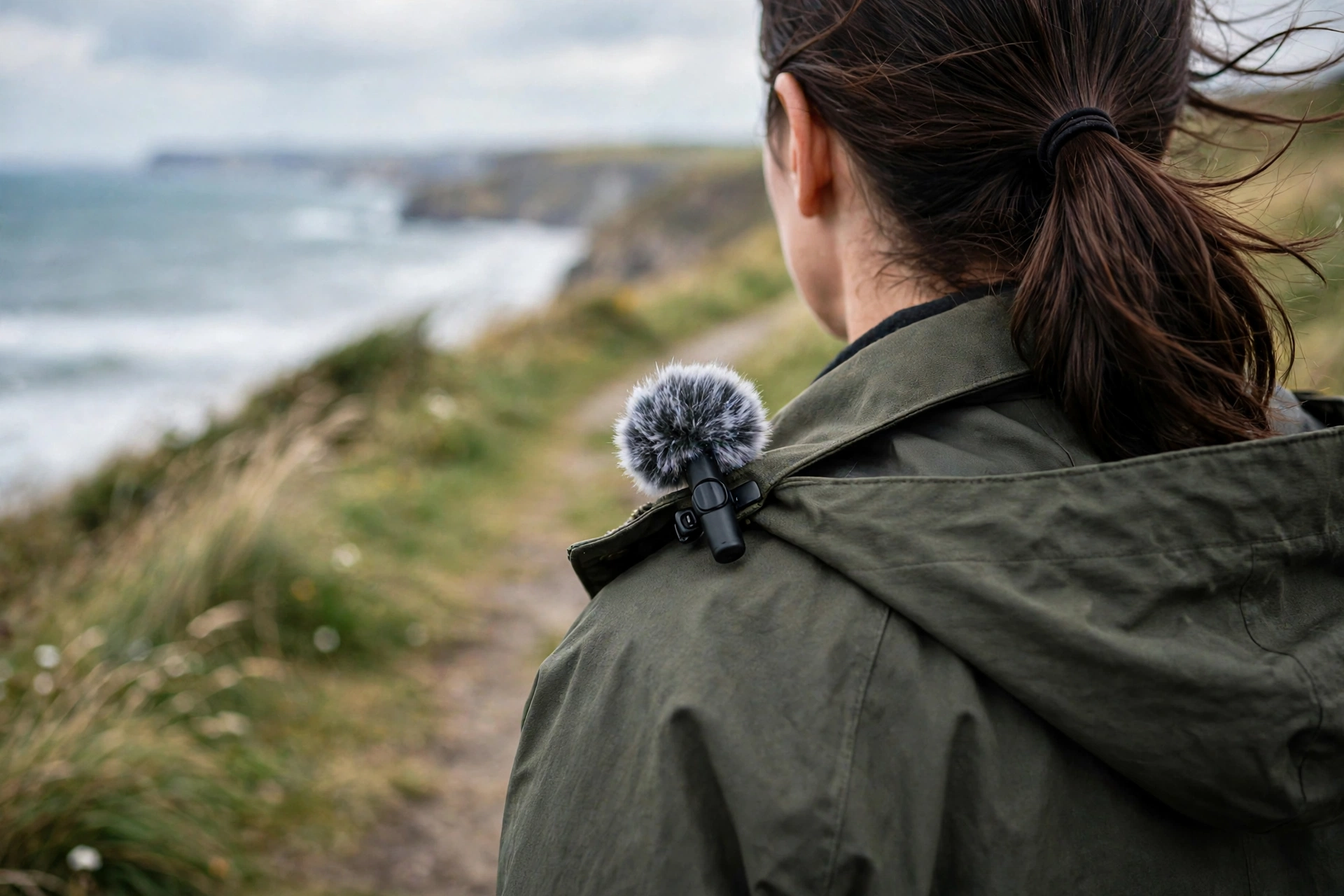
Wind is the one thing a lav cannot fix with placement, because wind is air moving across the capsule, and the capsule hears moving air as a roar that swallows the voice entirely. The fix is a windscreen, and there are two kinds. A foam windscreen is a soft sponge that slips over the capsule. It kills plosives, the puffs of air from P and B sounds, and it takes the edge off a light breeze, and every mic in this guide includes foam protection in the box. The Lavalier II and the SmartLav+ call theirs a pop filter. A furry windshield, also called a windjammer or a dead cat, is a ball of synthetic fur that slips over the foam. The fur breaks the wind into tiny currents before it reaches the capsule, and it is the only thing that works in a real wind, on a beach, on a hill, or on a city street between buildings.
The test is simple and worth doing before you buy anything else. Go outside on a breezy day, clip the mic to your shirt with the foam windscreen on, record ten seconds, and listen. If the voice is clear, foam is enough for the wind you film in. If the recording roars, put the furry windshield on and record ten seconds again. If the voice is clear now, furry is your outdoor windscreen, and it lives on the mic whenever you step outside. If it still roars, turn your back to the wind, shelter behind a wall or a car, or move the take indoors. No windscreen beats a gale.
Two buying notes follow from that test. First, only the Rode Lavalier II and the Deity V.Lav include a furry windshield in the box. Second, a furry windshield makes the mic bigger and more visible on camera, and clean audio wins that trade every time, because a viewer forgives a visible mic and never forgives a roaring take.
Cheap lav vs pro lav: what the extra money buys
Short answer: the extra money buys a quieter capsule, a tougher cable, a locking plug, and wind protection in the box. It does not buy a different kind of sound. A cheap lav in the right place beats a pro lav in the wrong place, every time.
The sound difference between a budget lav and a pro lav is real, and it is smaller than the price difference suggests. Put the BOYA BY-M1 and the Rode Lavalier II side by side on the same chest, in the same room, and the difference is in the edges: the Rode has a lower noise floor, which means less hiss in quiet moments, a flatter response, which means a more natural voice, and a wider frequency range, which means deeper voices keep their body. The BOYA has a higher noise floor, a narrower range that starts at 65 Hz, and a hotter output that needs the gain set low. In a quiet room, with the gain set right, a listener would struggle to tell them apart.
What the extra money really buys is everything around the capsule. A Kevlar cable survives the daily coil that snaps a thin cable in a month. A locking plug stays in a transmitter when a tug would pull a plain plug out. A flat cable hides under a shirt where a round cable shows. A furry windshield in the box means the mic works outdoors on day one. A 6mm capsule with a 67 dB signal-to-noise ratio holds a quiet voice without hiss, while a budget capsule hisses more in the gaps between words.
Buy the cheap lav first if the budget is small, and buy it knowing what it is: a good mic with a short life and a few sharp edges. Buy the pro lav when the mic earns its keep, when you film every week, when you film outdoors, or when you plug into a transmitter that moves with you. And whichever one you buy, spend the money you save on placement and wind protection: a 30 dollar lav clipped in the right place with a furry windshield on it beats a 100 dollar lav clipped to a flapping collar in the wind.
When a wireless kit is the right buy instead
Short answer: buy a wireless kit when you need to move, when you film two people, or when you have no camera mic input at all. Buy a wired lav when you already own the recorder or the transmitter.
A wired lav is the right purchase for a vlogger who already owns the rest of the chain: a camera with a mic input, a recorder, a phone, or a wireless transmitter with a lav socket. It is the cheapest way to fix bad audio, because it replaces the weakest part of the chain, the mic, and nothing else. A wireless kit is the right purchase when the chain itself is the problem. If you film walking vlogs and the cable ties you to the camera, a wireless kit cuts the cable. If you interview two people, a two-transmitter kit gives each person a mic. If your camera has no mic input, a wireless receiver that plugs into the USB-C port, or a transmitter that records on board, gives you audio where a wired lav cannot plug in.
The math is simple. A wired lav costs a fraction of a wireless kit, and it sounds as good or better than the built-in mic on any wireless transmitter, because it sits on your chest while the transmitter sits on your belt. A wireless kit costs several times more, and it buys freedom of movement, a second channel, and on-board recording as a safety net. If you own a transmitter already, the lav is the purchase. If you own nothing yet and you film on the move, the kit is the purchase, and our guide to the best wireless microphones for vlogging ranks the kits.
What not to buy
Short answer: do not buy a wireless kit when you only need a lav, do not buy an XLR lav for a vlogging camera, do not buy a headset mic for a vlog, and do not buy a no-name two-pack on the promise of a review score.
Four purchases look like lavalier microphones and are not the right buy for a vlogger. First, a full wireless kit bought as a lav. If you already own a transmitter, a kit buys you a second transmitter, a receiver, and a charging case you do not need, for several times the price of the lav itself. Buy the lav. Second, an XLR lavalier microphone. XLR lavs are built for broadcast bodypacks and field mixers that supply 48 V phantom power, and they do not plug into a camera, a phone, or a 2.4 GHz transmitter at all. Third, a headset microphone. A headset holds the capsule a fixed distance from your mouth, which is perfect for a call center and wrong for a vlog, because it is visible in every frame and cannot be hidden under clothing. Fourth, a no-name two-pack with a five-star score and no brand behind it. The listings change weekly, the capsules vary from batch to batch, and the review scores are the only evidence on the page. A lav is a mic you trust with takes you cannot re-record, and trust needs a maker with a spec sheet and a warranty.
One more thing not to buy is a second lav before you have placed the first one properly. A vlogger with one lav, clipped in the right place and with a furry windshield for the wind, records cleaner audio than a vlogger with three lavs in a drawer and no placement habit. Buy one, learn it, and only then buy a second for the guest.
FAQs
Short answers to the questions vloggers ask most about lavalier microphones, from which lav to buy first to how to hide one under clothing.
What is the best lavalier microphone for vlogging?
The Rode Lavalier II: a broadcast-grade omni capsule, a locking plug for Rode transmitters, a flat cable that hides under clothing, and both a pop filter and a furry windshield in the box. If money is tight, the Rode Lavalier GO gives you the same sound family for less. If you film on a USB-C phone, the Sennheiser XS Lav USB-C is the simpler buy.
What is the difference between a wired lav and a wireless lavalier kit?
A wired lav is just the microphone: a capsule, a clip, and a cable that plugs into a camera, a recorder, a phone, or a wireless transmitter. A wireless kit is the whole system: a transmitter with a built-in mic, a receiver, and a charging case. Buy the wired lav when you already own the recorder or the transmitter. Buy the kit to move freely.
Will a wired lav work with my Rode Wireless GO or DJI Mic 2?
Yes, if the lav has a TRS plug. The Rode Lavalier II, Lavalier GO, and Sony ECM-LV1 plug into a Rode Wireless GO II, Wireless Pro, or Wireless GO (Gen 3) and into a DJI Mic 2 transmitter. The BOYA BY-M1 also plugs straight in with its switch on camera.
Does a wired lav work with a DJI Mic 3 transmitter?
No. The DJI Mic 3 transmitter has no socket for a plug-in lavalier microphone, so no wired lav in this guide fits it. The DJI Mic 2 transmitter still has a 3.5mm TRS lav input.
What is the difference between TRS and TRRS?
Count the black rings on the plug. Two rings means TRS, which fits cameras, recorders, and wireless transmitters. Three rings means TRRS, which fits phone headphone jacks. The wrong plug in the wrong socket records silence. An adapter fixes it.
Why is my lavalier microphone silent?
Four causes cover almost every silent lav. The plug is wrong for the socket, a TRS lav in a phone jack or a TRRS lav in a camera jack. The BOYA BY-M1 switch is in the wrong position, off for a phone and on for a camera. The camera input is set to line instead of mic, or the mic input is disabled. Or the plug is not pushed fully in.
Where should I clip a lavalier microphone?
On the center of your chest, 15 to 30 cm below your mouth, on the sternum, with the capsule pointing up toward your mouth. Clip it to a firm layer, a shirt placket, a collar, or a jacket lapel, and leave a small loop of cable below it.
How do I hide a lavalier microphone under clothing?
Tape the capsule to the inside of the shirt with medical tape, with the capsule head poking through the weave, or stick it to a small piece of moleskin taped inside the shirt. Tape the cable flat below the clip. Rustle is fabric touching the capsule, so the cure is an air gap, not a better mic.
Can I plug a lavalier microphone straight into my camera?
Yes, if the camera has a 3.5mm mic input, which most mirrorless and vlogging cameras do. Plug a TRS lav like the Rode Lavalier II, Lavalier GO, or Sony ECM-LV1 straight in and set the input to mic level.
Is a lavalier microphone better than a shotgun microphone?
For a single voice, yes. The lav sits 15 to 30 cm from your mouth and hears your voice before the room does, while a shotgun on the camera sits a meter or more away and hears the room as loudly as you. For two people, a wide shot, or a scene where a mic cannot be worn, a shotgun is the better tool.
Do I need two lavalier microphones for interviews?
Yes, one per person, if you want both voices clean. One lav on one person hears the other person from across the table, which sounds distant and echoey. Two lavs, one on each chest, give you two clean tracks you can mix separately. If your recorder only takes one mic, record the second person on a phone with a second lav and sync in the edit.
Is the BOYA BY-M1 good enough for YouTube?
Yes, for a first lav and for a spare. Its 6 m cable, its camera and phone switch, and its complete kit make it the best budget lav in this guide, and it sounds far better than any built-in mic. Set the camera gain low.
The bottom line
Short answer: buy the Rode Lavalier II if you own a transmitter, a camera, or a recorder; the Rode Lavalier GO if you want the same sound for less; the Sennheiser XS Lav USB-C if your phone is your camera; and the BOYA BY-M1 if this is your first lav. In every case, count the rings on the plug before you buy, and test with a fingernail tap before you record.
A lavalier microphone is the cheapest serious upgrade in vlogging, because it fixes the weakest part of the chain, the mic, without replacing anything else. The eight mics in this guide cover every socket a vlogger owns: TRS for cameras, recorders, and transmitters; TRRS for phones with a headphone jack; USB-C for phones without one; and a 5 m cable for the tripod across the room. Clip it to your chest, 15 to 30 cm below your mouth, point it up, loop the cable, and test before the take. Do that, and a 30 dollar lav will sound like a studio.
This guide is research-based curation: we compared manufacturer specifications, published reviews, and current prices. Read how we choose.
Keep exploring
Good lavalier audio is only half the vlog. Here is the rest of the kit, from the camera to the edit.