
Last updated: October 2026
Shaky footage is rarely a camera problem. It is three smaller problems stacked: what the sensor is doing, what your hands are doing, and what your feet are doing. Modern cameras already carry up to three stabilization systems, and most vloggers use one of them badly. This guide explains how IBIS, lens OIS and electronic EIS differ, how they stack, what the electronic modes quietly cost you in framing, and the grip, walking and settings habits that get handheld footage close to gimbal smooth.
The short version
- IBIS moves the sensor, OIS moves a lens element, EIS moves the picture. The first two are hardware, the third is software that crops your frame.
- They stack, with limits. Body and lens systems work together on modern cameras; adding electronic stabilization helps walking shots but takes framing and sometimes sharpness.
- Your body is the biggest stabilizer. Two hands, tucked elbows, a taut strap and a heel to toe walk remove more shake than any menu setting.
- Settings hide what is left. A 180 degree shutter, wider focal lengths and 60 fps slowed down on the timeline all make small movements less visible.
- Know when to stop. Locked product shots still belong on a tripod, long-lens work stays braced or OIS-led, and one take walkthroughs still belong on a gimbal.
On this page
- Three systems, three different moving parts
- Stacking them: what works together and what fights
- The crop: what electronic stabilization quietly takes
- Your hands are the first stabilizer
- The ninja walk: removing the bob your camera cannot
- Shutter and frame rate choices that hide shake
- When handheld is the wrong tool
- Gimbal or no gimbal: the comparison
- Handheld smoothness questions, answered
- Keep exploring
Three systems, three different moving parts
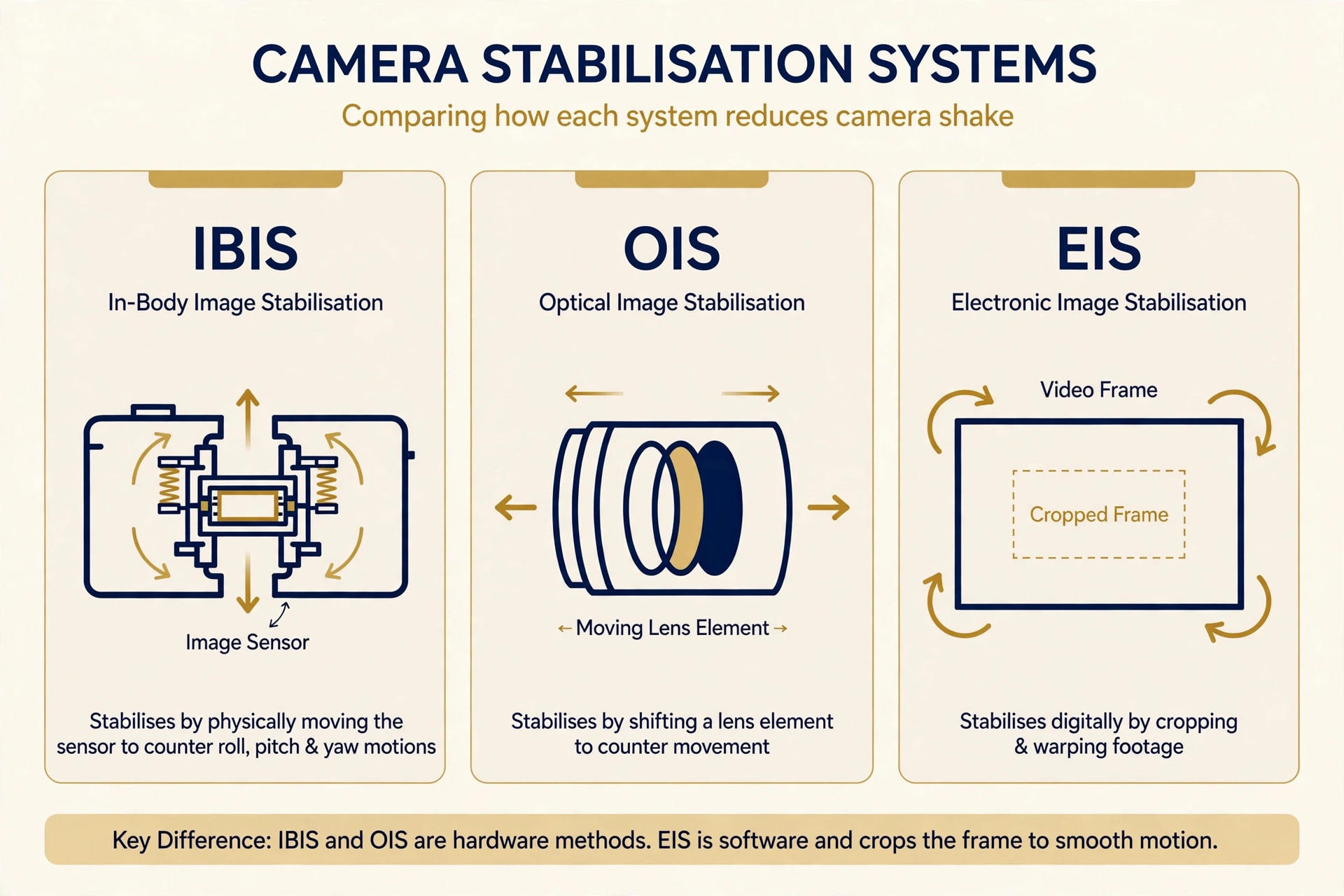
IBIS (in-body image stabilization) physically shifts the sensor to counter your movement. OIS (optical image stabilization) shifts one element inside the lens. EIS (electronic image stabilization) does neither: it reads motion sensors and re-crops each frame in software to cancel the shake after the fact.
IBIS mounts the sensor on a floating stage driven by motors. Gyroscopes in the body detect pitch, yaw, roll and small side to side and forward shifts, and the sensor moves the opposite way, thousands of small corrections a second. Because the correction happens in the body, it works with any lens you mount, including old manual glass with no electronics at all. Most current systems correct on five axes, and the roll correction is something no lens system can do. Our roundup of the best mirrorless camera for vlogging notes which bodies include IBIS and how strong each maker claims it is.
OIS lives in the lens. A small group of elements floats in the barrel and shifts to bend the light back on course, correcting pitch and yaw. Lens makers tune it to that specific lens, so a stabilized telephoto can be extremely effective, but it cannot fix roll, and it only exists if you bought a stabilized lens. Prime lenses aimed at vloggers often skip it entirely.
EIS is software. The camera records gyro data alongside the video, then crops into the frame and shifts, scales and warps each image to cancel the measured movement. Nothing physical moves, so it can be added to any camera with a motion sensor by a firmware update, and it is the only system of the three that can correct big, slow drifts. The cost lands on your framing and sometimes your sharpness, covered below.
| System | What moves | Corrects | Main cost |
|---|---|---|---|
| IBIS | The sensor, inside the body | Pitch, yaw, roll and small shifts (5-axis) | None to framing; slight corner wobble with very wide lenses |
| OIS | One element group inside the lens | Pitch and yaw (2-axis) | Only on stabilized lenses; no roll correction |
| EIS | The recorded picture, in software | Rotation plus larger drifts | Crops the frame; can soften detail and warp edges |
Stacking them: what works together and what fights
IBIS and OIS are designed to work together on current cameras: the body and lens talk to each other and split the correction, with the lens handling large pitch and yaw moves and the sensor adding roll and fine shifts. EIS sits on top of both as a final software pass.
Coordinated systems from the major makers claim seven or eight stops of combined correction for stills, and video benefits too, mainly as a calm, floaty frame instead of a jittery one. Two catches matter more than the headline number.
First, the systems correct rotation and small shifts, not the large travel of a walking bob. They cannot remove the up and down bob of walking, because each stride moves your whole body about half a meter forward while the camera still bobs about 5 cm up and down. That is a technique problem, handled in the walking section below. Second, corrections can fight your intentions. Strong stabilization resists slow pans, then lets go in a small jump, and paired with very wide lenses it can make frame corners swim while the center stays still. If a slow pan stutters, the fix is usually a gentler stabilization mode or a slower pan, not more correction.
Practical order: leave IBIS and lens OIS on for handheld work, let them coordinate, and treat EIS as a tool you switch on for walking shots rather than a permanent setting. On a tripod, turn the mechanical systems off or use the tripod mode if your camera offers one, because a stabilizer hunting for shake that is not there can add drift of its own.
The crop: what electronic stabilization quietly takes
Electronic stabilization needs spare picture around the edges to shift into, so it crops your frame. Standard modes take only a modest crop. Stronger active or enhanced modes take a much bigger crop, so a wide lens can end up framing like a noticeably longer one, and the strongest action camera style modes crop hardest of all.
That crop has three consequences. First, framing: the wide lens you bought for arm’s length vlogging gets noticeably tighter, which is why faces grow in the frame the moment you enable an active mode. Frame with headroom when you plan to use it. Second, quality: the camera upscales the smaller cropped area back to your recording resolution, and aggressive modes also warp the edges to hide perspective shifts. Fine detail softens and straight lines near the corners can bend, most visibly indoors. Third, low light: a smaller effective image area plus warping shows noise sooner, so heavy EIS at night can look worse than plain IBIS footage with a bit of movement in it.
One more cost worth knowing: the maths runs on the camera processor in real time, and stacking EIS on top of high frame rate recording is one of the heavier loads you can give it. On some bodies that shortens how long you can record before heat warnings appear. It is a side note rather than a deal breaker, and our camera overheating fix guide covers the full picture of why vlogging cameras get hot and how to manage it.
The sensible pattern: standard electronic stabilization or none for static pieces to camera, active mode reserved for walking and moving shots where its smoothing earns the crop.
Your hands are the first stabilizer
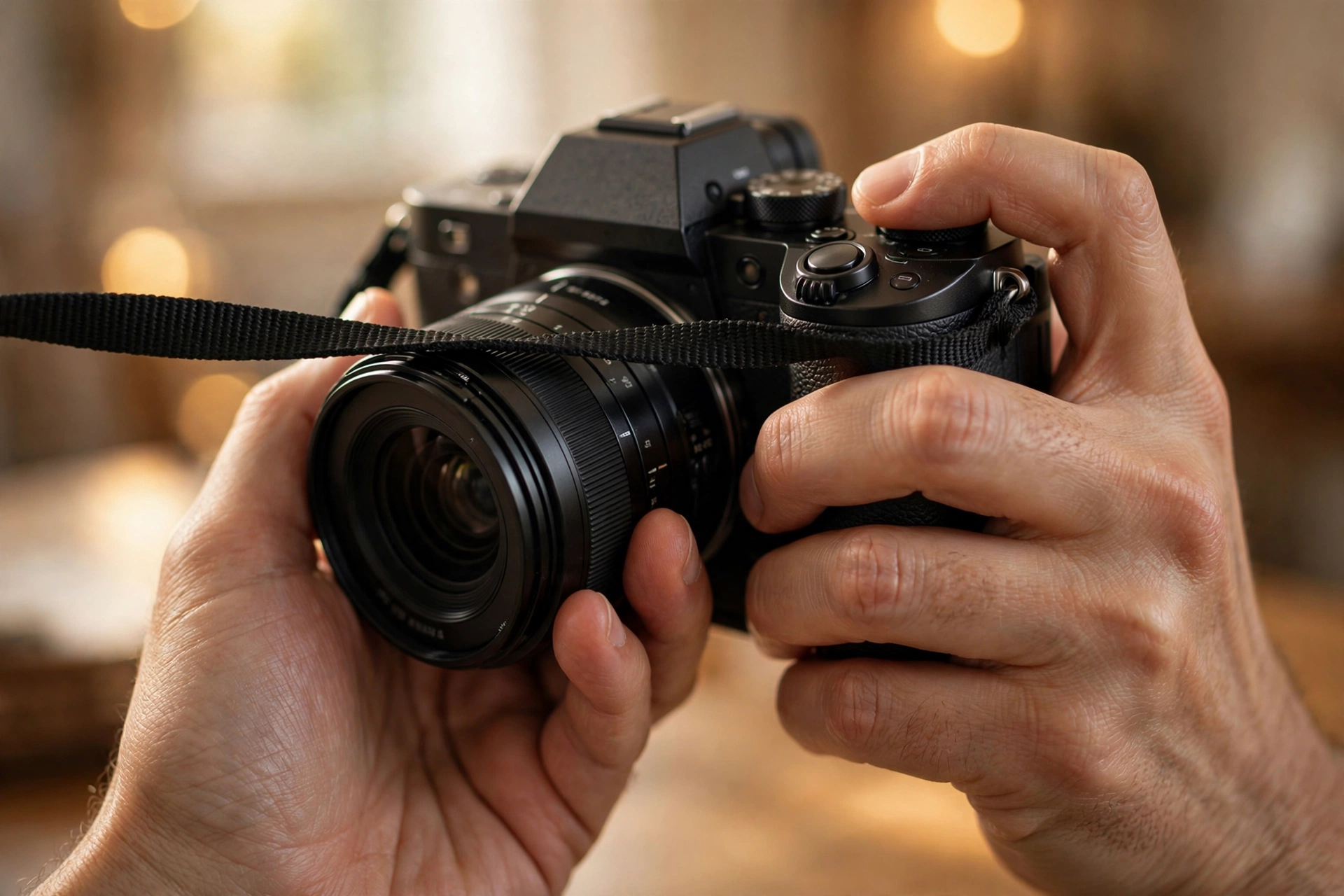
Hold the camera with both hands, left palm under the lens, elbows tucked against your ribs, and let the strap pulled taut between your hands act as a third point of contact. A camera held close and supported from below shakes a fraction as much as one dangled at full arm stretch on one hand.
Every contact point removes a direction of wobble. The right hand on the grip controls the body, the left hand cradling the lens from underneath carries the weight and kills pitch, and a neck or wrist strap pulled gently tight between your hands damps what is left. The same rule applies to a top handle or mini tripod grip: two hands on it whenever the shot allows.
For shots where you are standing still, add your face: an eye pressed to the viewfinder is a genuine fourth contact point, and it steadies the camera noticeably compared with composing on the rear screen. A little weight helps too. Heavier setups vibrate less than featherweight ones, which is why the same camera feels calmer with a bigger lens or a cage fitted.
Distance matters as much as contact. At full arm stretch, small hand tremors swing the camera through a long arc, and your arm tires within a minute, which makes the tremor worse.
Bend the elbow, bring the camera closer, and accept a slightly tighter frame in exchange for a much steadier one. A wider lens buys back the lost width, which is one reason the classic vlogging focal lengths sit around 16 to 20 mm equivalent.
Two small habits finish the job. Start recording a breath before you begin talking and keep rolling a breath after, so the button press and the first shaky half second can be trimmed away. And roll on an exhale: breathing out slowly while you press record is an old marksman trick that visibly settles the frame.
The ninja walk: removing the bob your camera cannot
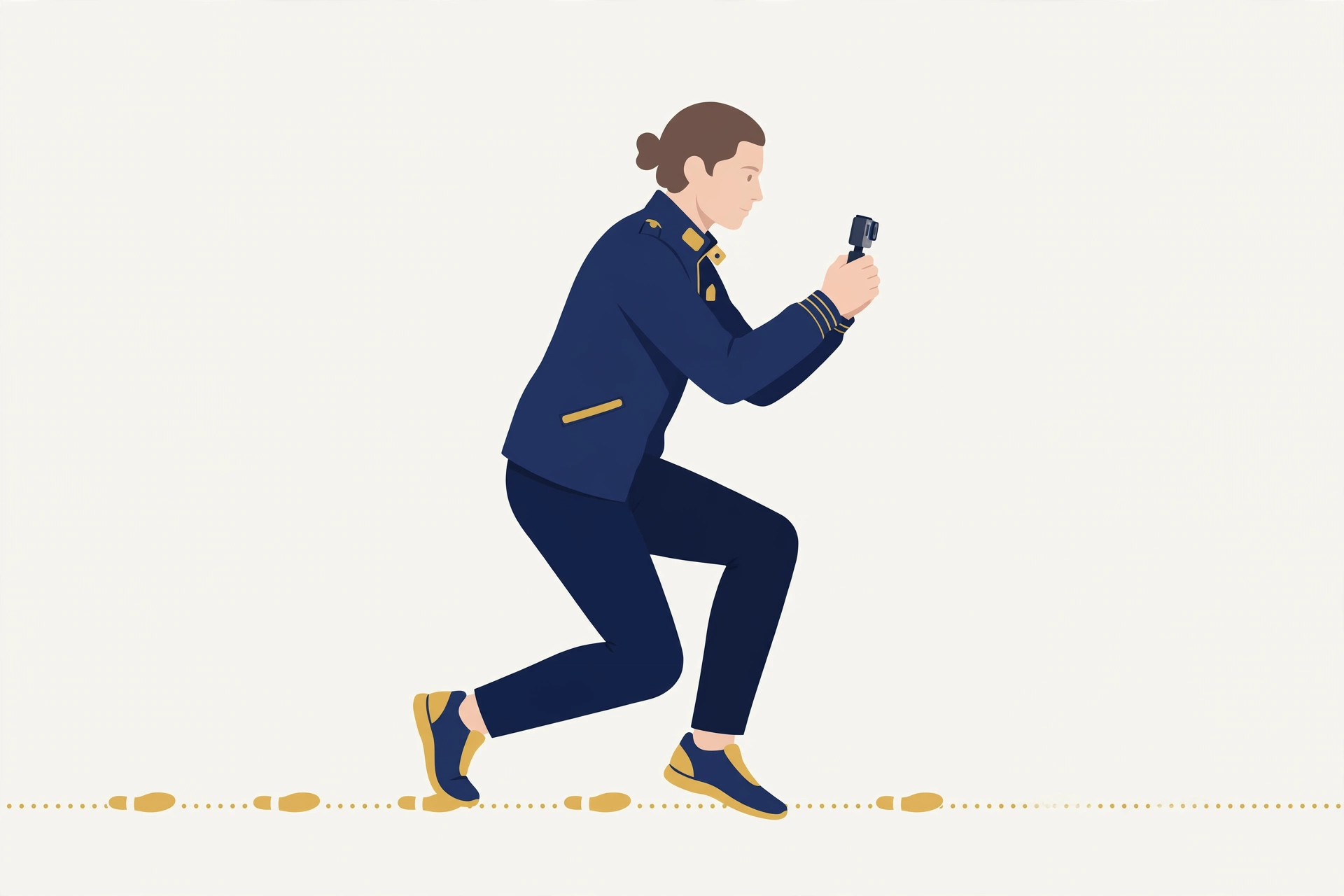
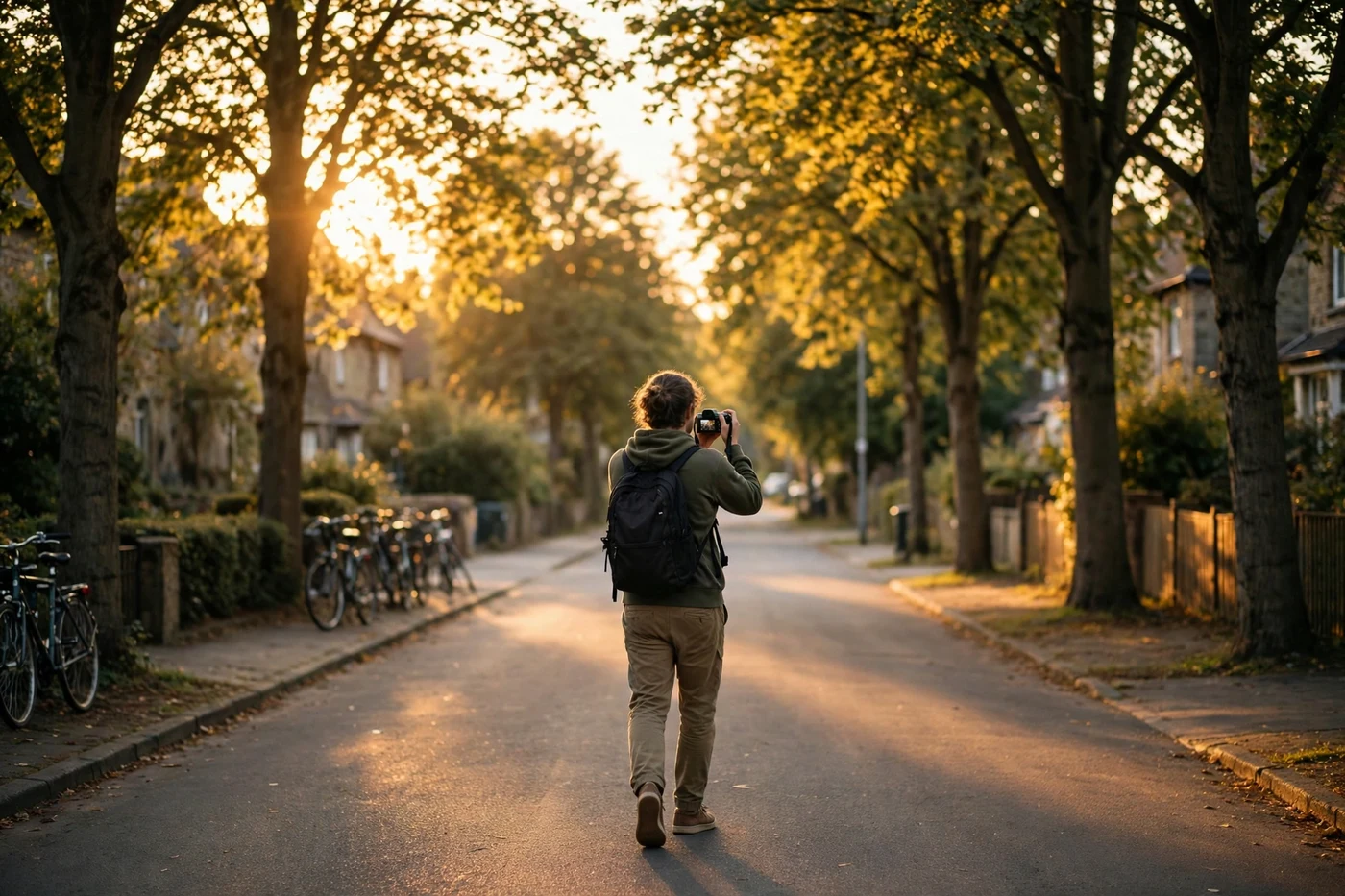
Walk with soft knees, short steps, and your weight rolling from heel to toe instead of landing flat. Keep your hips level and let your legs absorb the rise and fall. This heel to toe ninja walk removes the vertical bob that no stabilization system can correct, because the camera really is moving up and down.
The problem is geometry. IBIS, OIS and EIS all correct the camera pointing the wrong way for a split second. Walking moves the camera itself through space, about 5 cm up and down and side to side with every stride. Electronics can disguise a little of it. Only your legs can prevent it.
The technique, in order. Bend your knees slightly and keep them bent, so your legs work as suspension. Shorten your stride to about half its normal length. Land on your heel and roll through to your toes, never stamping flat footed. Keep your steps quiet: if you can hear your feet, your camera can feel them. Hold the camera close to your chest for shots of what is ahead of you, where tucked elbows and your torso brace it best. For walk and talk pieces, a bent elbow beats a locked straight arm for the same reason.
Move your whole body to pan. Turn your feet and torso together in one slow rotation instead of twisting the camera in your hands, and start moving before you need the shot so you are already gliding when the good part starts. A slow, constant drift also looks smoother than a held shot, because the eye forgives movement that never changes speed and notices every tremor in a frame that is trying to sit still.
Walking shots carry most travel content, and our guide on how to start a travel vlog shows how much of a trip video ends up shot this way. Expect the walk to feel ridiculous for the first week. Everyone who shoots smooth handheld footage does some version of it.
Shutter and frame rate choices that hide shake
Keep your shutter near double the frame rate (1/50 at 24 or 25 fps, 1/100 at 50 fps, 1/120 at 60 fps). The natural motion blur at those speeds smears tiny jitters into invisibility, while a very fast shutter renders every tremor as a sharp, twitchy jump between frames.
Shake shows most when each frame is crisp. At 1/500, a walking shot turns into a strobe of slightly different sharp frames, and the eye reads the differences as harsh judder. At 1/50, the same movement blurs gently from frame to frame and the brain accepts it as smooth motion. This is why footage shot on auto with a fast shutter often looks shakier than the same walk shot at the standard setting. Our vlogging camera settings explained guide covers where shutter angle sits among the exposure settings as a whole.
Frame rate gives you one more tool. Filming at 60 fps and slowing the clip to 40 or 50 percent speed on a 24 or 30 fps timeline stretches every bump over twice as many frames, and slow motion handheld footage is famously forgiving. Use it for walking B-roll, reveals and cutaways rather than talking pieces, since slowed footage cannot carry normal speech. Our frame rates explained for vloggers guide goes deeper on matching frame rates to the kind of shot.
Focal length quietly decides how much of this matters. Shake is angular: the same one degree wobble moves the image a small amount on a 16 mm lens and a huge amount on a 50 mm lens, because the telephoto magnifies movement along with the subject. Wide lenses forgive, long lenses accuse. If a shot must be long, brace against a wall, a railing or your own knees before blaming the camera.
When handheld is the wrong tool
Handheld technique has a ceiling. Locked off product shots, long lens work, running footage and polished one take walkthroughs all sit above it, and forcing them handheld produces footage that looks amateur rather than alive. Match the tool to the shot instead of treating the gimbal as a failure.
- Telephoto shots. Past roughly 50 mm equivalent, magnified shake overwhelms IBIS and technique alike. Brace hard, rest the lens on something solid, or support the camera properly.
- Static talking and product shots. If the camera should not move at all, do not hold it. A tripod effectively removes shake, and the best vlogging tripod for your setup costs less than the reshoots.
- Running, stairs and fast reveals. Big, fast translation defeats body technique. This is the gimbal home ground, and our guide to the best gimbals for vlogging covers choosing one when your shooting reaches that point.
- Long one take walkthroughs. Property tours and venue walks need minutes of continuous glide through doorways and turns. Handheld drifts and bobs accumulate over that distance.
Some vlogs suit visible handheld energy: market walks, festival coverage, anything where being there matters more than being polished. Smooth is a choice per shot, not a moral quality, and a little honest movement often fits the scene better than a floaty glide.
Gimbal or no gimbal: the comparison
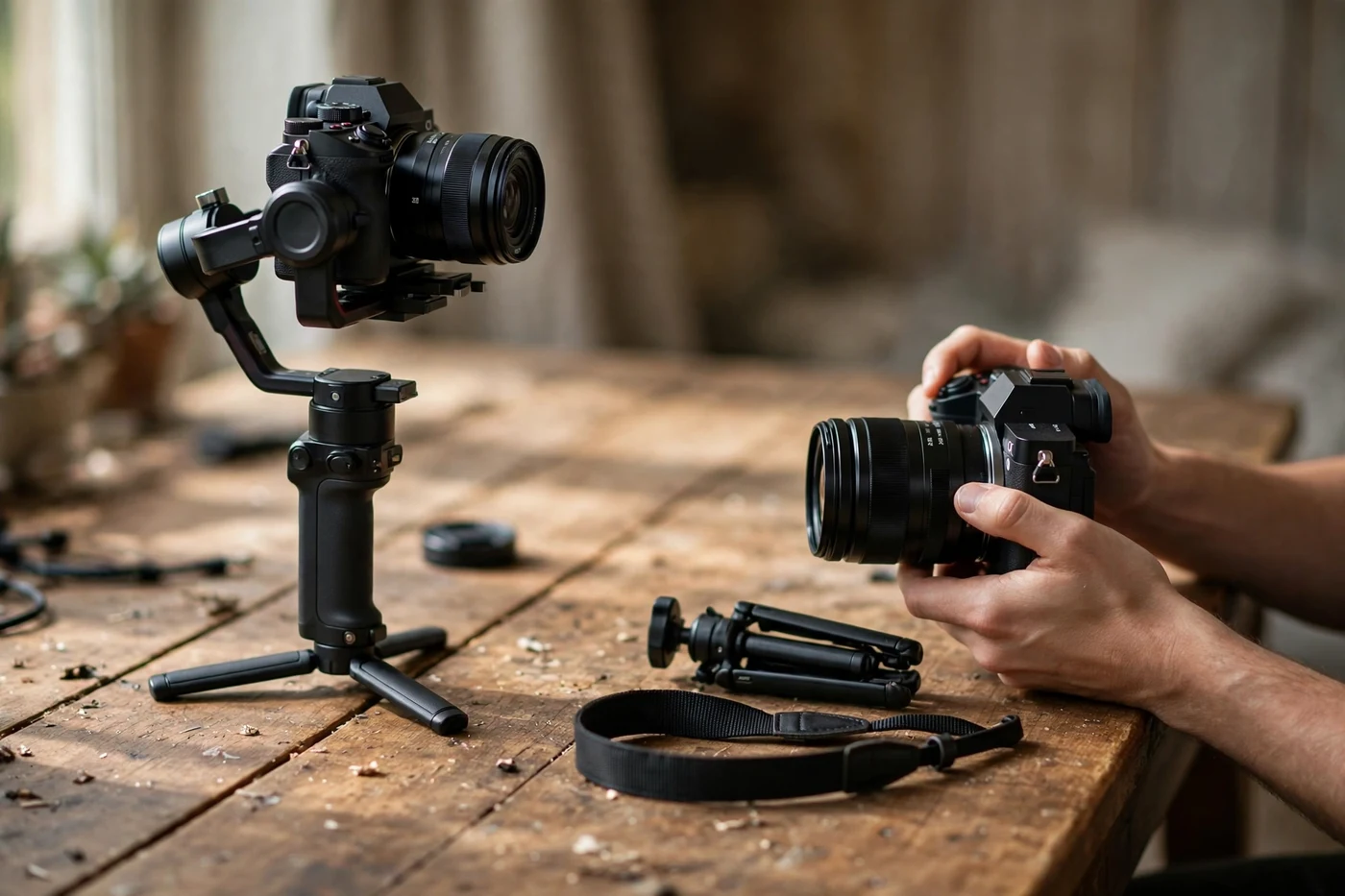
A gimbal does one job your built-in systems cannot: it holds the direction of the shot steady over seconds, through a deliberate move. For most vlogging, IBIS plus good technique already covers the shot. Decide shot by shot, not by buying the biggest tool first.
Everything above this section is about systems that correct shake after it starts. A gimbal works the other way: motors hold the camera level and pointing where you want while you move, so direction shake never reaches the frame in the first place. Height changes still get through, as the failure modes below explain. That difference decides which shots need one and which do not.
The shot decides, not the tool
Match the tool to the shot, and the choice mostly makes itself:
| Shot | Use | Why |
|---|---|---|
| Static piece to camera | Tripod first; IBIS alone if you must handhold | The shot itself does not move; handholding still adds tremor to correct |
| Walk-and-talk at wide angles | IBIS plus technique | The ninja walk removes the bob; IBIS removes the tremor |
| Deliberate moves: orbit, push-in, reveal | Gimbal | Only motors hold direction steady through a planned move |
| Running, stairs, fast action | Gimbal plus technique | The gimbal steadies direction; your legs still have to soften the bounce |
| Long lens work | OIS-led, braced or supported | Long lenses magnify every tremor; support beats software here |
| Rescue a shaky clip | Software or gyro data in the edit | Post tools polish mild shake; they cannot invent missing frame |
Two rows deserve a note. Long lens work stays OIS-led even on a gimbal day, because the lens system is tuned to that lens and the gimbal cannot shrink the magnification. And the rescue row is last for a reason: stabilizing in the edit polishes mild shake but cannot invent the parts of the frame that swung out of shot, as the questions section below explains.
What a gimbal actually adds
That one job has three parts. First, direction control over seconds: the motors keep the camera pointing where you aimed it while you walk a path, so a push-in or a reveal arrives smooth instead of drifting. Second, repeatable moves: the same orbit or rise, done the same way twice, which matters when you need a matching pair of shots. Third, tracking modes: the camera follows a subject on its own while you concentrate on walking, which is the one job no body system offers at all.
Notice what is missing from that list. A gimbal does not remove height changes, does not fix bad light, and does not choose the shot for you. If the shot is a static piece or a simple walk-and-talk, it adds nothing your body systems do not already give you.
Stacking a gimbal with what you already have
Gimbal plus IBIS usually works: the gimbal handles the big moves and the sensor cleans up the small tremor left over. Most makers design the pair to cooperate, and the practical test is a slow pan across a room: if it glides, the pair is cooperating.
Gimbal plus aggressive EIS is where the fight risk lives. Two systems correcting the same movement can double-correct, and the result is a wobble at the edges or a frame that breathes. When the gimbal is doing the work, drop the electronic layer first: switch EIS to its standard mode or off, and let the motors lead. If your camera maker says otherwise for your body, follow the maker: the rule here is to let one system lead, not to run every system at full strength at once.
Four ways a gimbal shot still goes wrong
IBIS jump on a slow pan. The same jump this guide describes for handheld pans can appear on a gimbal: IBIS resists the gimbal’s own slow pan, then lets go in a small jump. If a gimbal pan stutters, try a gentler IBIS mode, or IBIS off for that move, before blaming the gimbal.
EIS wobble at the edges. Aggressive electronic correction warps frame edges to hide perspective shifts, and on top of gimbal movement the warp shows sooner, especially indoors at wide angles. This is the same edge cost the crop section describes, stacked on a shot that did not need it.
Over-smoothing. A gimbal can make everything float, and a floating frame suits a property tour better than a market walk. When every shot glides, the video stops feeling like being there. Save the glide for the shots that earn it.
Footstep bounce. A gimbal steadies direction, not height. Your steps still bounce the camera up and down, and the gimbal faithfully carries that bounce into the shot. The heel-to-toe walk from the walking section still matters on a gimbal day; the motors cannot do your legs’ job.
The honest cost of carrying one
A gimbal costs more than money, and the costs land every shooting day. Balancing takes minutes whenever you change lens or camera, and a rushed balance shows up as drift. Weight adds up: a mirrorless gimbal plus camera on your arm for hours tires you, and tired arms shake more, which is the opposite of the job. It takes bag space, a charged battery of its own, and attention: one more thing to watch while you are also watching the shot.
Leave it home when the shot list has no deliberate moves: a walk-and-talk day at wide angles, a travel day where weight matters, or any day where the camera stays mostly still. A tool left in the bag costs nothing; a tool carried all day for shots that never needed it costs energy you needed for the shots themselves.
Phone gimbal or mirrorless gimbal: a short note
The choice follows the camera you already shoot with. A phone gimbal is light, folds small, and tracks through the phone’s own app, which makes it easy to carry every day. A mirrorless gimbal carries real weight, needs balancing for each lens, and tires your arm faster, but it holds a camera no phone gimbal can lift. Neither is the better tool in general; each is the right holder for its own camera. Pick the holder that fits the camera, not the camera that fits the holder.
Handheld smoothness questions, answered
Quick answers to the questions vloggers ask about shooting smooth footage without a gimbal, all resting on the same stack: hardware first, body second, settings third.
Can you really get gimbal smooth footage handheld?
Close, for the shots vlogging is mostly made of. Walking pieces to camera and slow moves at wide focal lengths can look near gimbal smooth with IBIS, lens stabilization, a proper grip and the ninja walk. Running shots, long lenses and long one take walkthroughs still show the difference.
Which matters more, IBIS or OIS?
They correct different things. IBIS adds roll correction and works with every lens, including primes with no stabilization of their own. OIS is tuned to its specific lens and can be stronger for pitch and yaw at longer focal lengths. Together they outperform either one alone.
Should I leave electronic stabilization on all the time?
No. Active electronic modes crop your frame and can soften detail, which is wasted on a static talking shot. Keep standard correction for pieces to camera and switch the stronger mode on when you start walking.
Why is my footage still shaky with IBIS turned on?
Usually because the shake is translation, not rotation. IBIS fixes the camera pointing slightly off target; it cannot undo your body bobbing up and down as you walk. Bent knees, short heel to toe steps and a two handed grip close to your chest fix the part the camera cannot.
Does a wider lens really make footage smoother?
Yes, by geometry. Shake moves the camera through an angle, and a wide lens shows a bigger slice of the world, so the same angle shifts the picture by a smaller share of the frame. A 16 mm lens forgives wobble that a 50 mm lens turns into obvious jitter.
What shutter speed is best for handheld video?
About double your frame rate: 1/50 at 24 or 25 fps, 1/100 at 50 fps, 1/120 at 60 fps. The mild motion blur at those speeds blends small movements between frames. Very fast shutter speeds make every frame sharp and expose each tremor as a twitch.
Is 60 fps smoother than 24 fps for handheld shots?
Played at full speed, 60 fps can actually show shake more clearly, because there is less motion blur per frame. Slowed to 40 percent on a 24 fps timeline or 50 percent on a 30 fps timeline, the same clip becomes very forgiving, since every bump is stretched across two to two-and-a-half times the time.
Why do the corners of my video wobble like jelly?
That is the known weakness of sensor shift stabilization paired with very wide lenses: the center holds steady while perspective shifts at the edges. It shows most indoors at close range. A slightly longer focal length, a gentler stabilization mode or electronic correction on top usually calms it.
Can I just stabilize shaky footage in the edit?
Partly. Edit stabilizers crop and warp much like in camera EIS, and they rescue mild shake well. They cannot invent the parts of the frame that swung out of shot, and heavy correction warps faces and straight lines. Shoot as steady as you can, then let the edit polish rather than rescue; our guide to how to edit vlogs faster covers where stabilizing clips fits in a quick workflow.
When do I actually need a gimbal?
When your regular shots outgrow technique: long lenses, running or stairs, long continuous walkthroughs, or client work where a reshoot is not an option. If your vlogging is walk and talk at wide angles, good technique on a stabilized camera covers nearly everything a gimbal would.
Keep exploring
Stabilization is one part of shooting well by hand. These guides cover the camera, the settings behind it and the support gear for the shots handheld cannot do.