
Last updated: November 2026
The best camera for TikTok videos for most creators is the DJI Osmo Pocket 3. Rotate its screen and it records native 9:16 vertical video, its built-in 3-axis gimbal keeps walking clips steady, and footage moves to your phone through the DJI Mimo app. If you mostly film sitting down and want real background blur, the Canon EOS R50 is the better pick. And if you already own a recent phone, start there: a phone is a legitimate TikTok camera, and this guide explains exactly when a dedicated camera earns its place.
TikTok is a vertical platform. Most clips play full screen in 9:16, most viewers watch with sound on, and the first two seconds decide whether they stay or swipe. The right camera for TikTok is therefore not the one with the biggest spec sheet. It is the one that frames vertical without a fight, keeps your face in focus while you move, records clean sound, and gets the clip onto your phone fast enough that posting stays a habit instead of a chore. These six cameras do that in six different ways.
As an Amazon Associate I earn from qualifying purchases.
Quick picks: the best cameras for TikTok videos
- Best overall: DJI Osmo Pocket 3: native vertical video on a real 3-axis gimbal. The easiest path from idea to posted TikTok.
- Best compact for talking head: Sony ZV-1 II: 1-inch sensor, wide 18-50mm zoom, and Product Showcase focus for product clips.
- Best mirrorless for sit-down and product TikToks: Canon EOS R50: oversampled 4K, sticky eye tracking, and real background blur from an APS-C sensor.
- Best for autofocus and lens choice: Sony ZV-E10 II: 4K60, 10-bit color, and both a mic input and a headphone jack.
- Best action camera: GoPro HERO13 Black: 5.3K video, HyperSmooth stabilization, and waterproofing for outdoor TikToks.
- Best hands-free POV: Insta360 GO 3S: a 39-gram camera that mounts anywhere and flips to vertical with a twist.
On this page
- The six cameras compared at a glance
- The 6 best cameras for TikTok videos
- Your phone is already a TikTok camera
- What makes a camera good for TikTok
- Getting clips from your camera to your phone
- Filming vertical the right way
- Walking shots and movement
- Sound decides whether people stay
- Match the camera to what you film
- The starter kit that matters more than the camera
- Frequently asked questions
- Keep exploring
The six cameras compared at a glance
Six cameras, three ideas: a pocket gimbal, a pocket compact or mirrorless body, or a rugged action cam. All six shoot real 4K. Where they split is how they handle vertical video, walking, and sound.
| Camera | Sensor / Video | Vertical video | Best for |
|---|---|---|---|
| DJI Osmo Pocket 3 | 1-inch CMOS, 4K/120fps | Native 9:16, up to 1728 x 3072 at 60fps | Walk-and-talk and travel TikToks |
| Sony ZV-1 II | 1-inch 20.1MP, 4K/30fps | Vertical clips tagged for sharing | Talking head, beauty, and product demos |
| Canon EOS R50 | 24.2MP APS-C, 4K/30fps | Vertical movie mode with rotation data | Sit-down tutorials and TikTok Shop clips |
| Sony ZV-E10 II | 26MP APS-C, 4K/60fps | Vertical metadata saved with clips | Autofocus, lenses, and longer sessions |
| GoPro HERO13 Black | 1/1.9-inch, 5.3K/60fps | Native 9:16 modes, plus 4:3 capture for reframing | Action, water, and outdoor TikToks |
| Insta360 GO 3S | 1/2.3-inch, 4K/30fps | Twist to switch 16:9 and 9:16 | Hands-free POV and everyday moments |
The 6 best cameras for TikTok videos
Ranked for TikTok specifically: native vertical handling first, then focus, stabilization, audio, and how fast clips reach your phone.
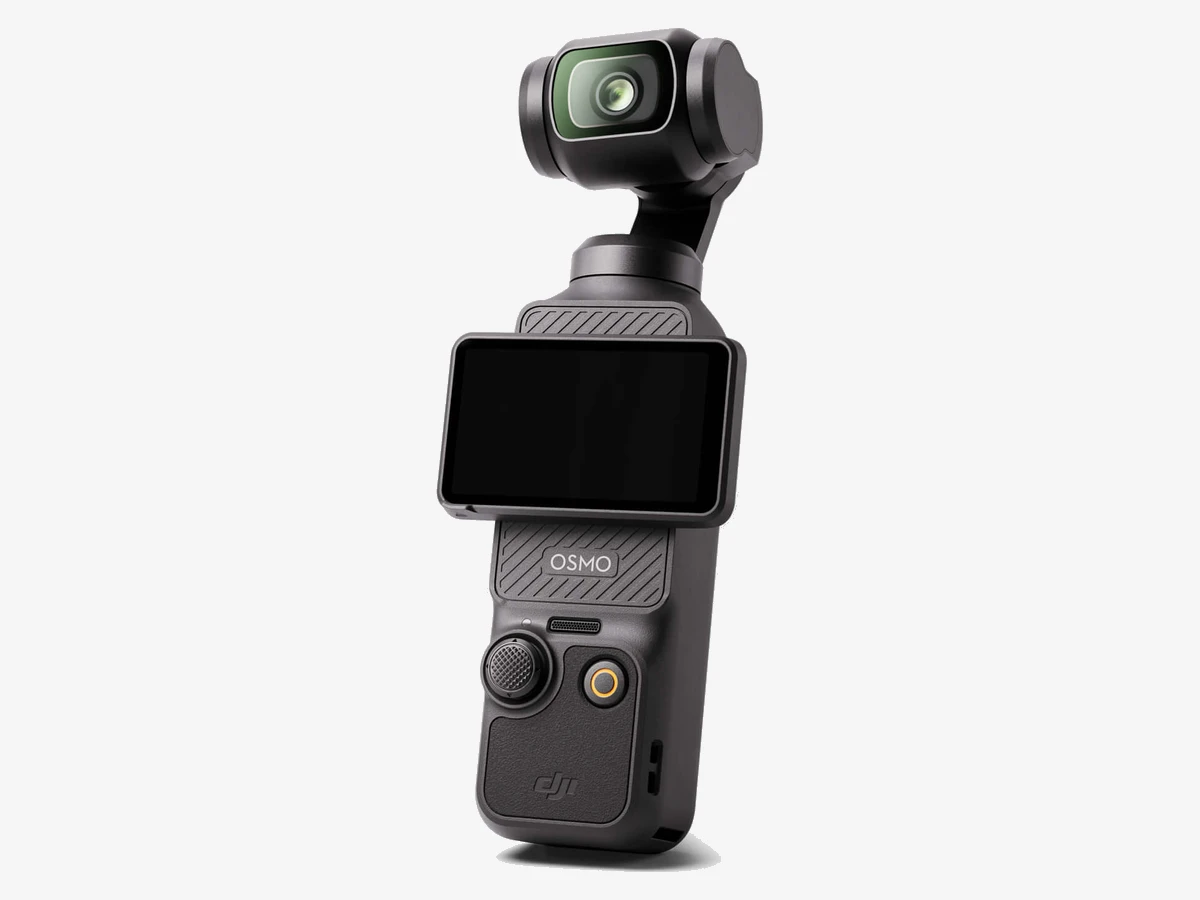
Image: DJI
1. DJI Osmo Pocket 3
The only camera here built around the vertical frame: rotate the screen and you are shooting true 9:16, on a real gimbal, from a pocket.
The Pocket 3 earns the top spot because it removes the three frictions that slow TikTok creators down. Its 2-inch OLED touchscreen rotates, and the camera switches to native vertical video by itself, recording true 9:16 files up to 1728 x 3072 at 60 frames per second. No sideways files, no rotation step in the editor. The 3-axis mechanical gimbal holds the shot level while you walk, which no software stabilization matches. And the 1-inch sensor shoots 4K up to 120fps with 10-bit D-Log M, so indoor clips stay clean and slow motion stays sharp.
Transfer is part of the design too. Footage downloads to your phone through the DJI Mimo app, or over a USB-C cable to a phone that supports OTG. The camera weighs 179 grams, slips into a jacket pocket, and pairs directly with up to two DJI Mic 2 or Mic Mini transmitters with no receiver. Its limits are honest ones: the lens is fixed at 20mm with digital zoom only, the battery is small for long sessions, and there is no mic input on the base unit. For walking, travel, and daily TikToks, nothing else here is as fast from idea to posted clip. DJI launched the Osmo Pocket 4 on April 16, 2026 with a 1-inch sensor, but it is not officially sold in the US, so the Pocket 3 stays the pick here.
Technical features
- Sensor: 1-inch CMOS, 20mm equivalent f/2.0
- Video: 4K up to 120fps, 10-bit D-Log M
- Vertical: native 9:16 to 1728 x 3072 at 60fps
- Stabilization: 3-axis mechanical gimbal
- Screen: 2-inch rotatable OLED touchscreen
- Weight: 179 g
- Audio: 3-mic stereo array; DJI Mic 2 compatible
- Battery: up to about 166 min (1080p), about 116 min (4K/60)
Pros
- True native vertical video with one screen rotation
- Smoothest walking footage here, from a real gimbal
- 1-inch sensor with clean low light
- Fast phone transfer through the Mimo app
Cons
- Fixed 20mm lens, no optical zoom (digital zoom only)
- Small battery for long sessions
- No mic input on the base unit
- Not water resistant
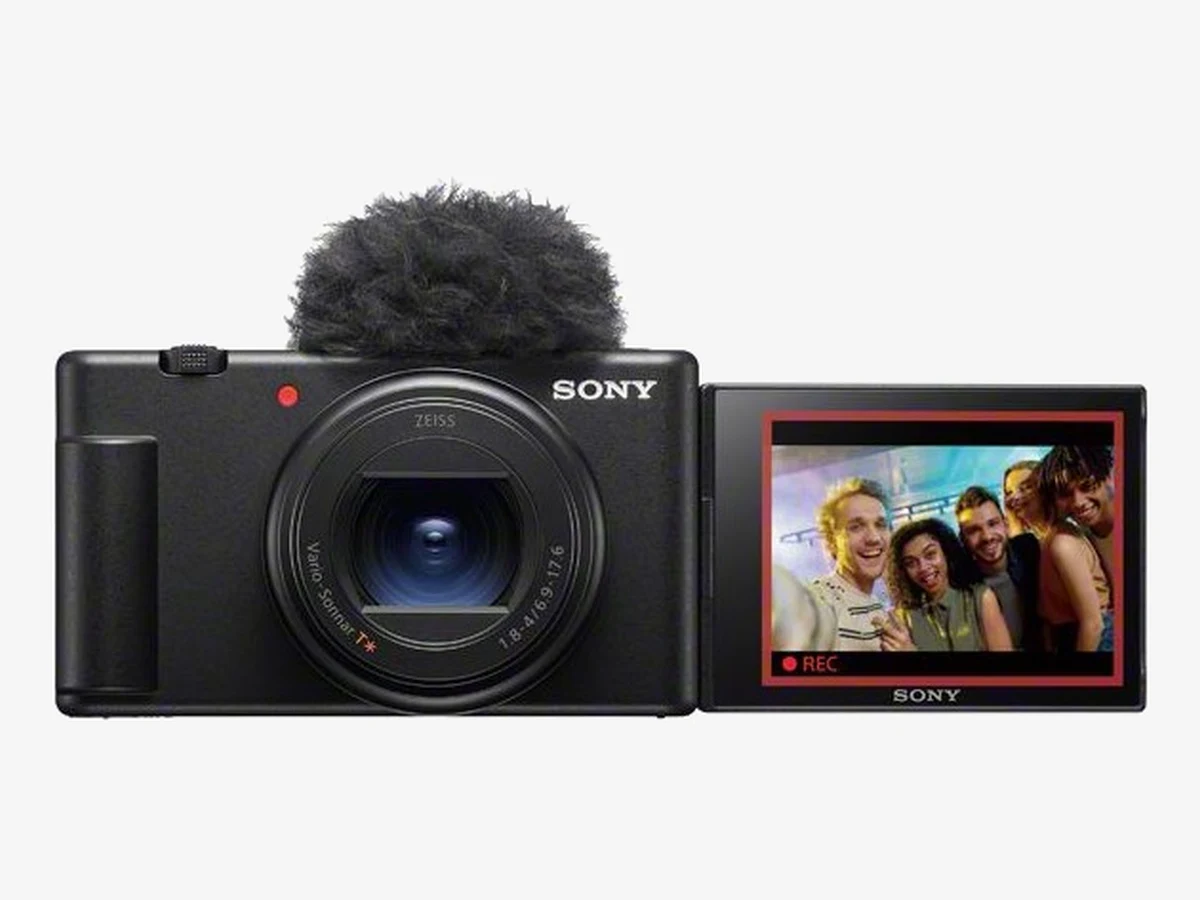
Image: Sony
2. Sony ZV-1 II
A pocket camera built for talking to the lens: a wide zoom for arm’s-length framing and focus that jumps to the product in your hand.
The ZV-1 II is the pick for creators who film themselves at a desk, a vanity, or a kitchen counter. Its 18-50mm zoom starts at 18mm, so you can hold it at arm’s length and still fit your head and shoulders in the frame with room to spare. The 1-inch sensor and f/1.8 aperture at the wide end give you soft background blur a phone can only imitate, and the 3-inch screen flips out so you can see yourself while you record.
Its best TikTok feature is Product Showcase. Hold a product up to the lens and focus snaps to it at once, then returns to your eye the moment you lower it. That single behavior makes beauty routines, unboxings, and TikTok Shop demos feel professional with no focus pulling. The Bokeh Switch softens the background further at a touch, and the 3-capsule microphone with a windscreen in the box is the best built-in audio in this list. Watch the battery on long days, and know there is no headphone jack, so you cannot monitor audio live.
Technical features
- Sensor: 1-inch 20.1MP Exmor RS CMOS
- Video: 4K/30fps, Full HD 120fps slow motion
- Lens: 18-50mm equivalent f/1.8-4 zoom
- Screen: 3-inch flip-out touchscreen
- Weight: 292 g
- Audio: directional 3-capsule mic; 3.5mm mic input
- Focus: Real-time Eye AF; Product Showcase setting
Pros
- Product Showcase focus for demos and Shop clips
- Wide 18mm end suits arm’s-length filming
- Best built-in microphone here
- Pocketable and simple to run solo
Cons
- No headphone jack for live monitoring
- Electronic stabilization only, with a crop
- Small battery on long shooting days
- No 4K60 option
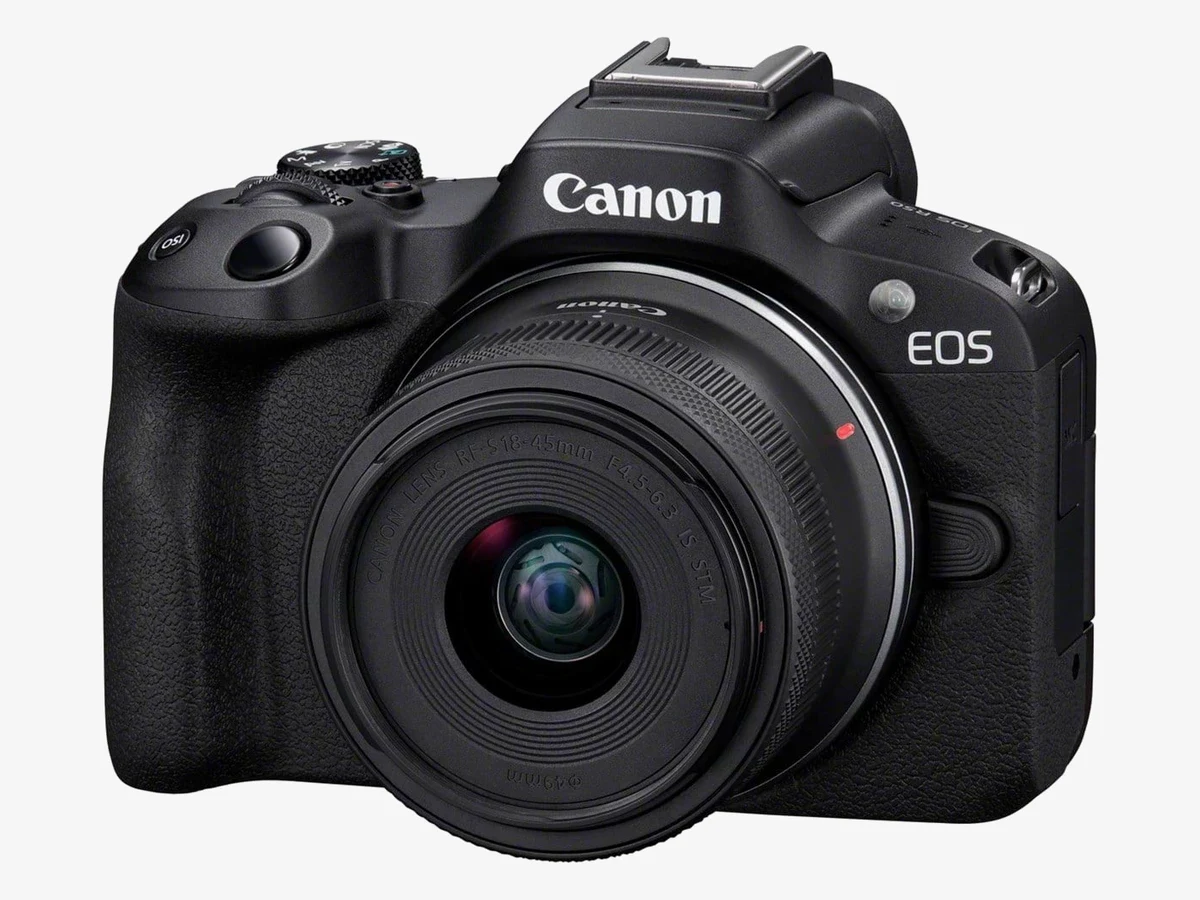
Image: Canon
3. Canon EOS R50
The sit-down specialist: oversampled 4K, eye tracking that stays glued to you, and vertical movie mode for clips that play upright on a phone.
The R50 is the camera to buy when your TikToks happen in one place: a desk, a studio corner, a kitchen. Its 24.2MP APS-C sensor records 4K30 oversampled from 6K, which looks cleaner straight out of the camera than most 4K at this size, and Dual Pixel CMOS AF II tracks your eyes while you talk, turn, or hold a product toward the lens. Movie for Close-up Demos mode shifts focus to whatever you present, which is exactly what product and makeup clips need.
For TikTok specifically, the R50 has a dedicated vertical movie mode: rotation data is written into the file so clips play upright on a smartphone with no manual rotation. Aspect markers preview the crop for different social formats while you frame. The vari-angle screen flips out for self-framing, Wi-Fi and Bluetooth move files to the Canon Camera Connect app, and recording runs for up to an hour without stopping. The missing headphone jack is the real gap, so you cannot monitor audio live, and the kit lens is slow, so a fast prime is the first upgrade worth saving for.
Technical features
- Sensor: 24.2MP APS-C CMOS, DIGIC X processor
- Video: 4K30 oversampled from 6K; cropped 4K60
- Autofocus: Dual Pixel CMOS AF II, up to 651 zones
- Screen: 3-inch vari-angle touchscreen LCD
- Weight: 375 g with battery and card
- Audio: 3.5mm mic input; no headphone jack
- Vertical: vertical movie mode; aspect markers
Pros
- Clean oversampled 4K30 with honest color
- Excellent eye tracking for solo presenters
- Vertical movie mode and aspect markers
- Up to one hour of continuous recording
Cons
- No headphone jack for live monitoring
- Small battery for batch shooting days
- Kit lens is slow for low light
- 4K60 uses a crop
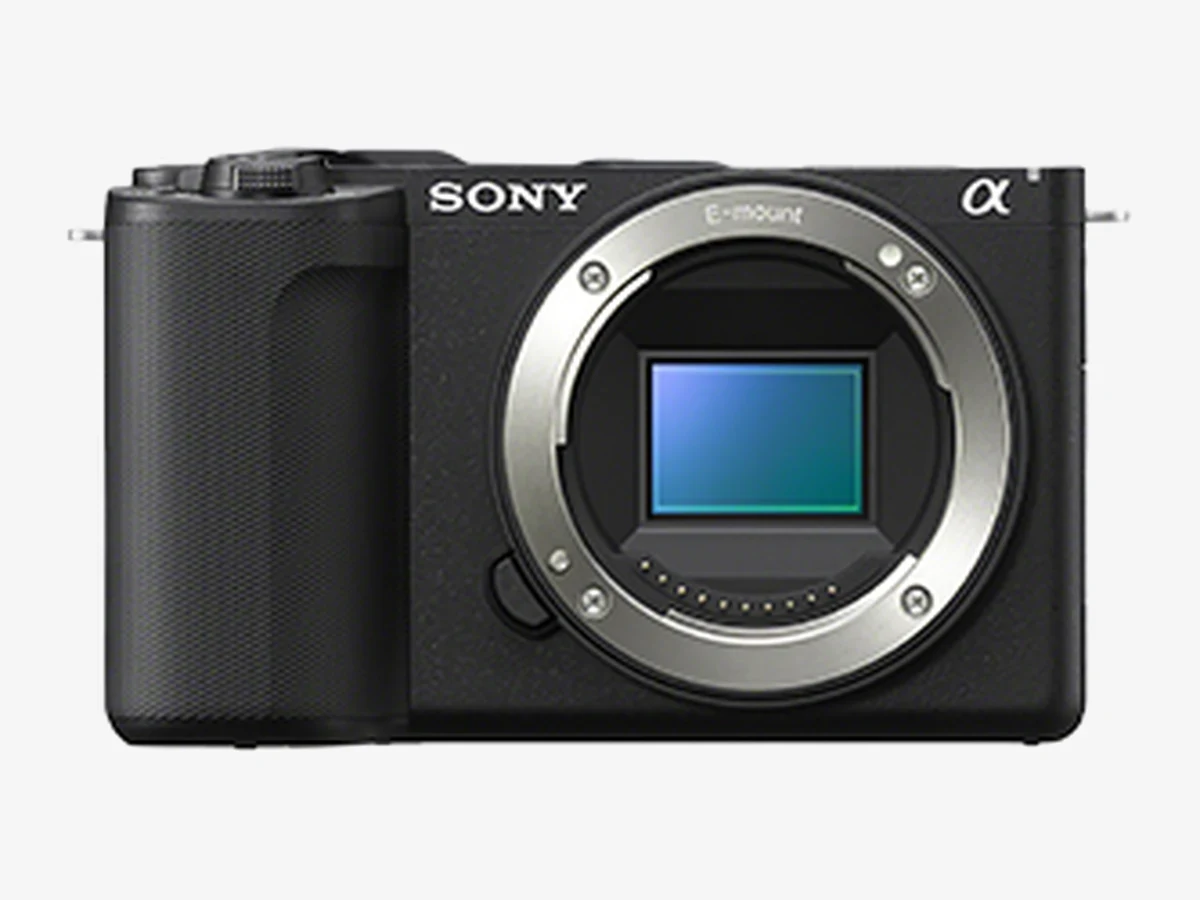
Image: Sony
4. Sony ZV-E10 II
The growth pick: class-leading eye autofocus, 4K60 with 10-bit color, and the deepest compact lens system on this list.
The ZV-E10 II is for creators who want their TikTok camera to grow into a full system. Its 26MP APS-C sensor records 4K up to 60fps with 10-bit 4:2:2 color, S-Log3, and S-Cinetone, so skin tones and bright windows survive grading far better than 8-bit footage. Real-time Eye AF is the best in this class: it locks onto your face and stays there while you move, dance, or step toward the lens. The E-mount catalog is the deepest of any compact system, with affordable wide primes from Sony, Sigma, and Viltrox that turn this body into a different camera for a modest sum.
It is also the most practical body for long sessions. The large NP-FZ100 battery runs movie recording for up to 195 minutes, and 5 GHz Wi-Fi moves files to your phone through Sony’s Creators’ App. It is one of the few cameras here with both a microphone input and a headphone jack, so you can record and monitor good audio. There is no in-body stabilization, so walking shots want a stabilized lens or a small gimbal, and the 4K60 mode carries a small crop. If your TikToks are only the start and YouTube or brand work is the plan, this is the body to build on.
Technical features
- Sensor: 26MP APS-C Exmor R CMOS, BIONZ XR
- Video: 4K up to 60fps, 10-bit 4:2:2, S-Log3
- Autofocus: 759-point phase detection, Real-time Eye AF
- Screen: 3-inch vari-angle touchscreen
- Weight: 292 g body
- Audio: 3.5mm mic input and headphone output
- Battery: NP-FZ100, up to 195 min movie recording
Pros
- Best eye autofocus in this list
- 4K60 with 10-bit color for grading
- Mic input plus headphone jack
- Long battery life and deep E-mount lens choice
Cons
- No in-body stabilization
- 4K60 carries a small crop
- Body-only purchase needs a lens
- Electronic stabilization crops the frame
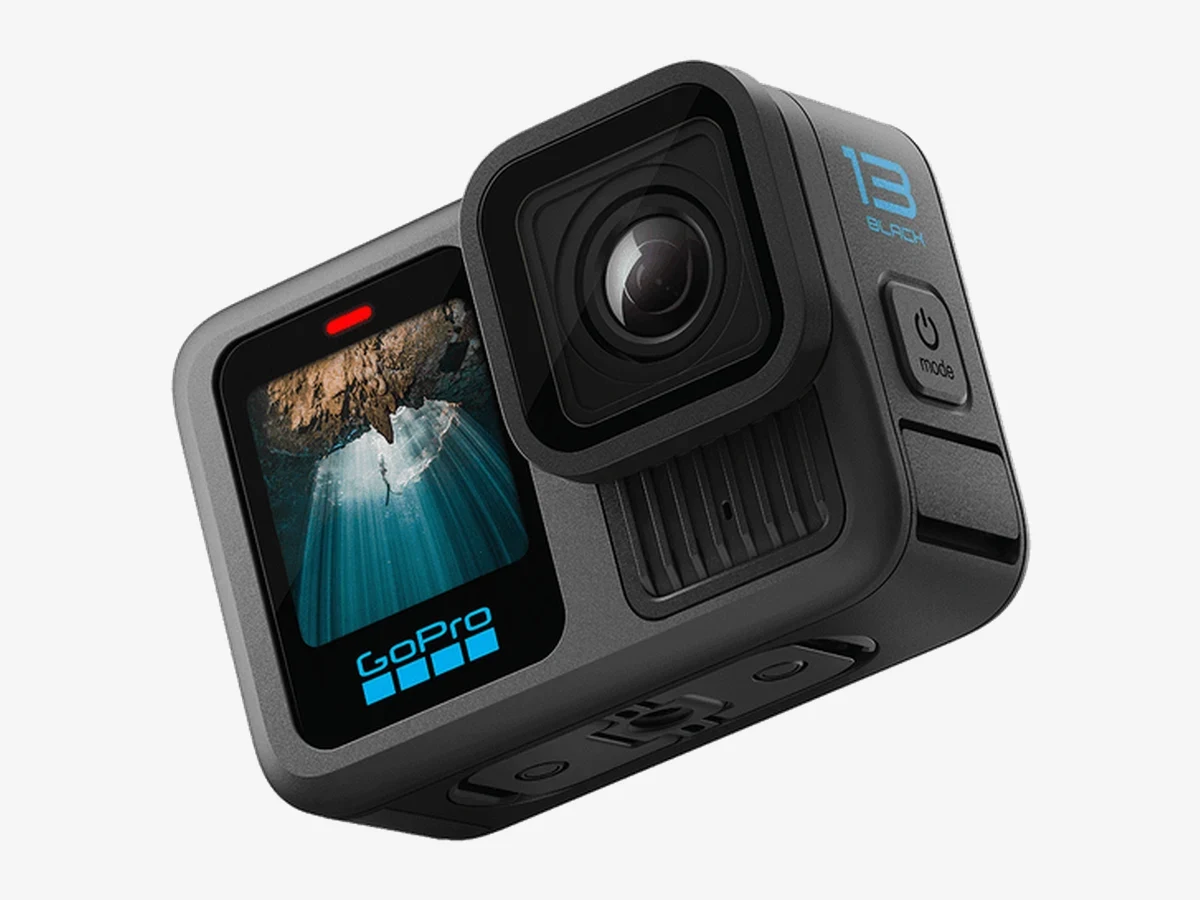
Image: GoPro
5. GoPro HERO13 Black
The rough-and-ready TikTok camera: 5.3K video, stabilization that forgives running and riding, and waterproofing with no case.
The HERO13 Black is the pick when your TikToks happen in motion and in weather. It records 5.3K at 60fps and 4K at 120fps for slow motion, HyperSmooth 6.0 steadies running, riding, and jumping without a gimbal, and the body is waterproof to 10 meters with no housing. The front screen makes self-framing easy, the mount fingers clip onto any selfie stick or chest mount in seconds, and the 4:3 capture mode leaves extra room to crop a vertical 9:16 clip afterward.
For TikTok, two features matter more than the headline resolution. The HB lens mods swap the field of view without changing cameras, and Bluetooth wireless mic support means you can clip on a mic and get clean voice audio over wind and water noise. The trade-offs are the usual action camera ones: the small sensor gets noisy in low light, the ultra-wide lens distorts faces up close, and talking-head clips look better on the compacts above. Pair it with a compact for sit-down clips and it covers everything outdoors.
Technical features
- Sensor: 1/1.9-inch, 27MP photos
- Video: 5.3K/60fps, 4K/120fps, 10-bit color
- Stabilization: HyperSmooth 6.0 with horizon lock
- Waterproof: 10 m without a case
- Screen: front display and rear touchscreen
- Battery: 1900mAh Enduro battery
- Audio: built-in mics; Bluetooth wireless mic support
Pros
- Best stabilization for running and riding
- Waterproof with no case or housing
- 4:3 capture leaves room for vertical crops
- Huge mount ecosystem
Cons
- Small sensor struggles in low light
- Ultra-wide lens distorts faces up close
- Weak for traditional talking-head vlogs
- Audio needs a wireless mic outdoors
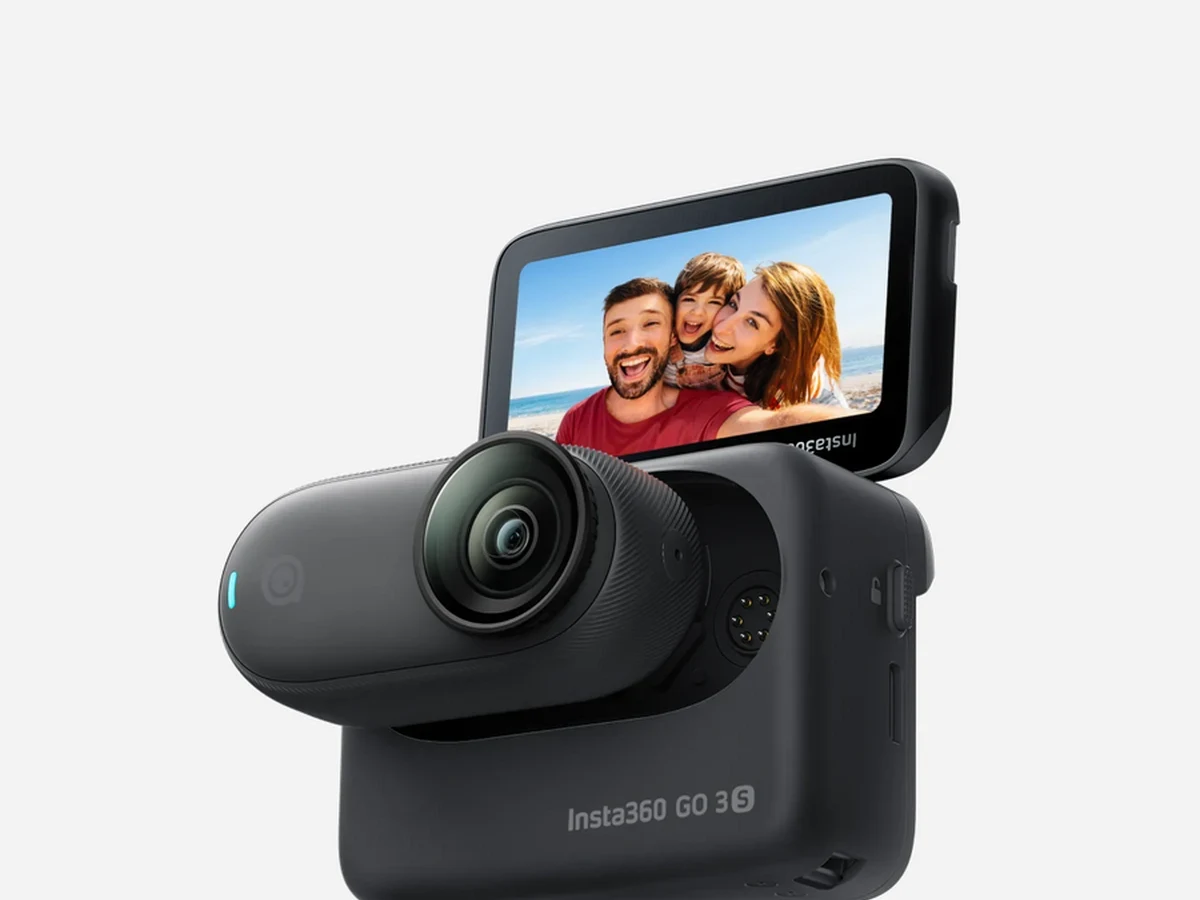
Image: Insta360
6. Insta360 GO 3S
A camera the size of your thumb that mounts anywhere and flips to vertical with a twist: the POV specialist of this list.
The GO 3S films angles no other camera here can reach. The camera itself weighs 39.1 grams and snaps magnetically to a pendant, a cap clip, a pet harness, or a pivot stand, so chest-level POV, overhead cooking shots, and hands-free day-in-the-life clips need no second person and no bulky rig. Twist it and the aspect ratio switches between horizontal and vertical in seconds, and FreeFrame mode records a wide frame you can reframe to any ratio after the fact.
The Action Pod is what makes it a real TikTok camera rather than a novelty: it adds a 2.2-inch flip touchscreen for framing yourself, remote preview for hidden placements, and stretches battery life from about 38 minutes to about 140 minutes. FlowState stabilization smooths walking clips, and the camera is waterproof to 10 meters on its own. The limits are real: the small sensor is the weakest in low light here, there is no mic input, and the battery alone is short. Use it as your second camera for angles, or as your only camera if POV is your whole style.
Technical features
- Sensor: 1/2.3-inch CMOS
- Video: 4K/30fps, 2.7K/100fps slow motion
- Lens: 16mm equivalent f/2.8 MegaView FOV
- Stabilization: FlowState with horizon lock
- Weight: 39.1 g camera; 96.3 g Action Pod
- Waterproof: 10 m camera only
- Audio: 2 built-in microphones
Pros
- Tiny and magnetic: mounts anywhere
- Twist to switch vertical and horizontal
- FreeFrame reframing after recording
- Action Pod adds screen and battery life
Cons
- Weakest low light in this list
- No mic input
- Short battery without the Action Pod
- No zoom
Your phone is already a TikTok camera
You do not need to buy anything to start: a recent flagship phone shoots TikTok footage that is good enough for most creators, and it is the only camera here with no transfer step at all.
A phone held upright already records vertical video. It is the device you edit on and post from, so there is no cable, no app transfer, and no waiting. Its selfie camera has autofocus, its stabilization is strong, and it is always in your pocket when an idea strikes. For talking head, trends, dances, and day-in-the-life clips, a phone is not a compromise. It is the default, and many large TikTok accounts never leave it.
A dedicated camera earns its place when you want one of five specific things. Real background blur from a large sensor and a fast lens, which a phone only imitates with software. A proper microphone input, so your voice stays close and clean. Mechanical stabilization that holds a walking shot level. Filming yourself on the main camera instead of a weaker selfie lens. Or a battery that is not your phone’s, so an afternoon of retakes does not drain the device you need to edit, post, and reply on. If none of those five applies to your clips, spend your money on light and sound first. Our best phones for vlogging guide covers the phone side in full.
What makes a camera good for TikTok
Five tests decide it: vertical handling, focus that follows your face, stabilization, audio, and how fast clips reach your phone. Resolution barely matters.
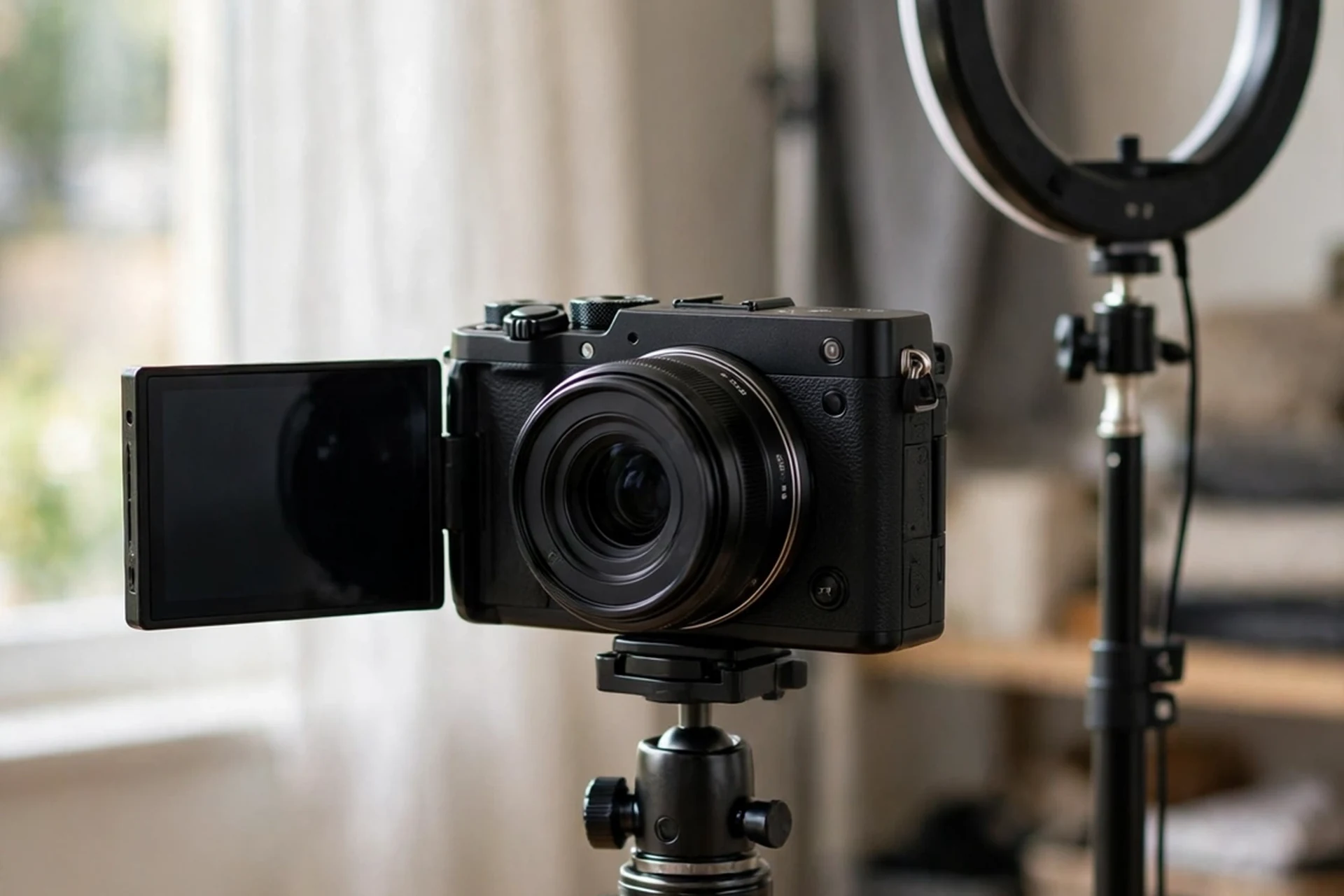
Vertical video that arrives upright. Turn most cameras on their side and they record an ordinary horizontal file lying on its side. Whether it plays upright on your phone depends on the camera writing orientation data into the file. The Pocket 3 skips the problem by recording true 9:16 files. The HERO13 records native 9:16 too. The R50 writes rotation data with its vertical movie mode. The Sony cameras save vertical metadata with their clips. Check this on day one, before your first real shoot, or your first batch of clips will need manual rotation.
Focus that follows your face. You move in a TikTok: you step back, spin, hold a product up, turn sideways. Eye autofocus that stays locked through all of that is worth more than extra megapixels. The ZV-E10 II and the R50 are the strongest here. The ZV-1 II adds Product Showcase, which shifts focus to an object in your hand and back to your eye without you touching anything.
Stabilization for walking. Only the Pocket 3 stabilizes mechanically, with a gimbal that physically holds the camera level. Everything else here uses electronic stabilization, which crops the frame to steady it. That crop matters at arm’s length, where you are already tight in the frame, so plan on a wide lens or a small gimbal for walking clips on any other pick.
Audio you do not have to fix later. Built-in microphones are fine indoors and useless in wind. Every camera here can use an external or wireless mic except the GO 3S (the Pocket 3 pairs directly with DJI Mic 2 over Bluetooth, as it has no 3.5mm mic input), and the ZV-E10 II is the only one with both a mic input and a headphone jack. If you film outdoors, budget for a wireless mic from the start.
Transfer speed. You repeat this step for every single video, so it matters more than it looks on a spec sheet. A camera with a fast companion app and a USB-C cable option will save you hours a month against one that makes you pull the card every time.
Getting clips from your camera to your phone
Use the camera’s app over Wi-Fi for one or two clips, a USB-C cable for a full day of footage, and a card reader only when both fail. Test the app before a shoot day, not during one.
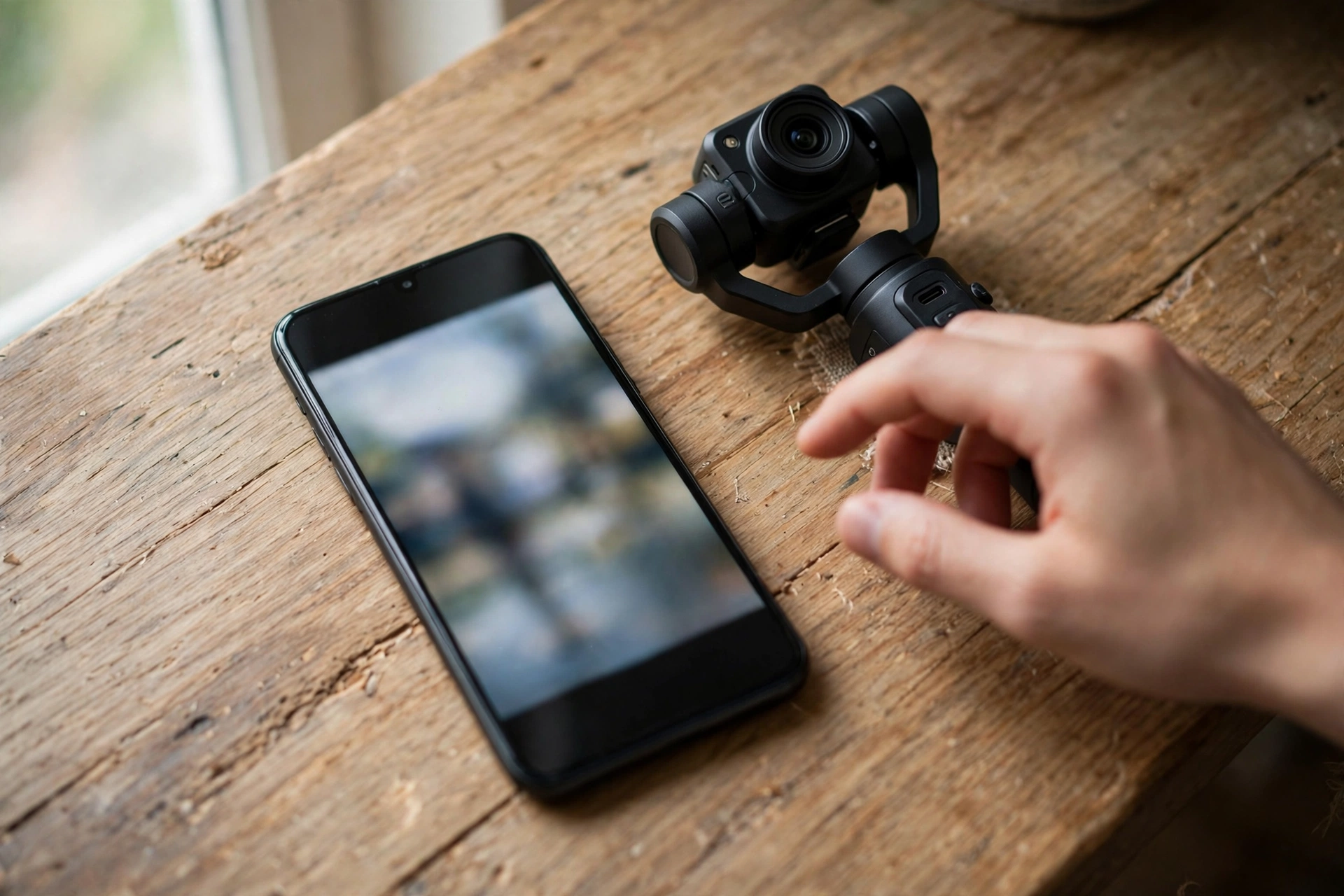
Every camera in this guide moves files to a phone, but the route and the reliability differ, and this is the step most buyers never test until it costs them a post.
- DJI Osmo Pocket 3: DJI Mimo app over Wi-Fi, or USB-C to a phone that supports OTG. The app route is quick for a single clip.
- Sony ZV-1 II: Sony’s app with Shot Mark, which lets you mark 15, 30, or 60-second segments of a clip and send only those to your phone. For TikTok, where you only ever need a short cut, that saves real time.
- Canon EOS R50: Canon Camera Connect app over Wi-Fi and Bluetooth, or USB-C. The app is simple and stable for single clips.
- Sony ZV-E10 II: Sony’s Creators’ App over 5 GHz Wi-Fi, and it can transfer movies even when the camera is switched off. Test the app on your phone first, and confirm it works with your exact phone before a shoot day.
- GoPro HERO13 Black: GoPro Quik app over Wi-Fi, or USB-C. Quik also auto-edits highlight clips, which suits fast TikTok turnaround.
- Insta360 GO 3S: Insta360 app over Wi-Fi, with instant preview on iOS. The app is one of the friendliest here, and its auto-editing builds a cut for you.
Two habits make this painless. First, transfer and post the same day you shoot, while the idea is fresh and the trend is still moving. Second, keep a short USB-C cable in your kit: when Wi-Fi transfer stalls in a crowded place, the cable finishes the job in seconds. If you edit on a laptop instead, a USB-C card reader is the fastest route of all, and it never drops a connection.
Filming vertical the right way
Shoot vertical natively whenever the camera allows it. Cropping a horizontal clip to 9:16 throws away two thirds of the frame and leaves you reframing every shot by hand.
TikTok’s in-feed format is 9:16 vertical, and a 1080 x 1920 frame is simply full HD stood on its end. Every camera here clears that comfortably when you shoot vertically: the Pocket 3’s native 9:16 mode goes up to 1728 x 3072, and the others record their full 4K frame on its side. Crop a vertical slice out of a horizontal 4K clip instead and the math is less kind: a 9:16 slice of a 3840 x 2160 frame is about 1215 x 2160 pixels. That still clears full HD, but you keep less than a third of the frame’s width, which is fine for a loosely framed sit-down clip and hopeless for an arm’s-length selfie where the whole wide frame was your face and the room behind you.
There is one exception worth knowing. Open-gate and 4:3 capture modes record a taller sensor area than ordinary 16:9, which leaves room to pull a vertical clip and a horizontal clip from the same take. The HERO13 also records native 9:16 directly, and its 4:3 mode and the GO 3S’s FreeFrame mode both do this, and they are the right choice when one shoot must feed TikTok and YouTube. For everything else, shoot vertical natively: rotate the Pocket 3’s screen, turn on the R50’s vertical movie mode, or mount the camera on its side with the orientation setting enabled. Our vertical video guide walks through framing, safe zones, and captions for all three short-form platforms.
Walking shots and movement
For walking TikToks, the Pocket 3 is in a class of its own. For every other camera here, slow down, widen the lens, and let the stabilization work instead of fighting it.
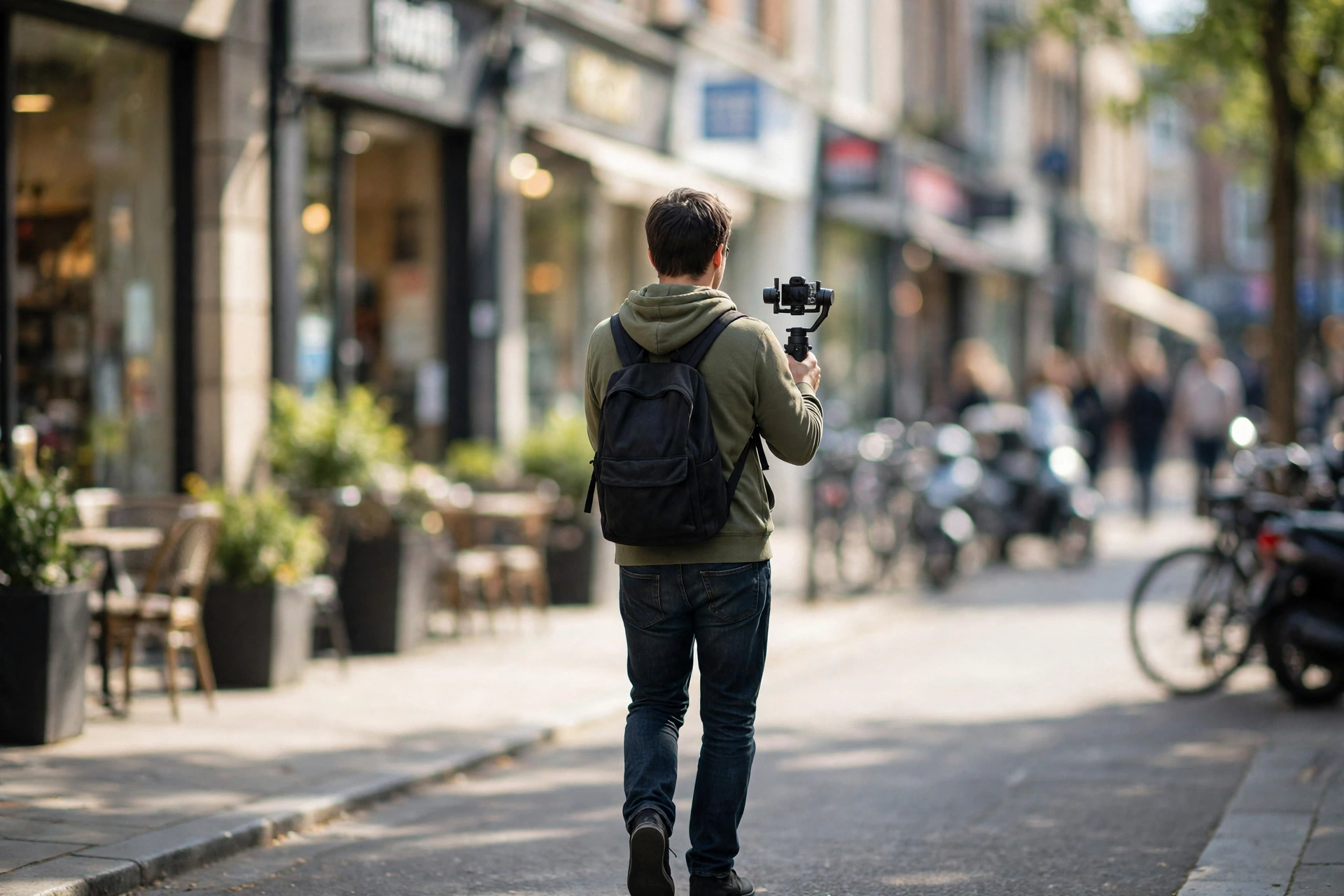
Walking footage is where camera choice shows up most visibly on TikTok. A mechanical gimbal, like the one built into the Pocket 3, holds the camera level through every step, so the footage looks like it came off a rig. Electronic stabilization crops in and smooths afterward, which works for gentle movement and falls apart on fast steps, stairs, or running. The GO 3S’s FlowState and the HERO13’s HyperSmooth are the strongest electronic options here, and both are good enough for most walking clips.
Technique closes the rest of the gap. Walk heel to toe, keep your knees soft, and hold the camera with both hands close to your body. Use the widest lens you have: a wide frame hides shake far better than a tight one, and it keeps the electronic crop from cutting your face out of the shot. Film in 4K even when you export in 1080p, because the extra pixels give the stabilizer room to work. And when the shot matters, stop walking: plant your feet, lock your elbows, and let the scene move instead of you.
Sound decides whether people stay
Viewers forgive slightly soft video. They swipe away from echoey, windy, or distant audio in seconds. A wireless mic is the single best upgrade for a TikTok camera.
Most TikTok viewers watch with sound on, and the platform’s own guidance has long noted that clear, well-lit, vertical footage from a phone is enough when the sound is clean. The reverse is also true: a cinematic picture with harsh audio loses viewers fast. That is why the audio column in the comparison table matters as much as the sensor column.
Start with the camera’s built-in mic indoors, where it is usually fine. The moment you film outside, in a cafe, or on a street, clip on a wireless mic. The Pocket 3 pairs directly with DJI Mic 2 and Mic Mini transmitters with no receiver. The ZV-E10 II, R50, ZV-1 II, and HERO13 all take a wireless mic through their mic input or Bluetooth. The GO 3S has no mic input, so keep it close to your voice or pair its clips with voiceover recorded separately. Our best wireless microphones for vlogging guide ranks the current options by size, battery, and ease of use.
Match the camera to what you film
There is no single best TikTok camera for everyone. The right one follows the clips you actually make, week after week.
| What you film | Pick | Why it fits |
|---|---|---|
| Talking head, GRWM, beauty | Sony ZV-1 II | Wide zoom, Product Showcase, best built-in mic |
| Walking, travel, day in the life | DJI Osmo Pocket 3 | Native vertical, real gimbal, pocket size |
| Tutorials, product demos, TikTok Shop | Canon EOS R50 | Oversampled 4K, close-up demo mode, vertical mode |
| Dance, movement, fast action indoors | Sony ZV-E10 II | Eye AF that holds through motion, 4K60 |
| Outdoors, water, sport, adventure | GoPro HERO13 Black | Waterproof, HyperSmooth, mount anywhere |
| POV, cooking, pets, hands-free angles | Insta360 GO 3S | Magnetic mounting, twist to vertical |
If you film two of these styles, pick the camera for the style you post most, not the one you aspire to. A second camera is a later purchase, not a first one. And if you are still unsure which style is yours, film thirty TikToks on your phone first. The pattern in those thirty clips will tell you which camera to buy, and it will cost you nothing to learn.
The starter kit that matters more than the camera
A mini tripod, a small light, a wireless mic, and a spare battery will improve your TikToks more than spending the same money on a pricier camera body.
The camera is the easy part of a TikTok setup. These four items do more for the finished clip than any sensor upgrade, and they cost less together than stepping up one camera tier.
- A mini tripod: a stable shot beats a shaky one at any resolution. It also holds the camera at eye level for talking head, which flatters your face and frees your hands.
- A small LED light or ring light: light is the cheapest image quality there is. A single soft light in front of you fixes more than a bigger sensor will, especially indoors and at night.
- A wireless microphone: close, clean voice audio is the difference between a clip people finish and one they swipe past in two seconds.
- A spare battery and a fast SD card: TikTok rewards batch shooting, and nothing ends a batch faster than a dead battery or a slow card. Carry one spare of each.
Our beginner vlogging equipment guide ranks these in priority order and explains which ones to buy first. For the bigger picture of growing on the platform itself, including formats and a first-month plan, see our TikTok for vloggers guide.
Frequently asked questions
The questions creators actually ask before buying a camera for TikTok.
What is the best camera for TikTok videos?
For most creators, the DJI Osmo Pocket 3. It records native 9:16 vertical video when you rotate its screen, its built-in 3-axis gimbal steadies walking clips, and footage downloads to your phone through the DJI Mimo app. If you mostly film sitting down and want real background blur, the Canon EOS R50 is the better choice. If you already own a recent phone, start with that and buy a camera only when you want optical blur, a mic input, or mechanical stabilization.
Can I use my phone instead of a camera for TikTok?
Yes. A recent phone records vertical video, edits and posts from the same device, and is always with you. A dedicated camera earns its place when you want optical background blur, a proper microphone input, mechanical stabilization, or a battery that is not your phone’s. If your TikToks look fine but sound thin or echoey, a microphone is the right fix, not a camera.
Do I need a 4K camera for TikTok?
No. TikTok plays most clips at 1080p, and a clean 1080p clip beats a shaky 4K one every time. Recording in 4K is still useful because it gives you room to crop, reframe, or stabilize in the edit while the exported clip stays sharp. Every camera in this guide shoots 4K, so you get that room whichever one you pick.
What is native vertical video, and why does it matter?
Native vertical video is a true 9:16 file recorded that way by the camera, like the Pocket 3 produces when you rotate its screen. It matters because the alternative is cropping a horizontal clip, which throws away about two thirds of the frame and forces you to reframe every shot by hand. Cameras that only tag orientation, like the Sony and Canon picks here, still play upright on a phone, but they need their vertical setting switched on first.
Which camera is best for TikTok Live?
The Sony ZV-E10 II and the Canon EOS R50 are the strongest here for live work. The ZV-E10 II streams over USB-C as a webcam, with 5 GHz Wi-Fi for wireless transfer, a long-life battery, and both mic and headphone connections, and the R50 streams over USB-C as a webcam with no extra software. The Pocket 3 works for short live sessions too, but its small battery makes it a weaker choice for long streams.
How do I get video from my camera to my phone?
Use the camera’s companion app over Wi-Fi for one or two clips: DJI Mimo, Sony’s Creators’ App, Canon Camera Connect, GoPro Quik, or the Insta360 app. For a full day of footage, a USB-C cable to your phone is faster and more reliable. The ZV-1 II’s Shot Mark feature is the smartest shortcut here: it lets you send only 15, 30, or 60-second segments to your phone instead of whole clips.
Do I need an external microphone for TikTok?
Not on day one indoors, but plan for it. Built-in mics are fine in a quiet room and poor in wind, traffic, or echoey spaces. A small wireless mic clipped to your shirt is the single biggest upgrade you can buy for a TikTok camera, and it matters more than a sharper lens. Every camera in this guide except the GO 3S can use an external or wireless mic (the Pocket 3 pairs directly with DJI Mic 2 over Bluetooth; it has no mic input).
Is the DJI Osmo Pocket 3 good for TikTok Shop product videos?
Yes for walk-throughs and lifestyle demos, where its gimbal and vertical framing shine. For close-up product detail, the Sony ZV-1 II or the Canon EOS R50 fit better: their Product Showcase and close-up demo modes shift focus to the item in your hand at once, which is the exact move a Shop clip needs.
Which camera is best for walking TikTok videos?
The DJI Osmo Pocket 3, because its three-axis mechanical gimbal physically holds the camera level while you walk. The GoPro HERO13 Black is the next best option for walking, with HyperSmooth stabilization and a waterproof body, and the Insta360 GO 3S follows with FlowState stabilization in a camera you can wear hands-free.
This guide is research-based curation: we compared manufacturer specifications, published reviews, and current prices. Read how we choose.
Keep exploring
Vertical video is one skill. Here is where to go deeper on cameras, sound, and the format itself.
- Best Vlogging Cameras
- Best Vlogging Cameras Under $200
- Best Vlogging Cameras Under $300
- Best Mirrorless Cameras for Vlogging
- Best Vlogging Cameras With Flip Screens
- Best Phones for Vlogging
- Vlogging Equipment for Beginners
- Vertical Video Guide for Vloggers: Shorts, Reels & TikTok
- TikTok for Vloggers: How to Grow a Vlog Account