
Last updated: November 2026
A recorded video forgives a bad take. A live stream does not. When you go live, every cough, every keyboard clatter, every hum from the room goes straight into your live stream audio the second it happens, and there is no edit to save it. That is why the best microphone for live streaming is not always the mic with the prettiest spec sheet. It is the mic that fits your room, your stream, and the way you actually sit at your desk.
This guide starts where the decision really starts: your room. A quiet, soft-furnished room and a noisy, echoing one need different microphones, and buying the wrong type first is the most expensive mistake in streaming audio. Below are the eight streaming microphones worth a vlogger’s money in 2026, picked by budget and by room type, plus the setup basics that keep a live stream sounding clean.
As an Amazon Associate I earn from qualifying purchases.
Quick picks: the best microphones for live streaming
- Best overall: Shure MV7+: a dynamic mic that rejects room noise, with USB and XLR in one body.
- Best for multi-source streams: Elgato Wave:3 MK.2: a condenser with a built-in virtual mixer for game audio, chat, and alerts.
- Best budget: Samson Q2U: a dynamic USB and XLR mic that arrives with everything in the box.
- Best for moving around: DJI Mic Mini: a tiny wireless mic that follows you away from the desk.
- Also in this guide: Rode PodMic USB (best broadcast sound for less), HyperX QuadCast S (best on camera), FIFINE AM8 (best budget dynamic), Audio-Technica ATH-M50xSTS-USB (best for gaming-style streams).
On this page
- Quick picks
- Best microphones for live streaming compared
- Start with your room, not the mic
- Why a live stream mic is a different purchase
- The four mic types for live streaming
- The 8 best microphones for live streaming in 2026
- Pick by budget
- Pick by room type
- USB or XLR: which connection for a live stream?
- Latency and monitoring: hear yourself before your viewers do
- Gain staging for a live stream
- The five-minute pre-stream audio check
- What to avoid when buying a streaming mic
- FAQs
- Keep exploring
Best microphones for live streaming compared
Eight picks, one per job: the Shure MV7+ leads for most streamers, the Elgato Wave:3 MK.2 leads when the stream mixes several audio sources, and the Samson Q2U leads on value.
| Microphone | Type | Connection | Standout feature | Best for |
|---|---|---|---|---|
| Shure MV7+ | Dynamic | USB-C + XLR | Auto Level and real-time denoiser | Best all-rounder |
| Elgato Wave:3 MK.2 | Condenser | USB-C | Wave Link virtual mixer, Clipguard | Multi-source streams |
| Rode PodMic USB | Dynamic | USB-C + XLR | Broadcast DSP built into the mic | Broadcast sound for less |
| HyperX QuadCast S | Condenser | USB-C | Four patterns, RGB, tap to mute | Best on camera |
| FIFINE AM8 | Dynamic | USB-C + XLR | Dynamic capsule with RGB and touch mute | Budget dynamic |
| Samson Q2U | Dynamic | USB + XLR | Full kit in the box, nothing else to buy | Cheapest good start |
| DJI Mic Mini | Wireless lavalier | Bluetooth / USB-C receiver | 10-gram transmitter, 48-hour case | Moving around the room |
| Audio-Technica ATH-M50xSTS-USB | Headset | USB-A | Studio headphones with a broadcast boom mic | Gaming-style streams |
Start with your room, not the mic
Decide by room first, mic second. A quiet room takes a sensitive condenser. A noisy or echoing room needs a close-used dynamic. The room decides the type, and the type narrows the shortlist to two or three mics.
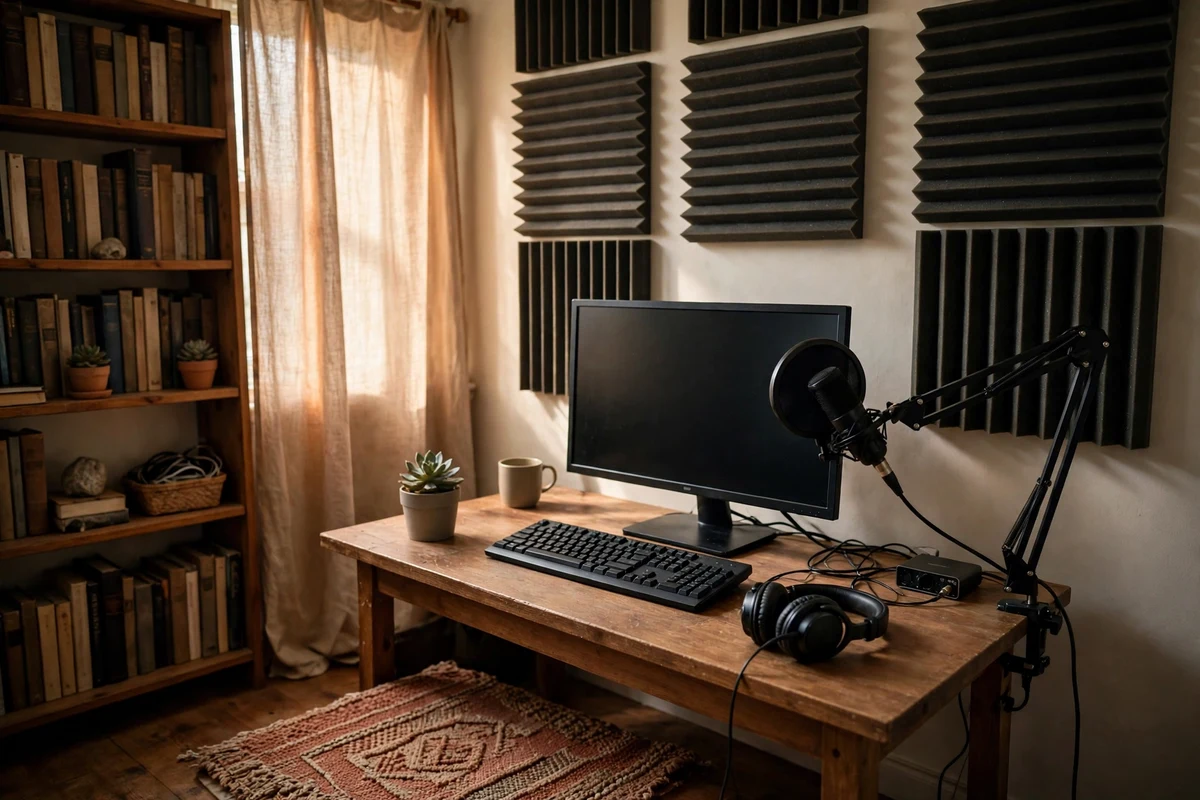
Most streaming mic guides start with a ranked list and leave you to guess which pick fits your space. That order is backwards. A microphone does not hear your voice in isolation. It hears your voice plus everything else in the room: the computer fan, the keyboard, the echo off bare walls, the street outside the window. Live, all of it reaches your viewers at the same time as your voice. So the first question is never which mic is best. It is what your room sounds like.
Stand where you stream, clap once, and listen. A short, dry clap means a forgiving room: soft furniture, a rug, curtains, books on shelves. That room suits a condenser, which hears fine detail and rewards a quiet space with a rich, open voice. A clap that rings or echoes means a hard room: bare walls, a bare floor, a big empty space. That room needs a dynamic mic used close to your mouth, because a dynamic capsule is less sensitive to sound arriving from the sides and from a distance, and it keeps your voice ahead of the room.
Then count the noise sources you cannot switch off. A loud computer fan under the desk, a mechanical keyboard you type on during the stream, a housemate moving around in the next room: each one pushes the choice toward a dynamic mic, or toward a headset, because both keep the capsule close to your mouth and far from everything else. A silent room with a quiet keyboard leaves the choice open, and a condenser becomes a fair pick. This is also where a little treatment pays off more than a pricier mic: a rug, a curtain, and a few foam panels behind the desk calm the echo that makes any mic sound hollow
Use the room to narrow the list before you read a single review. Quiet room, desk stream, one voice: condenser or dynamic, your call. Noisy or echoing room: dynamic, close up. Moving around the room: wireless lavalier. Gaming for hours with chat open: headset. Once the room has spoken, the picks fall into place, and the rest of the decision is budget and features.
Why a live stream mic is a different purchase
A recorded mic can be fixed in the edit. A live mic cannot. Latency, monitoring, mute, and noise rejection matter live in ways they never matter on a recording.
Recorded audio has a safety net. A loud laugh can be turned down. A keyboard burst can be cut out. A quiet passage can be lifted. None of that exists on a live stream. The audio your viewers hear is the audio leaving your microphone at that exact second, and a mistake stays in the recording forever. That single fact changes which features matter.
Noise rejection moves to the top of the list. A recording mic can be a sensitive condenser in a noisy room, because the editor will deal with the room later. A live mic in the same room sends the keyboard and the fan straight to the audience. This is why dynamic mics dominate live streaming recommendations: they are less sensitive by design, and used close to the mouth they keep the voice far louder than the room. A condenser can still work live, but only in a room that is already quiet, with the keyboard behind the mic where its pickup pattern rejects sound best.
Latency is the second live-only problem. It is the delay between speaking and hearing yourself back through your headphones. On a recording it does not matter, because you monitor the direct signal and fix sync later. On a live stream, a long delay makes you stumble, repeat words, and talk over guests. A mic with a headphone jack that plays your voice back with no delay, known as zero-latency monitoring, solves it. A mic with no monitoring at all leaves you guessing, and guessing live is how a stream goes out with the mic muted or the gain wrong.
Mute and gain control are the third difference. A recorded take can be re-shot. A live stream needs a mute you can hit without thinking, mid-sentence, when the doorbell rings or someone walks into the room. A physical mute button or a tap-to-mute top beats a software mute every time, because it works even when the streaming software is misbehaving. Gain matters the same way: a mic with automatic level control or a hardware clip guard keeps a sudden shout from distorting, and distortion live cannot be undone.
One more live reality: the stream compresses your audio before it reaches viewers, which narrows the gap between a good mic and a great one. What survives is a clean noise floor, a voice that sits clearly above the room, and levels that never clip.
The four mic types for live streaming
Four types cover every live stream: USB condenser for a quiet desk, dynamic for a noisy room, wireless lavalier for moving around, and headset for gaming-style streams. Each one solves a different problem.
Shopping for a streaming mic gets confusing fast, because the labels overlap. Dynamic and condenser describe how the capsule turns sound into signal. USB and XLR describe how the mic connects to the computer. The four types below are grouped by how you will actually use them on a stream, not by the engineering label.
USB condenser: the desk classic for quiet rooms
A USB condenser plugs straight into the computer and starts working, no extra hardware needed. Its sensitive capsule hears fine vocal detail, breath, and warmth, which is why it sounds so good in a quiet room. The same sensitivity is its weakness: it hears the keyboard, the fan, and the echo just as clearly. Buy one when your room is quiet and treated and you want the richest voice for the least setup. The Elgato Wave:3 MK.2 and the HyperX QuadCast S are the condenser picks in this guide.
Dynamic: the noisy-room workhorse
A dynamic mic is less sensitive and needs to be used close, a few inches from your mouth. That closeness is its strength: your voice dominates, and the room fades into the background. Dynamic mics handle loud voices without distorting and shrug off desk bumps. They are the right type for untreated rooms, loud keyboards, humming fans, and shared spaces. The trade is that they need more gain and a consistent distance, so a boom arm matters more with a dynamic than with any other type. The Shure MV7+, Rode PodMic USB, FIFINE AM8, and Samson Q2U are the dynamic picks here.
Wireless lavalier: for streams that move
A wireless lavalier clips to your shirt and follows you around the room, which no desk mic can do. It is the right type for cooking streams, unboxing, room tours, and any format where you stand up and walk away from the desk. The trade is that the mic sits farther from your mouth than a desk mic, so it hears more of the room, and it runs on batteries that need charging. It is also the only type here that works with a phone as easily as with a computer. The DJI Mic Mini is the wireless pick in this guide, and our roundup of wireless microphones for vlogging covers the recorded side of the same systems in depth.
Headset: for gaming-style streams
A headset puts the mic a fixed inch from your mouth, which is the best possible position for rejecting room noise, and it puts the game audio in your ears at the same time. It is the right type for long gaming sessions, fast chat, and streams where you need your hands free and your voice steady for hours. The trade is sound quality: even a good headset mic sounds thinner than a desk mic, and wearing a headset on camera suits gaming far better than a talking-head vlog. The Audio-Technica ATH-M50xSTS-USB is the headset pick here.
A note on microphone polar patterns before you buy: nearly every mic in this guide uses a cardioid pattern, which hears sound from the front and rejects sound from the sides and rear. That is the pattern you want for a solo stream. If a mic offers several patterns, set it to cardioid and leave it there.
The 8 best microphones for live streaming in 2026
Ranked for live use: noise rejection in a real room, monitoring and mute you can trust mid-stream, and how each mic behaves when the stream runs for hours.
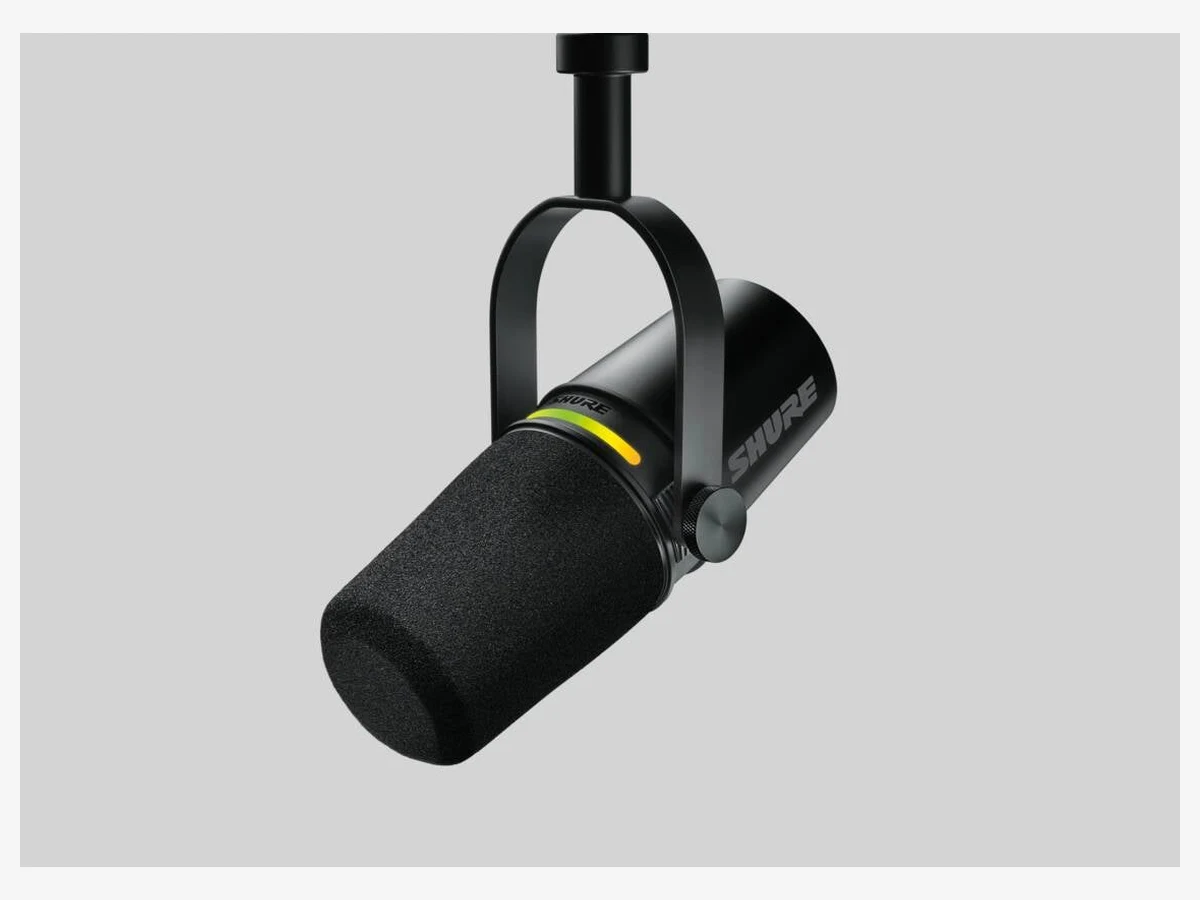
Photo: Shure
1. Shure MV7+
The safest live streaming mic you can buy: a dynamic capsule that ignores the room, automatic level control that rides your volume for you, and USB plus XLR in one body.
The MV7+ is the mic this guide would hand to a vlogger who wants to go live and stop thinking about audio. Its dynamic capsule is built for imperfect spaces, which describes almost every home streaming room: it hears your voice up close and lets the fan, the keyboard, and the echo fall away. What puts it first is the processing inside the mic. Auto Level Mode watches your volume and adjusts the gain as you lean in to read chat or lean back, so your voice stays even without touching a slider. The real-time Denoiser strips out the steady hum of a fan or air conditioner, and the digital pop filter tames hard consonants without a foam screen in front of your face.
Everything about the MV7+ is made for live use. The LED touch panel shows your level at a glance and mutes the mic with one tap. The headphone jack gives you your own voice back with no delay, so you always know exactly what the stream hears. USB-C and XLR outputs work at the same time, so you can stream over USB today and add an interface later without buying a new mic. The one honest cost is that it needs to be used close, a few inches from your mouth, and on XLR it asks for a strong preamp.
Technical features
- Type: dynamic microphone with cardioid pickup pattern
- Connection: USB-C and XLR outputs, usable at the same time
- Frequency response: 50 Hz to 16 kHz
- Processing: Auto Level Mode, real-time Denoiser, Digital Popper Stopper
- Extra DSP: reverb, limiter, and compressor via the MOTIV Mix app
- LED touch panel: tap to mute, millions of color choices
- Monitoring: 3.5 mm headphone output with zero-latency direct monitoring
- XLR gain requirement: 55 dB of clean gain from the interface
- Colors: black and white; no stand included, boom arm recommended
Pros
- Best noise rejection in a normal room of any mic here
- Auto Level keeps your voice even when you move
- USB and XLR together means no dead-end upgrade path
- Tap-to-mute LED panel is instant and visible on camera
Cons
- Needs close, steady placement to sound its best
- No stand in the box, so budget for a boom arm
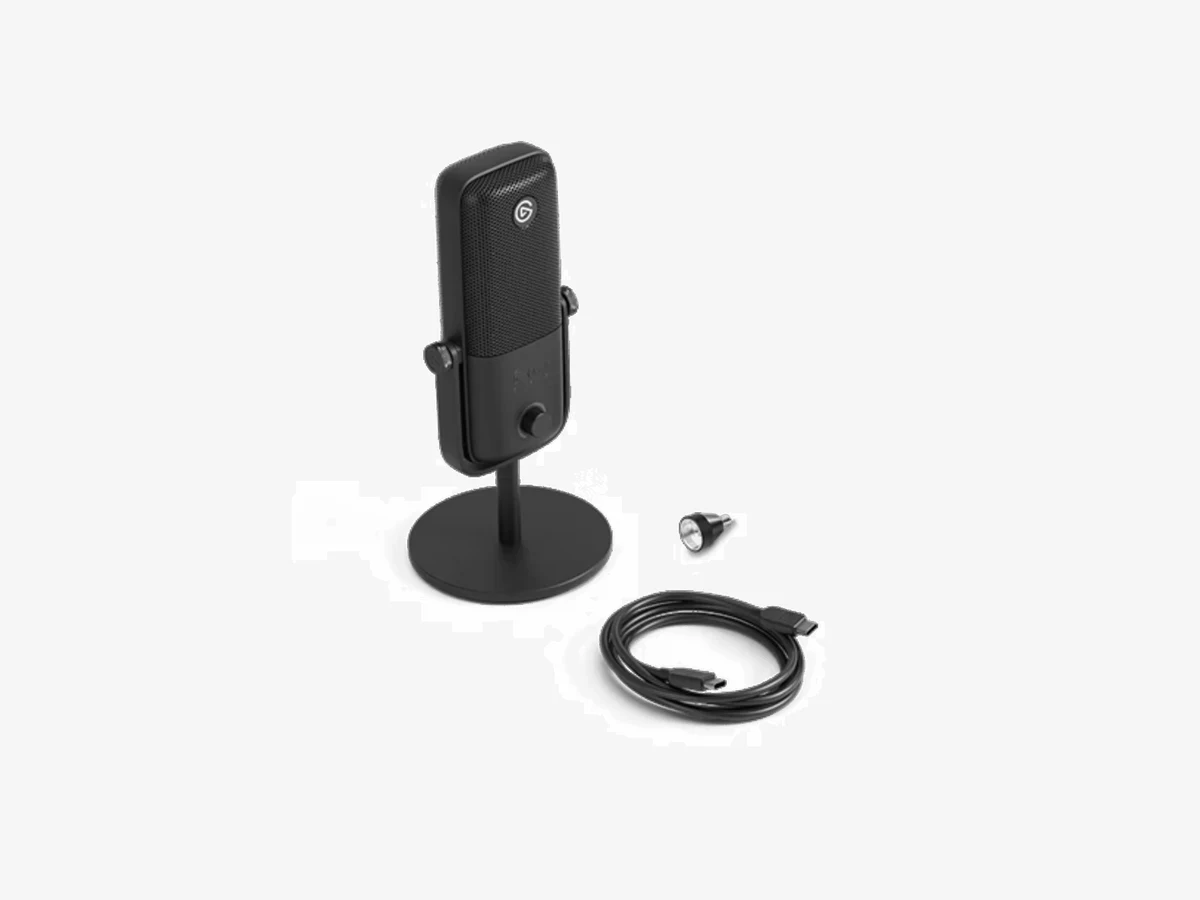
Photo: Elgato
2. Elgato Wave:3 MK.2
The streaming-native condenser: a virtual mixer that routes game audio, chat, and alerts to separate channels, plus a clip guard that saves loud moments from distorting live.
The Wave:3 MK.2 earns its place for a feature no other mic here offers. Wave Link is a virtual audio mixer that routes up to nine sources, your mic, game audio, chat, music, and alerts, to separate channels with their own volume controls, all without extra hardware. On a stream that mixes several sources, that is the difference between riding levels by alt-tabbing between windows and having one calm control surface.
The mic itself is a cardioid condenser that sounds open and detailed in a quiet room, and Clipguard 2.0 is the live safety net: layered protection catches shouts that would clip the main signal before they distort. The capacitive mute button silences the mic with a touch and no click, and the headphone output plays your voice back with no delay. The honest limit is the condenser capsule: in a noisy room it hears the keys, so keep the keyboard behind the mic. Check the generation on a listing: old MK.1 stock still circulates in near-identical boxes, and its specs differ.
Technical features
- Type: cardioid condenser microphone
- Connection: USB-C, plug and play on Windows and Mac
- Audio: 24-bit / 48 kHz resolution
- Frequency response: 70 Hz to 20 kHz
- Wave Link: virtual mixer for up to 9 audio sources
- Clipguard 2.0: multi-stage anti-distortion protection
- Mute: capacitive touch button, silent, with LED status
- Monitoring: 3.5 mm headphone output, zero-latency direct monitoring
- Current version: sold by Elgato as the Wave:3 MK.2
Pros
- Wave Link replaces a hardware mixer for multi-source streams
- Clipguard saves loud reactions from distorting live
- Silent capacitive mute with a clear LED indicator
- Rich, detailed voice in a quiet room
Cons
- Condenser capsule hears keyboard and fan noise in loud rooms
- No XLR output, so no interface upgrade path
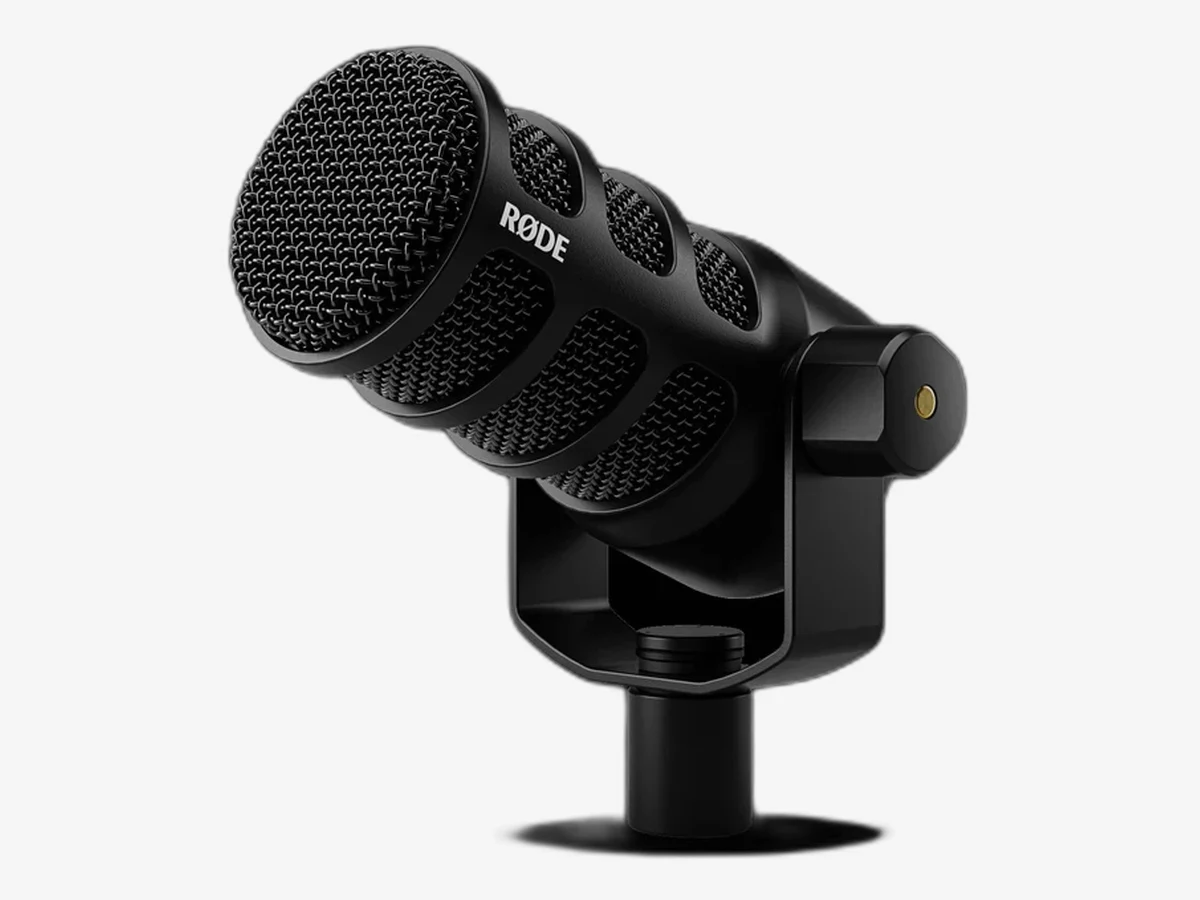
Photo: Rode
3. Rode PodMic USB
A broadcast-style dynamic with studio processing built in: compression, a noise gate, and an exciter run on the mic itself, so every stream sounds mixed without any software running.
The PodMic USB sounds like a radio mic because it is built like one. Its dynamic capsule rejects room noise the way the MV7+ does, and the APHEX processing baked into the mic, a compressor, a noise gate, and an exciter, shapes your voice before it ever reaches the streaming software. Set it once in the companion app, close the app, and the processing stays on the mic. For a vlogger who wants a polished broadcast voice without learning audio software, that is the whole appeal.
The hardware is equally stream-friendly. An internal pop filter kills plosives without a screen in front of your face on camera, and the internal shock mount absorbs desk bumps. The headphone jack gives you zero-latency monitoring with its own volume control, and the USB-C and XLR outputs mean the mic grows with your setup: start on USB, move to an interface later, keep the same mic. What it does not have is a mute button on the body, so muting means an OBS hotkey. For pure voice quality per dollar, it is the strongest value in this guide.
Technical features
- Type: dynamic microphone with cardioid pickup pattern
- Connection: USB-C and XLR outputs
- Frequency response: 20 Hz to 20 kHz
- DSP: APHEX compressor, noise gate, exciter, high-pass filter
- Processing set in Rode Central, stored on the mic
- Internal pop filter and internal shock mount
- Monitoring: 3.5 mm headphone output with volume control
- Build: all-metal body with integrated swing mount
- Colors: black and white
Pros
- Broadcast processing on the mic, no software needed live
- Strong room-noise rejection for the price
- Internal pop filter and shock mount, nothing extra to buy
- USB and XLR in one body
Cons
- No mute button on the mic itself
- Plain look, no lighting or display
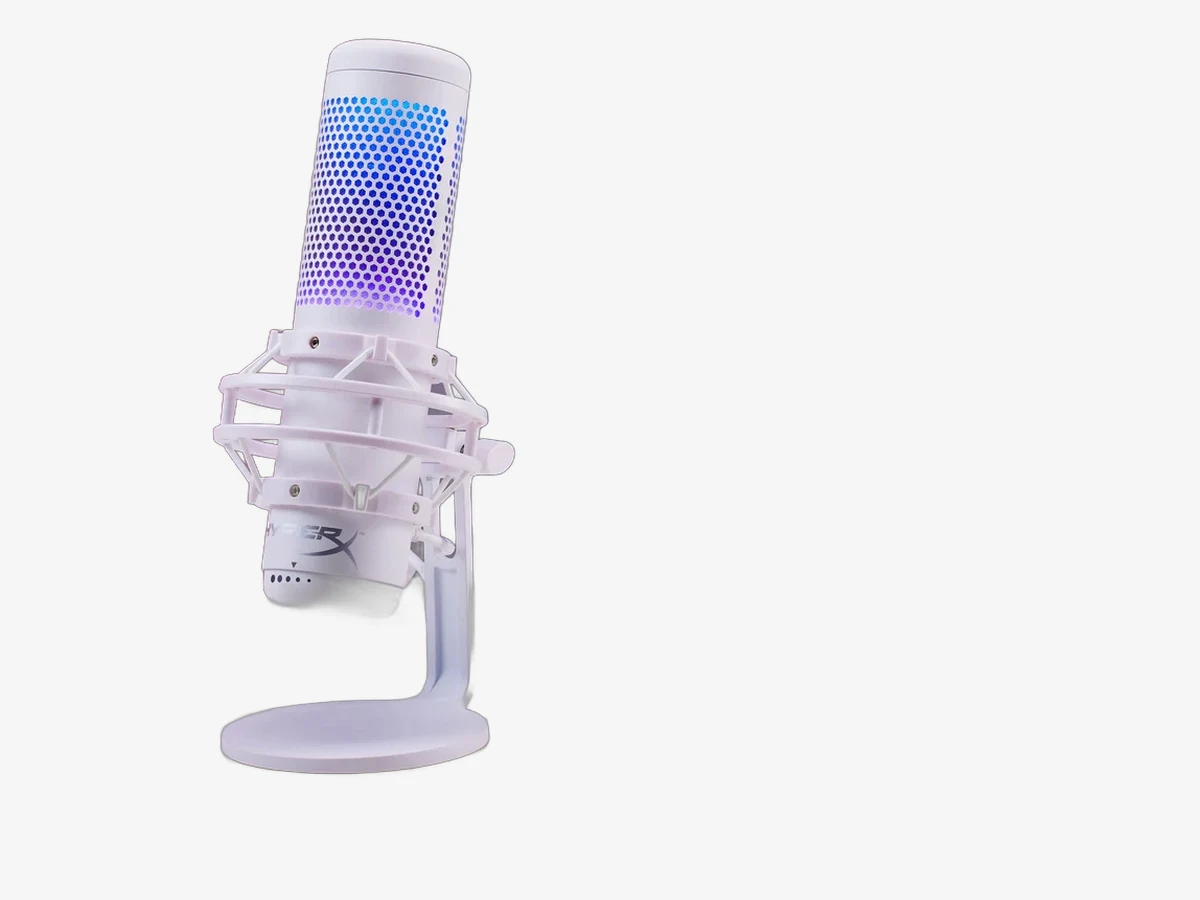
Photo: HyperX
4. HyperX QuadCast S
The mic that looks like it belongs on a stream: RGB lighting, a tap-to-mute top with a light that tells you and the camera whether you are live, and four pickup patterns for format changes.
The QuadCast S is the most visible mic in this guide, and that is the point. Its RGB lighting syncs with the rest of a gaming desk, and the tap-to-mute sensor on top is the best mute implementation on any USB mic here: tap once and the lights go out, so you and your viewers can see at a glance that the mic is off. For a vlogger whose camera shows the desk, the mic becomes part of the set, not a black cylinder hiding at the edge of frame.
Under the looks is a capable condenser with four pickup patterns: cardioid for solo streams, bidirectional for a face-to-face guest, omnidirectional for a group, and stereo for ambient formats. Set it to cardioid for a solo stream and leave it there. The built-in shock mount absorbs desk bumps, the internal pop filter handles plosives, and the gain knob and headphone jack sit on the mic where you can reach them. The honest limit is the same as every condenser: it hears the room. HyperX now also sells the QuadCast 2 S, the successor model, so check which version a listing offers.
Technical features
- Type: condenser microphone, three 14 mm capsules
- Connection: USB-C, plug and play on Windows, Mac, and consoles
- Frequency response: 20 Hz to 20 kHz
- Pickup patterns: cardioid, bidirectional, omnidirectional, stereo
- RGB lighting: customizable in NGENUITY software
- Mute: tap-to-mute sensor on top with LED indicator
- Built-in anti-vibration shock mount and internal pop filter
- Controls: gain knob and headphone volume on the mic
- Monitoring: 3.5 mm headphone jack
Pros
- Best mute on any USB mic here, visible from across the room
- RGB lighting makes the mic part of the on-camera set
- Four patterns cover guests and group formats
- Shock mount and pop filter built in
Cons
- Condenser capsule picks up keyboard noise in loud rooms
- No XLR output, so no interface upgrade path
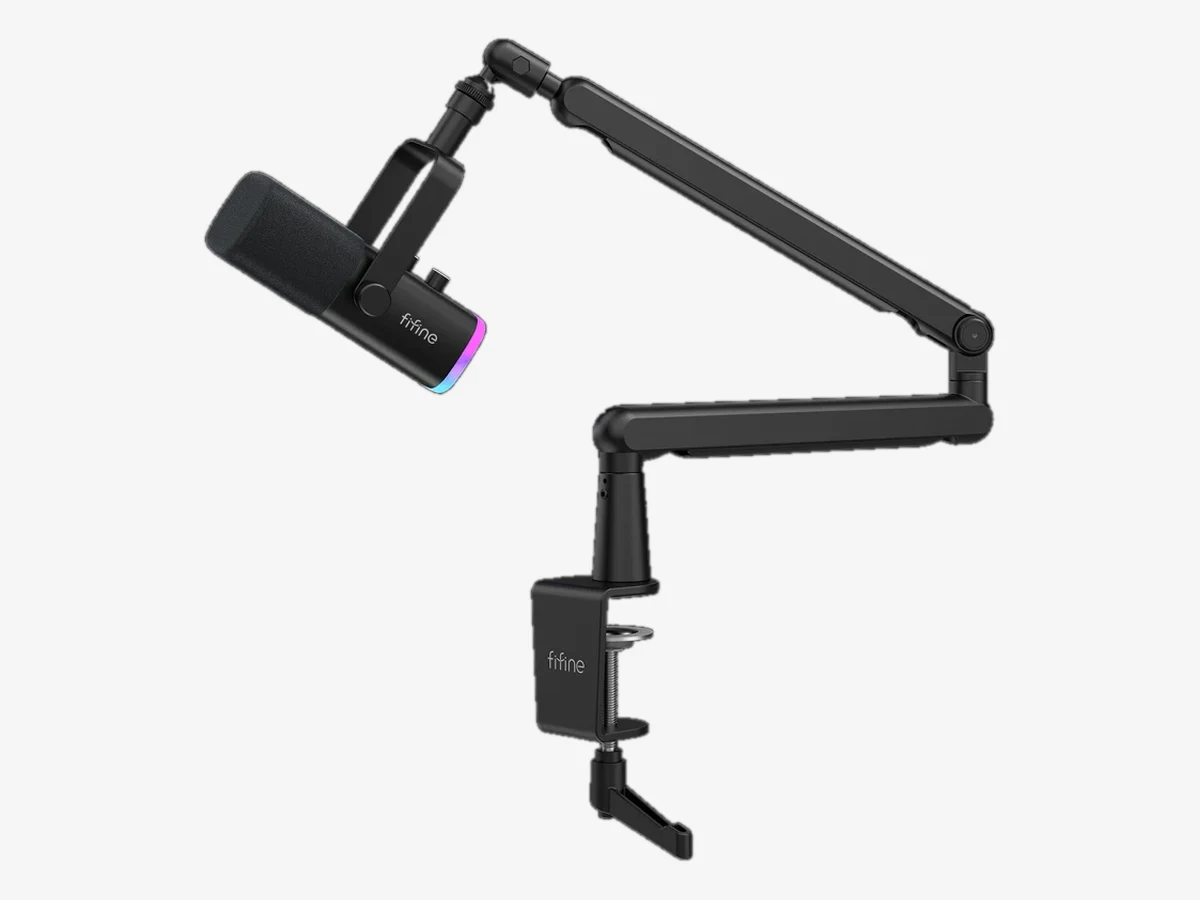
Photo: FIFINE
5. FIFINE AM8
A budget dynamic that behaves like a pricier one: it rejects keyboard noise, offers USB and XLR in one body, and still finds room for an RGB ring and a touch mute.
The AM8 is the mic for a streamer who knows the room is the problem and refuses to pay flagship money to fix it. Its dynamic cardioid capsule does the same job as the capsules on mics costing several times more: used close, it keeps your voice ahead of the keyboard and the fan. A tap-to-mute button with an LED indicator sits on the mic, a gain knob and a headphone jack with volume control sit beside it, and an RGB ring adds the on-camera look that budget mics usually skip.
The USB and XLR outputs give it the same upgrade path as the pricier hybrids here: start on USB, add an interface later, keep the mic. Two honest limits come with the low price. The RGB lighting and the touch controls only work in USB mode, so switching to XLR turns the mic into a plain dynamic with no lights and no touch mute. And the mic rewards close placement, so a boom arm that holds it a few inches from your mouth is close to essential.
Technical features
- Type: dynamic microphone with cardioid pickup pattern
- Connection: USB-C and XLR outputs
- Audio: 48 kHz / 16-bit resolution over USB
- Frequency response: 50 Hz to 16 kHz
- Mute: tap-to-mute button with LED indicator
- RGB lighting ring, controllable on the mic, USB mode only
- Controls: gain knob and headphone volume on the mic
- Monitoring: 3.5 mm headphone jack
- In the box: foam windscreen, desktop stand, USB cable included; XLR cable not included (buy separately or in a bundle)
Pros
- Dynamic noise rejection at a budget price
- USB and XLR in one body, with a real upgrade path
- Touch mute, gain knob, and monitoring on the mic
- RGB ring gives a budget desk an on-camera look
Cons
- RGB and touch controls stop working in XLR mode
- Needs close placement and a boom arm to sound its best
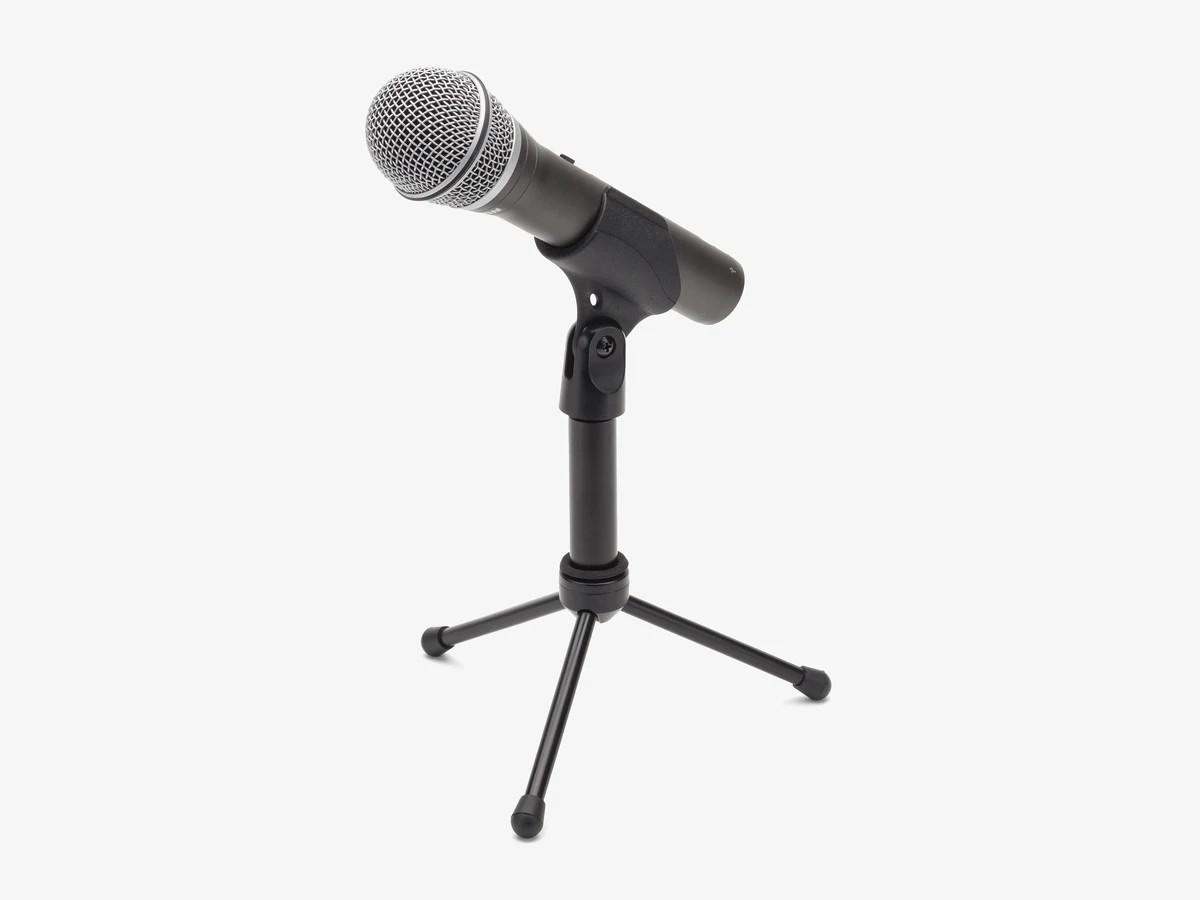
Photo: Samson
6. Samson Q2U
The lowest-cost way to sound clean live: a dynamic mic with USB and XLR, zero-latency monitoring, and a box that holds everything you need to start streaming tonight.
The Q2U has been the budget recommendation for years because it removes every excuse. The box holds the mic, a desktop tripod stand, a mic clip, a foam windscreen, a USB cable, and an XLR cable, so there is nothing else to buy before the first stream. The dynamic cardioid capsule rejects keyboard and fan noise the way all dynamics do, and the headphone jack plays your voice back with no delay and its own volume control. An on and off switch on the mic body works as a basic mute, and the USB and XLR outputs can be used at the same time.
There is nothing flashy here, and that is the point. No RGB, no software, no display, no touch controls. What you get is a warm, clean voice for the lowest spend in this guide, and a mic that stays useful when you upgrade: move to XLR and an interface later, and the Q2U becomes a second mic for a guest or a backup. The trade is the 16-bit USB audio, which gives you less room to fix levels later than the 24-bit mics here. For a first stream on a tight budget, it is the honest pick.
Technical features
- Type: dynamic microphone with cardioid pickup pattern
- Connection: USB and XLR outputs, usable at the same time
- Audio: 48 kHz / 16-bit resolution over USB
- Frequency response: 50 Hz to 15 kHz
- Monitoring: headphone output with volume control
- On and off switch on the microphone body
- In the box: tripod desk stand, mic clip, foam windscreen, USB cable and XLR cable included
- Handheld-style body, works on a stand or a boom arm
Pros
- Complete kit in the box, nothing else to buy
- Dynamic capsule rejects keyboard and fan noise
- USB and XLR at once, so it grows with your setup
- Lowest spend in this guide for clean live audio
Cons
- 16-bit USB audio leaves less room to fix levels later
- No software, no display, no touch mute
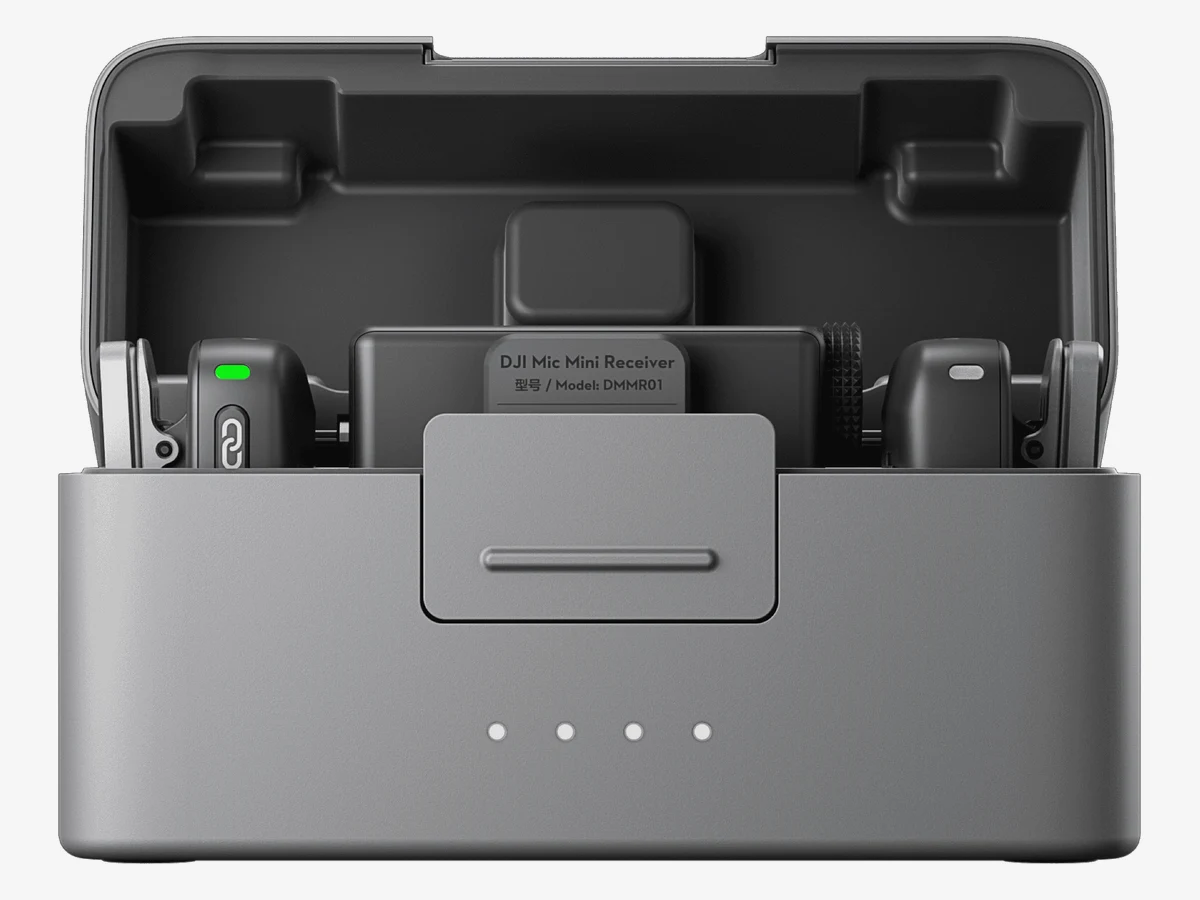
Photo: DJI
7. DJI Mic Mini
The only mic here that leaves the desk: two tiny transmitters clip to your shirt and follow you around the room, with a charging case that lasts a full streaming day.
Every desk mic in this guide assumes you stay in your chair. The Mic Mini assumes you will not. Each transmitter weighs about 10 grams and clips to a shirt or collar, so you can cook, unbox, walk to a shelf, and show something to the camera without your voice fading every time you turn your head. The receiver plugs into the computer over USB-C, or the transmitters connect straight to a phone over Bluetooth for a phone-first stream. Two transmitters in the kit mean a guest gets their own mic and their own track.
For live use, two features deserve attention. The two-level noise cancelling cuts steady background sound, and the automatic limiter stops a sudden shout from distorting, which is the live mistake you cannot fix later. The battery is generous: about 11.5 hours per transmitter and 48 hours with the charging case, and five minutes on charge buys about an hour of recording. The honest limits are that there is no onboard backup recording, so a dropped wireless link is a gap in the stream, and no lavalier input for hiding the mic.
Technical features
- Type: 2.4 GHz digital wireless, 2 transmitters plus 1 receiver
- Transmitter weight: about 10 g, magnetic clip attachment
- Connection: Bluetooth 5.3 direct to phone, USB-C receiver for computer
- Audio: 48 kHz / 24-bit, two-level noise cancelling, automatic limiting
- Pickup: omnidirectional, hears your voice from any angle
- Gain: five-level adjustment (-12 to +12 dB) on the receiver dial
- Range: up to 400 m line of sight
- Battery: TX about 11.5 h, RX about 10.5 h, case about 48 h total
- Fast charge: about 5 minutes for about 1 hour of recording
Pros
- Follows you away from the desk, no cable, no fixed position
- Two transmitters, so a guest gets their own mic
- Long battery life with a charging case
- Direct Bluetooth link to a phone for mobile streams
Cons
- No onboard backup recording if the link drops
- Hears more room sound than a close desk mic
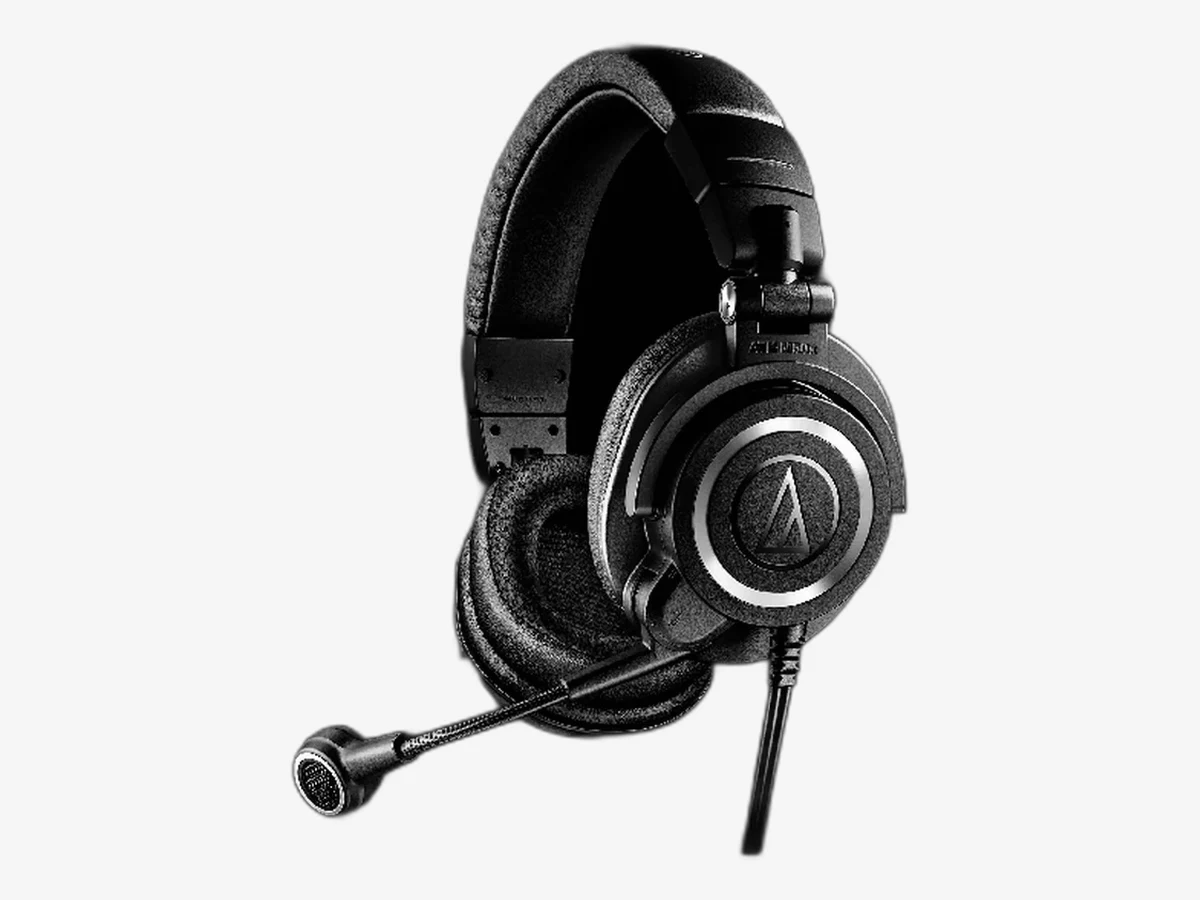
Photo: Audio-Technica
8. Audio-Technica ATH-M50xSTS-USB StreamSet
A studio headset with a real broadcast mic: the M50x headphones you already know, plus a condenser boom mic that sits an inch from your mouth for hours.
The StreamSet is two proven products in one box. The headphones are the ATH-M50x, the closed-back studio pair that vloggers and editors have used for years, with 45 mm drivers and the isolation that keeps game audio out of the mic. The microphone is a condenser boom built from Audio-Technica’s 20 Series studio capsules, the same family as the AT2020, mounted on a flexible arm that holds it right at the corner of your mouth. That fixed, close position is why a headset beats a desk mic for room noise: the mic barely moves and the distance never changes.
For long gaming streams, that consistency is the whole value. Your voice stays the same volume whether you lean in during a tense moment or sit back between rounds, and the closed-back headphones keep the game sound in your ears instead of leaking into the mic. The trade is that a headset mic sounds thinner than a desk mic, and wearing a headset on camera suits a gaming stream far better than a talking-head vlog. If your streams run for hours and your hands never leave the keyboard, this is the most comfortable way to sound clean.
Technical features
- Type: closed-back headset with cardioid condenser boom microphone
- Headphones: ATH-M50x with 45 mm dynamic drivers
- Headphone frequency response: 15 Hz to 28 kHz
- Microphone: condenser capsule from the 20 Series studio family
- Boom: flexible arm, holds the mic at the corner of the mouth
- Impedance: 38 ohms, easy to drive from a computer
- Isolation: closed-back earcups keep game audio out of the mic
- Connection: USB-A with a USB-A to USB-C adapter included; no interface needed
- Comfort: padded headband and earcups for long sessions
Pros
- Mic position never changes, so levels stay steady for hours
- Studio-grade headphones and a proper broadcast boom mic
- Closed-back isolation keeps game audio out of the stream
- Comfortable enough for very long sessions
Cons
- Voice sounds thinner than a desk mic
- Headset look suits gaming far better than talking-head vlogs
Pick by budget
Budget decides how many features you get, not whether you sound clean. A cheap dynamic in a decent room beats a pricier condenser in a bad one.
Start with the honest floor. If the budget is tight, the Samson Q2U is the pick: a complete kit for the lowest spend in this guide, with a dynamic capsule that rejects room noise and a headphone jack for monitoring. Nothing else is needed before the first stream, and the mic stays useful as a second mic or a backup when you upgrade. The FIFINE AM8 is the step up within the budget band: it adds a touch mute, a gain knob, and RGB lighting, for a small extra spend.
The middle band is where most streamers should land. The Rode PodMic USB gives broadcast processing on the mic and the best voice per dollar here, and the Elgato Wave:3 MK.2 gives the virtual mixer that multi-source streams need. The HyperX QuadCast S sits in the same band for streamers who want the on-camera look and four pickup patterns.
The top band buys ease, not raw quality. The Shure MV7+ costs more because it does more of the work for you: Auto Level rides your volume, the denoiser cleans the room, and the USB and XLR outputs cover every future setup. The Audio-Technica StreamSet sits in the top band for a different reason, because it replaces both your headphones and your mic in one purchase. Buy the top band when you stream often, the middle band when you stream a few times a week, and the budget band when you are starting out.
One budget rule that saves more money than any sale: buy the boom arm with the mic. A boom arm holds the mic a few inches from your mouth, off the desk, and out of the camera frame, and it improves every mic in this guide more than a step up in mic price would.
Pick by room type
Four rooms, four answers: a quiet treated room takes a condenser, a noisy untreated room takes a dynamic, a shared room takes a headset, and a room you move around in takes a wireless lavalier.
The quiet treated room is the easiest. Soft furniture, a rug, curtains, and a few foam panels mean the mic hears your voice and little else. Here a condenser shines: the Elgato Wave:3 MK.2 or the HyperX QuadCast S will sound open, detailed, and rich. A dynamic works here too, but the condenser gives you the fuller voice for the same effort.
The noisy untreated room is the most common, and it is where most buying mistakes happen. Bare walls, a hard floor, a loud computer fan, a mechanical keyboard: this room needs a dynamic mic used close. The Shure MV7+ is the best answer, the Rode PodMic USB is the value answer, and the FIFINE AM8 or Samson Q2U are the budget answers. Whichever you pick, keep the mic a few inches from your mouth on a boom arm, put the keyboard behind the mic where the cardioid pattern rejects it, and add a rug and a curtain when you can.
The shared room, a bedroom with a housemate or a desk in a shared office, adds a second problem: other voices. A dynamic mic helps, because it hears less of the room, but a headset helps more, because the mic sits an inch from your mouth and nowhere near anyone else. The Audio-Technica StreamSet is the pick here.
The room you move around in needs a different answer entirely. If the stream involves cooking, unboxing, or walking to a shelf, no desk mic can follow you. The DJI Mic Mini clips on and stays with you, and the two-transmitter kit covers a guest as well.
USB or XLR: which connection for a live stream?
Start with USB. Move to XLR only when you need a second mic, a hardware mixer, or processing that a USB mic cannot give you. Hybrid mics with both outputs keep both doors open.
USB is the right connection for most live streamers, and the reason is simple: the mic holds everything in one body. The capsule, the preamp, and the converter that turns sound into digital audio all live inside the mic, and one cable carries it to the computer. Plug it in, pick it in the streaming software, and you are live. There is no interface to buy and no extra cable to fail mid-stream. For a solo streamer at a desk, USB gives up nothing that matters.
XLR is the professional connection, and it earns its keep in three situations. The first is more than one voice: an audio interface with two or more XLR inputs lets two mics run at proper levels on separate channels, which a computer with two USB mics handles badly. The second is a hardware mixer or a broadcast chain: a mixer, a compressor, and an interface give you physical knobs for everything, which some streamers prefer to software. The third is the long-term upgrade path: with XLR, the mic and the interface are separate purchases, so you can upgrade one without replacing the other.
Four mics in this guide refuse to make you choose. The Shure MV7+, Rode PodMic USB, FIFINE AM8, and Samson Q2U all carry USB and XLR outputs in the same body. Start on USB, and the day you buy an interface, the same mic plugs into it. That hybrid design removes the one real risk of buying USB: that you outgrow it. If you buy a USB-only mic like the Wave:3 MK.2 or the QuadCast S, you are betting that you will never need XLR, which is a fair bet for a solo desk streamer and a bad bet for someone planning a two-person show.
Latency and monitoring: hear yourself before your viewers do
Monitoring is not optional on a live stream. A mic with a headphone jack and zero-latency playback tells you the moment something is wrong, while you can still fix it.
Monitoring means listening to your own voice through headphones while you stream, and on a live stream it is the only quality control you have. Viewers will tell you the audio is bad, but they tell you in the chat after it has already gone out. Headphones tell you before. A mic that is muted, a gain set too low, a cable that came loose: you hear all of it in the first seconds, and you fix it while the stream is still young.
The catch is latency. If the sound reaches your ears a fraction of a second after you speak, your brain trips over its own voice and you start to stumble. That delay comes from the round trip through the computer: into the software, through the processing, and back out to the headphones. A mic with a headphone jack built into the body avoids the trip entirely. It plays your voice back directly from the mic, with no delay, which is why it is called zero-latency monitoring. Six of the eight mics in this guide have one.
Set monitoring up before the first stream, not during it. Plug wired headphones into the mic, not into the computer, so you hear the direct signal. Closed-back headphones are the right type, because open-back headphones leak sound into the mic and create a faint echo on the stream. Keep the headphone volume low, and check the level meter in the streaming software at the same time: your ears catch distortion and noise, and the meter catches levels drifting too high or too low.
Gain staging for a live stream
Set the gain so your normal voice peaks in the yellow and never touches the red. Too low and the stream hears hiss; too high and a laugh distorts live, with no fix after.
Gain is how loud the mic makes your voice before it reaches the stream, and gain staging is setting it once, properly, so you never think about it again. The rule is simple: speak at your normal streaming volume, watch the level meter, and set the gain so your loudest normal speech peaks around minus 12 to minus 6 dB, in the yellow part of the meter, and never hits zero, the red. Peaks in the yellow give you headroom for a laugh. Peaks in the red mean distortion, and distortion live is permanent.
Distance matters as much as the knob. A dynamic mic wants you close, a few inches away, and it wants that distance to stay the same. Lean in and out and your volume swings with you, which is why a boom arm matters: it holds the mic still while you move. A condenser is more forgiving of distance, but it still sounds best when you stay in one place. If you find yourself reaching for the gain knob mid-stream, the problem is usually distance, not gain.
Two features in this guide make gain easier. Auto Level Mode on the Shure MV7+ watches your volume and adjusts the gain for you, which is the closest thing to not thinking about gain at all. Clipguard 2.0 on the Elgato Wave:3 MK.2 keeps layered protection in reserve and catches a shout before it distorts, so a loud moment never clips. If your mic has neither, do a test recording before you go live: talk, laugh, read a comment out loud, and check the meter. Our guide on how to record better vlog audio covers the same level-setting habits for recorded audio, and the habits transfer directly to live.
The five-minute pre-stream audio check
Five minutes before every stream: test the mic, check the meter, confirm the mute works, listen for the room, and record thirty seconds to play back.
Live streams reward a short routine done the same way every time. Start the streaming software, pick the right mic, and speak for ten seconds while watching the meter. Your normal voice should peak in the yellow, never the red. If the meter barely moves, the gain is too low or the wrong mic is selected. If it slams into the red, the gain is too high. Fix it now, while nobody is watching.
Second, test the mute. Tap the mute button, speak, and confirm the meter goes dead. Tap it again and confirm your voice comes back. A mute that does not work is worse than no mute at all. Third, put the headphones on and listen to the room for thirty seconds without speaking. A fan, a hum, a ticking clock: hear it now, and decide whether to move the mic, close a window, or switch the fan off. Fourth, check what else the mic hears. Type a sentence on your keyboard and click the mouse a few times. If the clicks dominate the meter, move the keyboard behind the mic.
Last, record thirty seconds of yourself talking, then play it back through the headphones. This is the single most useful check, because it is the only one that shows you what the stream will actually sound like after the platform compresses it. If your voice is clear, the room is quiet, and the levels sit in the yellow, go live. A full live production checklist covers the video and connection side of the same routine, and the audio check above slots into it as the first five minutes.
What to avoid when buying a streaming mic
Four mistakes ruin more streams than any bad mic: a condenser in a noisy room, a mic with no monitoring, a mic that hears the keyboard, and buying on looks instead of on the room.
The first mistake is buying a condenser for a noisy room because it looks good on a spec sheet. A sensitive capsule in an echoing room with a loud keyboard will sound worse live than a cheap dynamic in the same room. The room decides the type, and the type decides the mic. If your room is noisy, a dynamic is the correct answer.
The second mistake is a mic with no monitoring. A mic without a headphone jack leaves you streaming deaf: you cannot hear a dead mic, a wrong gain setting, or a cable that came loose until the chat tells you, and by then the moment is gone. Every desk mic in this guide except the wireless and headset picks has a headphone jack for exactly this reason.
The third mistake is a mic that picks up keyboard and mouse noise and no plan to deal with it. A condenser a foot from a mechanical keyboard will broadcast every keystroke. The fixes are placement, putting the keyboard behind the mic where the cardioid pattern rejects it, distance, getting the mic close to your mouth so your voice dominates, and type, switching to a dynamic if the keyboard will not move. Software noise suppression helps, but it is a filter on top of a problem, not a fix for it.
The fourth mistake is buying on looks or on a streamer’s recommendation without checking the room. A mic that sounds superb in a treated studio can sound hollow in a bare bedroom, and a mic that a big streamer uses may rely on a room and a signal chain you do not have. Judge a mic by your room, your stream type, and your budget, in that order.
Frequently asked questions
The questions vloggers actually ask before buying a mic for a live stream.
What is the best microphone for live streaming?
The Shure MV7+: a dynamic capsule that rejects room noise, automatic level control, a real-time denoiser, and USB plus XLR in one body. If your stream mixes game audio, chat, and alerts, the Elgato Wave:3 MK.2 and its built-in virtual mixer is the better pick. On a tight budget, the Samson Q2U sounds clean live for the lowest spend here.
Is a dynamic or condenser mic better for streaming?
It depends on the room. A dynamic mic is better in a noisy or untreated room, because it is less sensitive and keeps your voice ahead of the keyboard, the fan, and the echo. A condenser mic is better in a quiet, treated room, where it captures a richer, more detailed voice. Most home streaming rooms are noisy enough that a dynamic is the safer first buy.
Do I need a USB or XLR microphone for streaming?
Start with USB. A USB mic plugs straight into the computer and works with no extra hardware, which covers a solo desk stream completely. Move to XLR only when you need a second mic on its own channel, a hardware mixer, or a broadcast chain. The hybrid mics in this guide, the Shure MV7+, Rode PodMic USB, FIFINE AM8, and Samson Q2U, carry both outputs, so you can start on USB and switch later without buying a new mic.
Can I use a wireless microphone for live streaming?
Yes, and it is the right choice when the stream moves away from the desk. A wireless lavalier like the DJI Mic Mini clips to your shirt and follows you around the room, and it connects to a computer over USB-C or to a phone over Bluetooth. It hears more room sound than a close desk mic, so it suits a quiet room best, and it has no onboard backup recording, so a dropped link is a gap in the stream. Streaming to two places at once is a different setup called multistreaming.
Why does my stream pick up keyboard noise?
Because the mic hears the keyboard as clearly as it hears you. Three fixes, in order: move the keyboard behind the mic, where a cardioid pattern rejects sound best; move the mic closer to your mouth, so your voice dominates; and if the keyboard still dominates, switch to a dynamic mic. Software noise suppression helps, but it is a filter on top of a placement problem, not a fix for it.
Do I need a boom arm for streaming?
Yes, for any desk mic. A boom arm holds the mic a few inches from your mouth, off the desk, and out of the camera frame, which is the single biggest improvement you can make to any mic in this guide. A mic sitting on its little tripod stand is too low and too far away, which forces the gain up and pulls the room into the stream.
What is zero-latency monitoring and do I need it?
Zero-latency monitoring means hearing your own voice through headphones with no delay, played back directly from the mic instead of through the computer. You need it on a live stream, because it tells you the moment the mic is muted, the gain is wrong, or a cable came loose, while you can still fix it. A mic with no monitoring leaves you streaming deaf.
How do I stop my stream audio from distorting when I get loud?
Set the gain so your normal voice peaks in the yellow part of the meter, around minus 12 to minus 6 dB, and never touches the red. That leaves headroom for a laugh or a shout. Two features in this guide help: Auto Level Mode on the Shure MV7+ adjusts the gain for you as you move, and Clipguard 2.0 on the Elgato Wave:3 MK.2 catches a loud moment before it distorts.
Can I use a headset mic for streaming?
You can, and for gaming-style streams it is often the right choice. A headset mic sits a fixed inch from your mouth, so room noise barely registers and your levels stay steady for hours, and the headphones keep game audio out of the stream. The trade is sound quality: even a good headset mic sounds thinner than a desk mic. The Audio-Technica ATH-M50xSTS-USB pairs studio headphones with a proper broadcast boom mic instead of a thin gaming mic.
Is the Blue Yeti still good for streaming in 2026?
The original Blue Yeti is being replaced by the Logitech G Blue Yeti 2, so check which version a listing offers before you buy. The Yeti is a condenser with four pickup patterns: a good fit for a quiet, treated room and a poor fit for a noisy one, since it hears the keyboard and the fan as clearly as it hears you. The Elgato Wave:3 MK.2 and HyperX QuadCast S offer the same condenser sound with streaming features the Yeti lacks, like a virtual mixer and a tap-to-mute top.
How far should I sit from my streaming mic?
A few inches, about a fist width, for a dynamic mic, and six to twelve inches for a condenser. Dynamic mics need closeness to reject the room, so a boom arm that holds the mic steady matters more than with any other type. Whatever the distance, keep it the same through the whole stream: leaning in and out swings your volume.
Do I need a pop filter for live streaming?
Yes on a condenser, usually not on a dynamic. Hard consonants like p and b send a burst of air into the capsule that distorts the sound, and live there is no edit to remove it. Many mics in this guide have a pop filter built in: the Rode PodMic USB, HyperX QuadCast S, and Shure MV7+ with its digital pop filter. If your mic has none, a cheap foam windscreen or mesh screen does the job.
Can I use the same mic for YouTube Live and Twitch?
Yes. The mic does not care which platform you stream to, and a mic for Twitch works just as well on YouTube Live. What changes is the setup around it: to livestream on YouTube you go live from YouTube Studio or an encoder, while to stream on Twitch you send the same audio through OBS or Streamlabs to Twitch instead.
What is the best budget microphone for live streaming?
The Samson Q2U: a dynamic mic with USB and XLR, zero-latency monitoring, and a box that holds the stand, the cables, and the windscreen, so there is nothing else to buy. The FIFINE AM8 is the step up within the budget band, adding a touch mute, a gain knob, and RGB lighting. Both reject keyboard and fan noise far better than any condenser at the same spend.
Can I use two microphones on one live stream?
Yes, but it takes the right connection. Two USB mics on one computer cause problems, because most streaming software handles one USB audio device cleanly and a second one badly. The reliable route is XLR: an interface with two XLR inputs gives each mic its own channel and level. The DJI Mic Mini is the exception here, because its two wireless transmitters feed one receiver, so a guest gets a mic without a second connection.
This guide is research-based curation: we compared manufacturer specifications, published reviews, and current prices. Read how we choose.
Keep exploring
Great audio deserves great video. Here is the rest of the streaming kit.