Last updated: November 2026
The DJI Mic Mini is the best microphone for phone vlogging for most people: two tiny 10 g transmitters, a receiver that plugs into a USB-C phone, a charging case that stretches the kit to 48 hours of use. If you want the simplest possible setup, the Rode Wireless Micro plugs straight into your phone with no cable at all. If you film interviews you cannot repeat, step up to the DJI Mic 3, because it records a backup copy inside each transmitter and the Mic Mini does not. Before you buy any of them, check your phone port. That one check decides more purchases than any spec on the box.
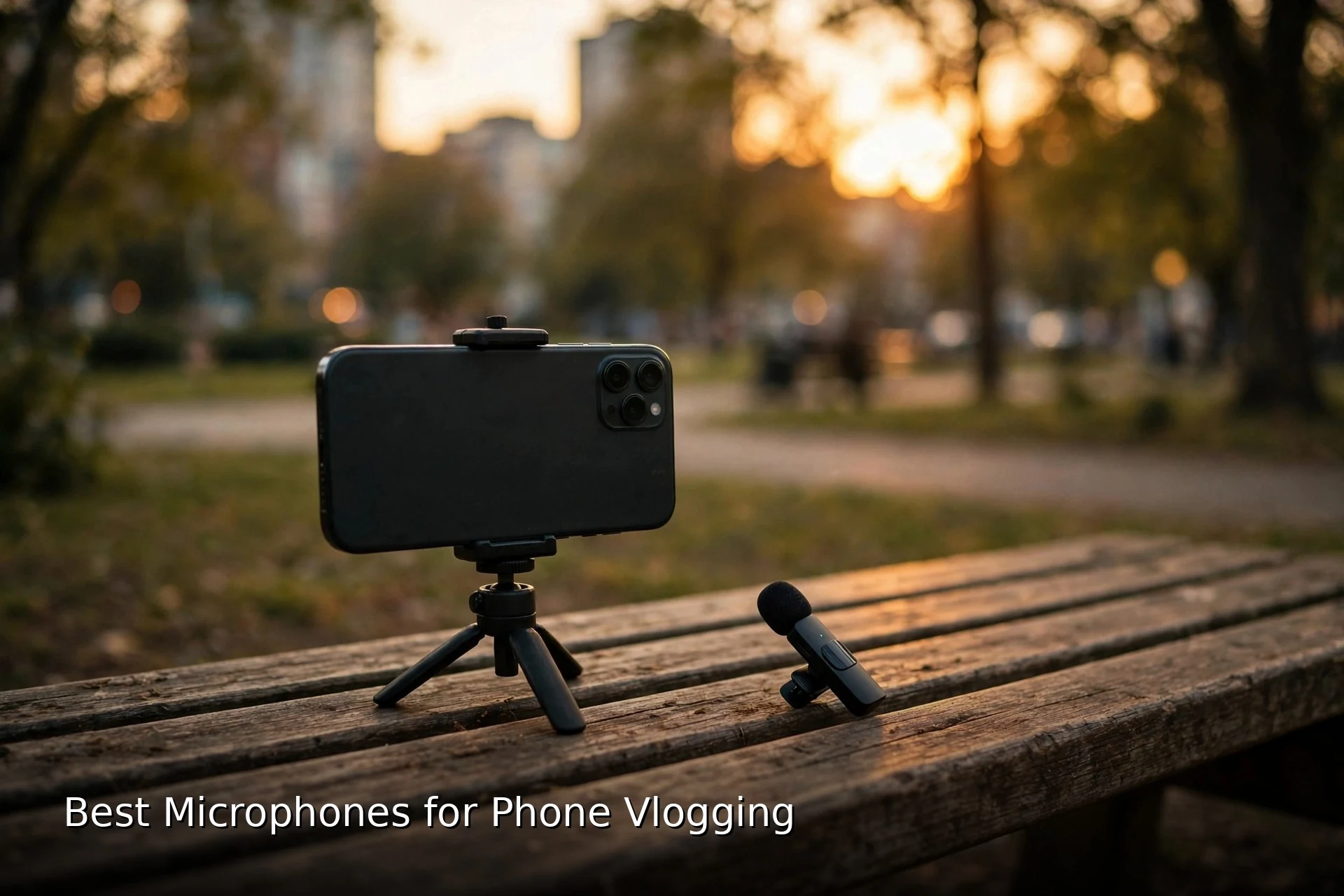
A phone camera is good enough for vlogging now. A phone microphone is not. The built-in mic sits at arm’s length, hears the room as loudly as it hears you, and turns wind into a roar. A clip-on mic moves the capsule to your collar, 15 to 30 cm from your mouth, and that short distance is the whole upgrade. Voices get close and clear, the room drops back, and a walk-and-talk vlog starts to sound like a video instead of a phone call on speaker.
This guide covers the six mics that make sense on a phone in 2026: four wireless clip-on kits, one wired shotgun, and one wired lavalier. It starts with the port check, then sorts the picks by the way you actually shoot: solo and still, walking and moving, or interviewing a second person. Every pick below links to that exact model on Amazon, so you can check the current listing and the kit variant before you buy.
If you already own a camera kit and only want the wireless comparison, our guide to the best wireless microphones for vlogging ranks the full camera-first systems. This guide stays phone-first on purpose: direct plug-in receivers, wired phone options, and the traps that only exist when the recorder is a phone.
As an Amazon Associate I earn from qualifying purchases. When you buy through links on this page, we may earn a commission at no extra cost to you.
Quick Picks
- DJI Mic Mini: best overall for phone vlogging
- Rode Wireless Micro: best direct plug-in, no cable
- Hollyland Lark M2 Combo: best phone and camera crossover
- DJI Mic 3: best backup recording for interviews
- Rode VideoMic Me-C+: best wired shotgun for solo filming
- Rode SmartLav+: best wired lav
In this guide
- Check your port before anything else
- The 6 phone mics compared
- Decide by shooting situation, not by spec sheet
- The 6 best microphones for phone vlogging
- One transmitter or two
- The backup recording trade-off, stated plainly
- The port trap: USB-C, Lightning, TRRS and TRS
- The case fit problem
- Wind handling: furry beats foam outdoors
- One kit for phone and camera
- Set up your phone mic in 10 minutes
- What not to buy
- FAQs
- The bottom line
- Keep exploring
Check your port before anything else
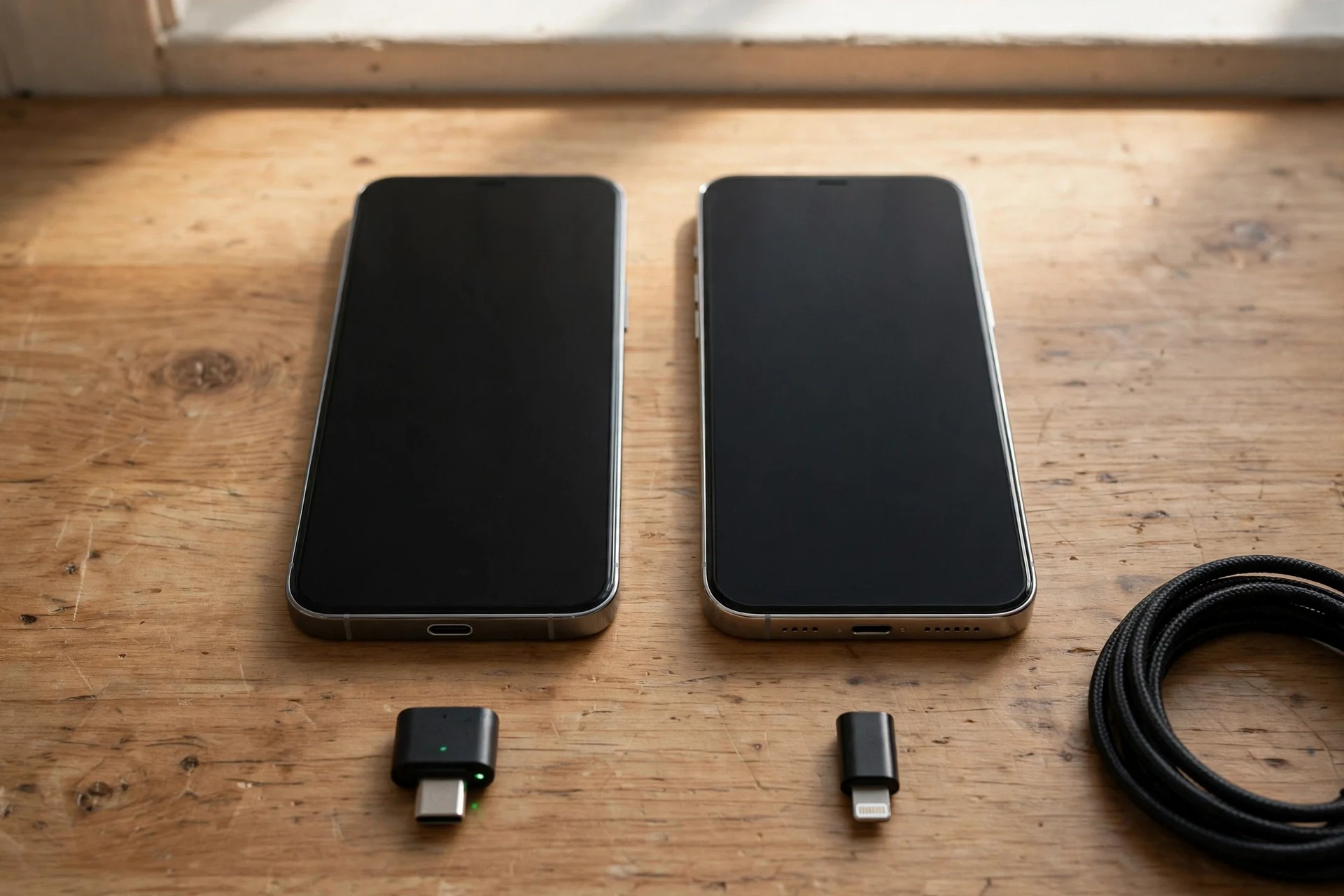
Short answer: look at the charging port on the bottom of your phone before you read another word. iPhone 15 and later use USB-C. iPhone 14 and older use Lightning. Most current Android phones use USB-C, and a small number of budget Android phones still have a 3.5mm headphone jack. The mic you buy must match that port, or it will not plug in at all.
This is the step that breaks purchases. A wireless kit with a USB-C receiver is useless on a Lightning iPhone unless you buy the right adapter, and a Lightning receiver is useless on a USB-C phone. A wired lav with a 3.5mm plug is useless on any phone with no headphone jack unless the adapter in the chain actually passes a mic signal, and many cheap adapters do not. The port check takes ten seconds and it saves a return.
Do it now, in this order. First, name your phone and its port. Second, check whether your phone still has a headphone jack; almost no flagship does, and only some budget Android phones do. Third, look at your case: a thick case can block a short plug-in receiver even when the port matches, which is its own section below. Fourth, decide whether you will ever plug the same mic into a camera, because that pushes you toward a kit with a camera receiver instead of a phone-only plug-in.
Two quick rules cover most buyers. If your phone has USB-C, buy a USB-C kit and you are done. If your phone has Lightning, buy the Lightning version of the kit, not the USB-C version plus a hopeful adapter. Rode sells the Wireless Micro in separate USB-C and Lightning versions for exactly this reason, and buying the wrong one is the most common Rode mistake in phone vlogging.
One more check matters if you film on an older phone. The Rode VideoMic Me-C+ needs iOS 17 or Android 12 or later, so a phone that has stopped updating may refuse it even though the plug fits. Check the operating system version in your phone settings before you order a USB-C mic that lists a minimum version.
The 6 phone mics compared
Short answer: the DJI Mic Mini wins overall, the Rode Wireless Micro wins on simplicity, the Hollyland Lark M2 Combo wins if you also film on a camera, the DJI Mic 3 wins if you need a backup recording, the Rode VideoMic Me-C+ wins for wired solo filming, and the Rode SmartLav+ wins if your phone still has a headphone jack.
| Microphone | Connection | Transmitters | Battery with case | Backup recording | Best for |
|---|---|---|---|---|---|
| DJI Mic Mini | USB-C receiver, Bluetooth | 2 | 48 hours | No | Best overall for phone vlogging |
| Rode Wireless Micro | Direct plug-in USB-C or Lightning | 2 | 21 hours | No | Simplest phone setup |
| Hollyland Lark M2 Combo | USB-C, Lightning and camera receivers | 2 | 40 hours | No | Phone and camera crossover |
| DJI Mic 3 | USB-C receiver, Bluetooth | 2 | 28 hours | Yes, 32-bit float | Interviews you cannot repeat |
| Rode VideoMic Me-C+ | USB-C plug-in | 0, wired shotgun | No battery, bus powered | No | Solo filming at arm’s length |
| Rode SmartLav+ | 3.5mm TRRS plug | 0, wired lavalier | No battery | No | Phones with a headphone jack |
Read the battery column with care. The headline number is the total with a full charging case, not one charge. A Mic Mini transmitter runs about 11.5 hours on its own charge, a Wireless Micro transmitter about 7 hours, and a Lark M2 transmitter about 10 hours. The case number is what matters on a travel day, because the case refills the transmitters between takes. The two wired picks need no battery at all: they draw power from the phone.
Read the backup recording column the same way. Only the DJI Mic 3 writes its own copy of the audio inside the transmitter while it transmits. Every other pick here sends the audio to the phone and keeps no copy. If the radio link drops, the audio is gone. That single difference is the reason the Mic 3 costs more, and it is the first question to answer if you film interviews.
Decide by shooting situation, not by spec sheet
Short answer: solo and still calls for a wired shotgun or a single wireless mic; walking and moving calls for a light wireless clip-on; interviewing a second person calls for a two-transmitter kit. Pick the situation first and the mic follows.
Every phone mic here sounds good in a quiet room. The differences show up when you move, when the wind picks up, and when a second voice joins. That is why this guide sorts by situation instead of ranking by sound quality alone. A mic that is perfect for a talking-head video on a tripod can be the wrong buy for a street interview, and the other way around.
Solo and still. You film yourself at arm’s length, on a tripod or a selfie stick, in one spot. The phone is close, your voice is loud relative to the room, and nothing moves. A wired shotgun like the VideoMic Me-C+ is made for this: it points at you, it needs no battery and no pairing, and it costs less than any wireless kit here. A single wireless transmitter also works, and it frees you from the cable, but you pay for freedom you do not use while you stand still.
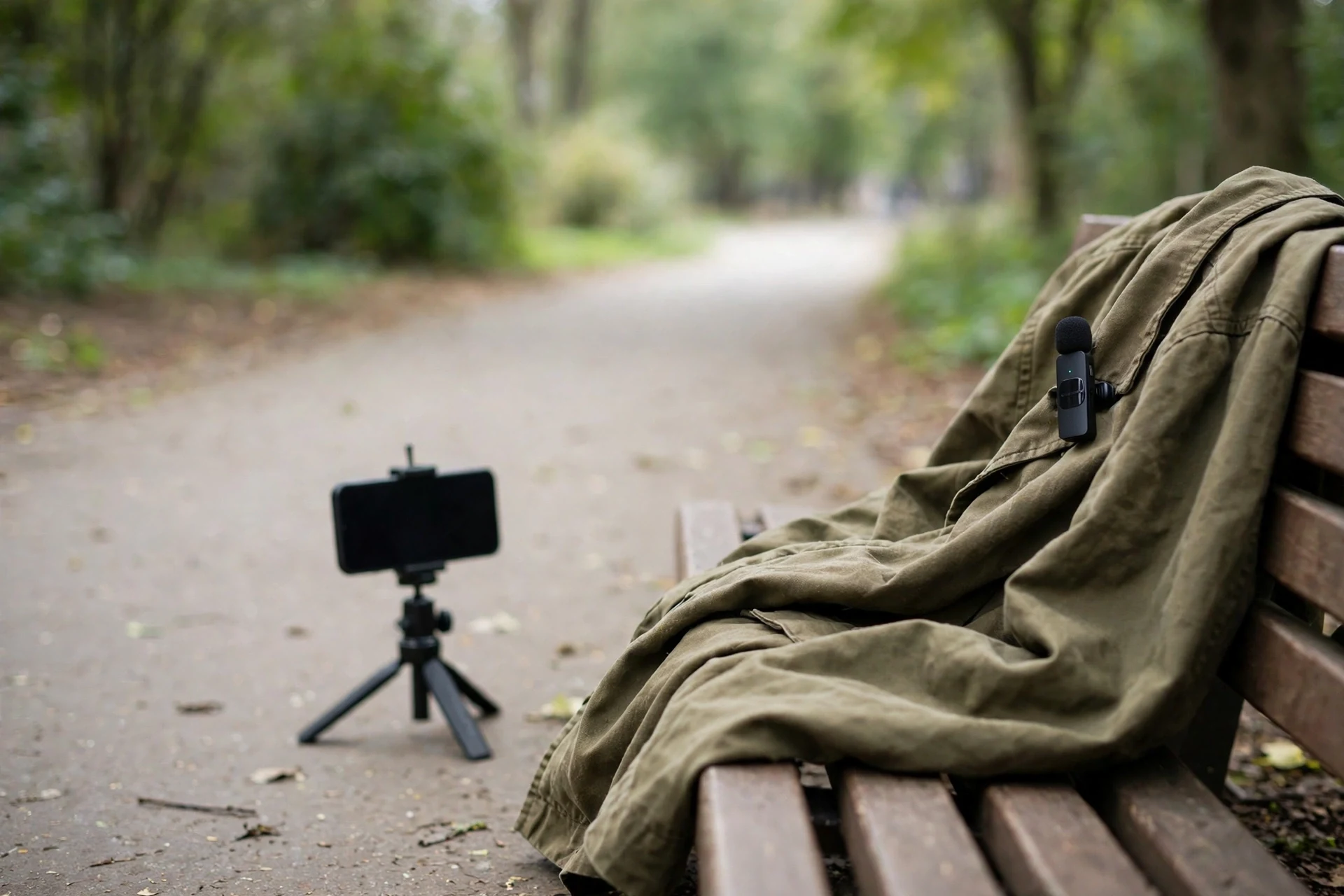
Walking and moving. You walk and talk, film a market, a street, or a trail. The phone moves, your body moves, and the distance between you and the phone changes with every step. Only a clip-on wireless mic keeps up, because the capsule rides on your collar and the distance never changes. Weight matters here more than anywhere else: a 10 g transmitter disappears on a T-shirt collar, while a heavier transmitter drags the collar down and thumps against your chest with every step. This is the situation the DJI Mic Mini was built for.
Interviewing a second person. Two voices need two transmitters. One mic passed back and forth sounds amateur and misses half the answers, and the phone’s built-in mic will not save you at two meters. Buy a two-transmitter kit from the start: the Mic Mini, the Wireless Micro, the Lark M2, and the Mic 3 all ship with two transmitters in their two-person kits. If the interview matters and you cannot redo it, the Mic 3 is the only pick here that keeps a backup copy.
Filming in wind and crowds. Wind and crowd noise punish every mic, but they punish a phone’s built-in mic worst. A clip-on mic with a furry windshield, worn under a collar or behind a jacket fold, cuts wind far better than any shotgun on top of the phone. Noise canceling helps with steady background hum, like traffic or a fan, and it does not fix gusts. The wind section below explains the furry-versus-foam choice in full.
The 6 best microphones for phone vlogging
Short answer: buy the DJI Mic Mini if you want the best all-round phone mic, the Rode Wireless Micro if you want the simplest setup, the Hollyland Lark M2 Combo if you also film on a camera, the DJI Mic 3 if your interviews cannot be repeated, the Rode VideoMic Me-C+ if you film solo on a wire, and the Rode SmartLav+ if your phone still has a headphone jack.
Each card below gives the facts that decide the buy: the connection, the battery, the weight, what is in the box, and the honest limits. No card claims a test that did not happen. The specs come from the makers’ own pages and from published reviews, and the verdict in each card is the situation that mic serves best.
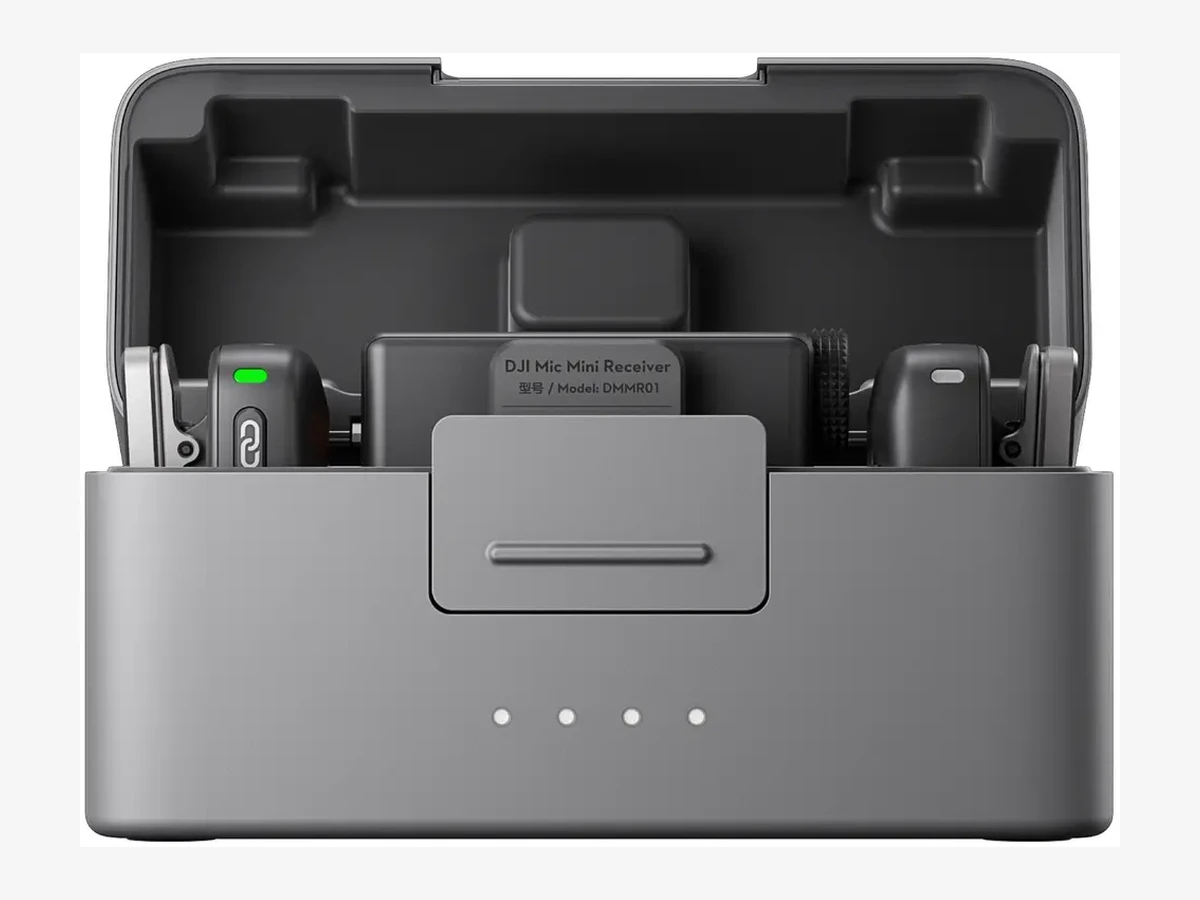
Photo: DJI
Key specs
Best overall
1. DJI Mic Mini
The DJI Mic Mini is the best microphone for phone vlogging because it does the most important thing best: it disappears. Each transmitter weighs 10 g, clips to a collar or sticks by magnet, and runs 11.5 hours on a charge, with the case stretching the kit to 48 hours of use.
The weight is the reason it leads. A 10 g transmitter does not pull a T-shirt collar over, does not thump while you walk, and does not show in the frame the way a bigger box does. The two transmitters in the two-person kit cover interviews as well as solo vlogs, and the receiver plugs into a USB-C phone or connects over Bluetooth through the DJI Mimo app. Two-level noise canceling tames steady background hum, and automatic limiting stops sudden loud sounds from clipping the recording.
The honest limit is the one in the key specs: there is no internal backup recording. If the radio link drops, that audio is gone, so the Mic Mini is the wrong pick for an interview you cannot repeat. The 48-hour figure also belongs to the two-person kit with the charging case; the single-transmitter kit ships with no case, so check the kit variant on the listing before you buy.
Technical features
- Two 10 g transmitters, clip or magnetic mount, omnidirectional capsule
- 11.5 hours per transmitter, 10.5 hours per receiver, 48 hours with the charging case
- 400 m range in open space, 2.4 GHz wireless with automatic limiting
- Two-level noise canceling, 48 kHz audio, 120 dB maximum SPL
- Receiver connects by USB-C or 3.5mm cable; direct Bluetooth to Osmo Pocket 3 and Osmo Action cameras
- Safety track recording in the DJI Mimo app as level insurance
- Furry windscreens in the box
What we like
- Lightest transmitter here, so it stays put on thin clothing
- Longest total battery life of any kit in this guide
- Two transmitters cover solo vlogs and interviews in one kit
- Pairs with DJI Osmo cameras with no receiver at all
Watch out for
- No internal backup recording, so a dropout loses audio
- 48 hours needs the two-person kit and its charging case
- Lightning iPhones need a separate adapter, not in the box
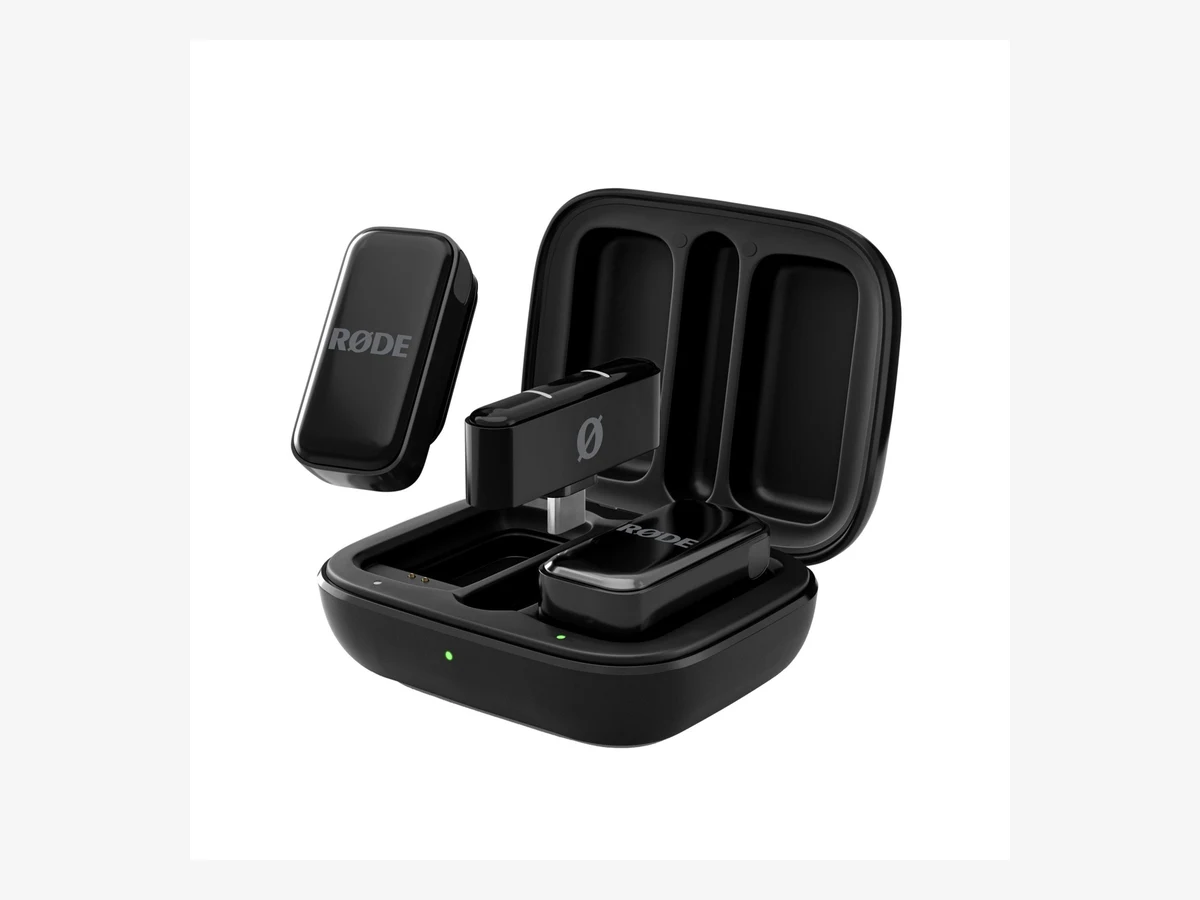
Photo: Rode
Key specs
Best direct plug-in
2. Rode Wireless Micro
The Rode Wireless Micro is the simplest wireless mic you can buy for a phone: the receiver plugs straight into the charging port, there is no cable, and GainAssist sets your levels for you. If setup friction is what stops you filming, this is the mic that removes it.
Plug-in receivers are the Wireless Micro’s whole idea. The receiver is a small block that sits in the phone port, the two transmitters pair automatically, and you are recording in seconds. GainAssist watches the level and rides it up and down so a laugh does not clip and a quiet sentence does not vanish. The charging case gives two extra charges, for 21 hours of use in total, and each transmitter runs 7 hours on one charge.
The catch is the choice you make at the checkout: the Wireless Micro comes in separate USB-C and Lightning versions, and the receiver in the box fits one port only. Buy the version that matches your phone, not the one that happens to be listed first. There is also no headphone jack on the receiver, so you monitor through the phone, and no lavalier input on the transmitters, so you cannot hide a wired lav under clothing with this kit.
Technical features
- Two transmitters with a receiver that plugs directly into the phone, no cable
- Separate USB-C and Lightning versions; Camera Kit version with a camera receiver also exists
- GainAssist automatic gain control for balanced levels
- 7 hours per transmitter, 21 hours with the charging case
- 48 kHz audio, 20 Hz to 20 kHz frequency range, 135 dB maximum SPL
- Works with iOS 14 and later, and Android 11 and later on the USB-C version
- Furry windshields in the box
What we like
- Fastest setup here: plug in, pair, record
- GainAssist stops clipping without any manual level setting
- Tiny case slips into a pocket or a phone pouch
- Lightning version keeps older iPhones covered
Watch out for
- USB-C and Lightning are separate versions, so the wrong one does not fit
- No headphone monitoring jack on the receiver
- No lavalier input, so no hidden-lav option
- No internal backup recording
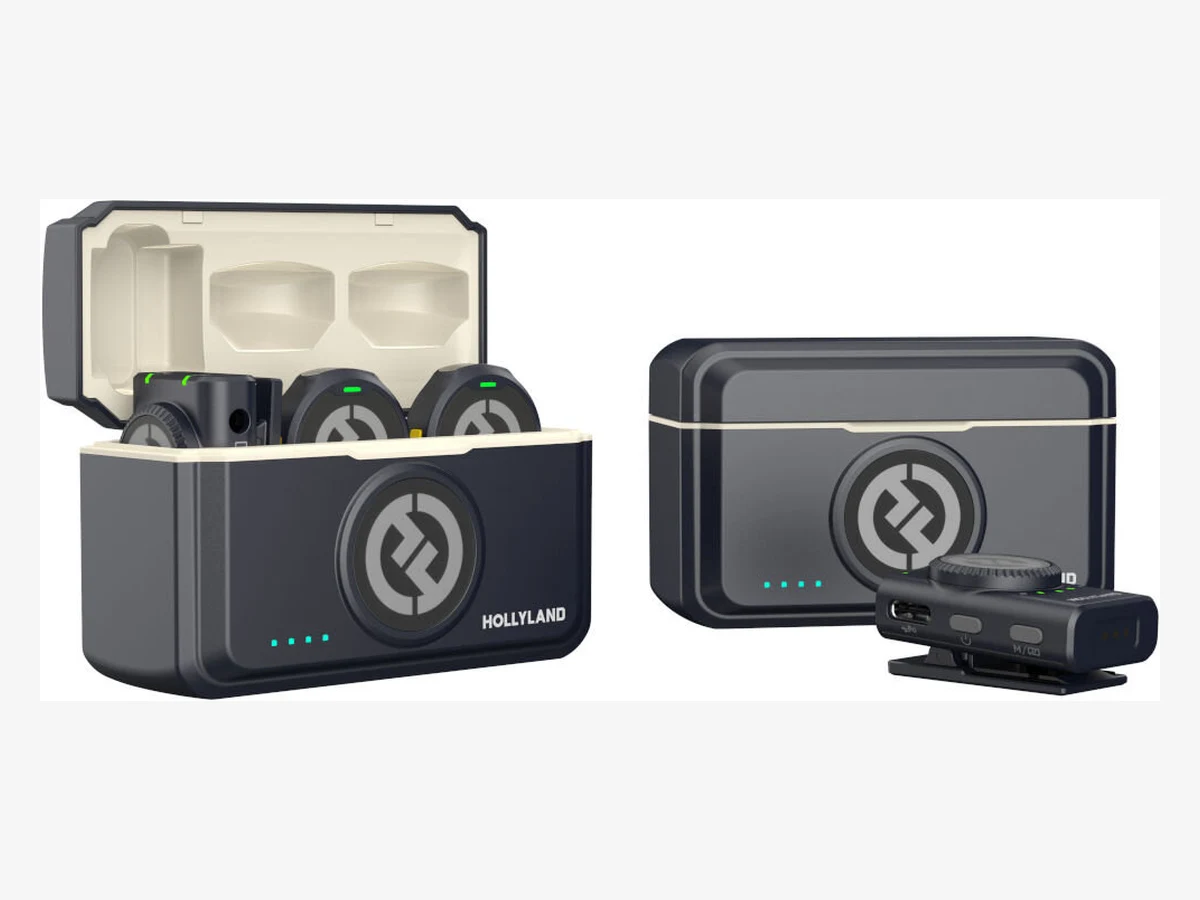
Photo: Hollyland
Key specs
Best phone and camera crossover
3. Hollyland Lark M2 Combo
The Hollyland Lark M2 Combo is the kit to buy if you film on a phone today and a camera tomorrow: one box carries a camera receiver, a USB-C plug-in receiver, and a Lightning plug-in receiver, so the same two 9 g transmitters work on every device you own.
The Combo version is the one that matters, and the name on the listing is the thing to check. The Mobile versions ship with one plug-in receiver only, while the Combo ships with all three receivers and the larger charging case, for 40 hours of use in total. The Mobile version’s smaller case gives 30 hours. Each transmitter weighs 9 g, runs 10 hours on a charge, and the range reaches 300 m in open space. Environmental noise canceling cuts steady background noise, and the Lightning receiver carries Apple’s MFi certification.
The trade-off is the same as the other light kits: no internal backup recording, so a dropped radio link loses the take. The button-sized transmitters are also the most discreet here, which is a strength on camera and a small weakness in handling: the tiny buttons and the necklace mounts take a little practice before a shoot. Buy the Combo, not a Mobile version, if a camera is anywhere in your plans.
Technical features
- Two 9 g button-sized transmitters with clip, magnet and necklace mounts
- Combo includes camera receiver, USB-C plug-in receiver and Lightning plug-in receiver
- 10 hours per transmitter, 40 hours with the camera-version charging case, 30 hours with the mobile case
- 300 m range in open space, 48 kHz and 24-bit audio
- Environmental noise canceling with a one-button switch
- MFi-certified Lightning receiver for older iPhones
- Furry windscreens in the box
What we like
- One kit covers phone, camera and computer with no extra purchase
- Lightest-feeling wear here at 9 g per transmitter
- 10-hour transmitter battery, with 40 hours from the charging case
- Necklace mount hides the mic completely under a shirt
Watch out for
- Only the Combo version carries all three receivers, so check the listing
- No internal backup recording
- Tiny controls take practice before a shoot
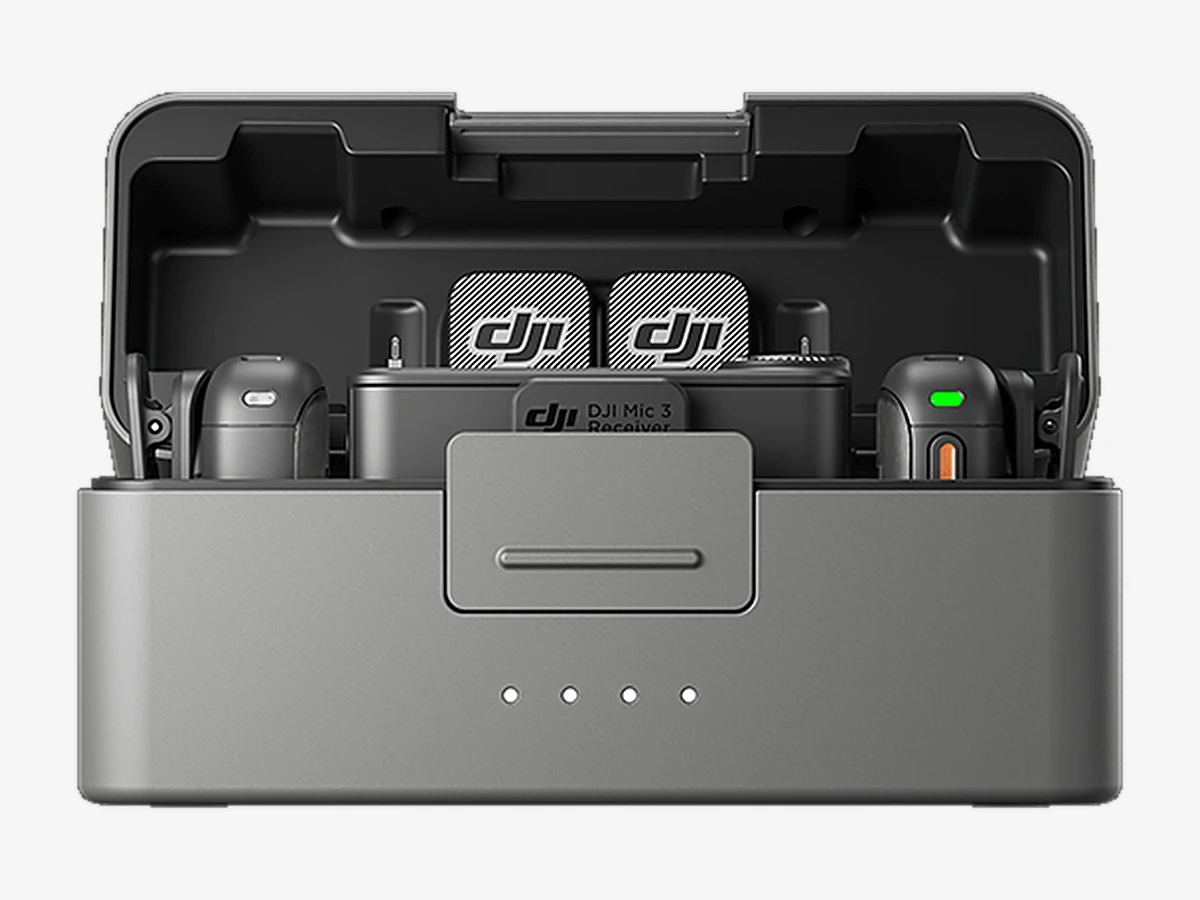
Photo: DJI
Key specs
Best backup recording
4. DJI Mic 3
The DJI Mic 3 is the step-up pick for phone vloggers who film interviews they cannot repeat: each 16 g transmitter records a backup copy in 32-bit float on 32 GB of internal storage while it transmits, so a dropout or a clipped shout does not cost you the take.
Thirty-two-bit float is the feature that justifies the higher band this kit sits in. A normal recording clips when the sound gets too loud; a 32-bit float file keeps the loud moment recoverable, because the file holds a far wider range of levels than a normal recording. The Mic 3 records two files at once, the original and an algorithm-enhanced version, so you have a second copy even before you count the phone recording. It also carries timecode, which matters when you sync audio from two devices later.
On a phone, the Mic 3 connects through its receiver by USB-C, with a USB-C phone adapter in the box and a Lightning adapter sold separately. It can also link to a phone over Bluetooth through the DJI Mimo app. Two limits to know: the transmitter has no lavalier input, so you cannot plug a wired lav into it, and the two-person kit has shown as out of stock at DJI’s own store while remaining in stock at other retailers, so check availability on the listing before you plan a shoot around it.
Technical features
- Two 16 g transmitters, each with 32 GB internal storage
- Dual-file 32-bit float internal recording, up to 43 hours in single-file mode
- 8 hours per transmitter, 10 hours per receiver, 28 hours with the charging case
- 400 m range in open space, 80 m in high-interference areas
- Adaptive Gain Control, two-level noise canceling, three voice tone presets
- Timecode support and four-transmitter growth path
- USB-C phone adapter in the box; Lightning adapter sold separately
- Furry windscreens in the box
What we like
- Only pick here with a real backup recording in the transmitter
- 32-bit float saves takes that would clip on any other kit here
- Headphone monitoring output on the receiver
- Timecode helps when you sync a second device
Watch out for
- Costs more than the Mic Mini for the same two voices
- No lavalier input on the transmitter
- Lightning adapter is a separate purchase
- Two-person kit availability moves, so check stock first
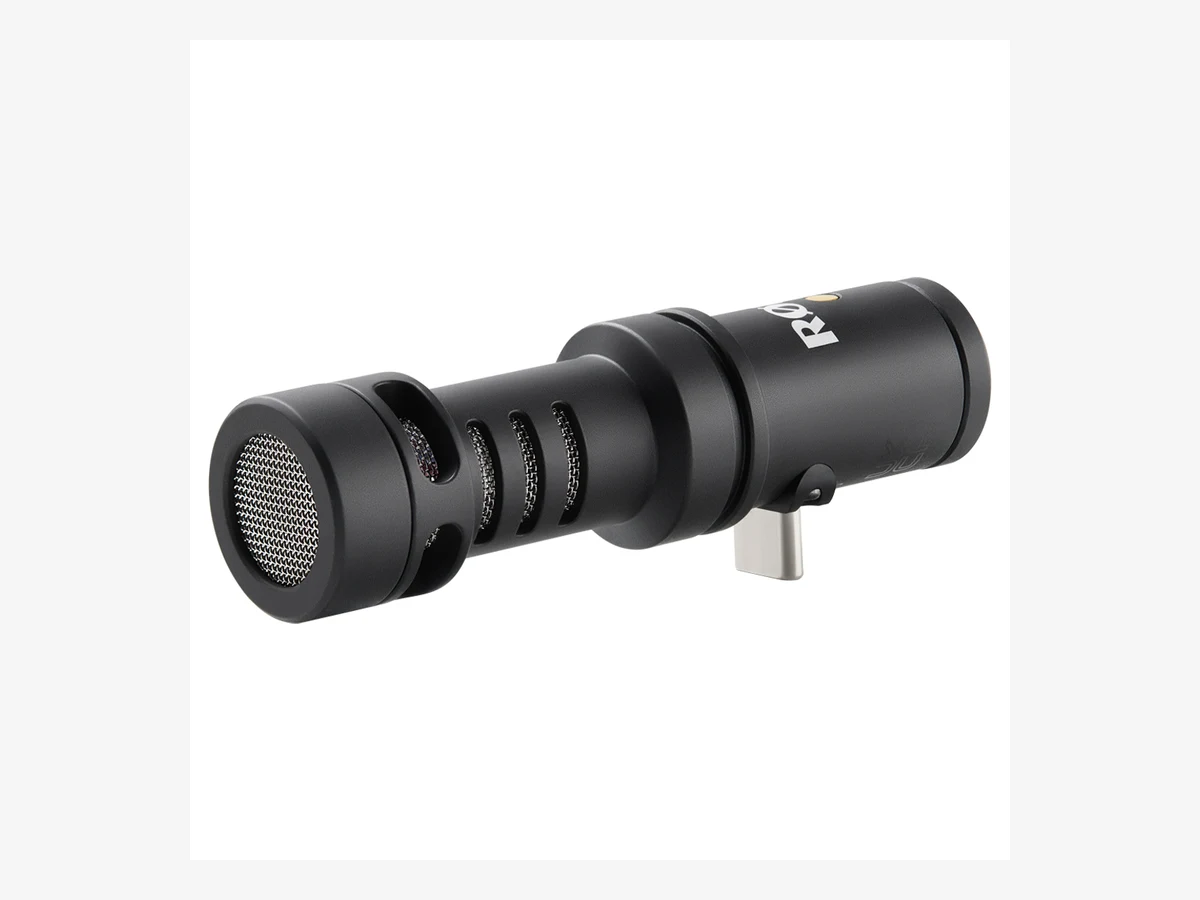
Photo: Rode
Key specs
Best wired shotgun for solo
5. Rode VideoMic Me-C+
The Rode VideoMic Me-C+ is the best wired mic for solo phone vlogging at arm’s length: a cardioid shotgun that plugs into a USB-C phone, points at your voice, and pushes room noise to the side, with a headphone jack so you can hear exactly what it hears.
Directionality is the whole point of this mic. A clip-on lav hears everything around you equally; a cardioid shotgun hears what is in front of it and less of what is beside it. At arm’s length that difference is audible: your voice stays forward and the room, the street, and the people behind the phone drop back. It draws power from the phone, so there is no battery to charge and no pairing to fail, and it works with the free Rode Capture app and with any recording app that accepts USB audio.
Two limits decide whether it fits you. It works on USB-C phones only, and it does not work on Lightning iPhones at all, so iPhone 14 and older owners should look at the wired lav below instead. And its short USB-C plug cannot reach through a thick phone case, so the case comes off before the mic goes on. It is also a solo mic by nature: point it at a second person and the first voice fades, because that is what directional means.
Technical features
- Cardioid directional condenser capsule for USB-C phones
- 20 Hz to 20 kHz frequency range, 115 dB maximum SPL
- 24-bit audio at 44.1 and 48 kHz sample rates
- 3.5mm headphone output for live monitoring while recording
- USB bus powered, no battery and no charging
- Works with iOS 17 and later, and Android 12 and later
- WS9 Deluxe Furry Windshield in the box; MFi certified for iPhone
What we like
- Directional pickup keeps your voice forward in noisy places
- Headphone monitoring on the mic itself, a rare feature at this size
- No battery, no pairing, no app needed to start recording
- Plugs in either way round, so it works on the front or back camera
Watch out for
- USB-C only, so it does not fit Lightning iPhones
- Short plug means thick phone cases must come off
- Needs iOS 17 or Android 12 or later
- Solo use only; a second voice off to the side fades
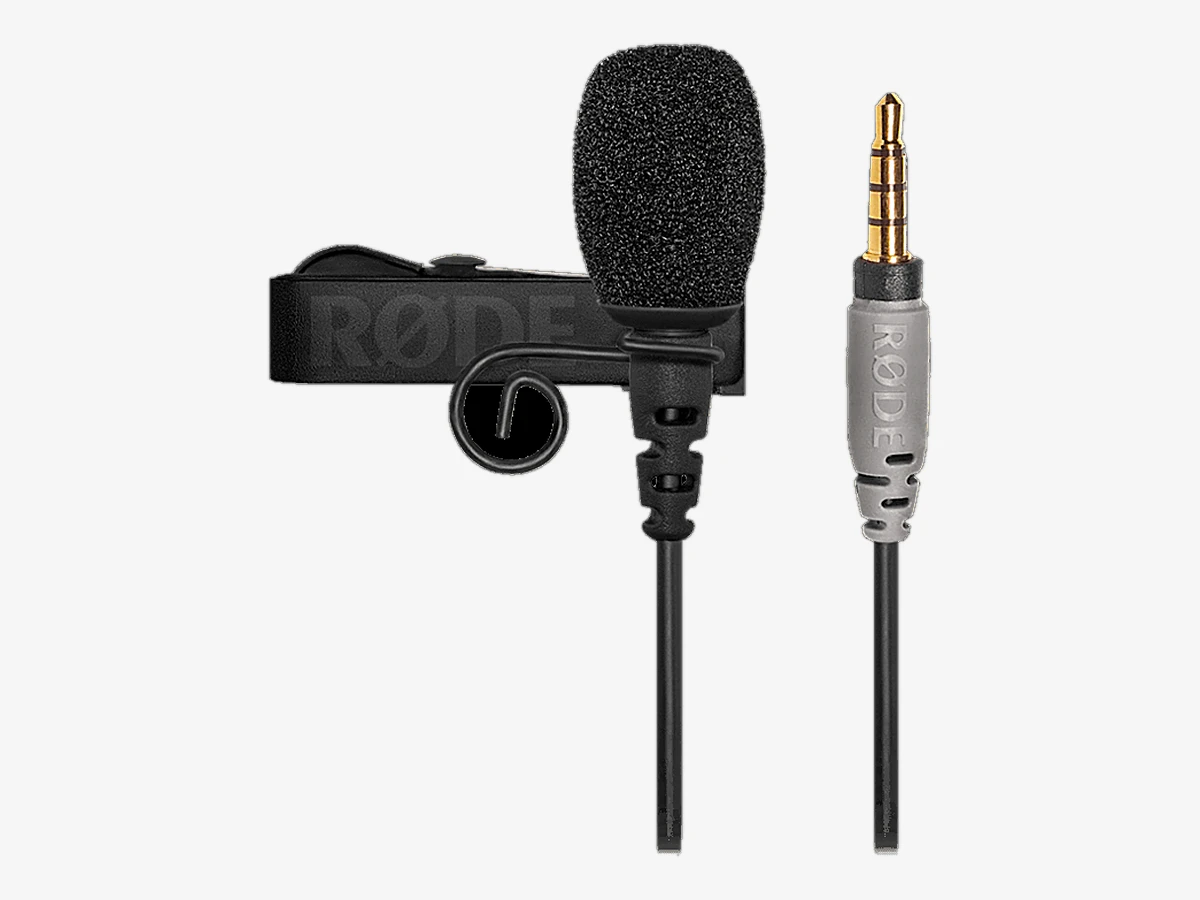
Photo: Rode
Key specs
Best wired lav
6. Rode SmartLav+
The Rode SmartLav+ is the best wired lavalier for phone vlogging if your phone still has a headphone jack: a tiny omnidirectional capsule that clips to your collar, plugs straight in, and has stayed in production for over a decade because a wire has so little to go wrong.
A wired lav is the simplest audio upgrade there is. There is no battery, no radio, no pairing, and no case to charge. The capsule sits 15 to 30 cm below your mouth, the cable runs down to the phone in your hand or on a tripod, and the voice comes out close and clear. It works with the Rode Reporter app for recording and monitoring, and with any app that accepts a TRRS mic input. For a static interview at a table, a wired lav sounds as good as a wireless kit that costs several times more.
The limit is the port it was built for. Most current phones have no headphone jack, so on a USB-C or Lightning phone the SmartLav+ needs an adapter, and that adapter must pass a mic signal, which many cheap ones do not. The cable also ties you to the phone: fine at a table, wrong for a walk-and-talk. If you want the same idea at a lower cost and with a much longer cable, the BOYA BY-M1 gives you a 6 m cable and a battery-powered switch for camera or phone use, at the budget end of this guide.
Technical features
- Omnidirectional condenser lavalier capsule with foam windscreen and clip
- 3.5mm TRRS plug for phones with a headphone jack
- 20 Hz to 20 kHz frequency range, 67 dB signal-to-noise ratio
- Plug-in power from the phone, no battery needed
- Works with the Rode Reporter recording app
- Clip, windscreen and storage pouch in the box
What we like
- Nothing to charge, pair, or update before a shoot
- Small capsule hides under clothing better than any wireless box
- Proven design with a decade of use behind it
- Lowest cost of any pick in this guide
Watch out for
- Needs a mic-capable adapter on phones with no headphone jack
- Cable ties you to the phone, so no walking shots
- No wind protection beyond the foam windscreen in the box
One transmitter or two
Short answer: buy two transmitters if you ever film with a second person, and buy one if you only ever film yourself. The price gap between a one-transmitter kit and a two-transmitter kit is smaller than the cost of buying a second kit later.
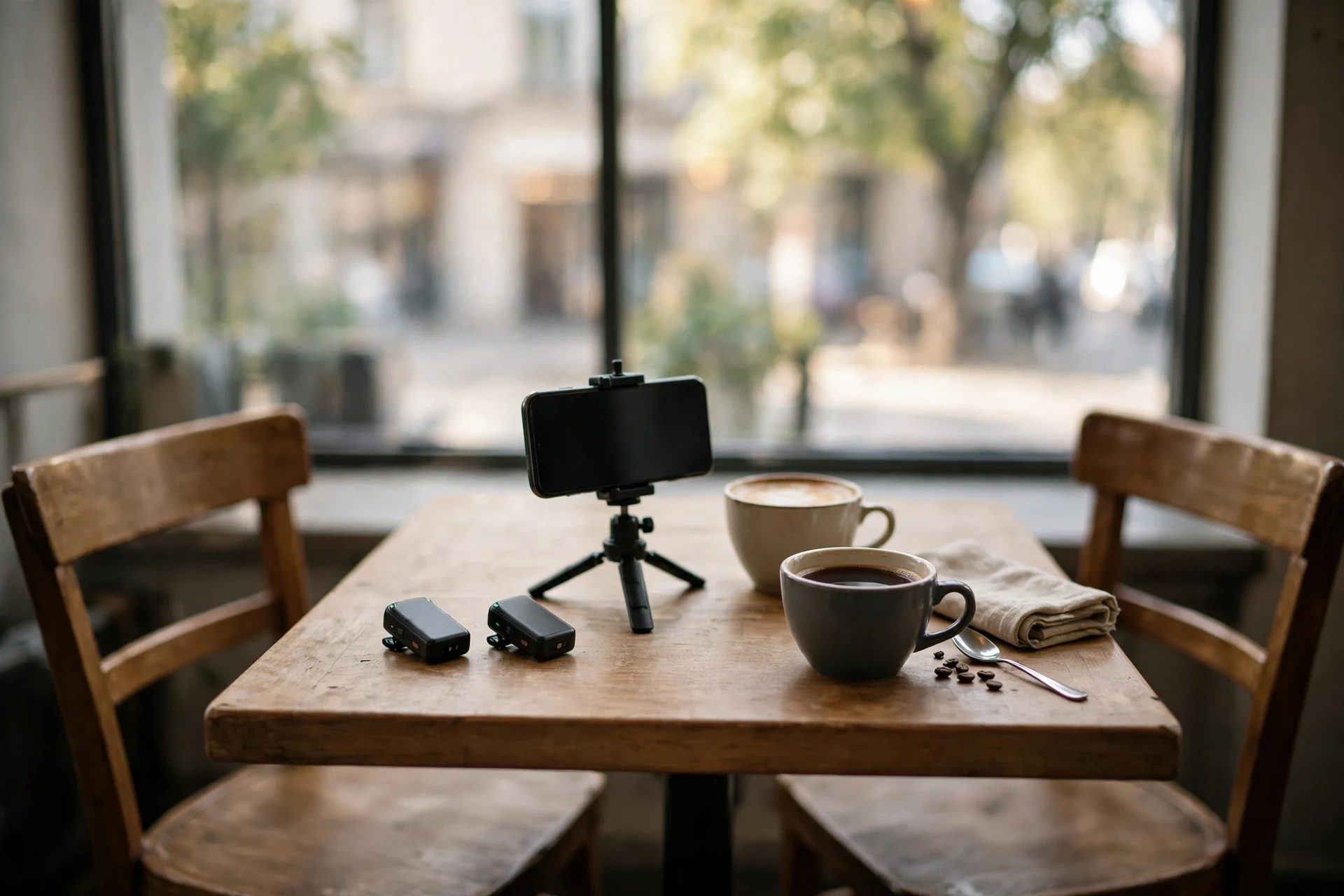
The DJI kits sell in a one-person version and a two-person version, and the listing name is where the difference hides. The DJI Mic Mini sells as a 1 TX plus 1 RX kit and as a 2 TX plus 1 RX kit with a charging case. The DJI Mic 3 sells the same way. The Rode Wireless Micro and the Hollyland Lark M2 ship as two-transmitter kits in their standard versions. Before you pay, read the kit name on the listing and count the transmitters in the box contents.
Two transmitters change what you can film. A guest, a second host, a person you stop on the street: all of them get their own mic, their own level, and their own track. With one transmitter, the second voice comes from the phone mic at arm’s length, which is exactly the thin sound you bought the mic to escape. If you film interviews even once a month, two transmitters pay for themselves the first time a guest’s answer lands clean.
One transmitter is the right buy for a solo creator who never films a second voice. It costs less, the case is smaller, and there is no second mic to charge, pair, or lose. The honest test is your last ten videos: if a second person spoke in any of them, buy two. If you cannot remember the last time anyone else spoke on camera, buy one and spend the difference on a furry windshield and a small tripod.
The backup recording trade-off, stated plainly
Short answer: only the DJI Mic 3 in this guide records a backup copy inside the transmitter. The DJI Mic Mini, the Rode Wireless Micro, and the Hollyland Lark M2 do not. If the radio link drops on those three, the audio is gone.
Backup recording means the transmitter writes its own copy of the audio to memory inside the mic while it also sends the audio to the phone. The two copies protect you against different failures. The phone copy protects you if the transmitter file corrupts. The transmitter copy protects you if the radio link drops, if the phone app crashes, or if a notification interrupts the recording. The Mic 3 writes its backup in 32-bit float, which adds a second layer of protection: a shout that would clip a normal recording stays recoverable in the float file.
For a solo vlog you can re-record, no backup is a fair trade. You lose a take, you shoot it again, and the cost is five minutes. For an interview, a wedding, a client shoot, or a one-time event, no backup is a risk you carry on every take. That is the whole decision: how much does a lost take cost you? If the answer is “a re-shoot,” buy the Mic Mini and keep the difference. If the answer is “the moment is gone,” buy the Mic 3.
Two partial safety nets exist on the kits without internal recording, and neither is a backup. The DJI Mimo app can record a safety track at a lower level alongside the main track, which saves a take that clips but not a take that drops out. Rode’s GainAssist keeps levels in range so clipping is rarer, but it cannot recover audio the phone never received. Treat both as level insurance, not as a backup, because that is what they are.
The Rode Wireless Pro is the other kit with a backup recording, and it belongs to the camera-first comparison, not this guide. It costs more than the Mic 3, it is built around a camera receiver, and its phone use is a secondary job. If you already own a camera and want the Pro, our guide to the best wireless microphones for vlogging covers it. For a phone-first buyer who needs a backup, the Mic 3 is the pick.
The port trap: USB-C, Lightning, TRRS and TRS
Short answer: USB-C and Lightning are different plugs that do not fit each other, TRRS and TRS are different 3.5mm plugs that look identical and fail silently, and many cheap adapters pass headphone sound but no mic signal. Buy the version that matches your phone, and test any adapter before the shoot.
The trap has three parts, and each one has bitten a lot of buyers. Part one is the charging port: a USB-C receiver does not fit a Lightning phone, and a Lightning receiver does not fit a USB-C phone. There is no universal receiver in this guide. The Wireless Micro and the Lark M2 Mobile versions solve it by selling separate versions per port, and the Mic 3 solves it with a USB-C adapter in the box and a Lightning adapter sold separately. Either way, the port match is your job, not the maker’s.
Part two is the 3.5mm plug. A TRS plug has two black rings and three conductors, so on a camera mic input it is a mono mic connection: tip carries the mic signal, ring carries plug-in power, and sleeve is ground. It carries stereo audio or balanced mono, never stereo plus a mic signal at the same time; that fourth conductor is what TRRS adds. A TRRS plug has three black rings and carries stereo audio out plus a mic line on a phone. They look the same at a glance, and they fail silently: a TRS lav into a phone jack records nothing, and a TRRS lav into a camera jack records nothing. The SmartLav+ is TRRS, which is why it works on a phone jack and not on a camera. If a wired mic is silent on your phone, count the rings before you blame the mic.
Part three is the adapter. A USB-C to 3.5mm adapter is not one product: some pass a mic signal and some pass headphone sound only. The cheap adapter in a market stall is usually the headphone-only kind, and it will play music through your earphones while your mic records silence. Buy an adapter that states mic support, and test it the day it arrives: plug the mic in, record ten seconds, and play it back. A ten-second test at home beats a silent interview on location.
Bluetooth is the escape hatch for one case: the DJI Mic Mini and Mic 3 can link to a phone over Bluetooth through the DJI Mimo app with no receiver plugged in at all. That helps when the port is busy charging the phone, or when the receiver does not fit your case. Two limits: the Bluetooth link works only in third-party recording apps, not the phone’s native camera app, and a phone connects to only one transmitter at a time over Bluetooth. It is still a radio link with no backup on the Mic Mini, so treat it as a convenience, not as the main connection for an interview.
One last port fact: the USB-C port on your phone cannot do two jobs at once. If the receiver occupies the only USB-C port, you cannot charge the phone while you record, unless the receiver itself passes power through. Plan the battery around that: start with a full charge, or use the Bluetooth link and keep the port free for a power bank.
The case fit problem
Short answer: plug-in receivers have short plugs that cannot reach through a thick phone case. If your case is thick, rugged, or has a raised lip around the port, take it off before you plug a mic in.
This is the second most common phone mic failure, after the wrong port, and it looks like a broken mic. The receiver plugs in, the phone shows no mic, and the buyer returns a working product. The real cause is a gap of one or two millimeters: the case holds the plug a fraction short of seated, the connection never registers, and the phone keeps using its built-in mic. The Rode VideoMic Me-C+ is the worst affected pick here because its plug is short by design and the phone rests on the mic body; reviewers note the case has to come off. The Rode Wireless Micro and the Lark M2 plug-in receivers have the same short-plug shape, so the same rule applies.
Test it before a shoot, not during one. Put the case on, plug the receiver in, and check the phone actually switches to the external mic. If it does not, take the case off and test again. If it works without the case, you have your answer, and the fix costs nothing. A case with a wide port cutout avoids the problem, and some vloggers keep a slim case for filming days and a rugged case for the rest of the week.
The DJI receivers do not dodge the problem either. The DJI Mic Mini and Mic 3 receivers plug into the phone through the adapter and hang off the port, just like a plug-in receiver, so a thick case can still block the fit and the case may have to come off. So a DJI kit is no escape from the case problem: test the fit with your own case before you buy.
The same short-plug logic applies to the wired shotgun. The VideoMic Me-C+ is designed so the phone rests on it, with two small feet helping the connection, and a case breaks that geometry. If you love the idea of a shotgun and you love your case, pick the wireless route instead, and test the fit with the case on before you commit.
Wind handling: furry beats foam outdoors
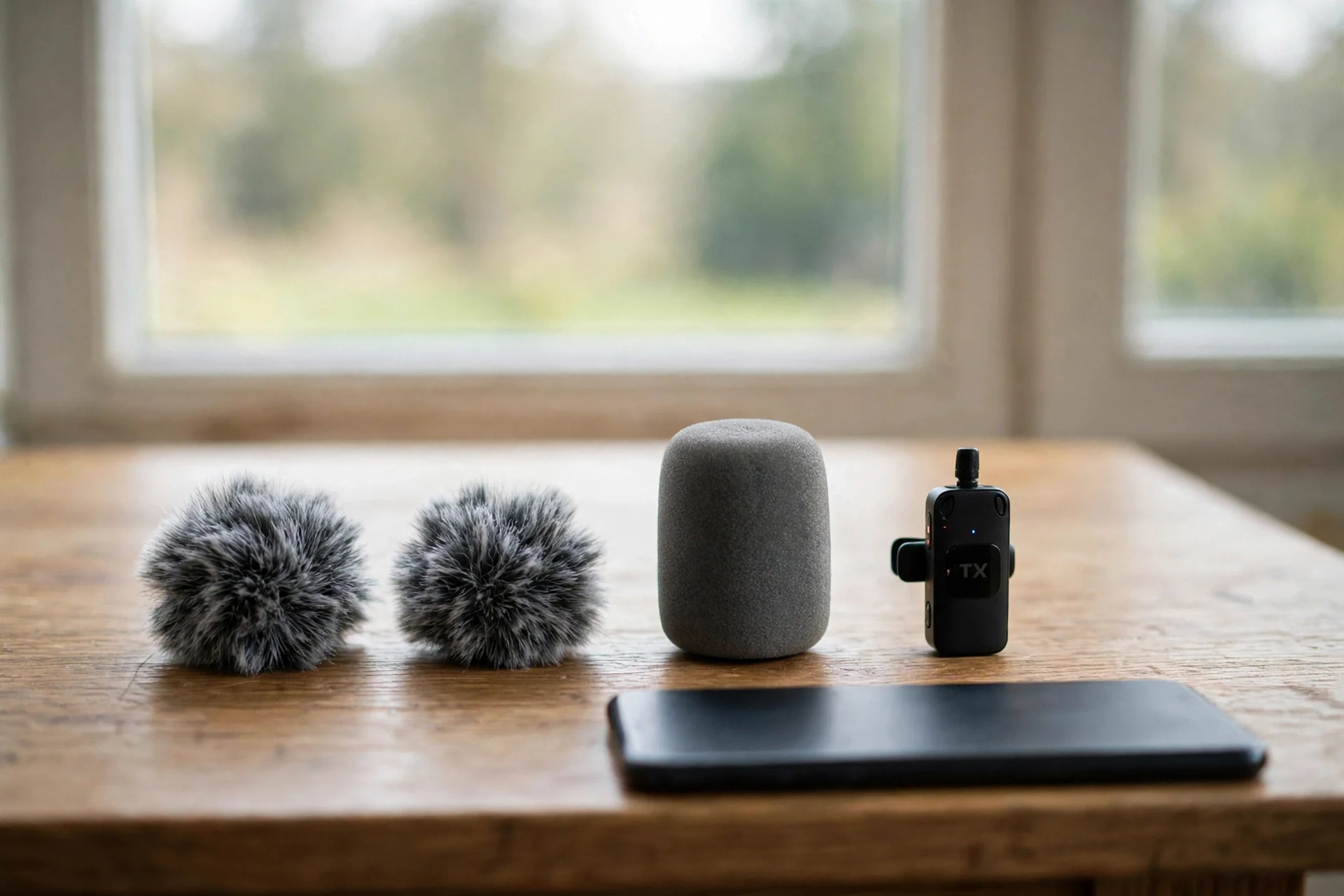
Short answer: a furry windshield, often called a deadcat, is the only wind protection that works outdoors. Foam helps indoors against breath pops. Outdoors, foam alone leaves the wind in the recording.
Wind noise is not sound. It is air pressure hitting the capsule directly, and it overloads the mic in a way no edit can remove. The fix is physical: a furry cover breaks the wind into tiny turbulent paths before it reaches the capsule, and the pressure drops. Foam does the same job for the small puff of a spoken “p” sound, which is why foam is enough indoors, and why it fails on a breezy street.
Every wireless kit in this guide ships with furry windscreens for the transmitters, so the protection is in the box. The habit that matters is putting them on before you step outside, not after the first ruined take. A furry windshield on a clip-on mic is small and easy to lose, so keep the windscreens in the charging case, not loose in a bag pocket. The VideoMic Me-C+ ships with the furry WS9 Deluxe Windshield, so it carries real wind protection in the box: a solo mic at arm’s length, covered for outdoor use. In strong wind, keep the furry windshield on and shield it with your body as well.
Placement helps as much as the windshield. Clip the transmitter under a collar fold or behind a jacket lapel, with the capsule pointing up toward your mouth, and the fabric breaks the wind before it reaches the mic. On a windy day, turn so the wind hits your back, not your chest, and the difference is audible in the first ten seconds of playback. The pattern of the mic matters too: an omnidirectional lav hears wind from every direction, while a directional shotgun rejects some of it, which is one more reason the VideoMic Me-C+ holds up outdoors for solo filming. Our guide to microphone polar patterns and placement explains the pattern difference in full.
One kit for phone and camera
Short answer: yes, one kit can cover both, but only if it ships with a camera receiver as well as a phone receiver. The Hollyland Lark M2 Combo and the DJI kits do; the Rode Wireless Micro needs its separate Camera Kit version.
Most phone vloggers buy a camera within a year, and the mic is the one accessory that can follow you across. The test is simple: does the kit include a receiver with a 3.5mm output for a camera, or only a plug-in receiver for a phone? The Lark M2 Combo includes both, plus a Lightning receiver, so it is the cleanest crossover buy. The DJI Mic Mini and Mic 3 receivers carry a 3.5mm output and a USB-C connection, so they move to a camera with the included cable. The Wireless Micro in its standard form is phone-only, and the camera job needs the Camera Kit version, which adds a camera receiver alongside the USB-C smartphone receiver.
Two details decide the crossover in practice. First, a camera receiver needs a mount: a cold shoe on the camera, or a small cage, and the receiver must not block the flip screen. Second, the phone app and the camera record different files, so syncing matters if you record audio on the phone and video on the camera. The Mic 3 helps here with timecode, and the other kits leave syncing to a hand clap at the start of the take.
If you already own a camera and a phone and you want one mic for both, buy the Lark M2 Combo or the DJI Mic Mini and stop there. If you only own a phone, buy for the phone and let the camera decision come later; the crossover kits cost more, and the extra receiver sits unused until the camera arrives. Our guide to the best mobile vlogging kit shows the rest of the phone kit around the mic, from tripod to light.
Set up your phone mic in 10 minutes
Short answer: charge everything, pair the transmitters, plug the receiver in, record a ten-second test, play it back, and only then start the real take. The test is the setup.
Do this the first time you unbox any mic in this guide, and repeat the short version before every shoot. First, charge the transmitters and the case fully, and check the phone battery too, because a dead phone ends the shoot faster than a dead mic. Second, clip the transmitter to your collar, 15 to 30 cm below your mouth, capsule pointing up, with the clip gripping fabric that does not rustle. Third, plug the receiver into the phone and confirm the recording app shows the external mic as the input; if it shows the built-in mic, re-seat the plug or remove the case.
Fourth, set the level. On the Rode kits, GainAssist does this for you, and the job is to speak at your normal volume for ten seconds and watch the meter. On the DJI kits, set the gain in the Mimo app so your loudest laugh stays below the top of the meter. Fifth, put the furry windshield on if you are outdoors, and do a ten-second test recording in the actual location, with the actual background noise. Play it back through earphones, not the phone speaker, and listen for three things: your voice clear and forward, no wind roar, and no rustle from the clip or the cable.
Sixth, lock the phone down for the shoot. Turn on Do Not Disturb so a call does not stop the recording, set the phone to airplane mode with Wi-Fi left on if you need it, and check storage space, because a long 4K take plus a dead mic battery is a bad combination. Seventh, record a five-second hand clap at the start if you will sync audio later. Then film. The whole routine takes ten minutes the first time and two minutes once it is a habit, and it catches every common failure while there is still time to fix it. For the recording habits that sit around the mic, our guide to How to record better vlog audio covers levels, monitoring, and room sound in depth.
What not to buy
Short answer: do not buy a desk USB mic, an XLR mic with no interface, a Lightning-only mic for a USB-C phone, or a no-name wireless two-pack with no maker behind it. Each one fails on a phone for a different reason.
A desk USB microphone is built for a room and a computer, not for a phone in your hand. It needs a stand, it hears the room, and it cannot ride on your collar while you walk. It has its place for voiceovers at a desk, and no place in a vlogging kit. An XLR microphone is the same story in the other direction: it needs phantom power and an interface, and a phone has neither. The mic is not bad; the chain it needs does not exist on a phone.
A Lightning-only mic for a USB-C phone is a straight return, and it happens because the listing photo looks right and the port detail sits far down the page. Read the connector in the specification list, not in the title. The same care applies to the older Rode VideoMic Me-L, built for Lightning iPhones, and to any mic whose listing says Lightning while your phone says USB-C.
No-name wireless two-packs are the riskiest buy in this category. The listings change weekly, the capsules vary from batch to batch, and the only evidence is a review score. A mic is the one accessory where a failure deletes the video, not just the audio, because a silent vlog is an unusable vlog. Buy from a maker with a support page, a firmware app, and a warranty you can actually use. The six picks in this guide all clear that bar, and the cheapest of them costs less than a re-shoot.
One more thing to skip: a phone shotgun mount that covers the phone lens or blocks the flip-out screen. The mic must sit clear of every lens and every button, and the phone must still balance on the tripod. If the mount fights the phone, the mount is the problem, not the phone.
FAQs
Short answer: the questions below cover the port, the backup, the case, and the choice between wireless and wired. If your question is not here, the port check at the top of this guide answers most of the rest.
What is the best microphone for phone vlogging?
The DJI Mic Mini is the best microphone for phone vlogging for most people: two 10 g transmitters, 48 hours of use with the charging case, a receiver that plugs into a USB-C phone, and a price at the top of the three light kits’ range. Buy the Rode Wireless Micro if you want the simplest plug-in setup, and the DJI Mic 3 if you film interviews you cannot repeat.
Do I need a wireless mic, or is the built-in phone mic enough?
The built-in mic is enough for a quick clip in a quiet room, and not enough for a vlog. It sits at arm’s length, hears the room as loudly as you, and turns wind into a roar. A clip-on mic moves the capsule to your collar, and that short distance is the whole upgrade. If viewers complain they cannot hear you, the mic is the fix, not a new phone.
Which mic works with iPhone 15 and later?
Any USB-C mic works with iPhone 15 and later: the DJI Mic Mini, the Rode Wireless Micro in its USB-C version, the Hollyland Lark M2 with its USB-C receiver, the DJI Mic 3, and the Rode VideoMic Me-C+. Buy the USB-C version of any kit that sells separate versions, and check the listing before you pay.
Which mic works with older iPhones that have Lightning?
Buy the Lightning version of the Rode Wireless Micro or the Hollyland Lark M2, which both sell a Lightning receiver. The DJI Mic 3 takes a Lightning adapter sold separately. The Rode VideoMic Me-C+ does not work on Lightning iPhones at all, and the Rode SmartLav+ works only with an adapter that passes a mic signal.
Can I use a DJI Mic Mini with a Lightning iPhone?
Yes, with the right adapter. The Mic Mini receiver connects by USB-C, so a Lightning iPhone needs a USB-C to Lightning adapter, sold separately. The Mic Mini can also link to the phone over Bluetooth through the DJI Mimo app with no receiver plugged in, which works on any iPhone the app supports, in third-party recording apps only rather than the phone’s native camera app, and with one transmitter at a time over Bluetooth.
Does the DJI Mic Mini record internally?
No. The DJI Mic Mini has no internal storage, so it records only to the device connected to the receiver or to the phone over Bluetooth. If the radio link drops, that audio is gone. The DJI Mic 3 is the step-up pick with internal recording, in 32-bit float on 32 GB per transmitter.
Is the Rode Wireless Micro better than the DJI Mic Mini?
Neither is better in every way. The Wireless Micro is simpler: the receiver plugs straight into the phone and GainAssist sets the levels. The Mic Mini is lighter per transmitter, lasts longer with its case, and pairs directly with DJI Osmo cameras. Pick the Wireless Micro for the fastest setup and the Mic Mini for walking vlogs and travel days.
One transmitter or two?
Buy two if you ever film a second person, and one if you only ever film yourself. Two transmitters give each voice its own mic and its own level, and the price gap between the one-person and two-person kits is smaller than buying a second kit later. Check the kit name on the listing and count the transmitters in the box.
Can I use the same mic on my phone and my camera?
Yes, if the kit ships with a camera receiver. The Hollyland Lark M2 Combo includes a camera receiver, a USB-C receiver, and a Lightning receiver in one box. The DJI Mic Mini and Mic 3 receivers carry a 3.5mm output for a camera. The standard Rode Wireless Micro is phone-only, and the camera job needs its separate Camera Kit version.
Do I need a furry windshield, or is foam enough?
Foam is enough indoors, where it tames breath pops. Outdoors you need a furry windshield, which breaks the wind before it hits the capsule. Every wireless kit in this guide ships with furry windscreens. Put them on before you step outside, and keep the windscreens in the charging case.
Why is my external mic silent on my phone?
Three causes cover almost every silent mic. The plug is not seated, usually because a thick phone case holds it a millimeter short: take the case off and test again. The adapter does not pass a mic signal: many cheap USB-C to 3.5mm adapters carry headphone sound only. Or the plug type is wrong: a TRS lav into a phone jack records nothing, and a TRRS lav into a camera jack records nothing. Count the rings on the plug.
Can I monitor audio while recording on a phone?
Yes, if the mic gives you a way to listen. The Rode VideoMic Me-C+ has a 3.5mm headphone jack on the mic itself, and the DJI Mic 3 receiver has a headphone monitoring output. The Rode Wireless Micro has no headphone jack on the receiver, so you monitor through the phone and the recording app. Always test with earphones before the real take.
Will a wireless mic work with a thick phone case?
Plug-in receivers may not, because their short plugs cannot reach through a thick case. Take the case off and test. The DJI Mic Mini and Mic 3 receivers also plug into the port through an adapter and hang off it, so a thick case can block them too. A case with a wide cutout around the charging port avoids the problem.
Is a wired lavalier still worth buying?
Yes, for static filming on a phone that still has a headphone jack. A wired lav like the Rode SmartLav+ has no battery, no pairing, and no radio to drop, and it sounds as good as a wireless kit at a table. It is the wrong buy for walking shots, because the cable ties you to the phone, and for phones with no headphone jack, where it needs a mic-capable adapter.
The bottom line
Short answer: check your port, then buy the DJI Mic Mini for walking vlogs, the Rode Wireless Micro for the simplest setup, the Hollyland Lark M2 Combo if a camera is coming, the DJI Mic 3 if your interviews cannot be repeated, the Rode VideoMic Me-C+ for solo filming on a wire, and the Rode SmartLav+ if your phone still has a headphone jack.
The mic is the cheapest big upgrade in phone vlogging. A phone camera already looks good; a clip-on mic is what makes it sound good. Buy the kit that matches your port and your situation, test it for ten seconds before every shoot, and put the furry windshield on before you step outside. Do those three things and the audio stops being the reason a video does not work.
This guide is research-based curation: we compared manufacturer specifications, published reviews, and current prices. Read how we choose.
Keep exploring
Good phone audio is only half the vlog. Here is the rest of the kit, from the camera to the edit.